Airbag - Driver (Remove and Replace)
Correction code 2001010220010102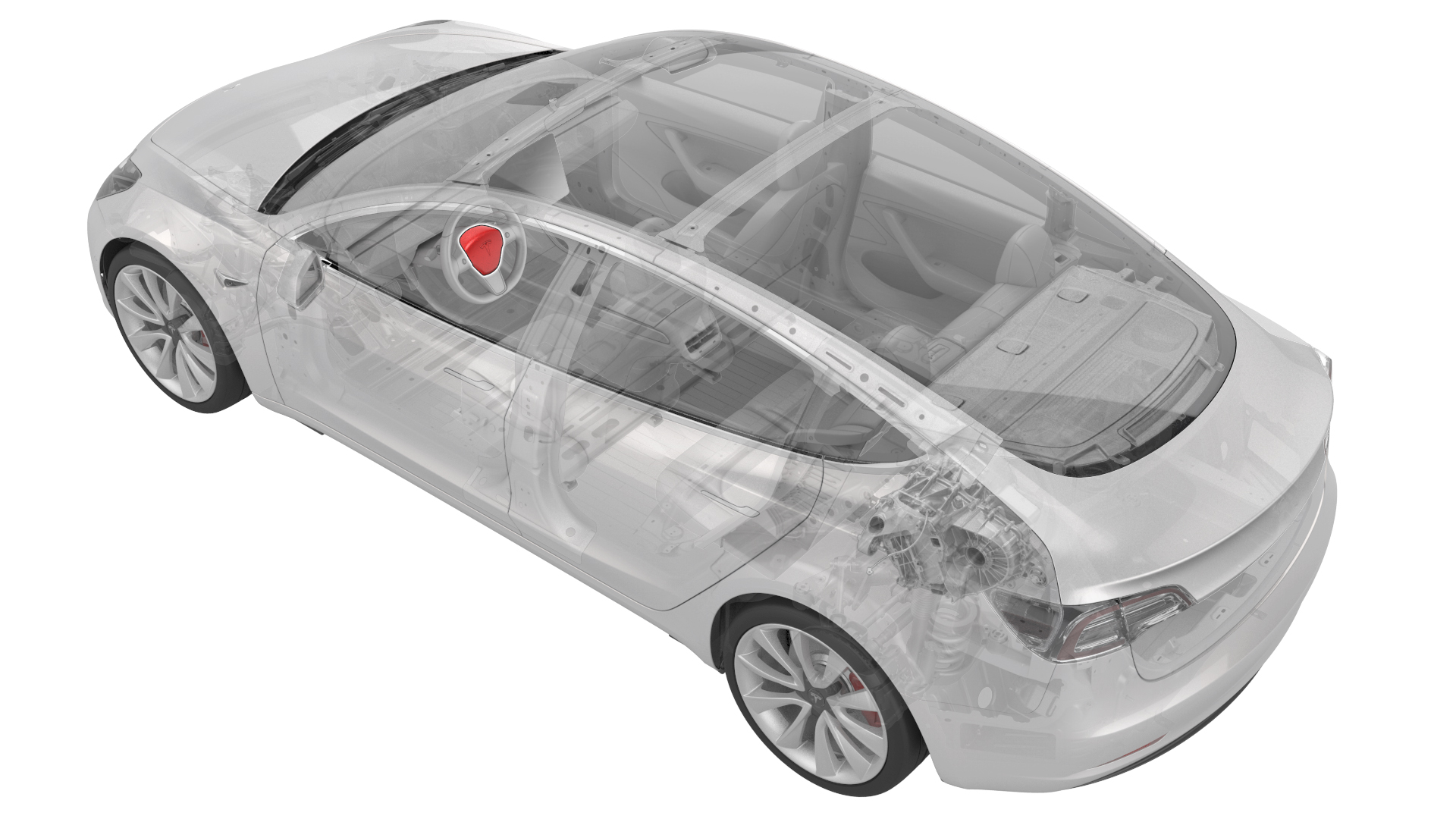
Remove
-
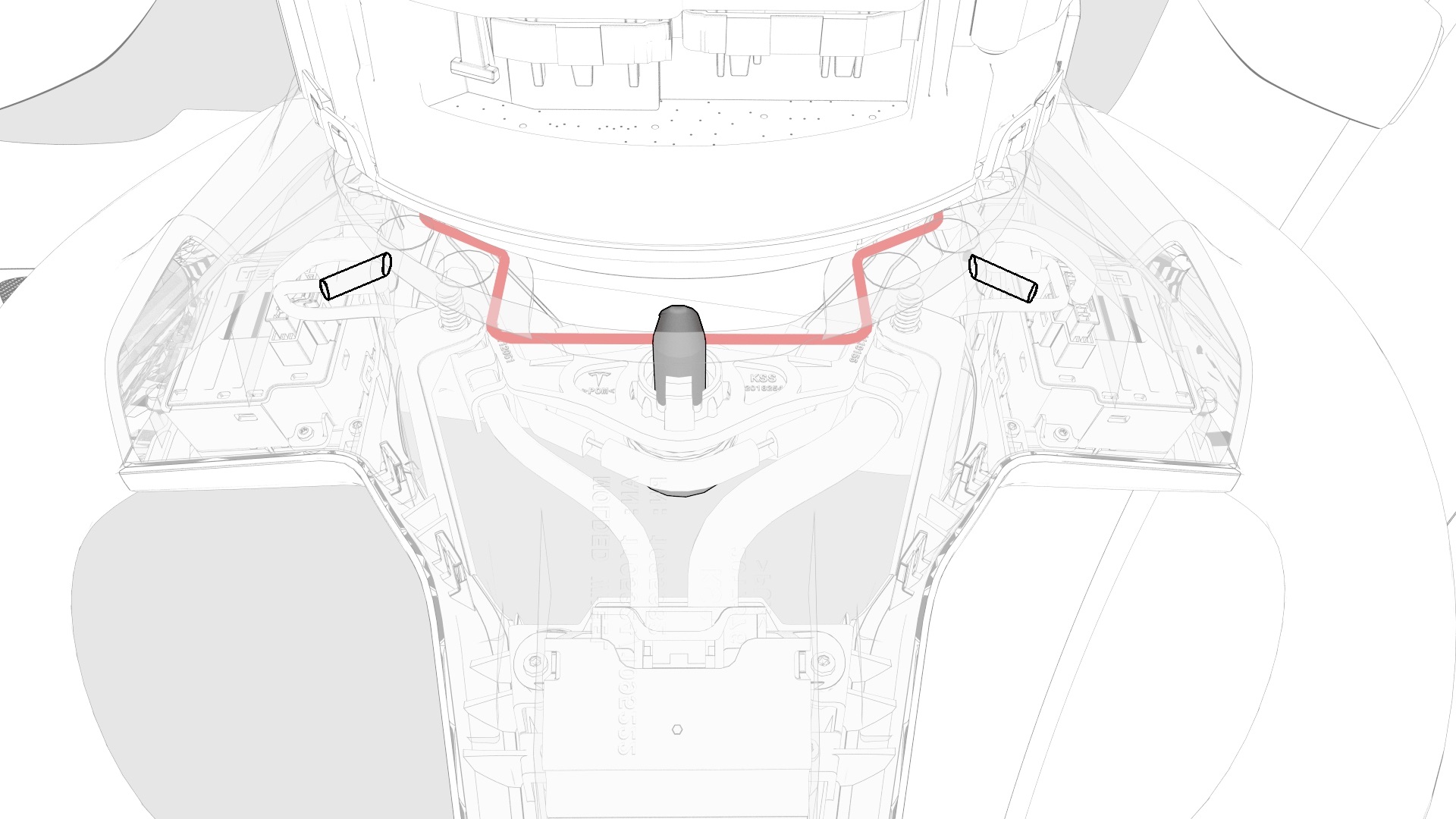
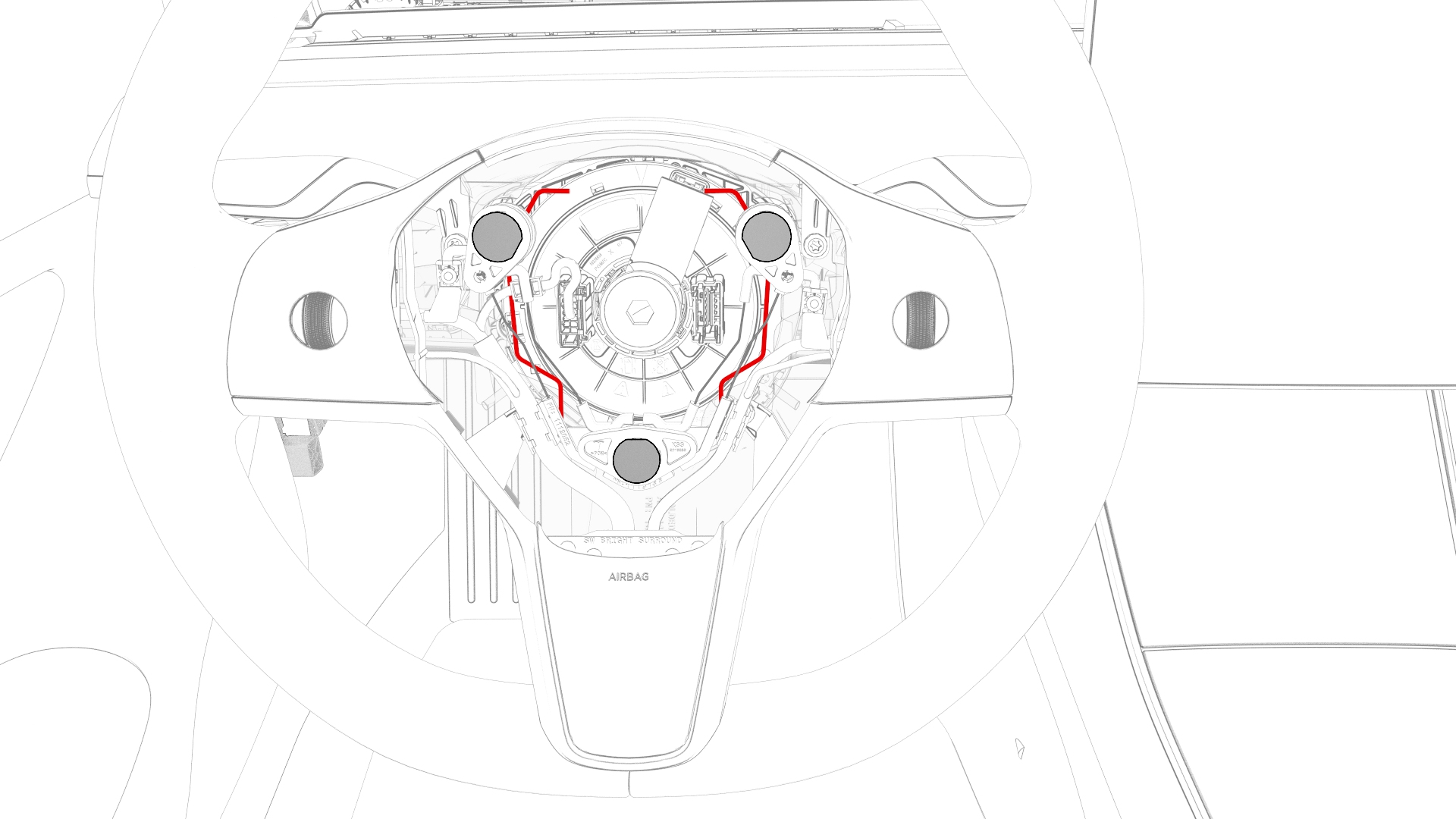
Insert two small flat-blade screwdrivers into the holes at the back of the steering wheel to compress the spring clip simultaneously, and then remove the driver airbag from the steering wheel.
-
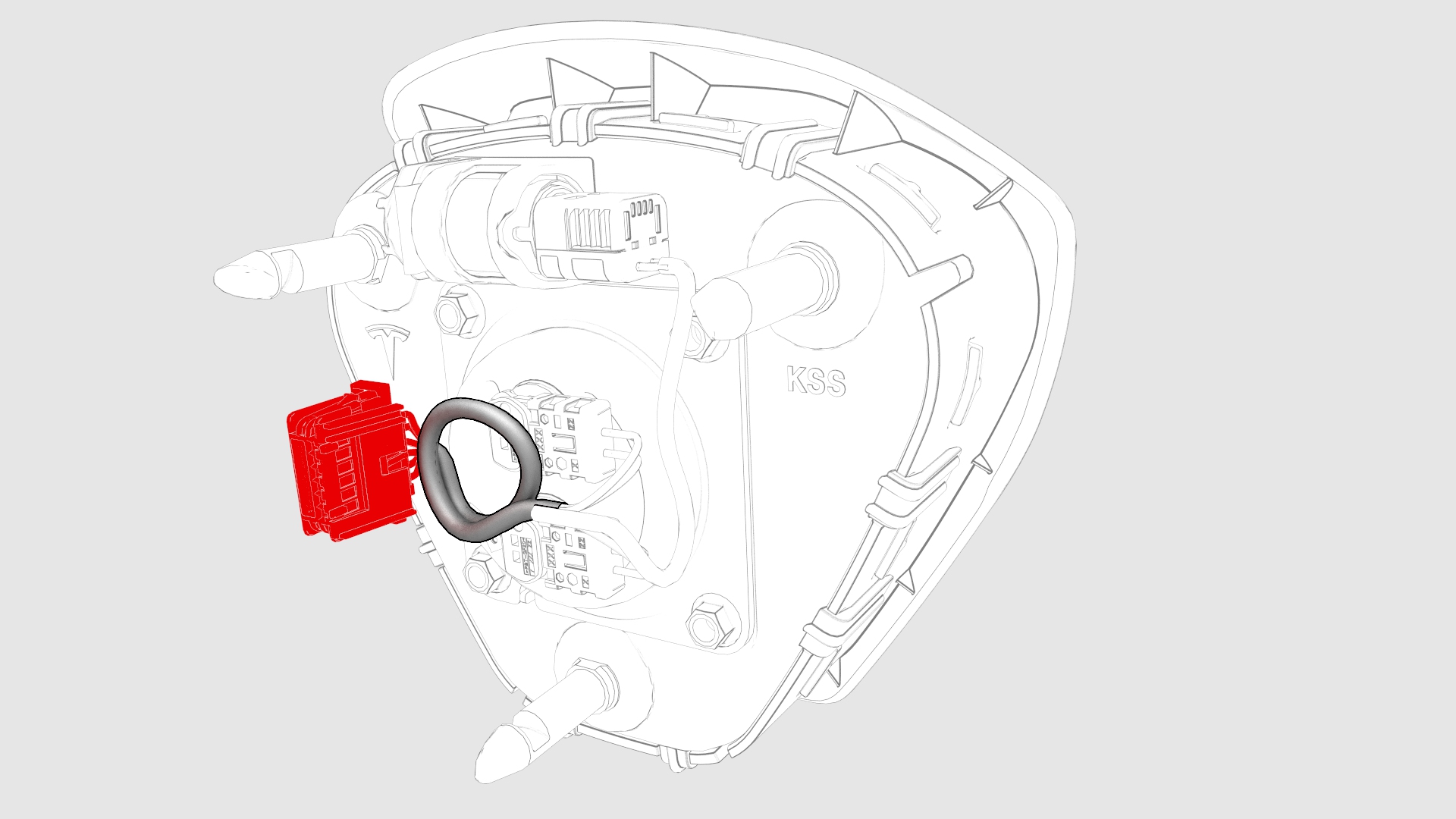
Disconnect the driver airbag electrical connector from the steering wheel, and then remove the airbag from the vehicle.
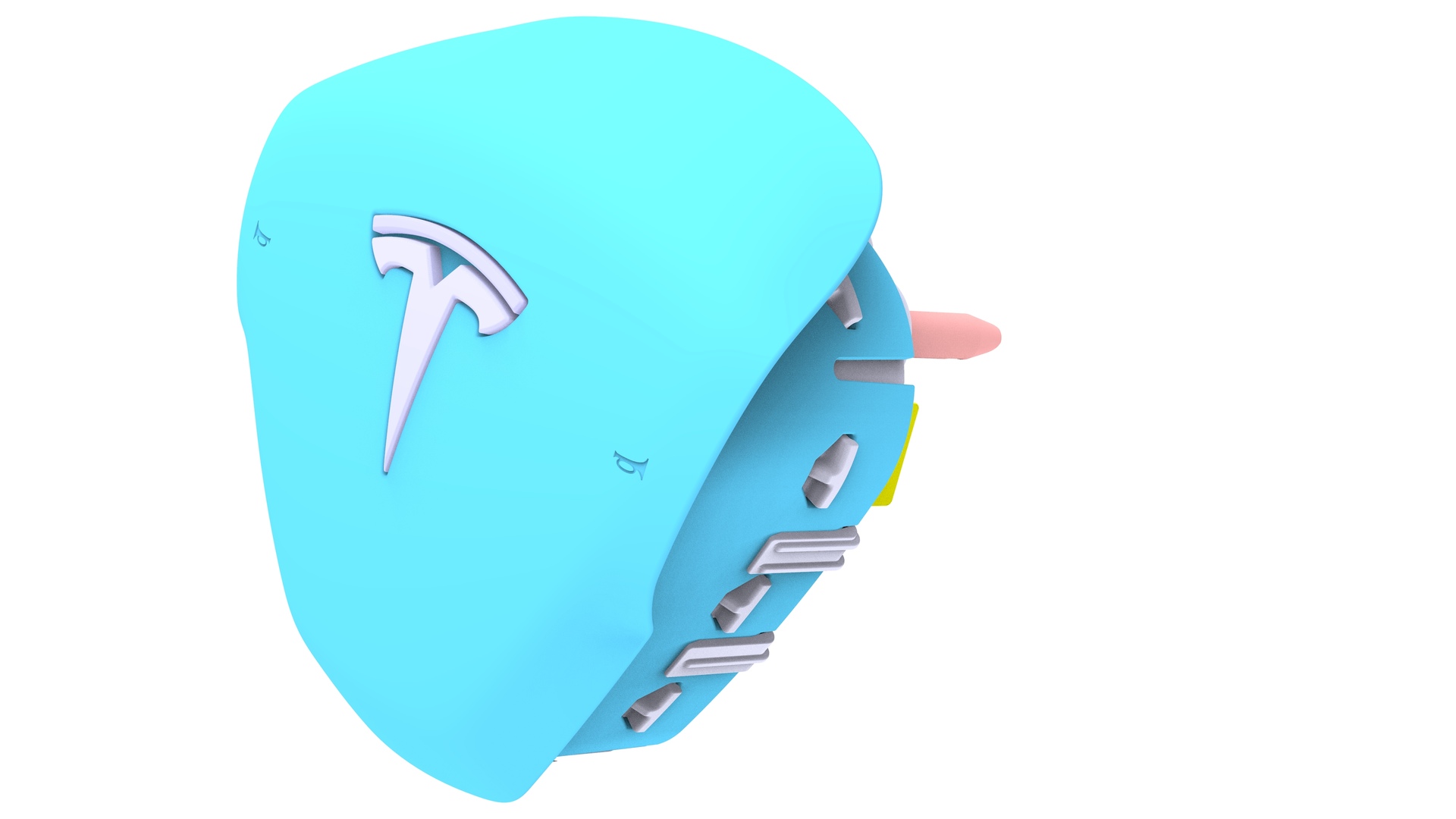
| 1 | Remove the 2nd row lower seat cushion. See Seat Cushion - Lower - 2nd Row (Remove and Replace). | ||
| 2 | Remove the rear underhood apron. See Underhood Apron - Rear (Remove and Replace). | ||
| 3 | Disconnect 12V power. See 12V Power (Disconnect and Connect). | ||
| 4 | Insert two small flat-blade screwdrivers into the holes at the back of the steering wheel to compress the spring clip simultaneously, and then remove the driver airbag from the steering wheel. | |
| 5 | Disconnect the driver airbag electrical connector from the steering wheel, and then remove the airbag from the vehicle. |
Install
- Make sure that the lower horn bracket is properly secured to the steering wheel.
- Connect the driver airbag electrical connector to the steering wheel.
- Fully press the driver airbag into the steering wheel so that the spring clip attaches the airbag to the steering wheel.
- Connect 12v power. See 12V Power (Disconnect and Connect).
- Connect a laptop with Toolbox to the vehicle.
- Use Toolbox to update the vehicle firmware.
- In Toolbox, type "VCLEFT" in the search field.
- In Toolbox, click "TEST-SELF_VCLEFT_X_SWC", and then select Run.
- In Toolbox, click "TEST-PYRO_RCM_X_DAB-STAGE- 1", and then select Run.
- In Toolbox, click "TEST-PYRO_RCM_X_DAB-STAGE- 2", and then select Run.
- Disconnect the laptop from the vehicle.
- Install the rear underhood apron. See Underhood Apron - Rear (Remove and Replace).
- Install the 2nd row lower seat cushion. See Seat Cushion - Lower - 2nd Row (Remove and Replace).
| 1 | Make sure that the lower horn bracket is properly secured to the steering wheel. |
| 2 | Connect the driver airbag electrical connector to the steering wheel. |
| 3 | Fully press the driver airbag into the steering wheel so that the spring clip attaches the airbag to the steering wheel. |
| 4 | Connect 12v power. See 12V Power (Disconnect and Connect). |
| 5 | Connect a laptop with Toolbox to the vehicle. |
| 6 | Use Toolbox to update the vehicle firmware. |
| 7 | In Toolbox, type "VCLEFT" in the search field. |
| 8 | In Toolbox, click "TEST-SELF_VCLEFT_X_SWC", and then select Run. |
| 9 | In Toolbox, click "TEST-PYRO_RCM_X_DAB-STAGE- 1", and then select Run. |
| 10 | In Toolbox, click "TEST-PYRO_RCM_X_DAB-STAGE- 2", and then select Run. |
| 11 | Disconnect the laptop from the vehicle. |
| 12 | Install the rear underhood apron. See Underhood Apron - Rear (Remove and Replace). |
| 13 | Install the 2nd row lower seat cushion. See Seat Cushion - Lower - 2nd Row (Remove and Replace). |