Door Assembly - Charge Port (China) (Remove and Replace)
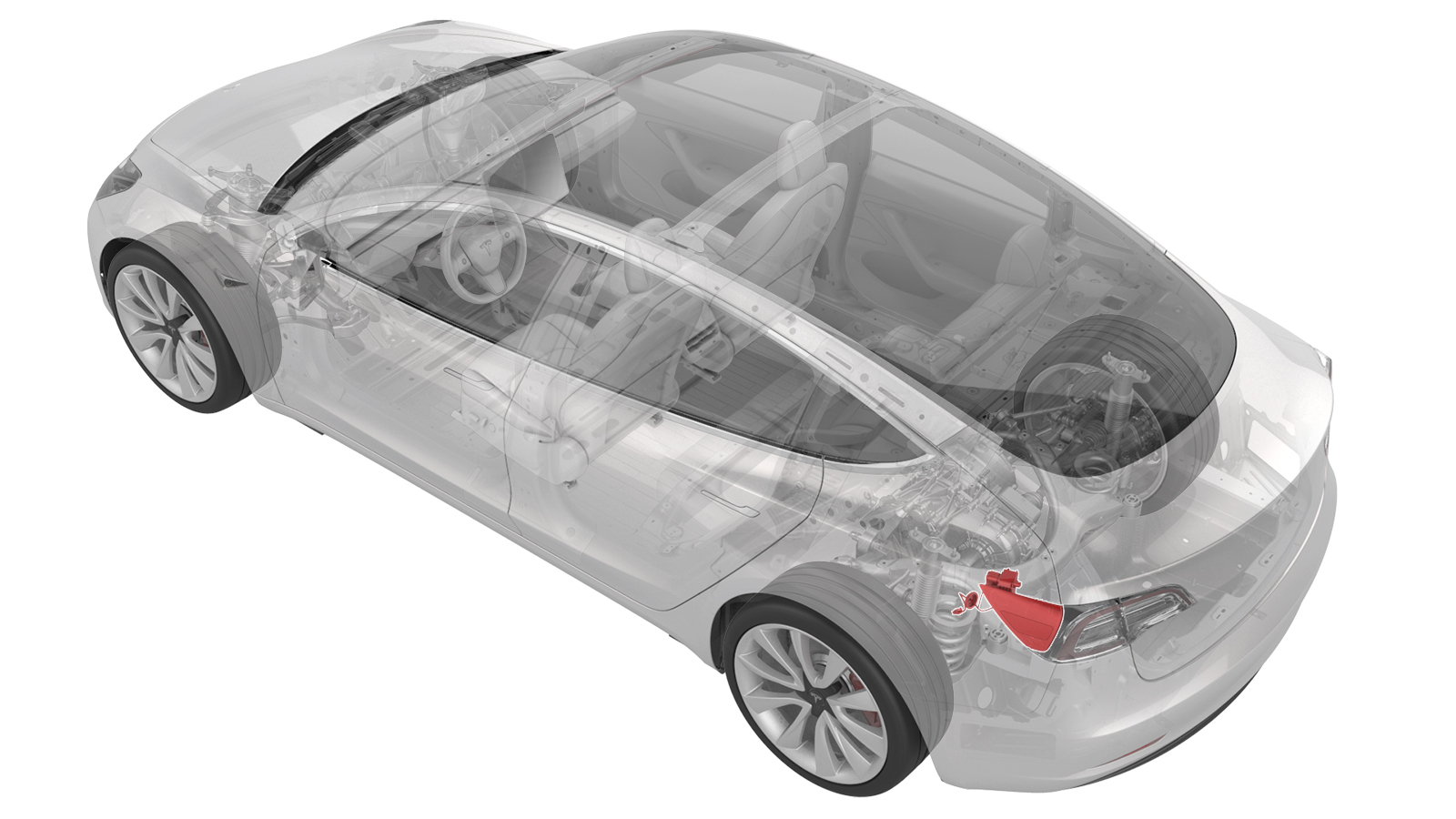
- 1076921-01-BInsulation Multimeter, Fluke 1508
- 1130480-00-ATest Probes, Slim, Fluke TP38
SPECIAL TOOLS
Insulation Multimeter, Fluke 1508 (1076921-01-B) |
Test Probes, Slim, Fluke TP38 (1130480-00-A) |
 Warning:
Only technicians who have been trained in High Voltage Awareness are permitted to perform this procedure. Proper personal protective equipment (PPE) and insulating HV gloves with a minimum rating of class 0 (1000V) must be worn at all times a high voltage cable, busbar, or fitting is handled. Refer to Tech Note TN-15-92-003, "High Voltage Awareness Care Points" for additional safety information.
Warning:
Remove all jewelry (watches, bracelets, rings, necklaces, earrings, ID tags, piercings, etc.) from your person, and all objects (keys, coins, pens, pencils, tools, fasteners, etc.) from your pockets before performing any procedure that exposes you to high voltage.
Warning:
Proper personal protective equipment (PPE) is required to perform this procedure:
- High voltage insulating gloves
- Leather glove protectors
- High voltage glove tester
- Safety glasses
- Electrical hazard rated safety shoes
Warning:
A glove inflator is the only recommended way to test HV gloves. Both HV gloves must pass testing before beginning this procedure. If either glove does not pass the air check, discard the pair.
Warning:
Make sure that the HV gloves are not expired. HV gloves can be used up to 12 months after the testing date printed on the glove, but only 6 months after first use even if the gloves are still within the 12-month period.
Remove
-
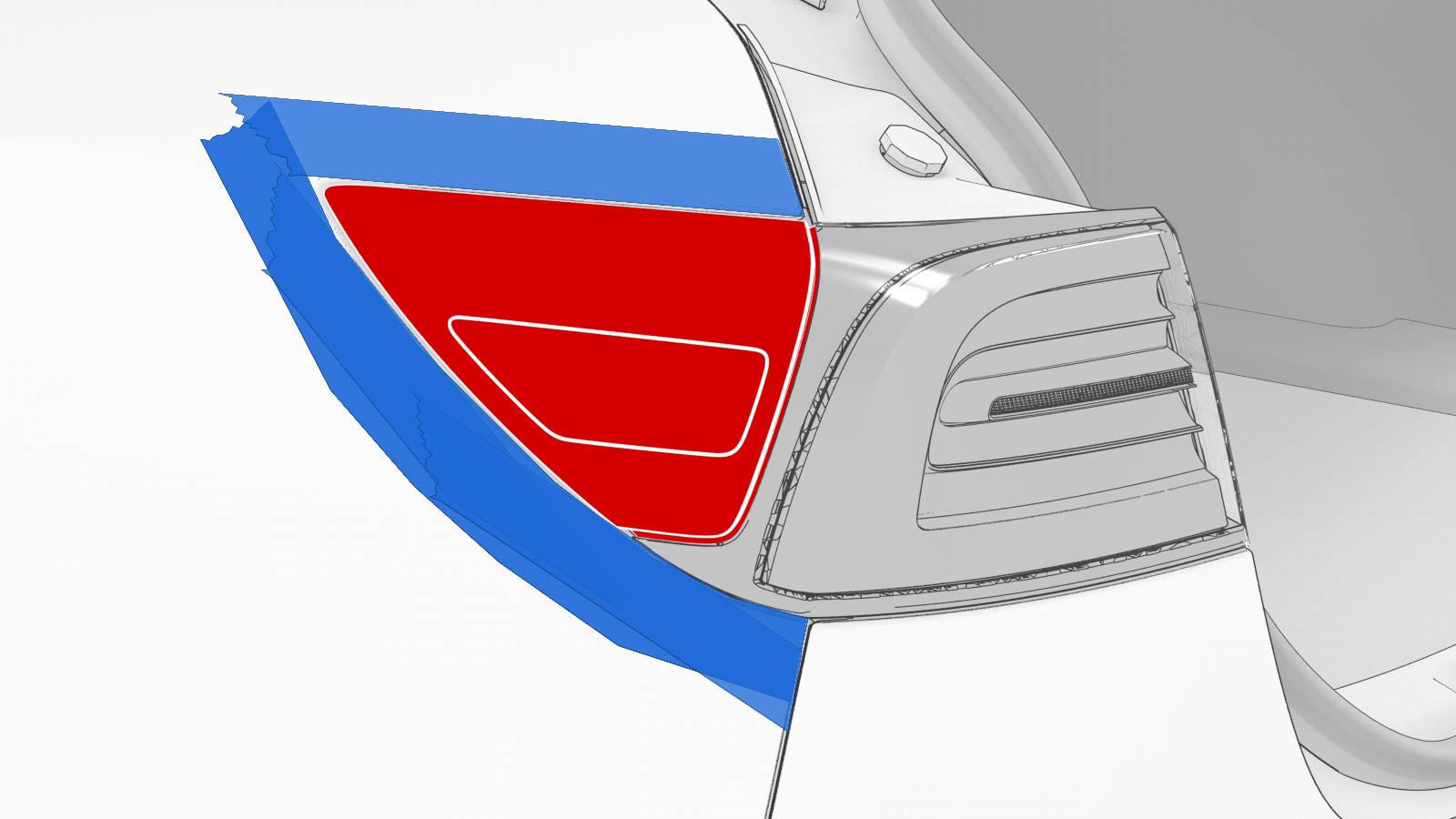
Apply masking tape around the charge port area.
-
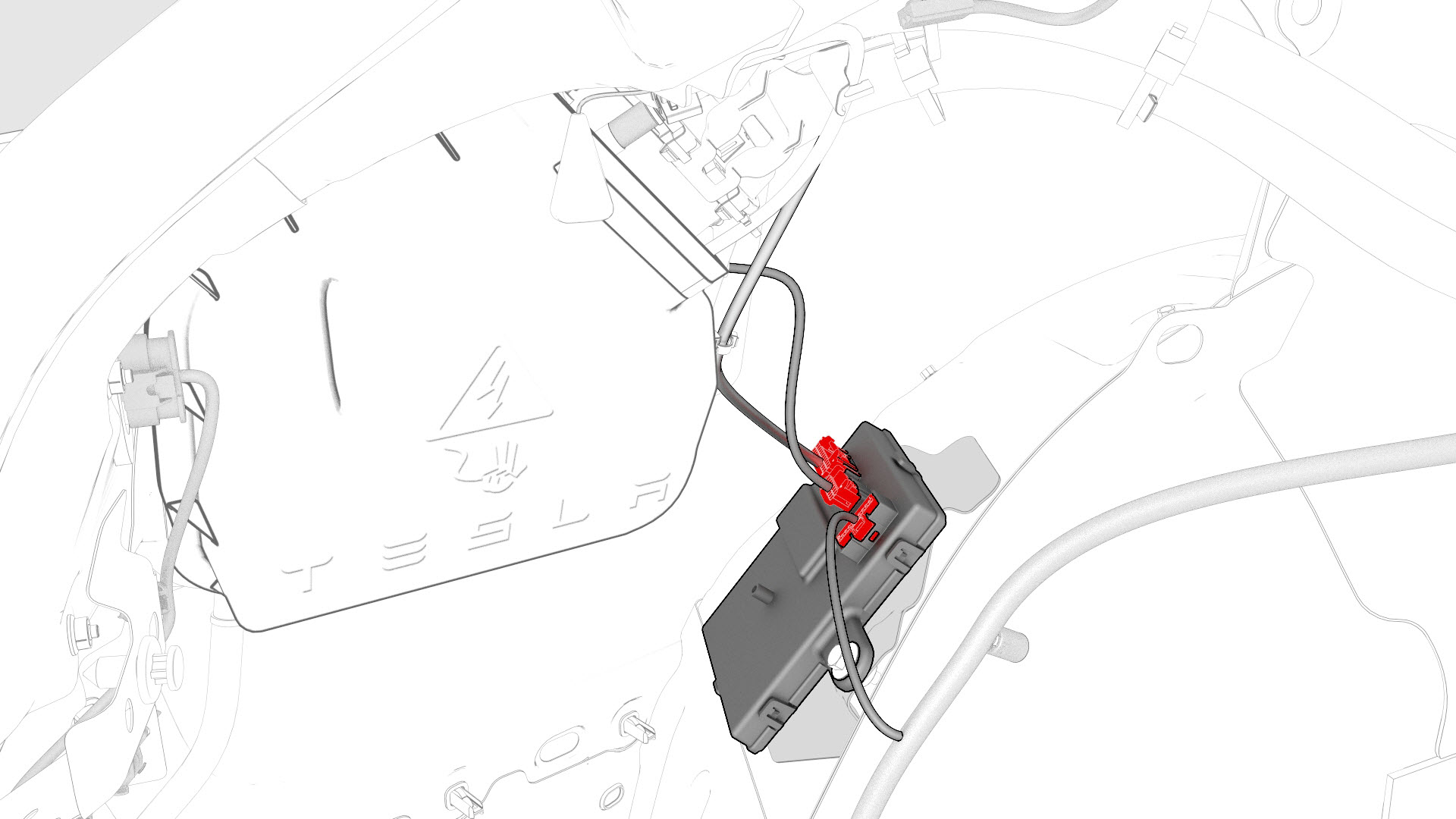
Disconnect the Low Voltage (LV) electrical connectors from the charge port ECU.
-
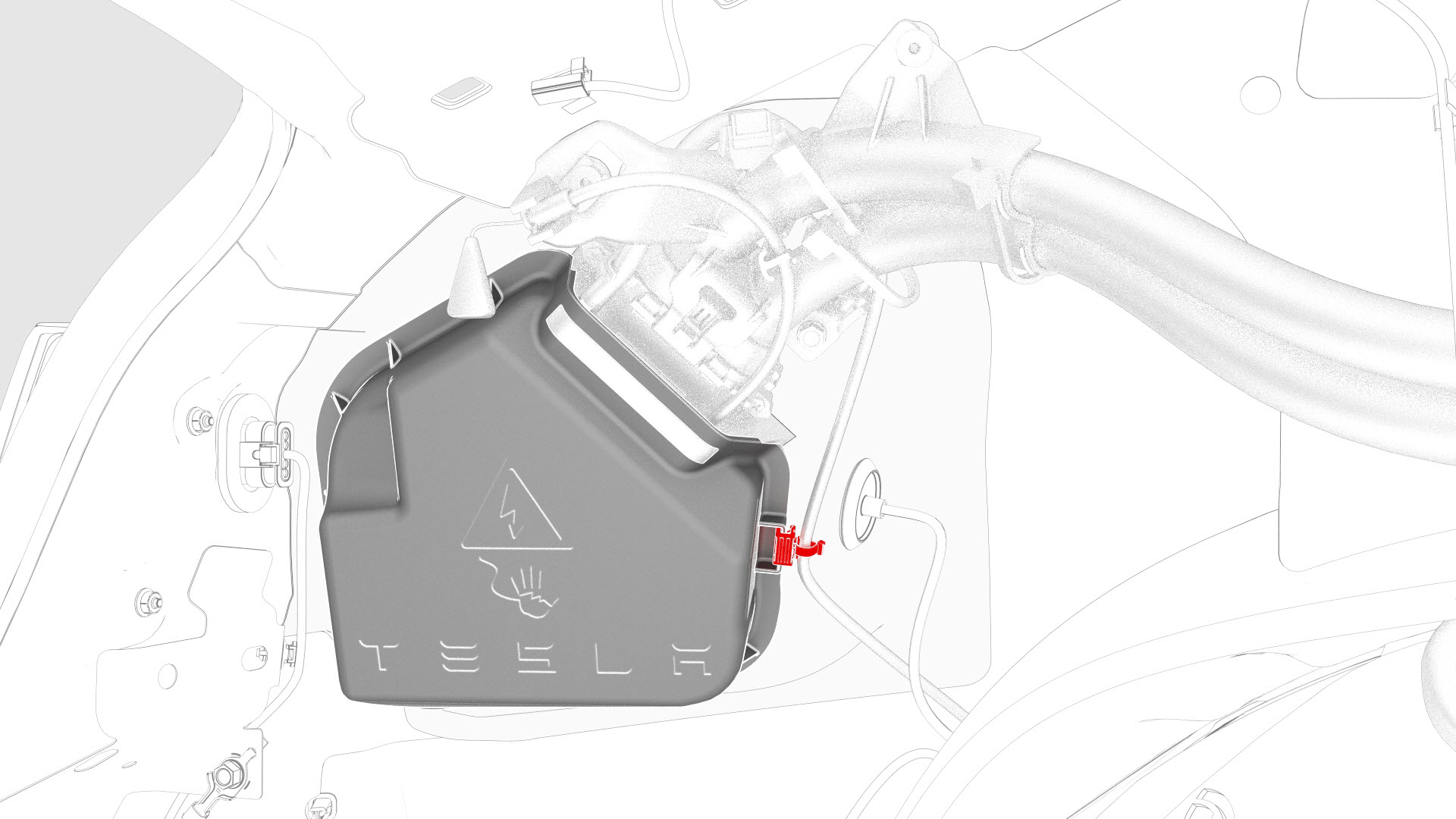
Release the edge clip that attaches the LV electrical harness to the charge port closeout panel.
-
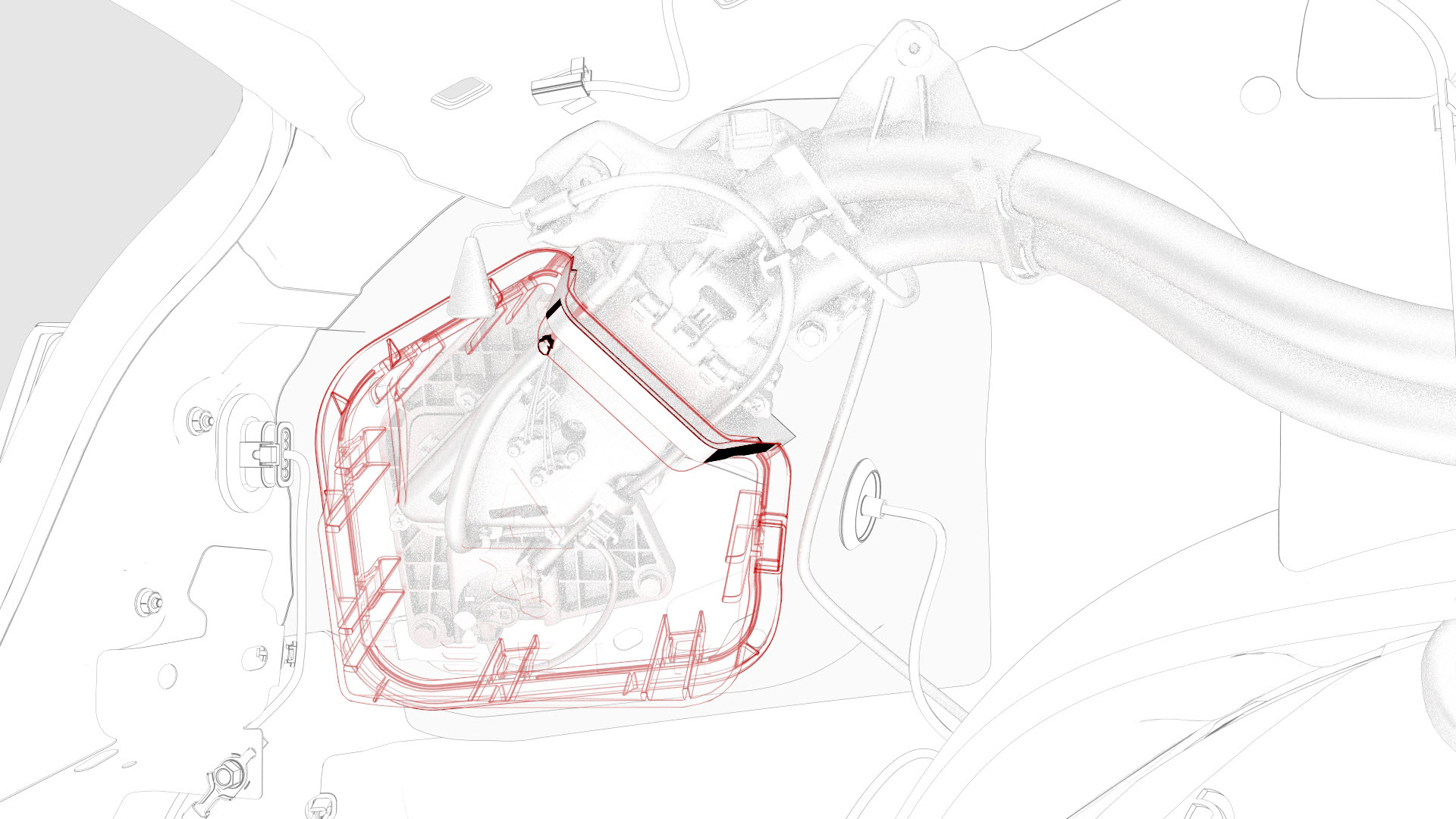
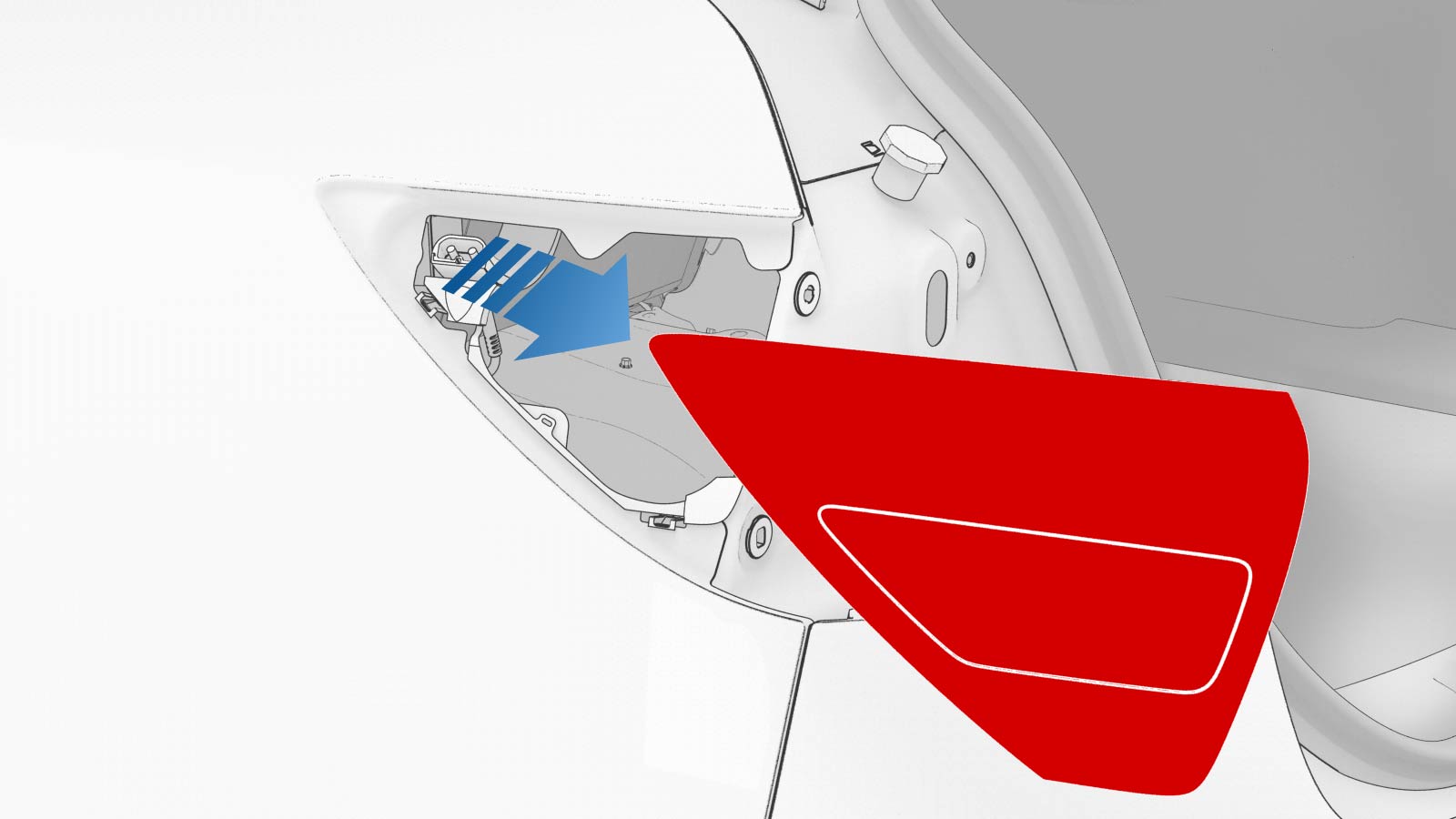
Slightly pull on the closeout panel. At the same time, insert a plastic trim tool inwards to start releasing the lower clips, and then pull the closeout panel towards the front of the vehicle while releasing the remaining clips.
-
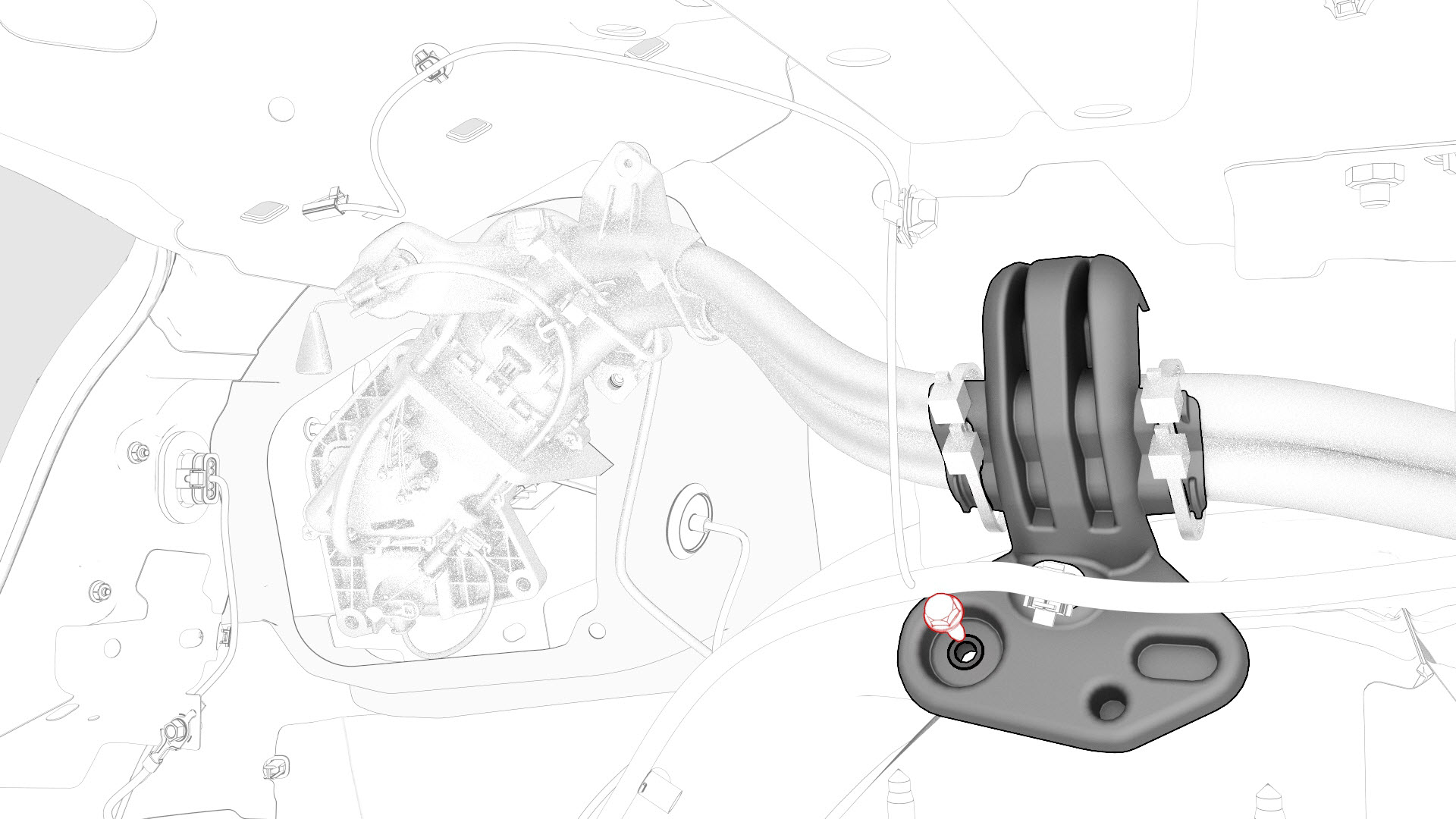
Remove the bolt that attaches the charge port harness bracket to the body.
-
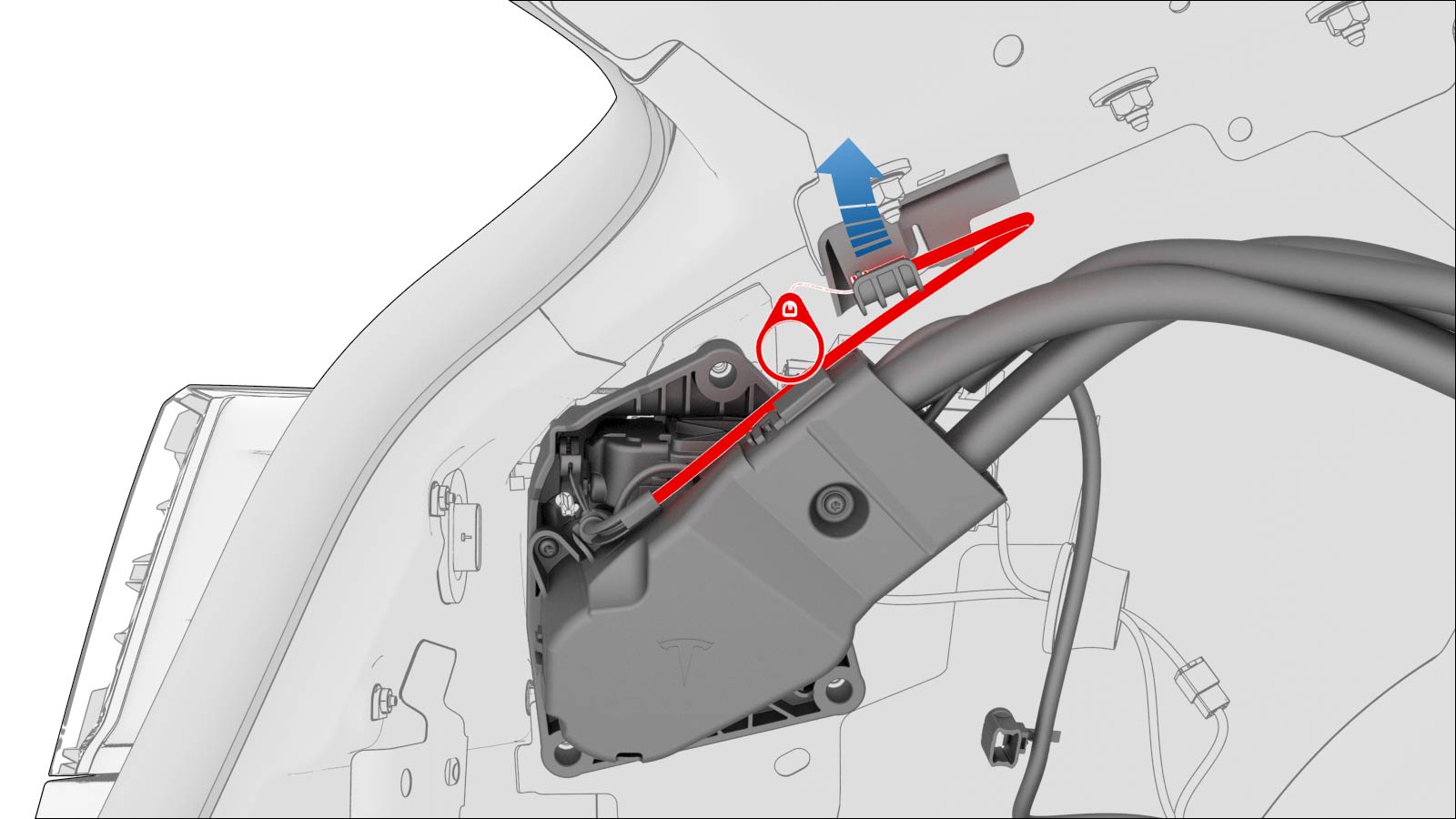
Pull the manual release cable up and away from the cable hold down clip, or pull up the cable vertically away from the charge port assembly.
-
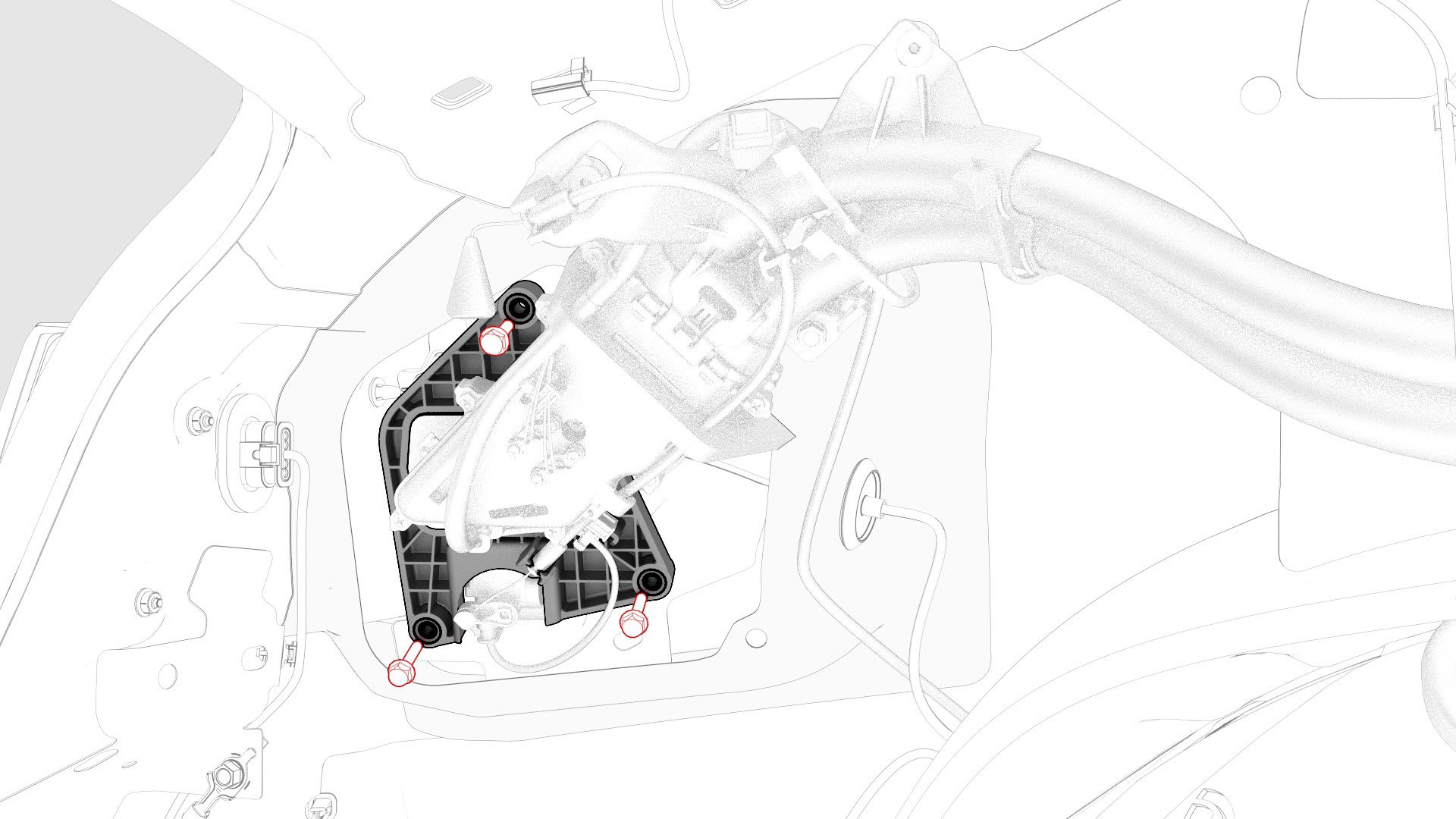
Remove the bolts that attach the charge port to the body.
-
Release the charge port door grommet from the body
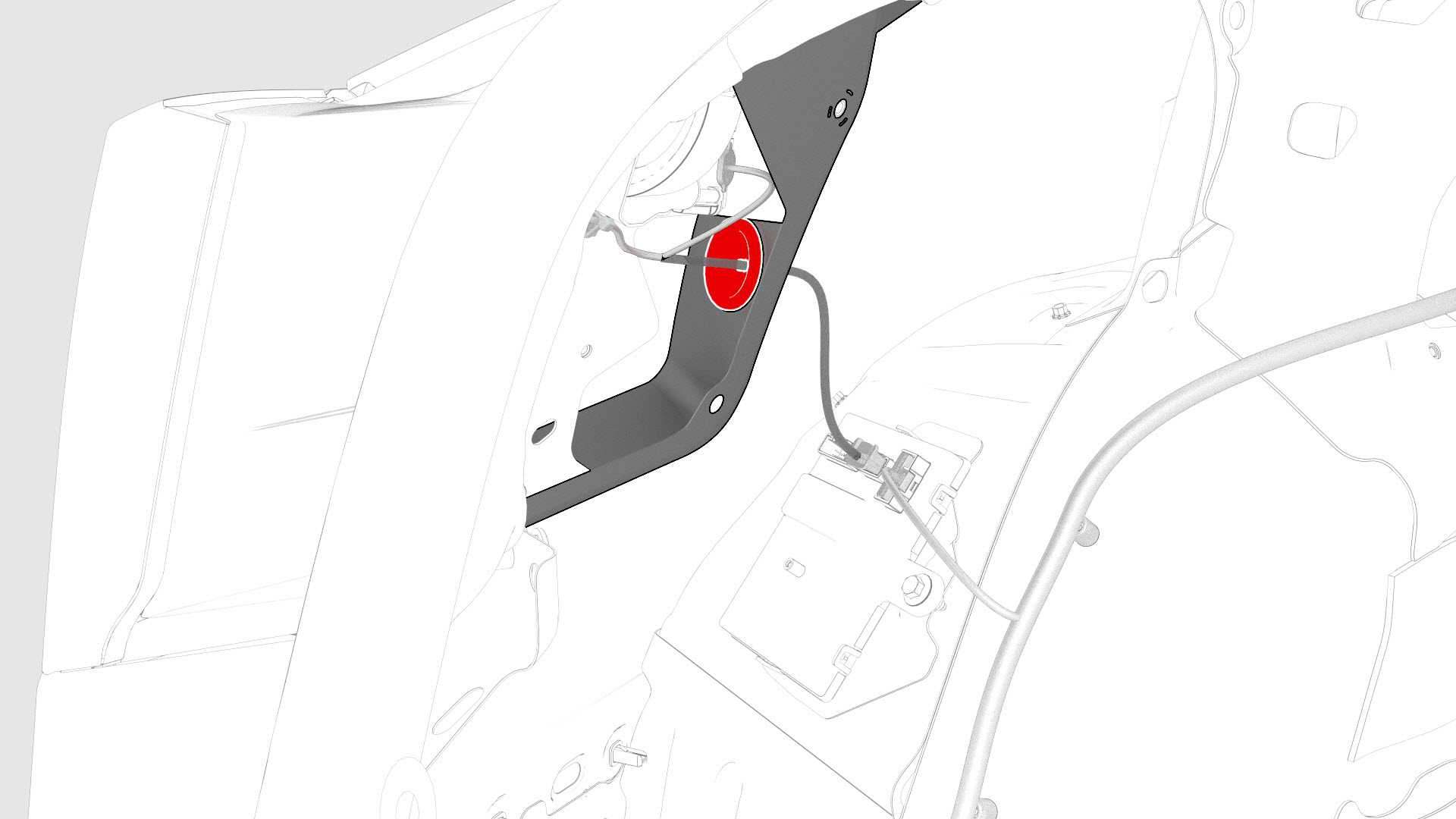
-
Pull the charge port assembly away from the body for access.
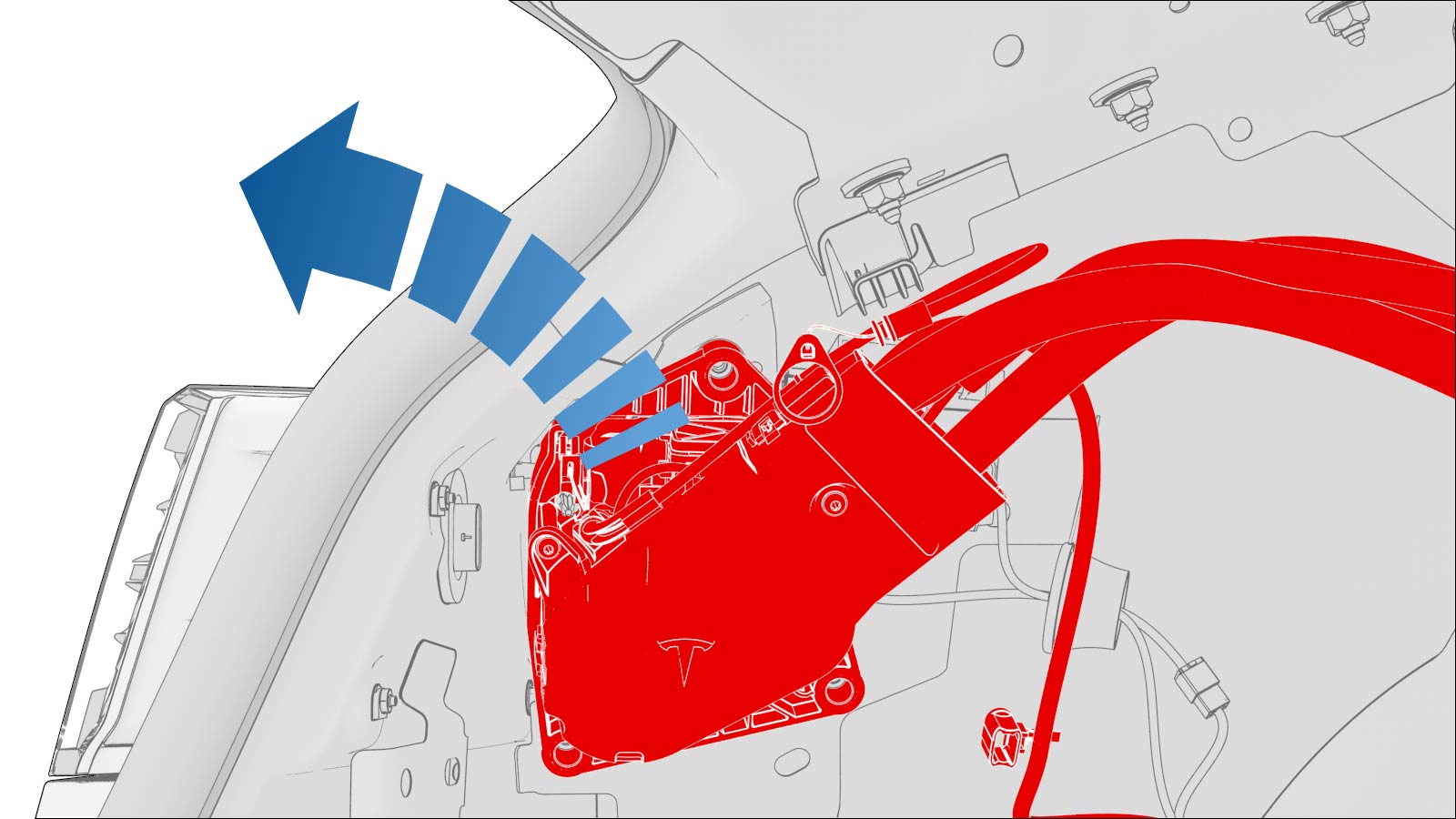
-
Release the lower clips that attach the charge port door assembly to the vehicle, then push the bottom of the assembly out, and then remove the assembly from the vehicle.
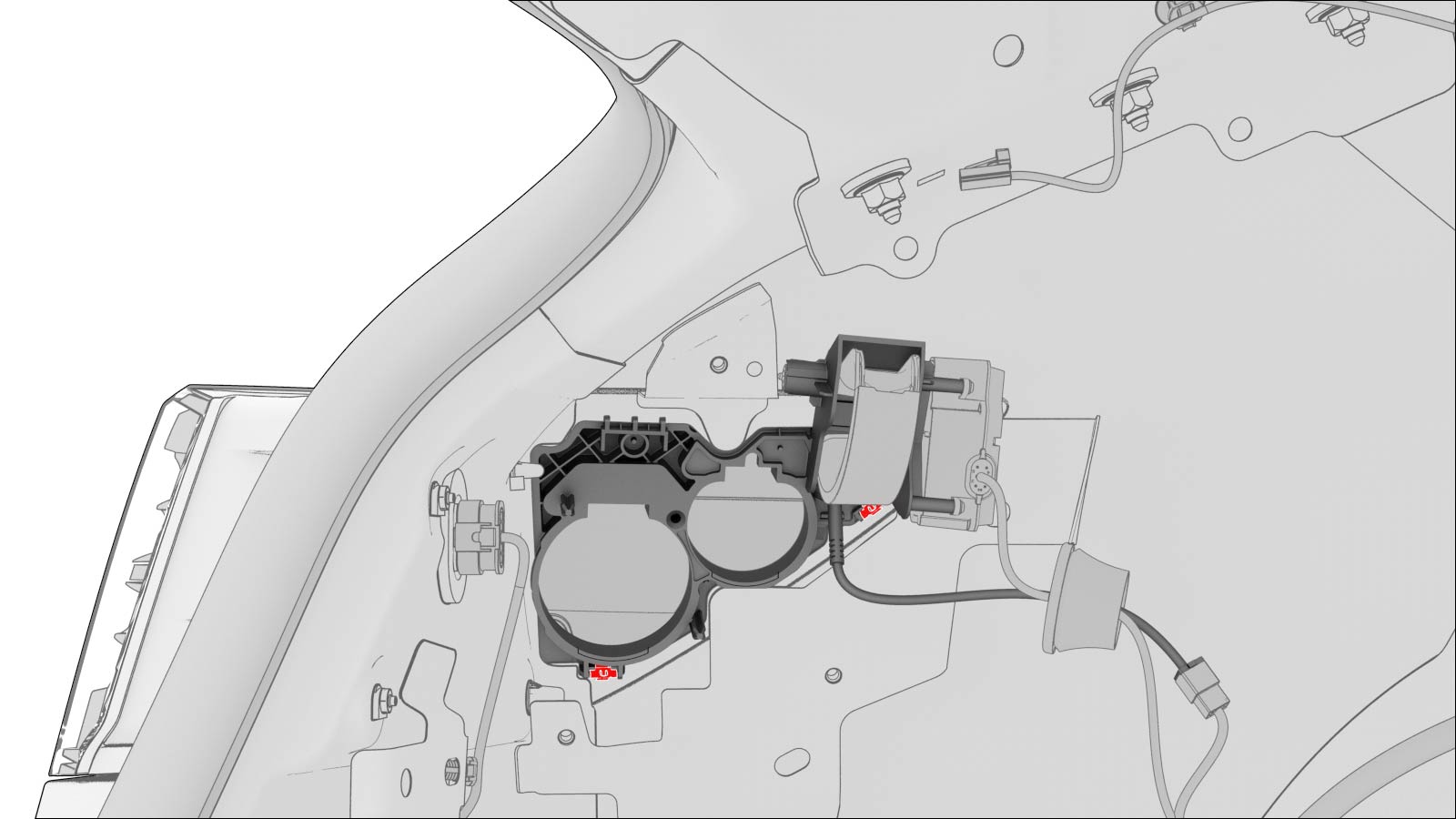 Note: To ease the removal of the charge port door assembly:
- Pull the assembly towards the rear of the vehicle.
- When the assembly reaches the rear of the quarter panel, pull the assembly to clear the actuator mechanism, and then pull the assembly out and away from the body.
Note: Manipulation of the charge port door assembly might be necessary to completely remove the assembly from the body.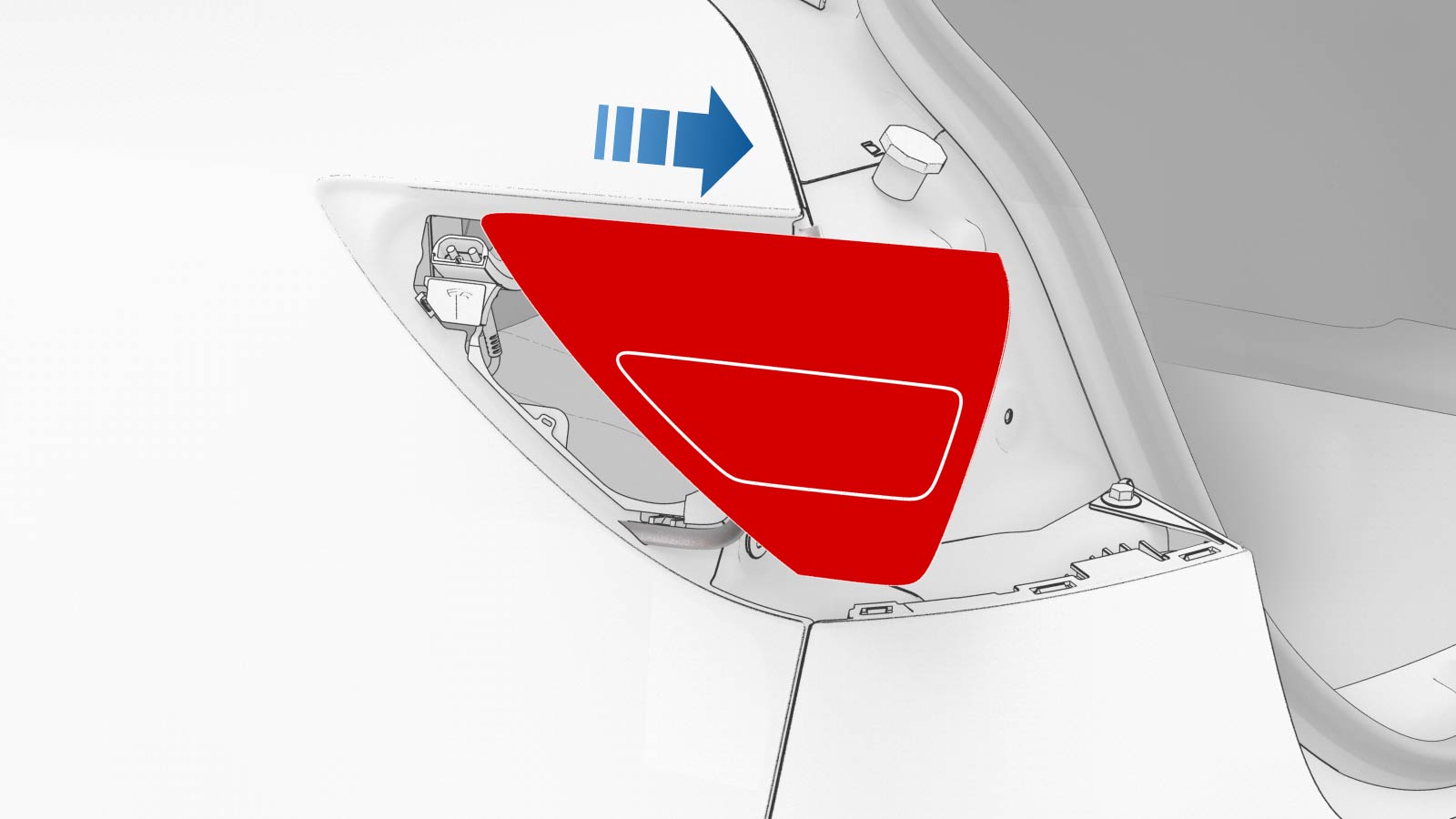
| 1 | Open all doors and windows. | ||
| 2 | Move the driver and front passenger seats fully forward. | ||
| 3 | Remove the 2nd row lower seat cushion. See Seat Cushion - Lower - 2nd Row (Remove and Replace). | ||
| 4 | Open the hood and trunk. | ||
| 5 | Apply masking tape around the charge port area. | |
| 6 | Remove the rear underhood apron. See Underhood Apron - Rear (Remove and Replace). | ||
| 7 | Perform the charge port voltage check procedure. See Charge Port Voltage Check. | ||
| 8 | Remove the LH 2nd row seat side bolster. See Bolster - Side - Seat - 2nd Row - LH (Remove and Replace). | ||
| 9 | Remove the LH 2nd row seat back. See Seat Back - 2nd Row - LH (Remove and Install). | ||
| 10 | Remove the trunk floor trim. See Trim - Floor - Trunk (Remove and Replace). | ||
| 11 | Remove the trunk sill trim panel. See Trim - Sill - Trunk (Remove and Replace). | ||
| 12 | Remove the trunk garnish. See Garnish - Trunk (Remove and Replace). | ||
| 13 | Remove the LH trunk side trim. See Trim - Side - Trunk - LH (Remove and Replace). | ||
| 14 | Remove the LH taillight. See Taillight - LH (Remove and Replace). | ||
| 15 | Disconnect the Low Voltage (LV) electrical connectors from the charge port ECU. | |
| 16 | Release the edge clip that attaches the LV electrical harness to the charge port closeout panel. | |
| 17 | Slightly pull on the closeout panel. At the same time, insert a plastic trim tool inwards to start releasing the lower clips, and then pull the closeout panel towards the front of the vehicle while releasing the remaining clips. | |
| 18 | Remove the bolt that attaches the charge port harness bracket to the body. | |
| 19 | Pull the manual release cable up and away from the cable hold down clip, or pull up the cable vertically away from the charge port assembly. | |
| 20 | Remove the bolts that attach the charge port to the body. | |
| 21 | Release the charge port door grommet from the body | |
| 22 | Pull the charge port assembly away from the body for access. | |
| 23 | Release the lower clips that attach the charge port door assembly to the vehicle, then push the bottom of the assembly out, and then remove the assembly from the vehicle. Note: To ease the removal of the charge port door assembly:
Note: Manipulation of the charge port door assembly might be necessary to completely remove the assembly from the body.
|
Install
-
Push the charge port door assembly electrical harness through the opening, and then attach the charge port door assembly with lower clips (x2).
-
Install the charge port door grommet on the body
-
Install the bolts that attach the charge port assembly to the charge port door assembly.
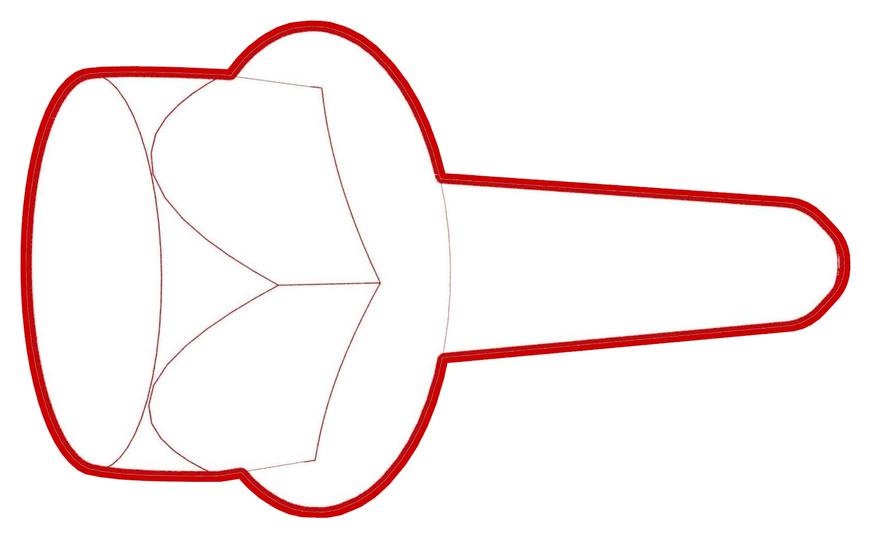 Torque 6 Nm
 -
Install the bolt that attaches the charge port harness bracket to the body.
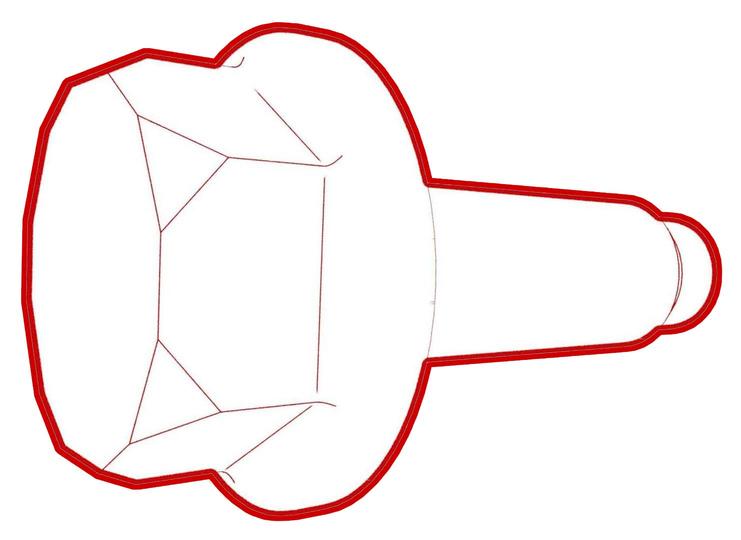 Torque 6 Nm
 -
Install the clips that attach the charge port closeout panel.
-
Install the edge clip that attaches the HV harness to the charge port closeout panel.
-
Connect the low voltage charge port ECU electrical connectors.
-
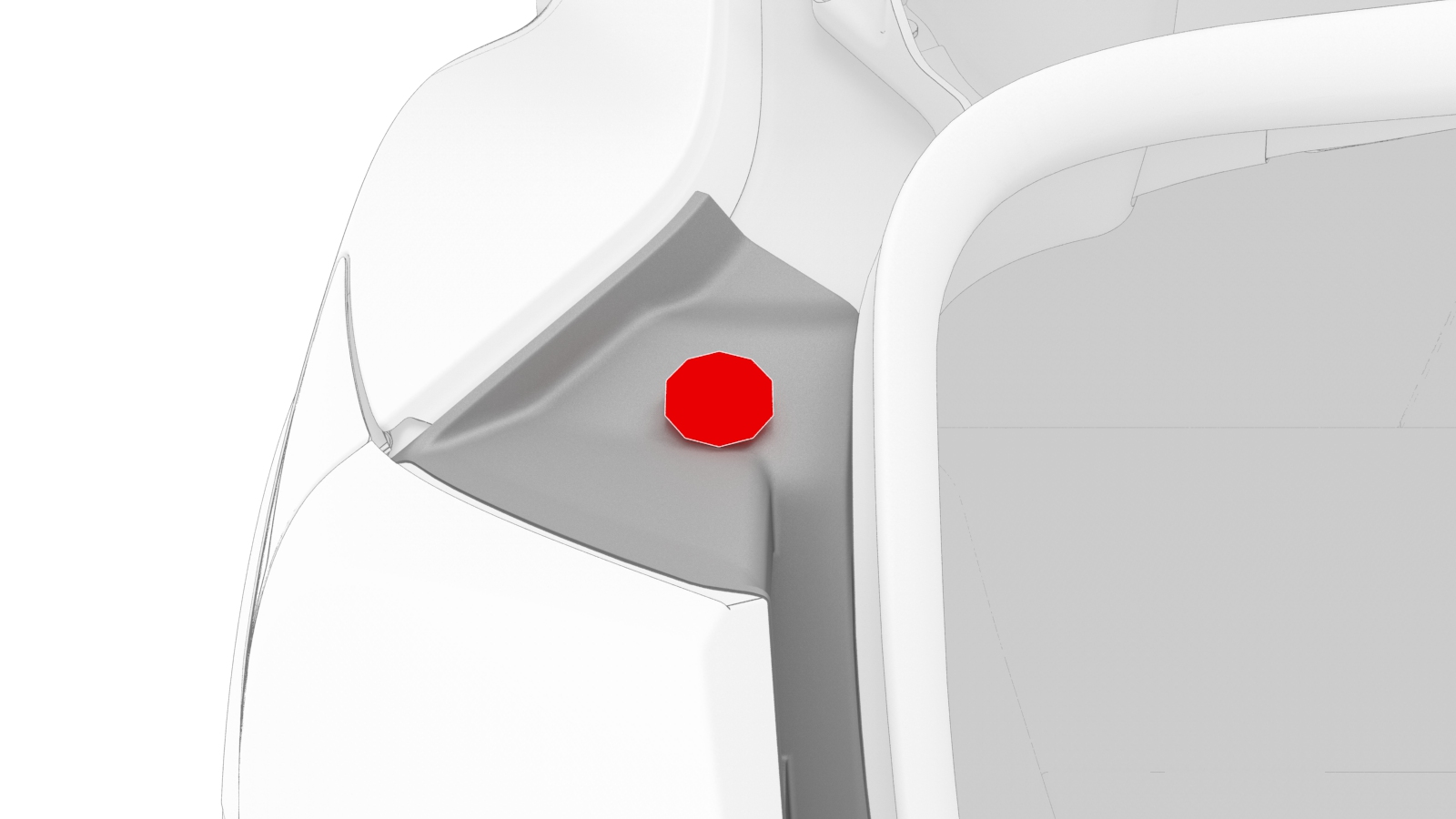
Install the LH trunk stop.
| 1 | Install the charge port door assembly on the vehicle: Pivot the assembly so that the actuator mechanism clears underneath the quarter panel, and then slide the assembly forward towards the rear door. Note: Manipulation of the charge port door assembly might be necessary to fully align the assembly to the rear quarter,
| ||
| 2 | Push the charge port door assembly electrical harness through the opening, and then attach the charge port door assembly with lower clips (x2). | |
| 3 | Install the charge port door grommet on the body | |
| 4 | Move the charge port assembly into position for installation. | ||
| 5 | Install the bolts that attach the charge port assembly to the charge port door assembly. Torque 6 Nm | |
| 6 | Insert the manual release cable back into the locking tab; push down on the release back to secure it into the locking tab. | ||
| 7 | Install the bolt that attaches the charge port harness bracket to the body. Torque 6 Nm | |
| 8 | Install the clips that attach the charge port closeout panel. | |
| 9 | Install the edge clip that attaches the HV harness to the charge port closeout panel. | |
| 10 | Connect the low voltage charge port ECU electrical connectors. | |
| 11 | Install the LH taillight. See Taillight - LH (Remove and Replace). | ||
| 12 | Install the LH trunk stop. | |
| 13 | Install the LH trunk side trim. See Trim - Side - Trunk - LH (Remove and Replace). | ||
| 14 | Install the trunk garnish. See Garnish - Trunk (Remove and Replace). | ||
| 15 | Install the trunk sill trim panel. See Trim - Sill - Trunk (Remove and Replace). | ||
| 16 | Install the trunk floor trim. See Trim - Floor - Trunk (Remove and Replace). | ||
| 17 | Close the trunk. | ||
| 18 | Install the LH 2nd row seat back. See Seat Back - 2nd Row - LH (Remove and Install). | ||
| 19 | Install the LH 2nd row seat side bolster. See Bolster - Side - Seat - 2nd Row - LH (Remove and Replace). | ||
| 20 | Reconnect 12V power. See 12V Power (Disconnect and Connect). | ||
| 21 | Install the 2nd row lower seat cushion. See Seat Cushion - Lower - 2nd Row (Remove and Replace). | ||
| 22 | Move the driver and front passenger seats back to their original position. | ||
| 23 | Remove the masking tape from the charge port door area. | ||
| 24 | Connect a laptop with Toolbox to the vehicle. | ||
| 25 | In Toolbox, type "TEST-SELF_CP" in the search tab. Note: Make sure that "Actions" is selected, if not already.
| ||
| 26 | In Toolbox, click the play button next to "TEST-SELF_ CP_X_CONNECTIVITY", and then click "Run". | ||
| 27 | In Toolbox, click the play button next to "TEST-SELF_ CP_X_UHF", and then click "Run". Note: Once the test routine is started, there is a 5 second window to transmit the UHF signal to make the test pass. Press the button on the charge cable to transmit the signal.
| ||
| 28 | In Toolbox, click the play button next to "TEST-SELF_CP_X_DOOR_PERFORMANCE", and then click "Run". | ||
| 29 | Disconnect the laptop from the vehicle. | ||
| 30 | Verify for proper operation of the charge port. Use the customer's UMC, if available. | ||
| 31 | Install the rear underhood apron. See Underhood Apron - Rear (Remove and Replace). | ||
| 32 | Close the hood and all doors. |