Harness - Charge Port to HV Battery (Three-Phase) (Remove and Replace)
Correction code 44501102 44501102 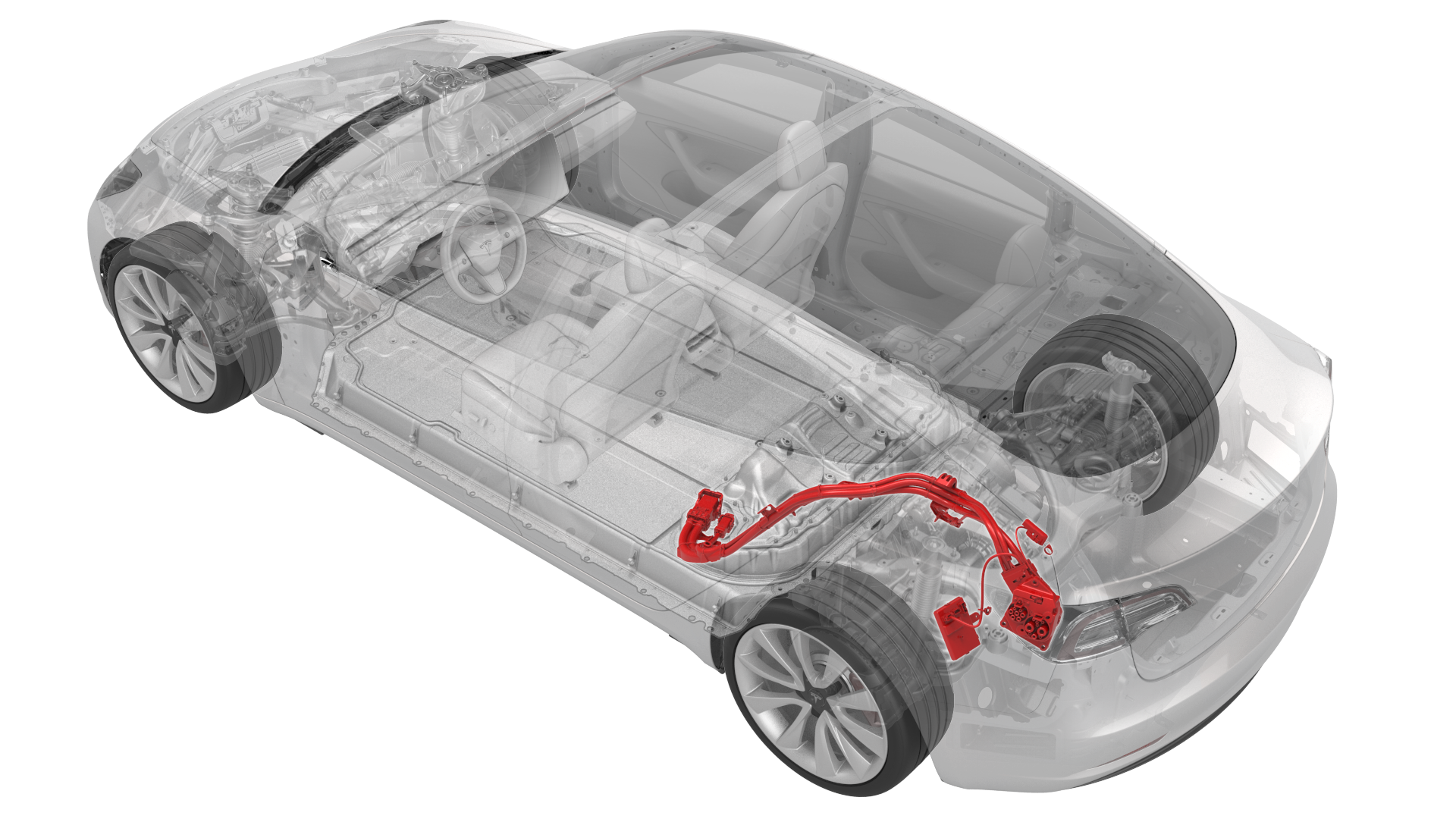
Remove
-
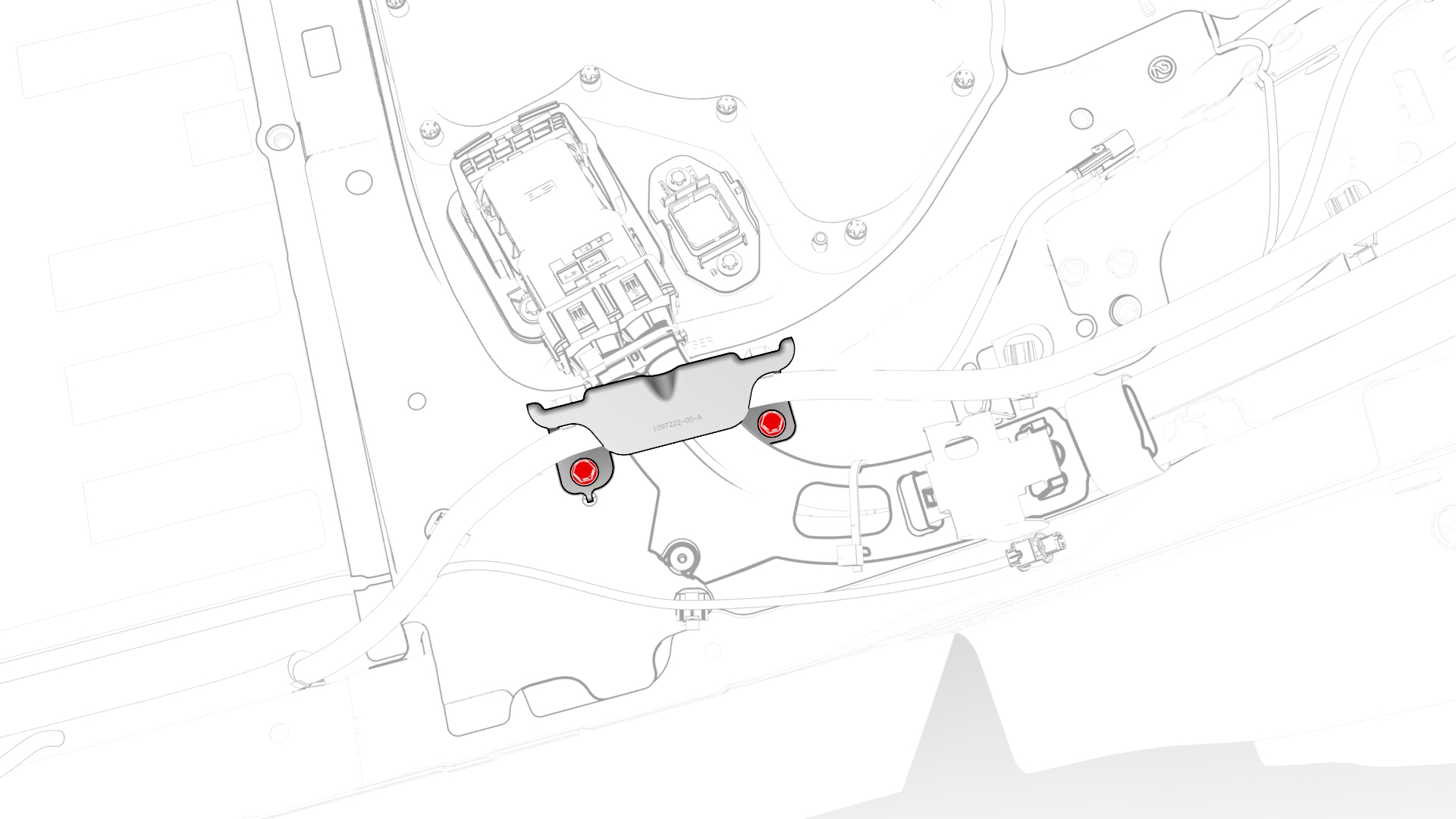
Remove the bolts that attach the charge port harness bracket at the penthouse.
-
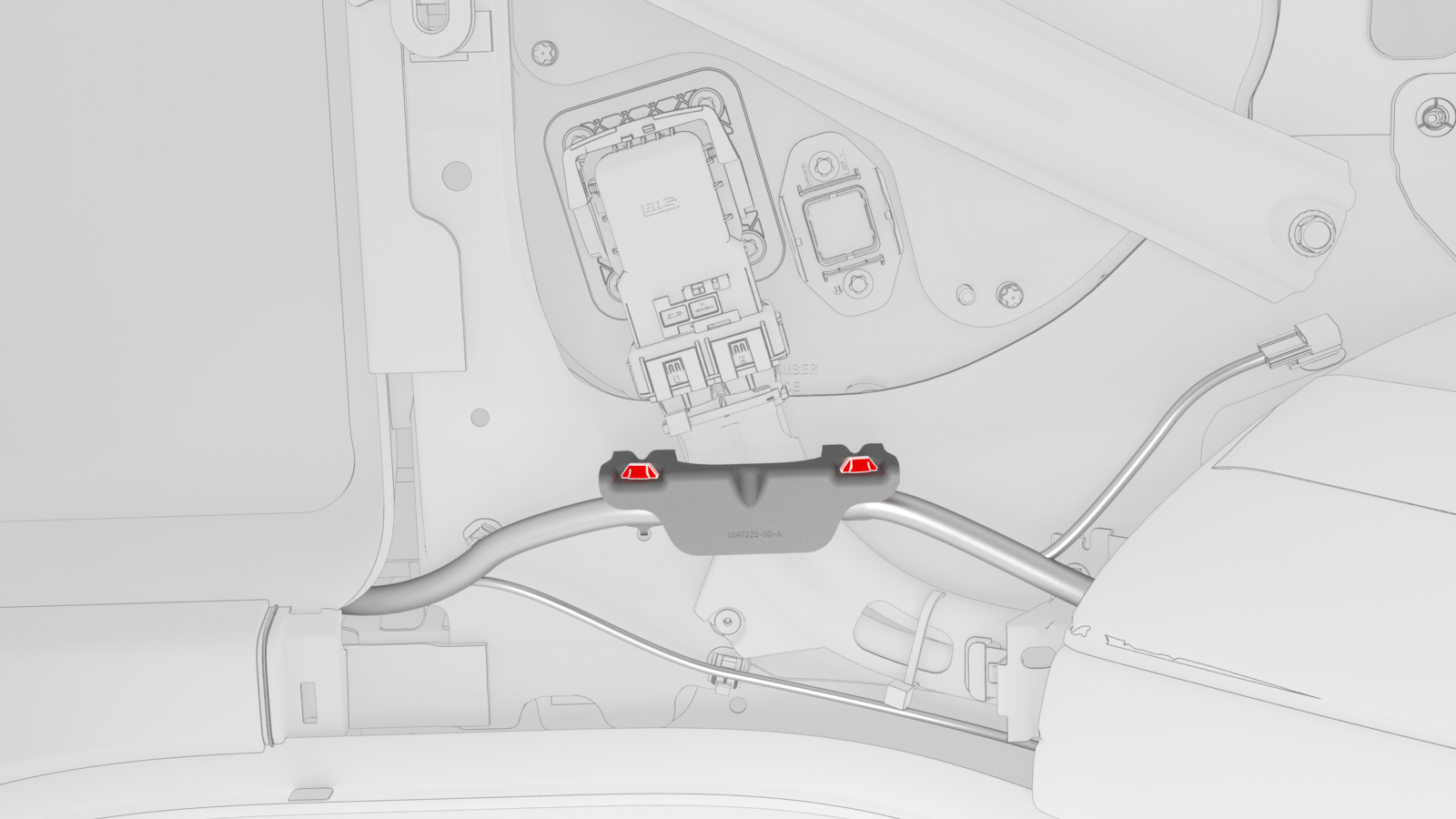
Release the clips (x2) that attach the electrical harness to the charge port harness bracket at the penthouse, and then remove the bracket from the vehicle.
-
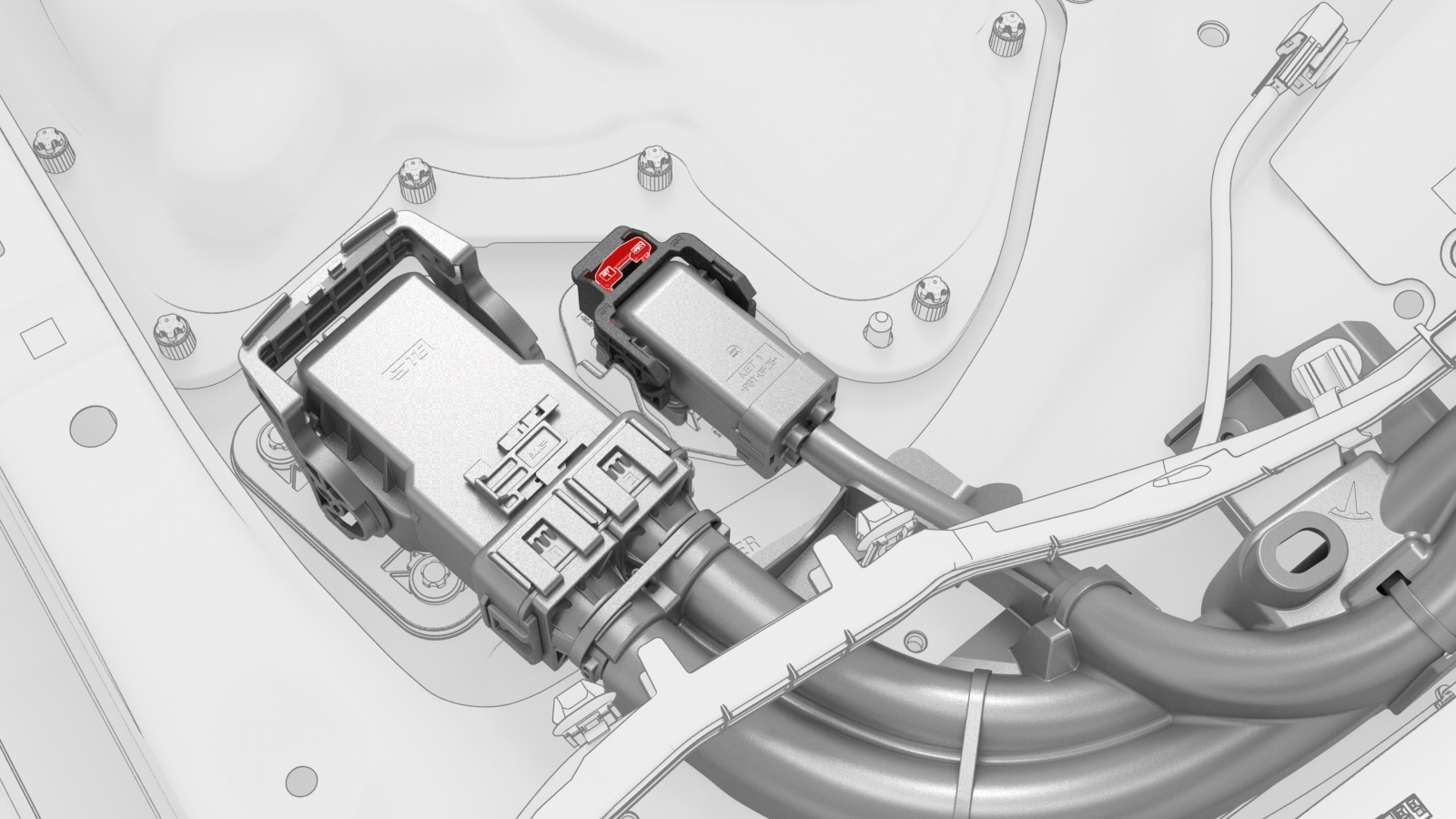
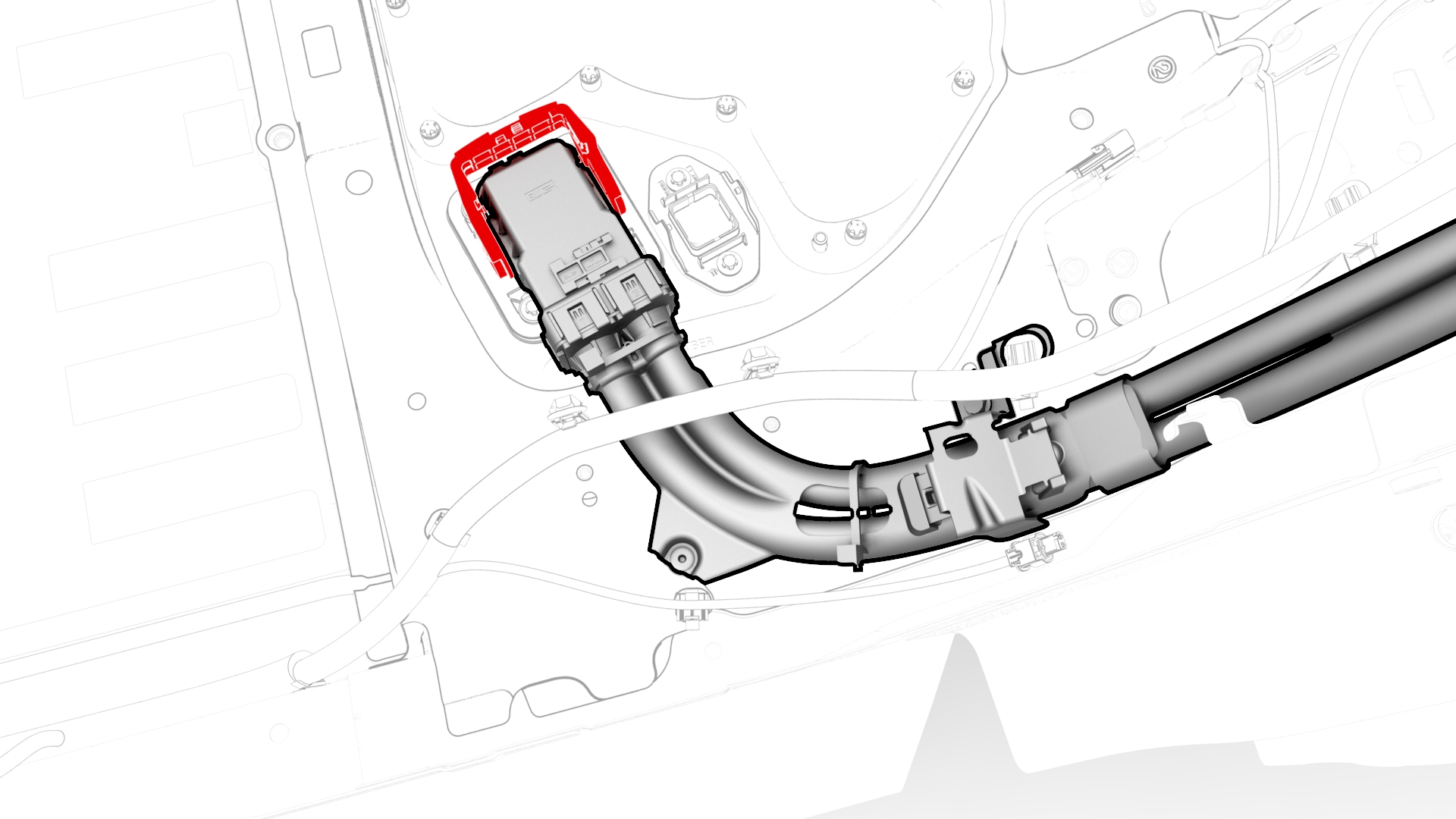
Disconnect the 3-phase electrical connector from the penthouse by releasing the red locking tab first, then pull the handle, and then remove the electrical connector from the penthouse.
-
Raise the handle to disconnect the charge port harness from the DC input assembly at the penthouse.
-
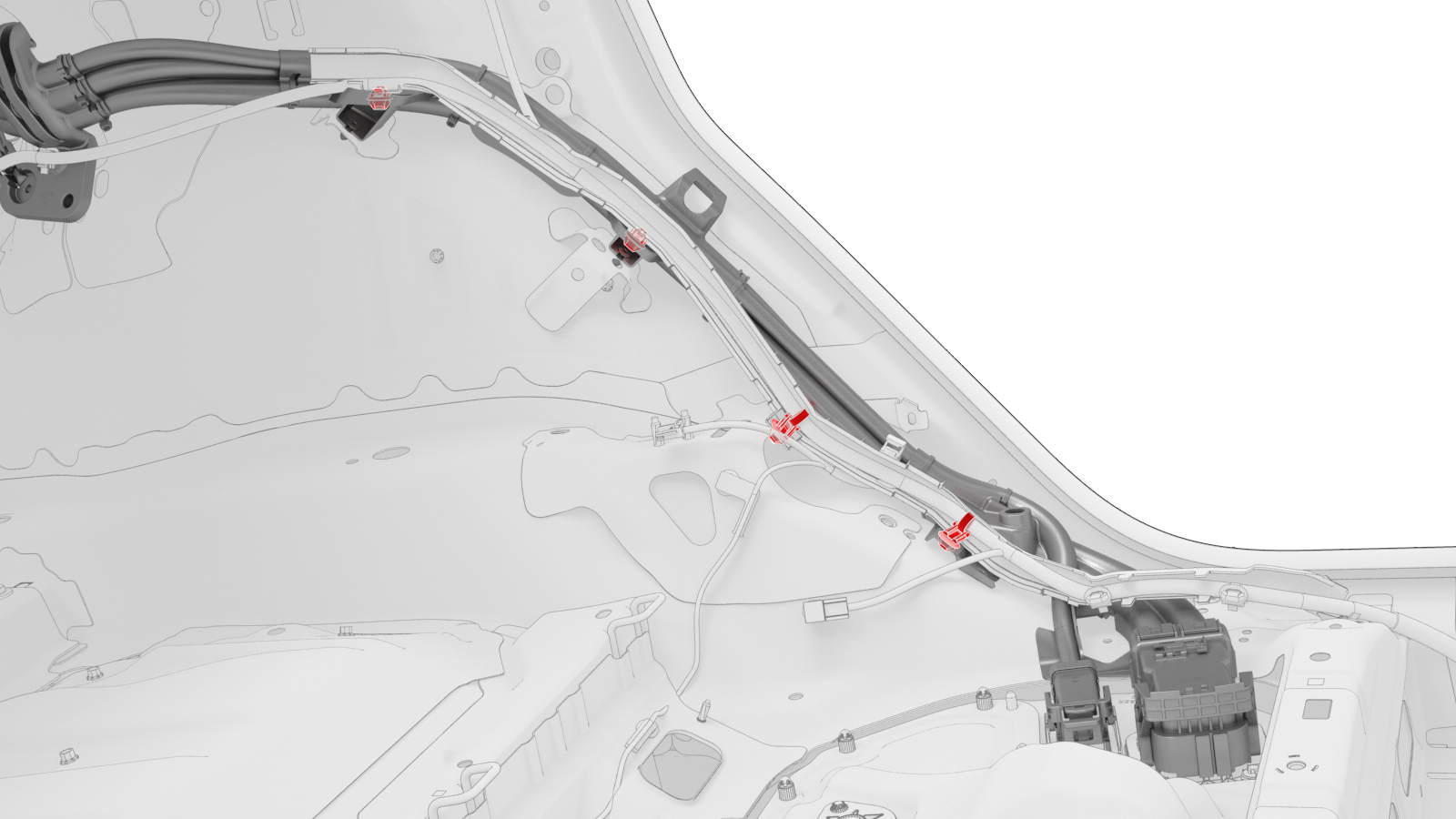
Release the clips (x4) that attach the Low Voltage (LV) harness along the charge port harness.
-
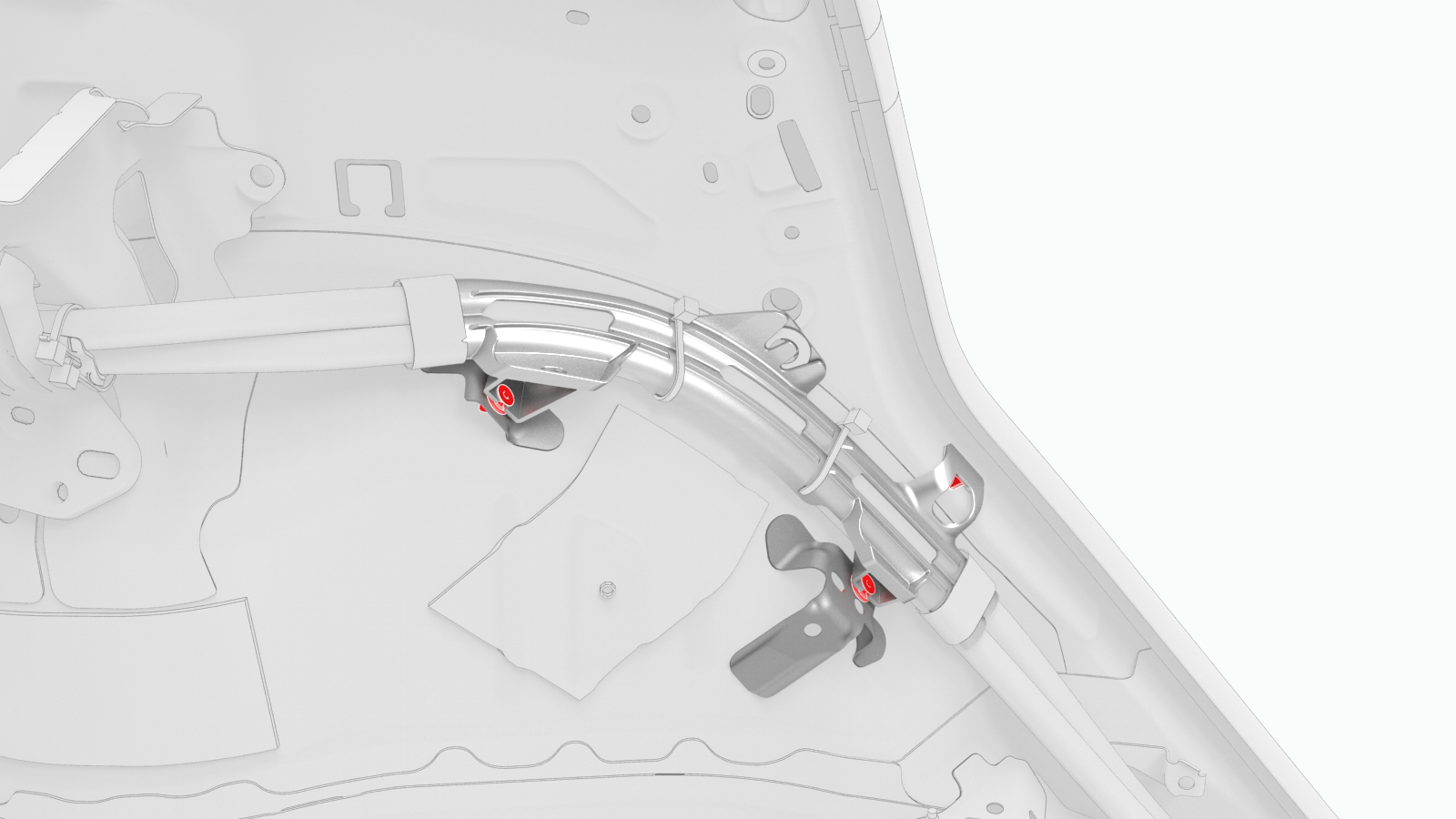
Release the clips (x3) that attach the charge port harness located on top of the rear LH wheelwell and C-pillar.
-
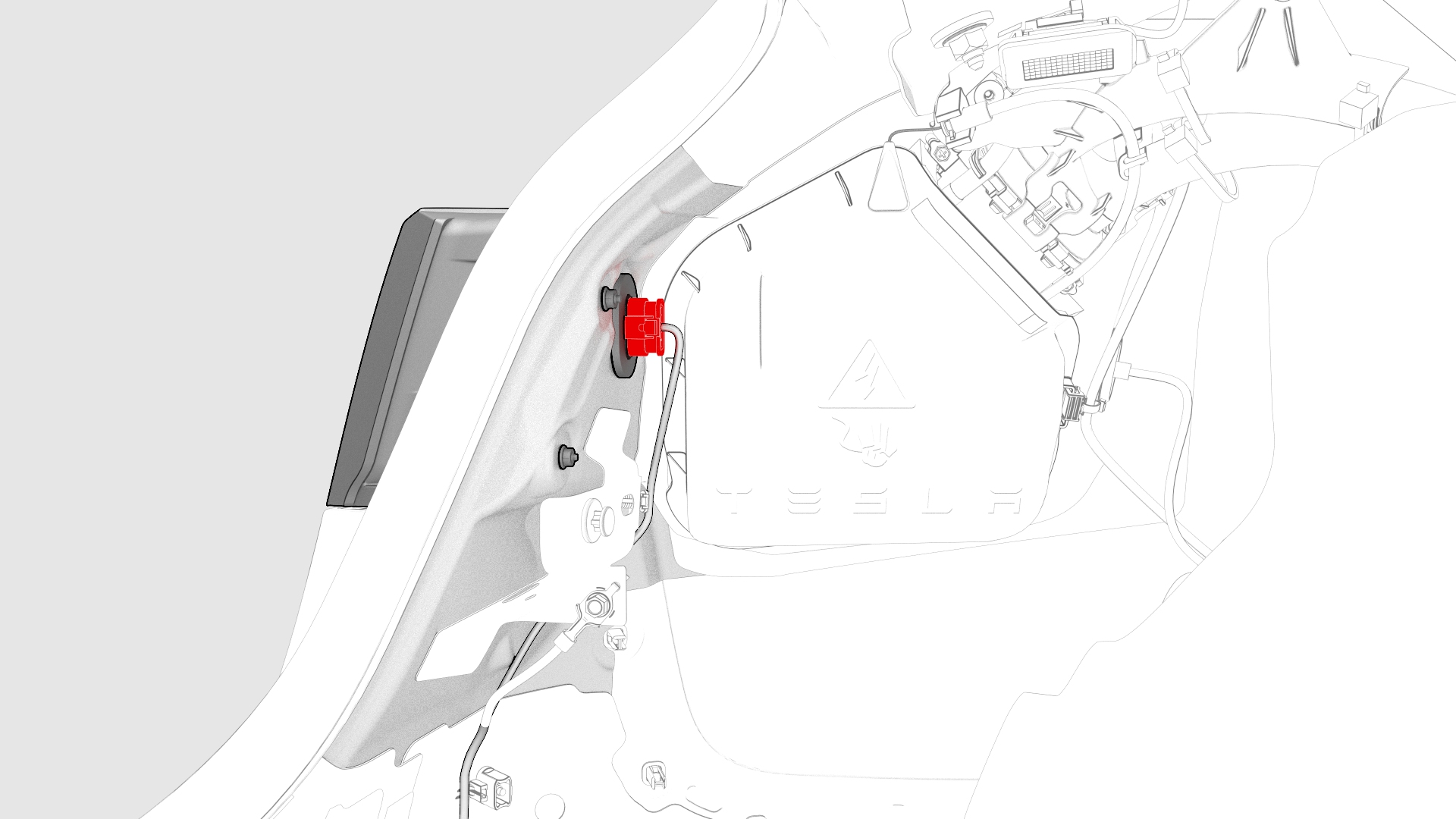
Disconnect the LH taillight electrical connector.
-
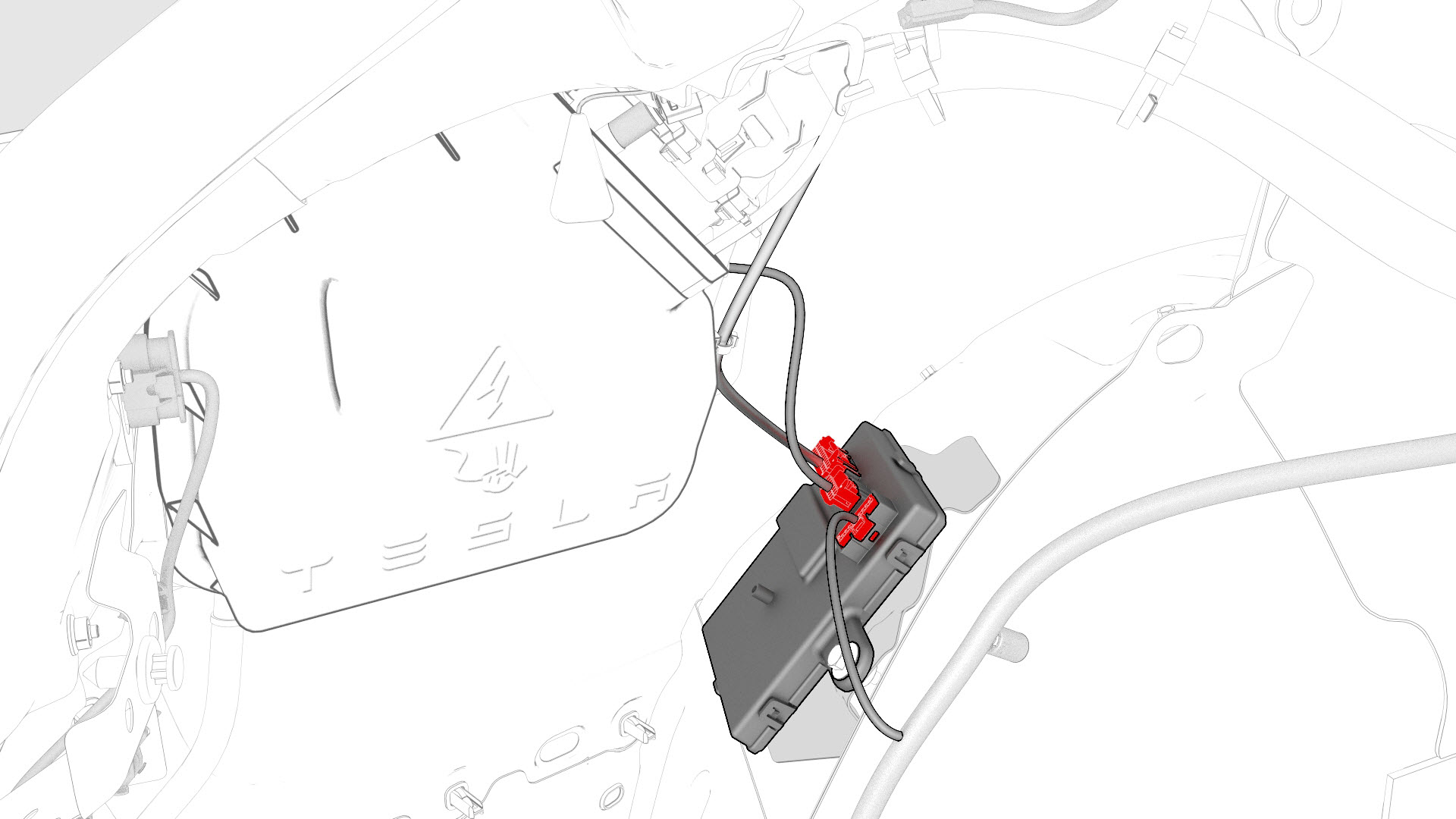
Disconnect the LV electrical connectors from the charge port ECU.
-
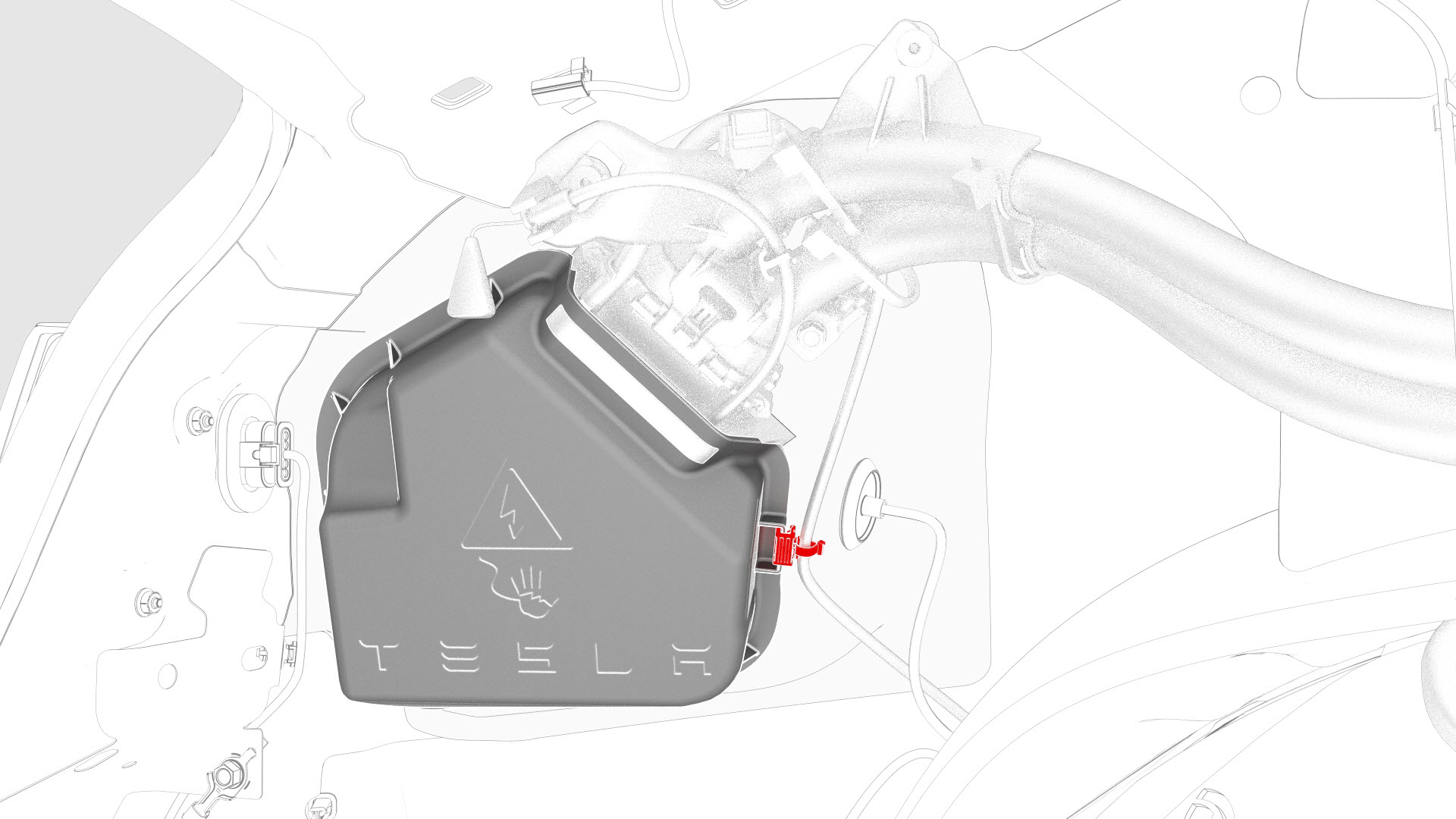
Release the edge clip that attaches the LV electrical harness to the charge port closeout panel.
-
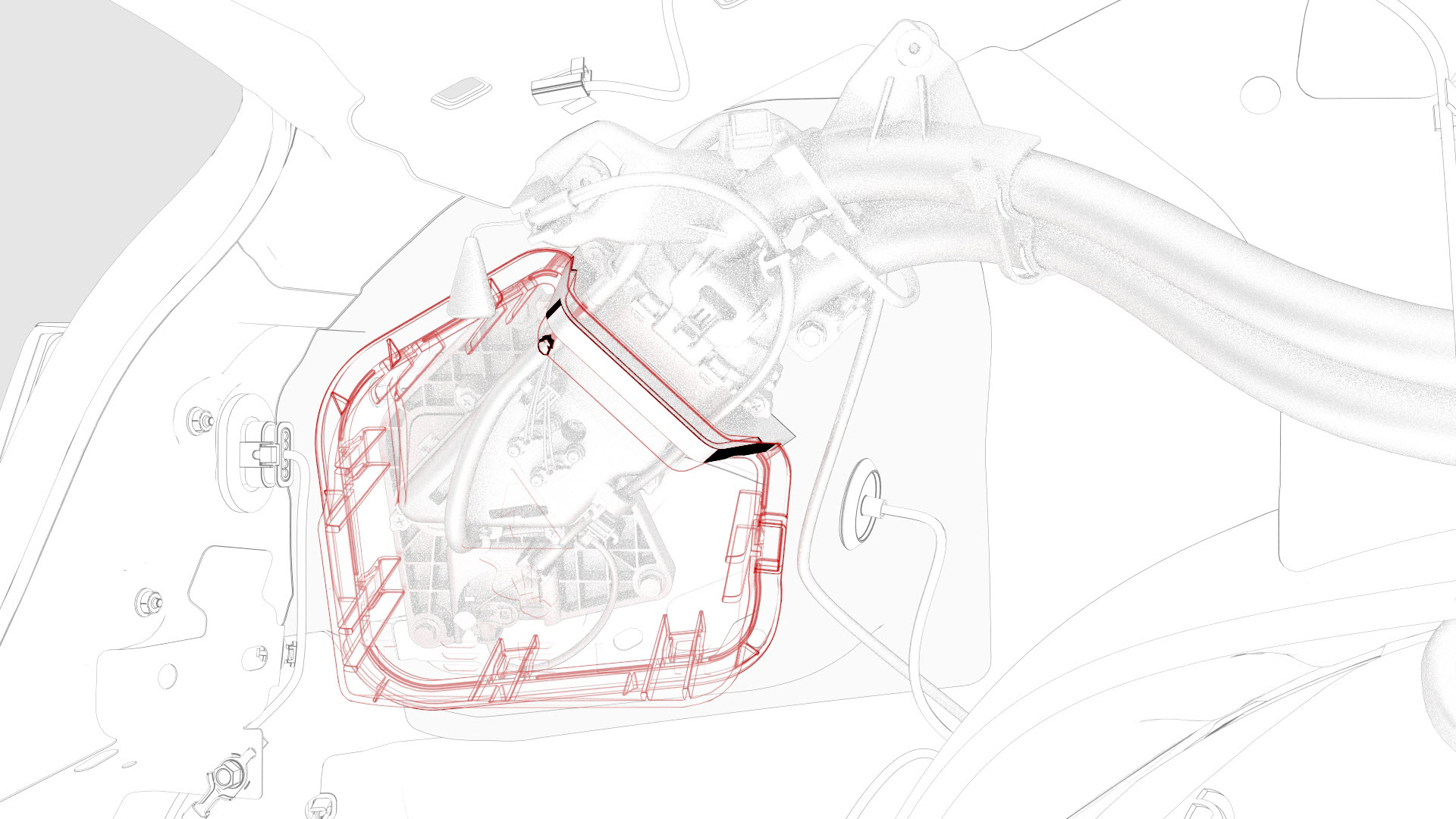
Slightly pull on the closeout panel. At the same time, insert a plastic trim tool inwards to start releasing the lower clips, and then pull the closeout panel towards the front of the vehicle while releasing the remaining clips.
-
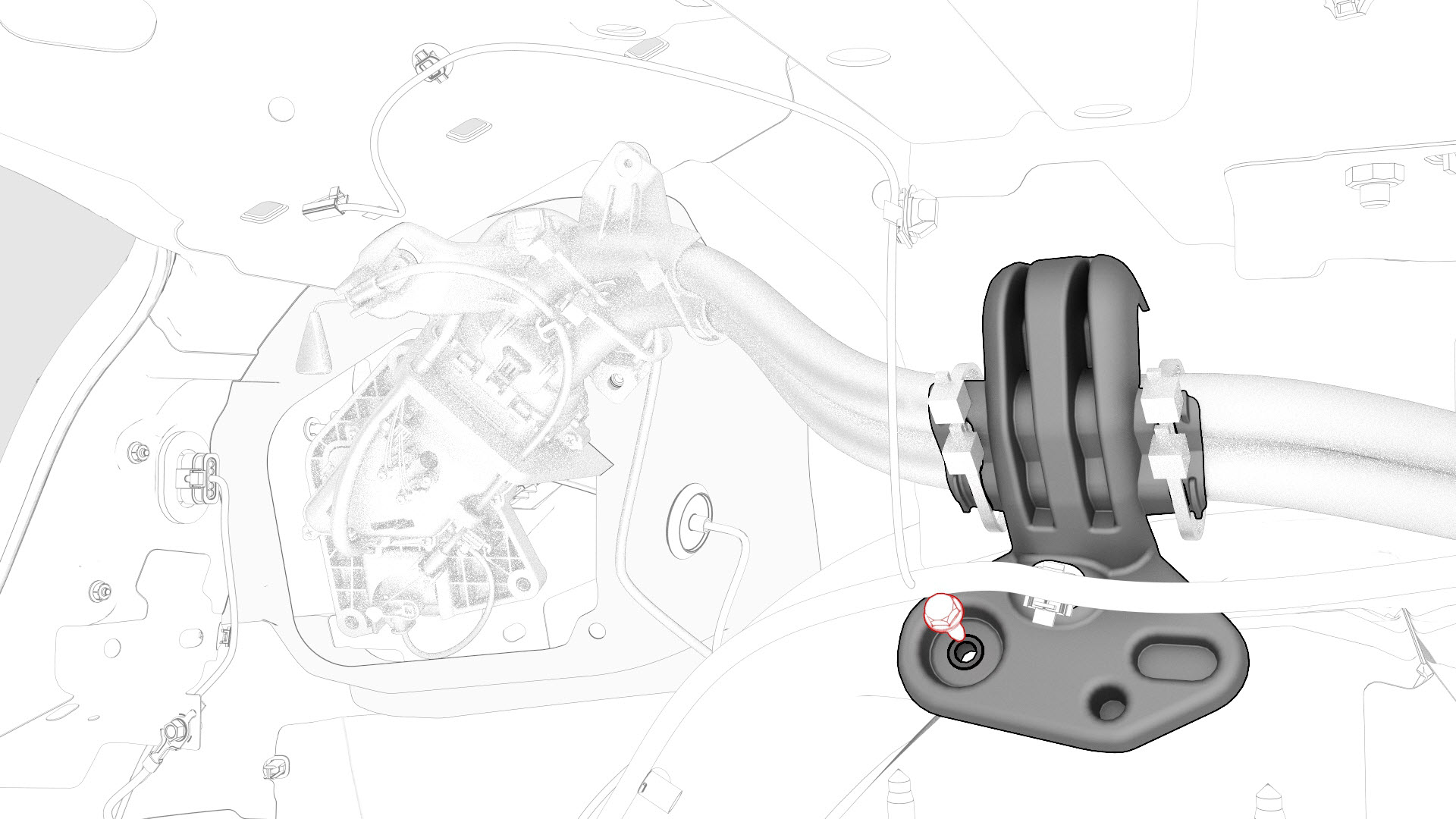
Remove the bolt that attaches the charge port ground to the body.
Note: The ground cable is green with a yellow stripe and is located at the top of the inner wheel housing.
-
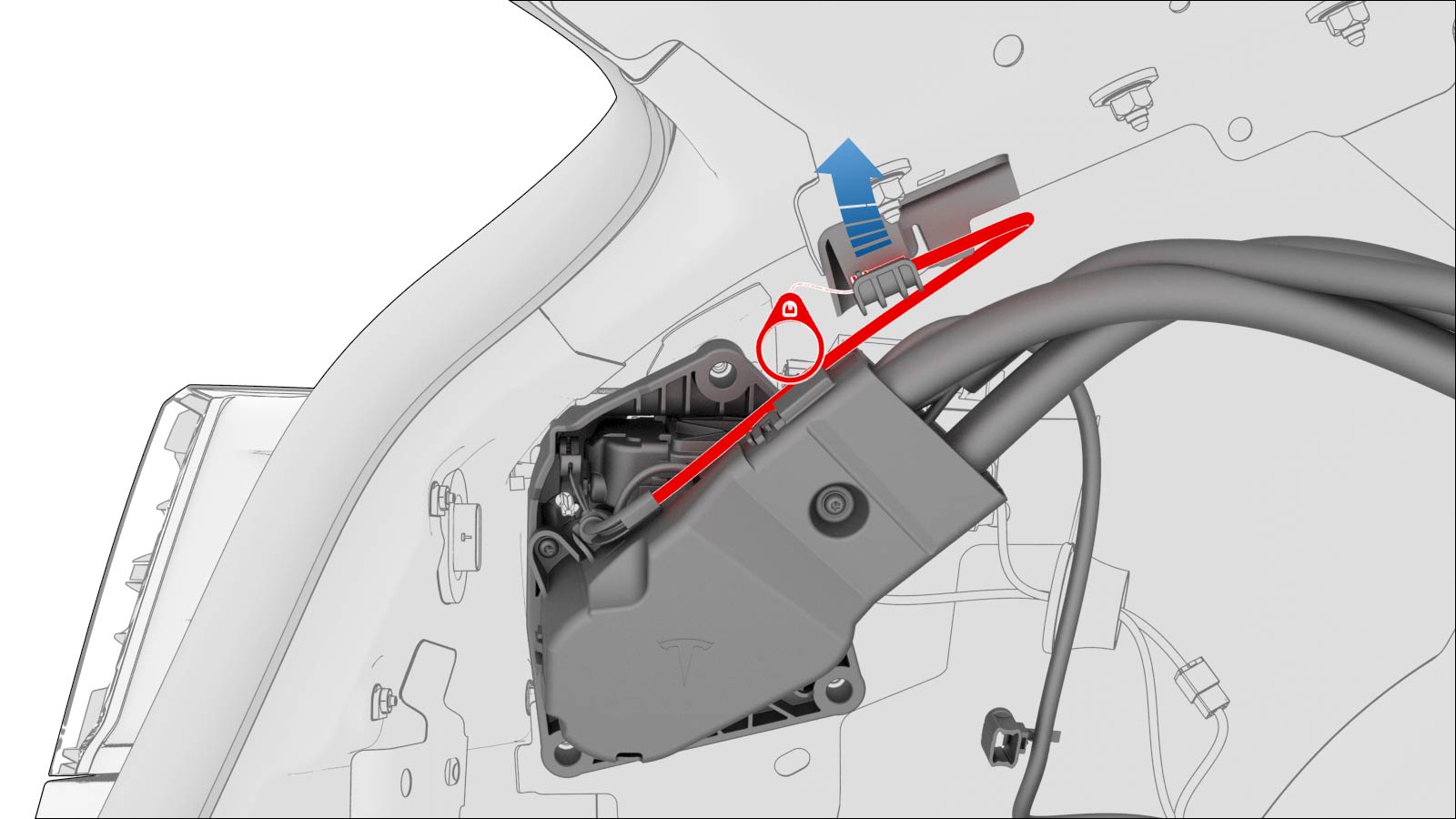
Pull the manual release cable up and away from the cable hold down clip, or pull up the cable vertically away from the charge port assembly.
-
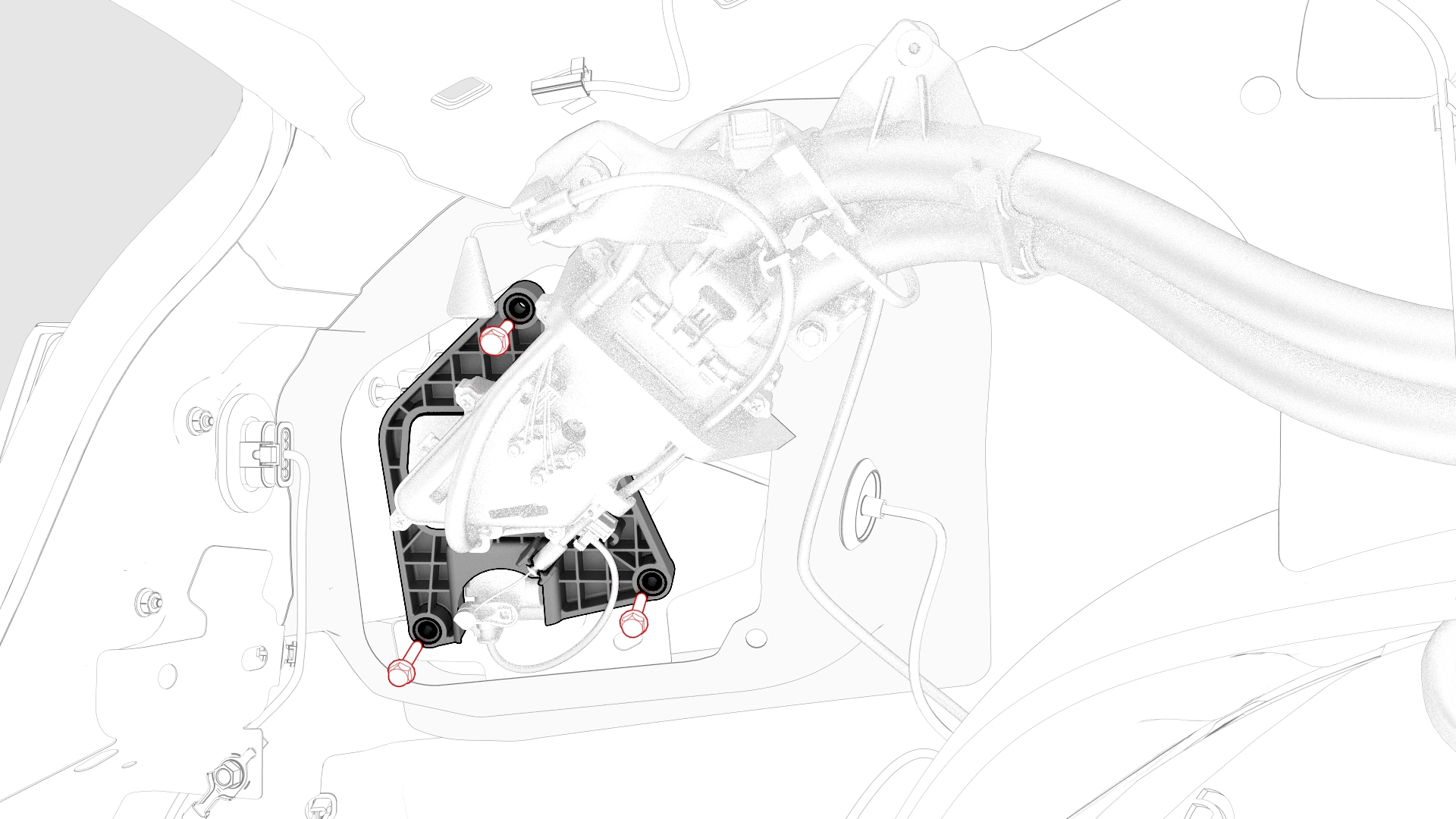
Remove the bolts that attach the charge port assembly to the body.
-
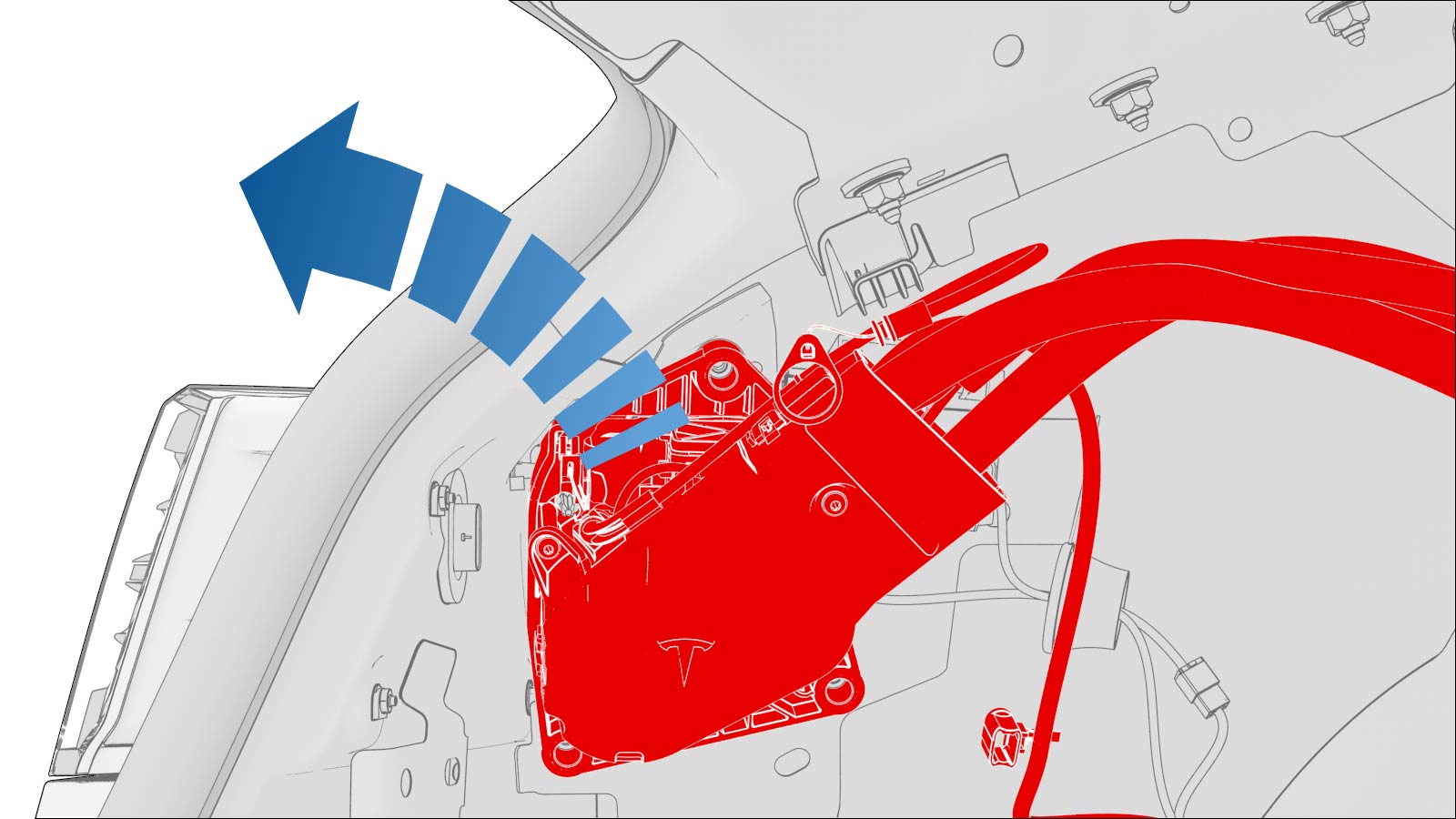
Pull the rear side of the charge port harness away from the body for access.
-
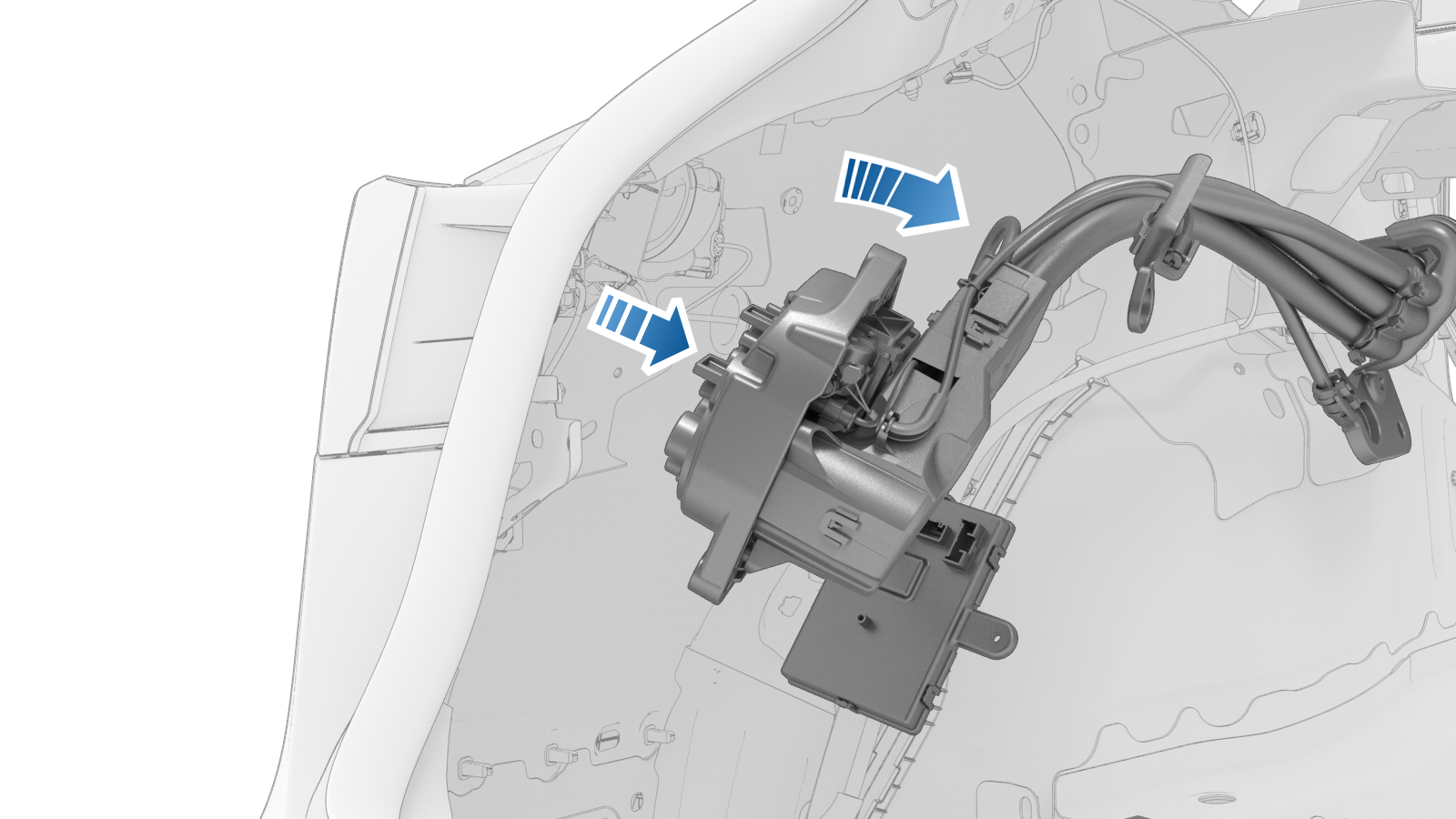
Pull the entire rear side of the charge port harness away from the body.
-
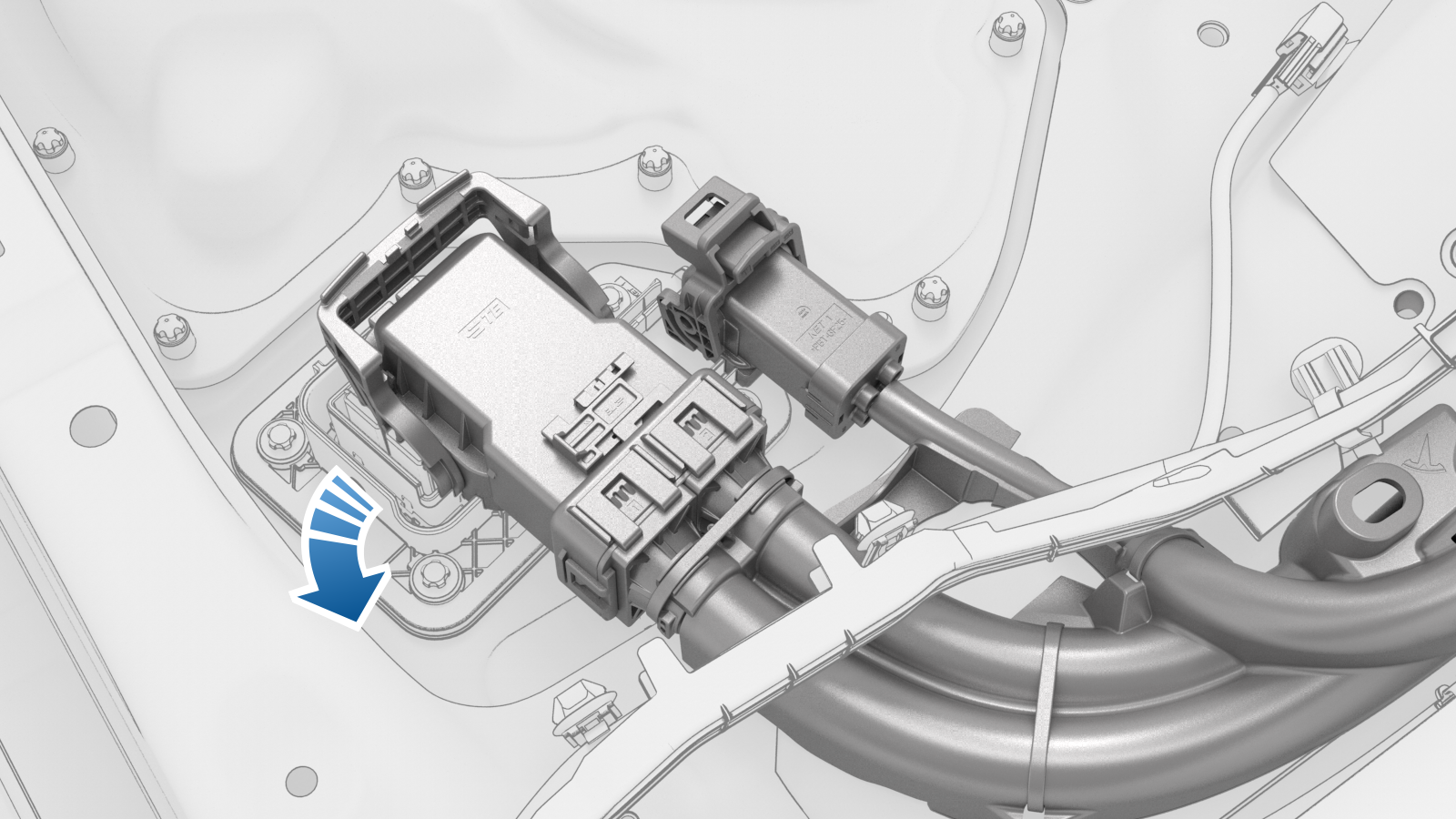
Carefully route the front of the charge port harness underneath the LV electrical harness. Move the front of the charge port harness under and away from the LV electrical harness, and then bring the harness upwards.
Note: Do not damage the LV electrical harness.
-
With an assistant, remove the charge port harness from the body.
 Caution:Do not damage the LV electrical harness.Note: Have a second person hold the rear of the charge port harness (charge port inlet side) as the front side of the harness is fed through and underneath the LV electrical harness.
 -
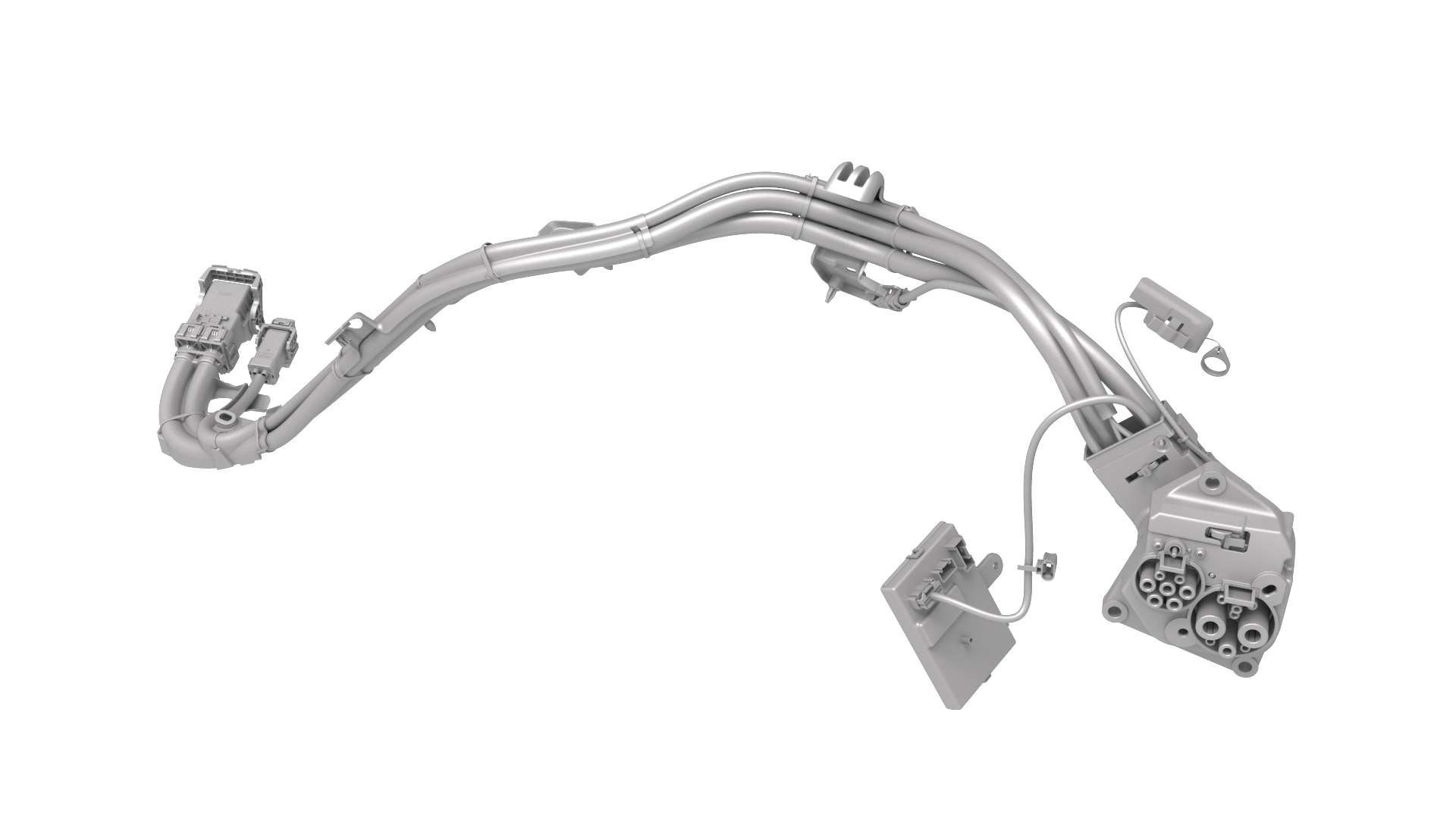
Remove the charge port harness from the vehicle.
| 1 | Open all doors and windows. | ||
| 2 | Move the driver seat and front passenger seat fully forward. | ||
| 3 | Remove the 2nd row lower seat cushion. See Seat Cushion - Lower - 2nd Row (Remove and Replace). | ||
| 4 | Open the trunk. | ||
| 5 | Open the hood. | ||
| 6 | Remove the rear underhood apron. See Underhood Apron - Rear (Remove and Replace). | ||
| 7 | Open the charge port door. | ||
| 8 | Disconnect 12V power. See 12V Power (Disconnect and Connect). | ||
| 9 | Perform the charge port voltage check procedure. See #GUID-9684AD30-F582-4FCC-8908-F1A69E93D67F. | ||
| 10 | Remove the LH rear sill panel trim. See Trim - Sill Panel - Rear - LH (Remove and Replace). | ||
| 11 | Remove the LH 2nd row seat side bolster. See Bolster - Side - Seat - 2nd Row - LH (Remove and Replace). | ||
| 12 | Put the LH 2nd row seat back in the vertical position. | ||
| 13 | Remove the bolts that attach the charge port harness bracket at the penthouse. | |
| 14 | Release the clips (x2) that attach the electrical harness to the charge port harness bracket at the penthouse, and then remove the bracket from the vehicle. | |
| 15 | Disconnect the 3-phase electrical connector from the penthouse by releasing the red locking tab first, then pull the handle, and then remove the electrical connector from the penthouse. | |
| 16 | Raise the handle to disconnect the charge port harness from the DC input assembly at the penthouse. | |
| 17 | Remove the LH 2nd row buckle. See Buckle - 2nd Row - LH (Remove and Replace). | ||
| 18 | Remove the LH 2nd row seat back. See Seat Back - 2nd Row - LH (Remove and Install). | ||
| 19 | Remove the trunk floor trim. See Trim - Floor - Trunk (Remove and Replace). | ||
| 20 | Remove the trunk sill trim. See Trim - Sill - Trunk (Remove and Replace). | ||
| 21 | Remove the trunk garnish. See Garnish - Trunk (Remove and Replace). | ||
| 22 | Remove the LH trunk side trim. See Trim - Side - Trunk - LH (Remove and Replace). | ||
| 23 | Release the clips (x4) that attach the Low Voltage (LV) harness along the charge port harness. | |
| 24 | Release the clips (x3) that attach the charge port harness located on top of the rear LH wheelwell and C-pillar. | |
| 25 | Disconnect the LH taillight electrical connector. | |
| 26 | Disconnect the LV electrical connectors from the charge port ECU. | |
| 27 | Release the edge clip that attaches the LV electrical harness to the charge port closeout panel. | |
| 28 | Slightly pull on the closeout panel. At the same time, insert a plastic trim tool inwards to start releasing the lower clips, and then pull the closeout panel towards the front of the vehicle while releasing the remaining clips. | |
| 29 | Remove the bolt that attaches the charge port ground to the body. Note: The ground cable is green with a yellow stripe and is located at the top of the inner wheel housing.
| |
| 30 | Pull the manual release cable up and away from the cable hold down clip, or pull up the cable vertically away from the charge port assembly. | |
| 31 | Remove the bolts that attach the charge port assembly to the body. | |
| 32 | Release the charge port harness from the body by lifting up the harness reference point up and over the body. | ||
| 33 | Pull the rear side of the charge port harness away from the body for access. | |
| 34 | Pull the entire rear side of the charge port harness away from the body. | |
| 35 | Carefully route the front of the charge port harness underneath the LV electrical harness. Move the front of the charge port harness under and away from the LV electrical harness, and then bring the harness upwards. Note: Do not damage the LV electrical harness.
| |
| 36 | With an assistant, remove the charge port harness from the body. Caution: Do not damage the LV electrical harness.
Note: Have a second person hold the rear of the charge port harness (charge port inlet side) as the front side of the harness is fed through and underneath the LV electrical harness.
| ||
| 37 | Remove the charge port harness from the vehicle. |
Install
-
Put the new charge port harness into the vehicle and feed the harness through the LV electrical harness.
Caution:Install the charge port harness carefully to prevent damage to the harness.
-
With an assistant, route the charge port harness into position. Have a second person hold the rear of the charge port harness (charge port inlet side) as the harness is fed under the LV electrical harness.
Caution:Install the charge port harness carefully to prevent damage to the harness.
-
Install the clips (x3) that attach the charge port harness to the vehicle at the C-pillar.
Note: The number of clips on newer vehicles might vary.
-
Connect the charge port harness to the penthouse.
Note: Use one hand to support the charge port harness connector while the other hand latches the locking tab. Once installed, verify that the latch is not damaged and is fully secured into the latched position.
-
Connect the 3-phase connector of the charge port harness to the penthouse.
Note: Push down the red locking tab to secure the connector.
-
Install the bolts (x2) that attach the charge port harness bracket to the vehicle at the penthouse.
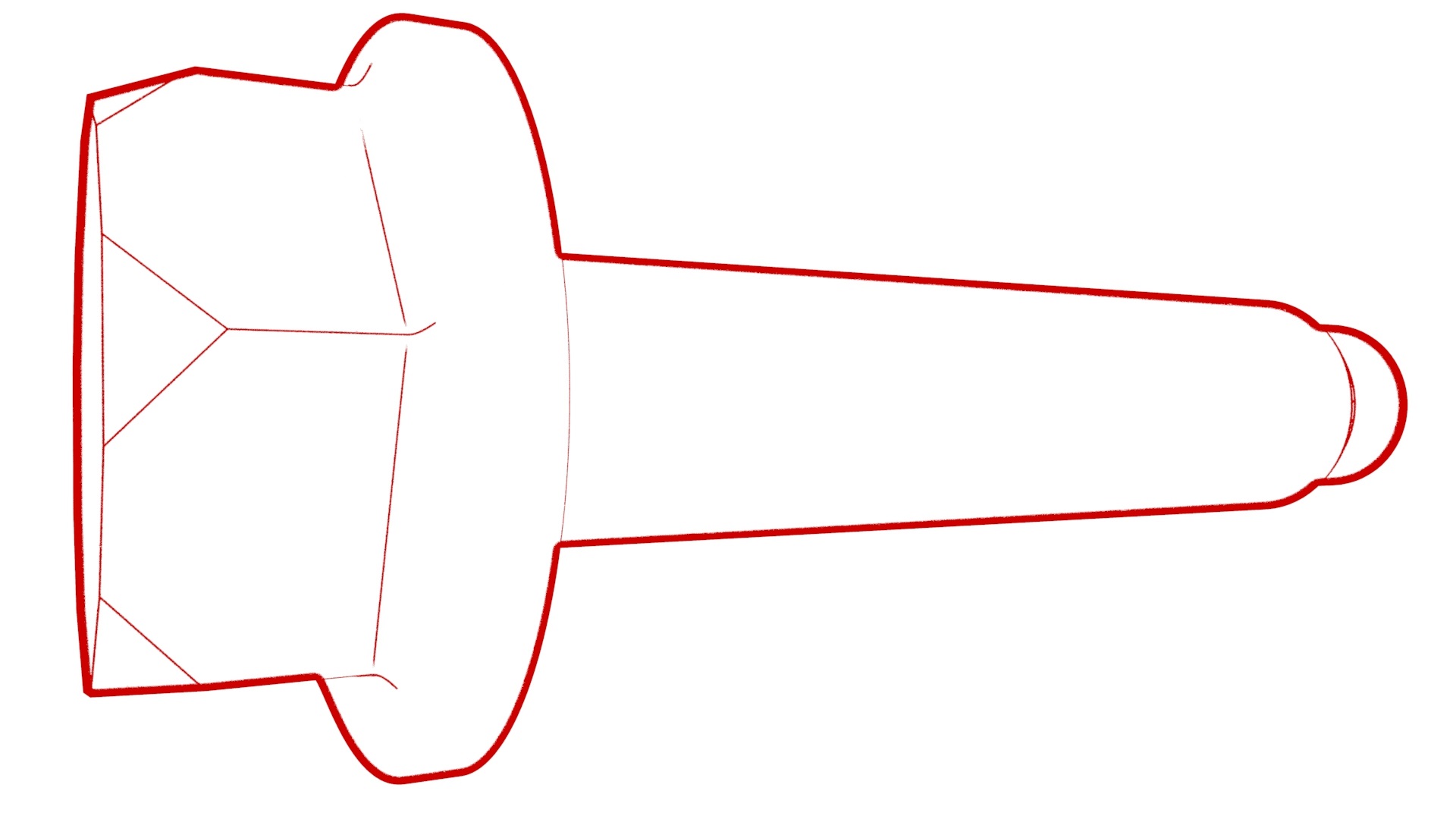 Torque 10 Nm
 -
Install the clips (x2) that attach the electrical harness to the charge port harness bracket at the penthouse.
-
Install the clips (x4) that attach the LV electrical harness along the C-pillar area.
-
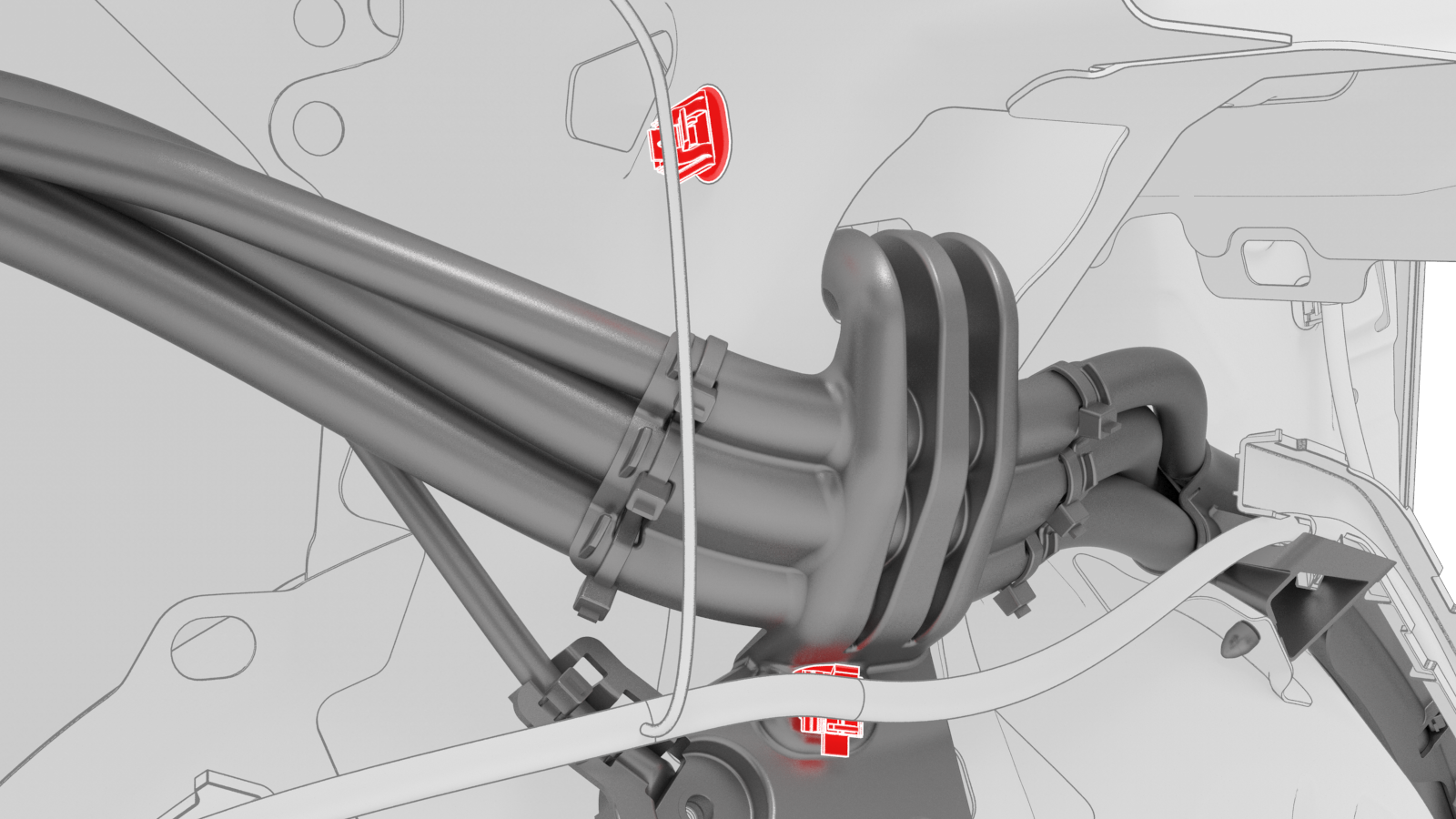
Install the charge port harness on the vehicle near the charge port assembly, and then install the clips (x2) that attach the LV electrical harness onto the charge port harness.
Note: Lift the charge port harness reference point up and over the body. The reference point should be reset into the body.
-
Install the bolt that attaches the charge port harness ground to the body.
 Torque 6 Nm
 -
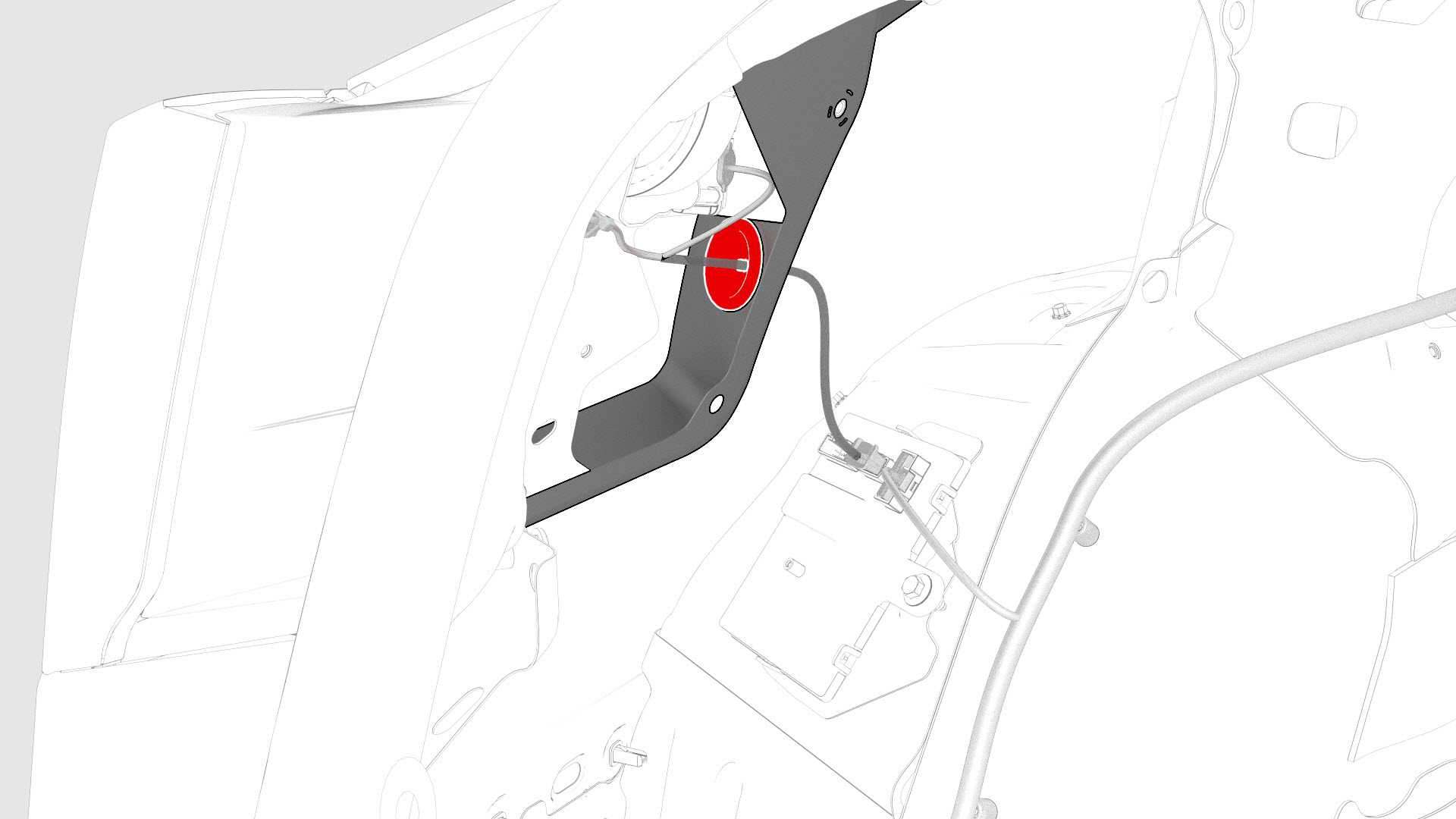
Install the charge port door grommet on the body
-
Install the bolts (x3) that attach the charge port assembly to the charge port door assembly.
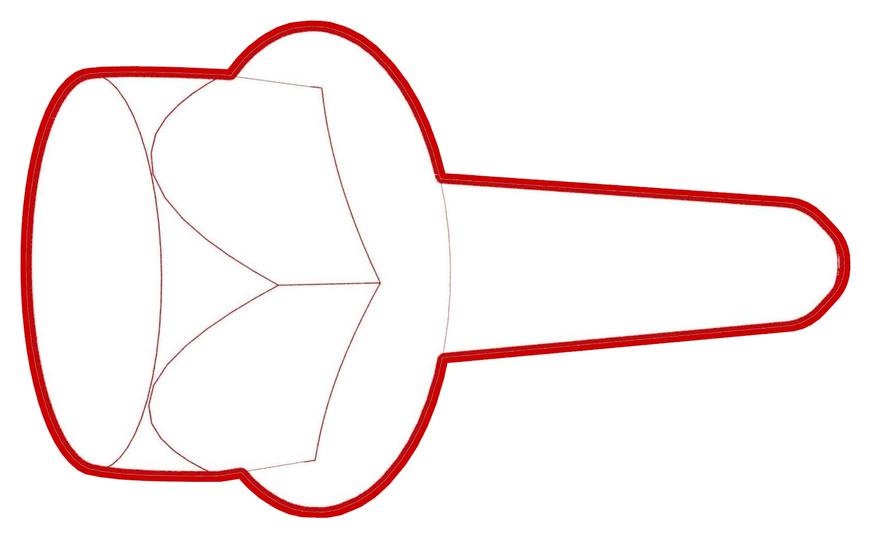 Torque 6 Nm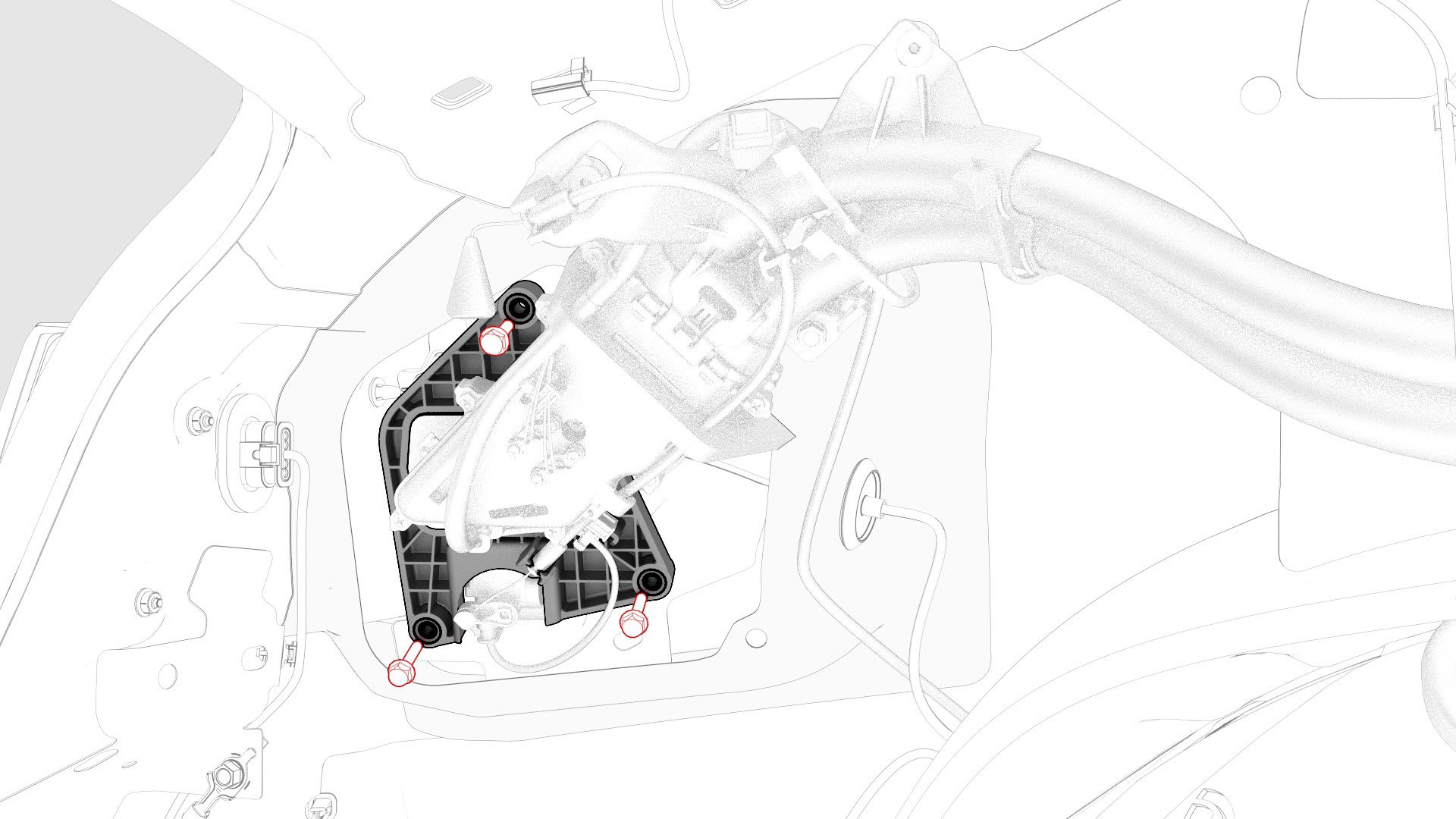
-
Install the clips that attach the charge port closeout panel.
-
Install the edge clip that attaches the LV electrical harness to the charge port closeout panel.
-
Connect the LV charge port ECU electrical connectors.
-
Connect the electrical harness to the taillight connector.
| 1 | Put the new charge port harness into the vehicle and feed the harness through the LV electrical harness. Caution: Install the charge port harness carefully to prevent damage to the harness.
| ||
| 2 | With an assistant, route the charge port harness into position. Have a second person hold the rear of the charge port harness (charge port inlet side) as the harness is fed under the LV electrical harness. Caution: Install the charge port harness carefully to prevent damage to the harness.
| ||
| 3 | Install the clips (x3) that attach the charge port harness to the vehicle at the C-pillar. Note: The number of clips on newer vehicles might vary.
| |
| 4 | Connect the charge port harness to the penthouse. Note: Use one hand to support the charge port harness connector while the other hand latches the locking tab. Once installed, verify that the latch is not damaged and is fully secured into the latched position.
| |
| 5 | Connect the 3-phase connector of the charge port harness to the penthouse. Note: Push down the red locking tab to secure the connector.
| |
| 6 | Install the bolts (x2) that attach the charge port harness bracket to the vehicle at the penthouse. Torque 10 Nm | |
| 7 | Install the clips (x2) that attach the electrical harness to the charge port harness bracket at the penthouse. | |
| 8 | Install the clips (x4) that attach the LV electrical harness along the C-pillar area. | |
| 9 | Install the charge port harness on the vehicle near the charge port assembly, and then install the clips (x2) that attach the LV electrical harness onto the charge port harness. Note: Lift the charge port harness reference point up and over the body. The reference point should be reset into the body.
| |
| 10 | Install the bolt that attaches the charge port harness ground to the body. Torque 6 Nm | |
| 11 | Install the charge port door grommet on the body | |
| 12 | Install the bolts (x3) that attach the charge port assembly to the charge port door assembly. Torque 6 Nm | |
| 13 | Insert the manual release cable back into the locking tab; push down on the release back to secure it into the locking tab. | ||
| 14 | Install the clips that attach the charge port closeout panel. | |
| 15 | Install the edge clip that attaches the LV electrical harness to the charge port closeout panel. | |
| 16 | Connect the LV charge port ECU electrical connectors. | |
| 17 | Connect the electrical harness to the taillight connector. | |
| 18 | Install the LH trunk side trim. See Trim - Side - Trunk - LH (Remove and Replace). | ||
| 19 | Install the trunk garnish. See Garnish - Trunk (Remove and Replace). | ||
| 20 | Install the trunk sill trim panel. See Trim - Sill - Trunk (Remove and Replace). | ||
| 21 | Install the trunk floor trim. See Trim - Floor - Trunk (Remove and Replace). | ||
| 22 | Close the trunk. | ||
| 23 | Install the LH 2nd row seat back. See Seat Back - 2nd Row - LH (Remove and Install). | ||
| 24 | Install the LH 2nd row buckle. See Buckle - 2nd Row - LH (Remove and Replace). | ||
| 25 | Install the LH rear sill panel trim. See Trim - Sill Panel - Rear - LH (Remove and Replace). | ||
| 26 | Install the LH 2nd row seat side bolster. See Bolster - Side - Seat - 2nd Row - LH (Remove and Replace). | ||
| 27 | Reconnect 12V power. See 12V Power (Disconnect and Connect). | ||
| 28 | Install the 2nd row lower seat cushion. See Seat Cushion - Lower - 2nd Row (Remove and Replace). | ||
| 29 | Move the driver seat and front passenger seat back to their original position. | ||
| 30 | Use a laptop to log on to Garage. | ||
| 31 | In Garage, enter the VIN and click the Firmware tab. | ||
| 32 | In Garage, click the deploy tab, and then click on the ota icon. Note: If there are no firmware packages available, there might be a firmware package staged on the vehicle; skip to step 34.
| ||
| 33 | In Garage, click the Jobs tab and confirm that the firmware is being staged. | ||
| 34 | On the touchscreen, select the clock icon, and then select Install Now to start the firmware update. Note: Check the touchscreen after the displayed firmware installation time to ensure that the firmware package was successfully installed.
| ||
| 35 | In Garage, refresh the Jobs tab and verify that the firmware was successfully installed. Note: If the firmware was not successfully installed, go back to step 32 and redeploy the firmware package.
| ||
| 36 | Verify for proper operation of the charge port. Use the customer's mobile connector, if available. | ||
| 37 | Install the rear underhood apron. See Underhood Apron - Rear (Remove and Replace). | ||
| 38 | Close the hood and all doors. |