Switch - Brake Light (Remove and Replace)
Correction code 3325200233252002
Remove
-
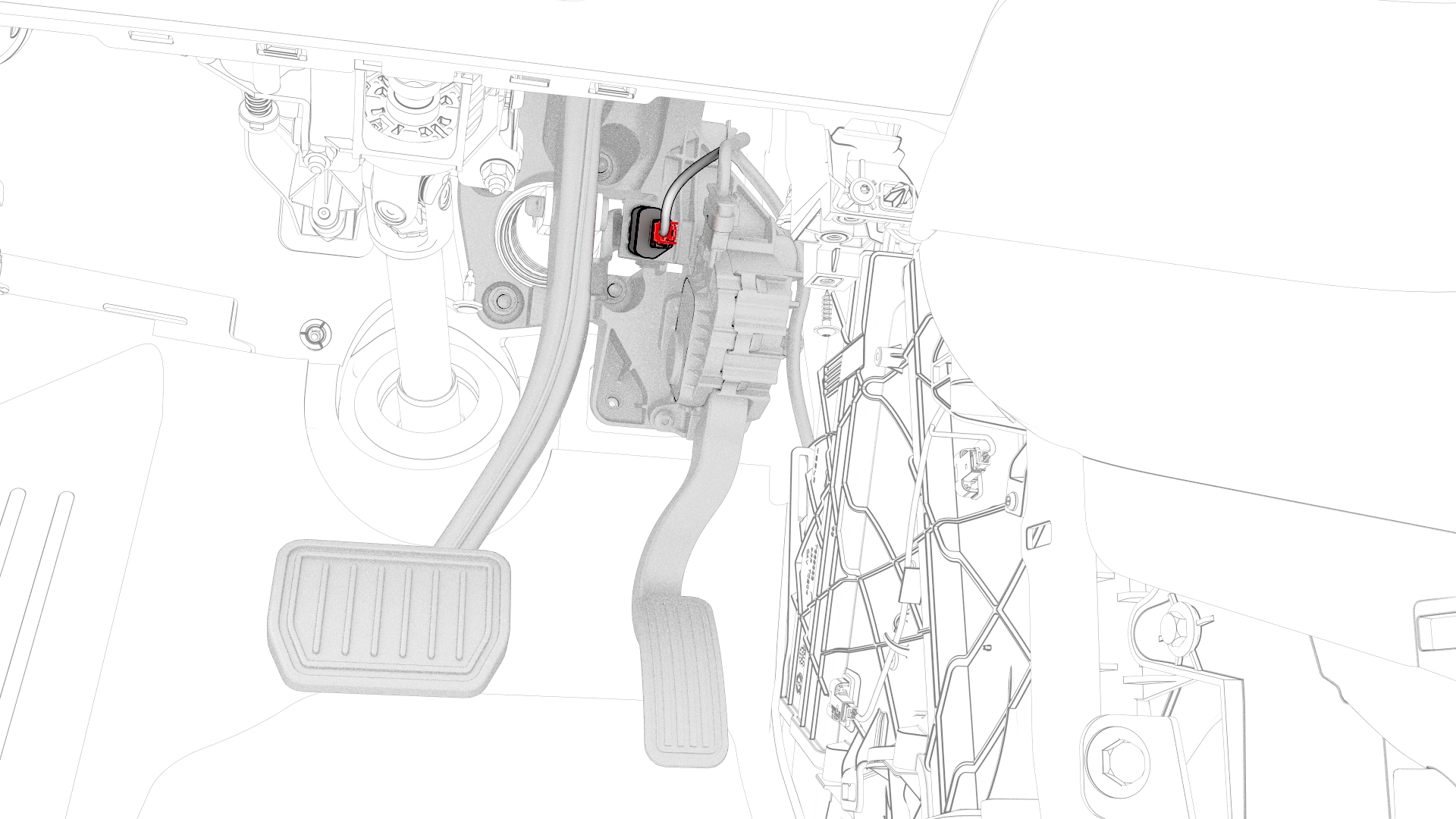
Disconnect the electrical harness from the brake light switch connector.
-
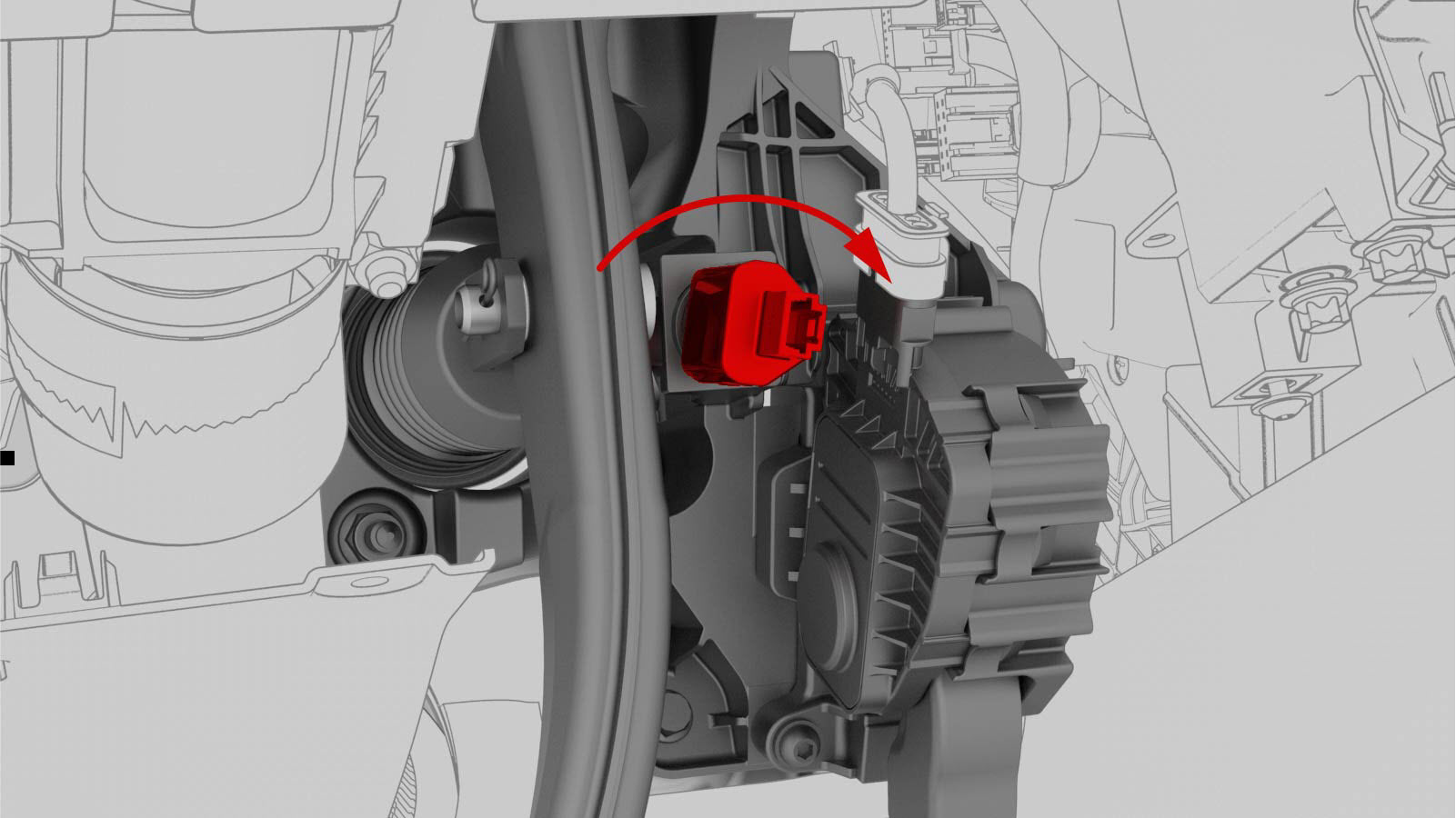
Rotate the brake light switch 45 degrees counterclockwise, and then remove brake light switch from the accelerator and brake pedal assembly.
 Caution:After the brake light switch has been removed, do not allow anything to touch, bump, strike, or press the brake pedal, until the brake light switch is securely installed.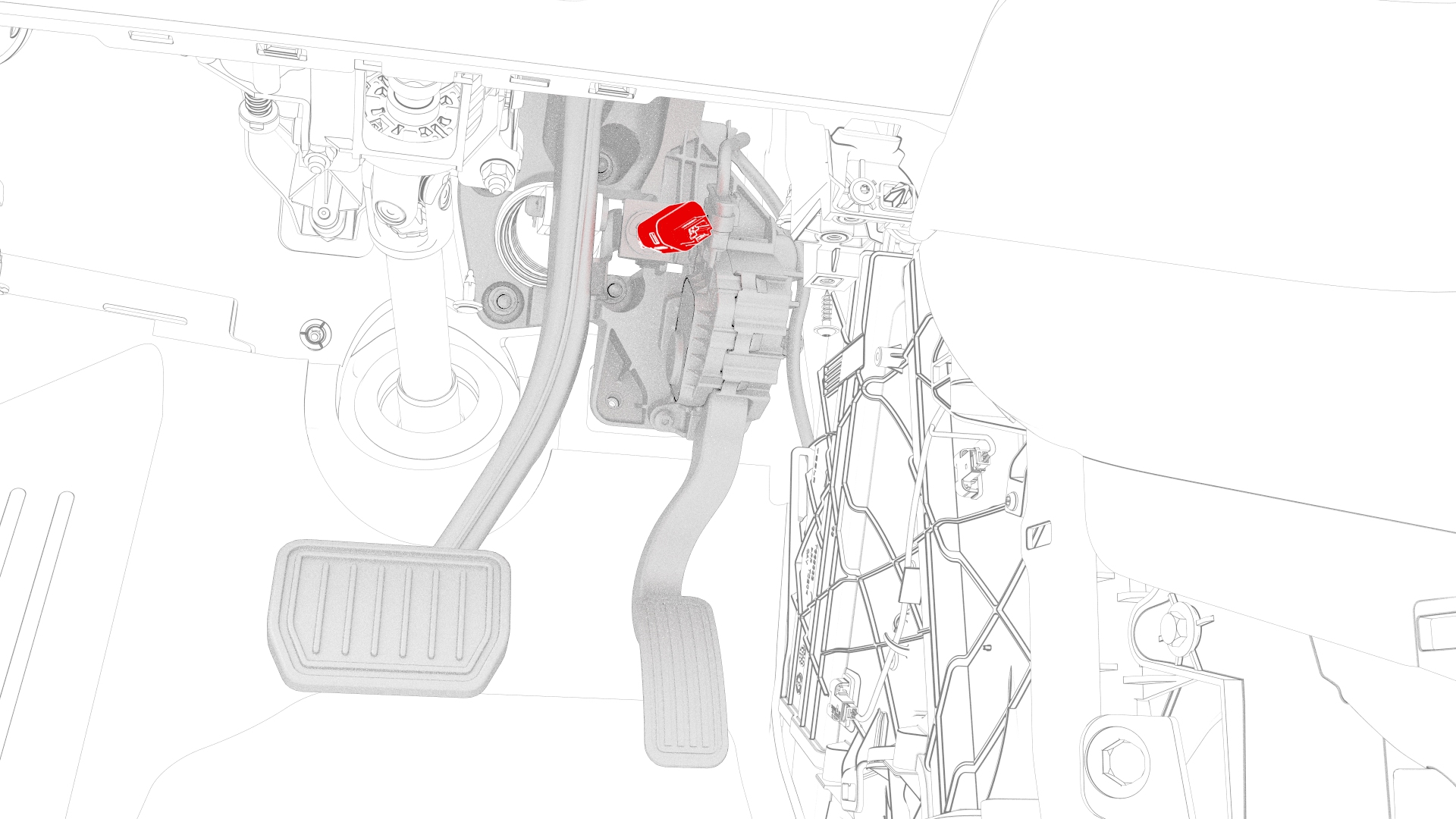
| 1 | Remove the LH center console side panel carpet. See Carpet - Side Panel - Center Console - LH (Remove and Replace). | ||
| 2 | Disconnect 12V power. See 12V Power (Disconnect and Connect). | ||
| 3 | Remove the driver footwell cover. See Cover - Footwell - Driver (Remove and Replace). | ||
| 4 | Remove the driver knee airbag. See Airbag - Knee - Driver (Remove and Install). | ||
| 5 | Remove the LH footwell duct. See Duct - Footwell - LH (Remove and Replace). | ||
| 6 | Disconnect the electrical harness from the brake light switch connector. | |
| 7 | Rotate the brake light switch 45 degrees counterclockwise, and then remove brake light switch from the accelerator and brake pedal assembly. Caution: After the brake light switch has been removed, do not allow anything to touch, bump, strike, or press the brake pedal, until the brake light switch is securely installed.
|
Install
Caution:
Do not allow anything to touch, bump, strike, or press the brake pedal, until the brake light switch is securely installed.
-
Gently insert the brake light switch into the clip until it stops.
Caution:Do not push so hard as to move the brake pedal. If the brake pedal has moved, remove the brake light switch and repeat this step.
-
Rotate the switch 45 degrees clockwise to secure the brake light switch in the accelerator and brake pedal assembly.
Note: Make sure that the brake switch electrical connector release tab is toward the RH side of the vehicle with the connector pins vertical.
-
Connect the electrical harness to the brake light switch connector, and then perform a push-pull-push check to make sure the connection is secure.
| 1 | Make sure that the following conditions are met before starting to install the brake switch:
| ||
| 2 | Gently insert the brake light switch into the clip until it stops. Caution: Do not push so hard as to move the brake pedal. If the brake pedal has moved, remove the brake light switch and repeat this step.
| |
| 3 | Rotate the switch 45 degrees clockwise to secure the brake light switch in the accelerator and brake pedal assembly. Note: Make sure that the brake switch electrical connector release tab is toward the RH side of the vehicle with the connector pins vertical.
| |
| 4 | Connect the electrical harness to the brake light switch connector, and then perform a push-pull-push check to make sure the connection is secure. | |
| 5 | Install the LH footwell duct. See Duct - Footwell - LH (Remove and Replace). | ||
| 6 | Install the driver knee airbag. See Airbag - Knee - Driver (Remove and Install). | ||
| 7 | Install the driver footwell cover. See Cover - Footwell - Driver (Remove and Replace). | ||
| 8 | Install the LH center console side panel carpet. See Carpet - Side Panel - Center Console - LH (Remove and Replace). | ||
| 9 | Reconnect 12V power. See 12V Power (Disconnect and Connect). | ||
| 10 | Connect a laptop with Toolbox to the vehicle. | ||
| 11 | Click on "Actions" and type "Brake Switch" into the search field. | ||
| 12 | Click the play button next to "TEST_BRAKE-DI_X_STIFFNESS-TEST-PRESSURE-UNBURNISHED-AND-DI-BRAKE-SWITCH", and then select Run.
|