Module - Body Controller - Front (RWD) (Remove and Replace)
Correction code 1715290217152902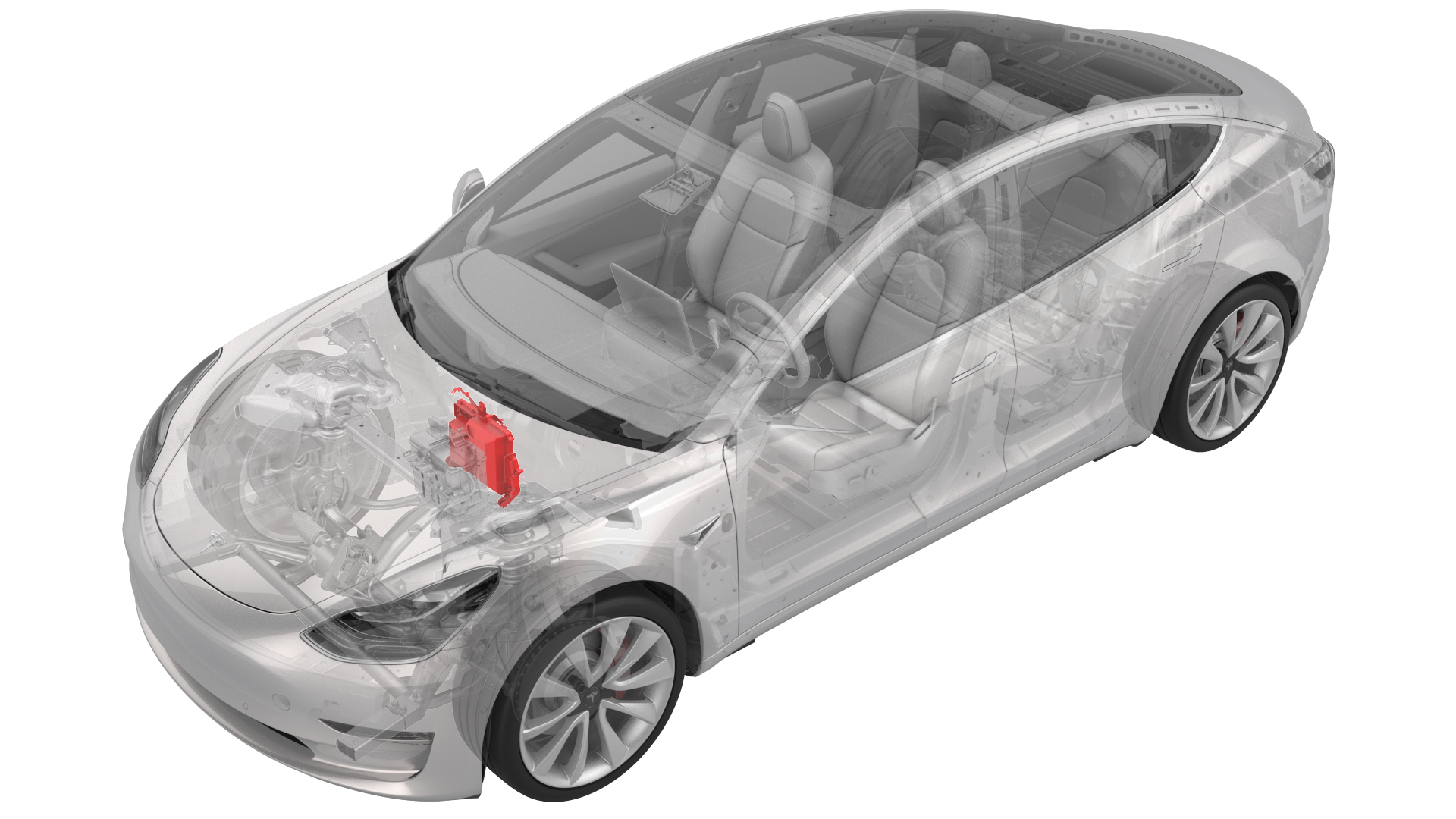
Remove
-
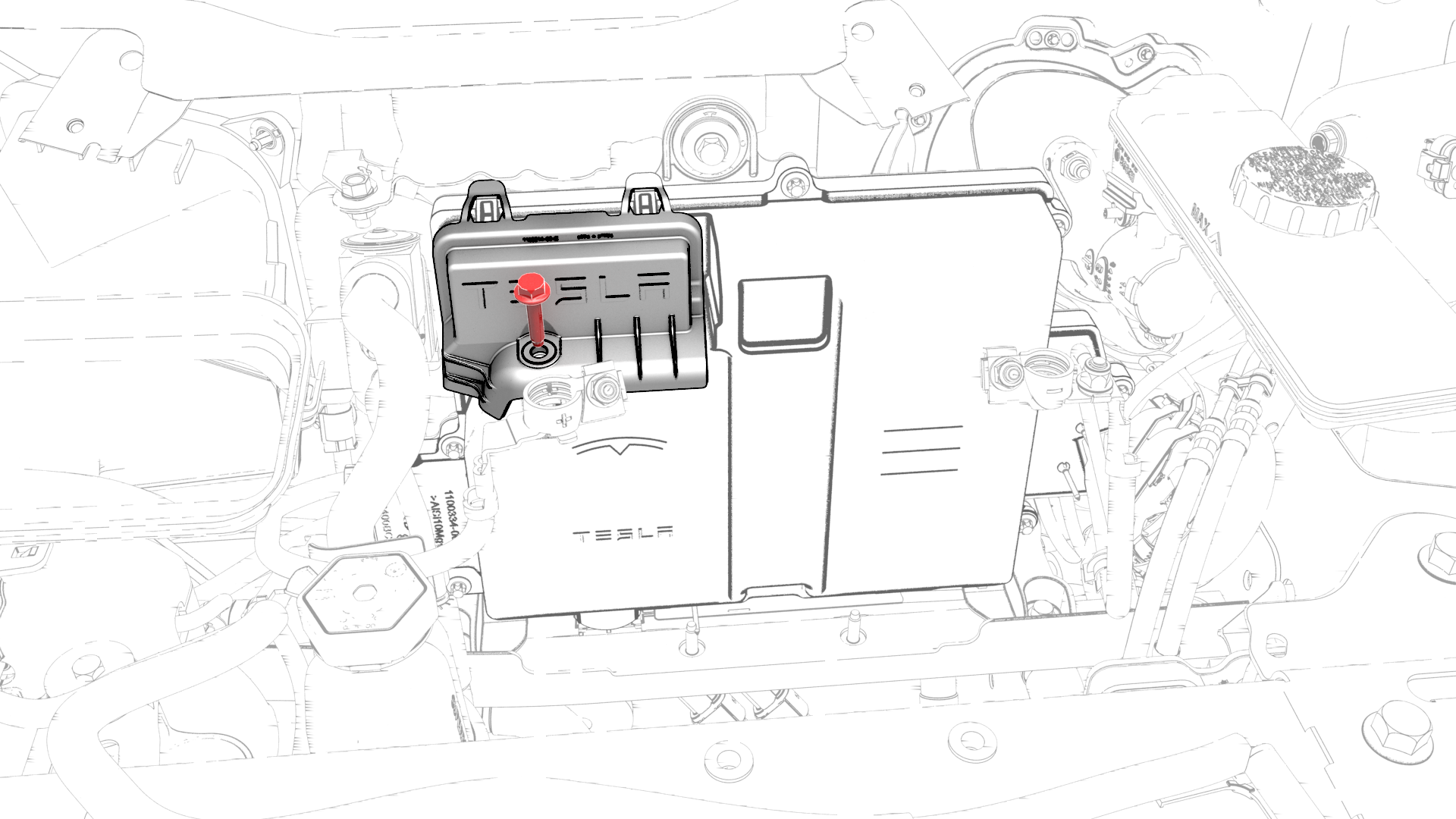
Remove the bolt that attaches the thermal harness cover to the front body controller module, and then remove the cover from the module.
-
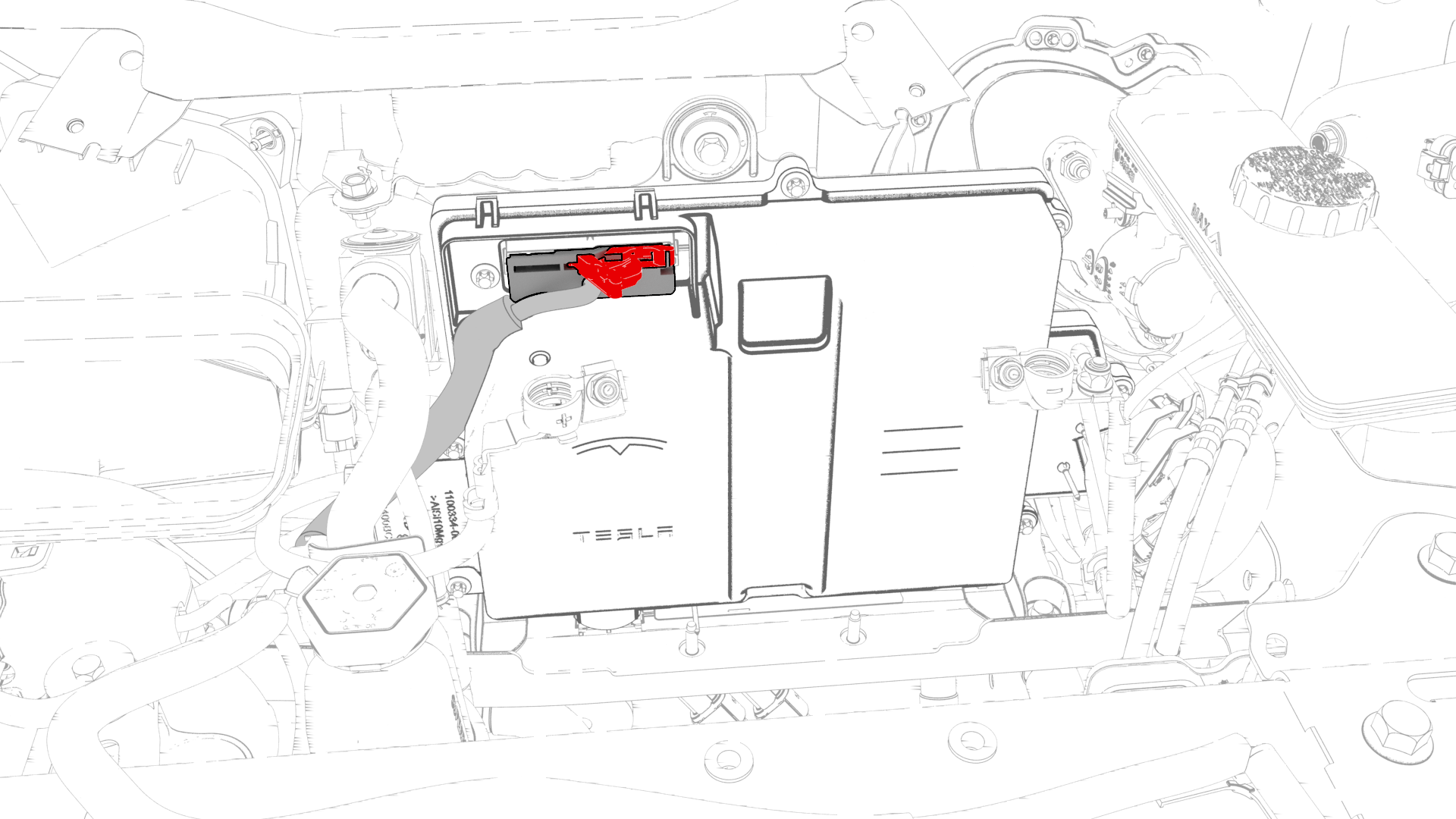
Disconnect the thermal harness from the front body controller module connector.
-
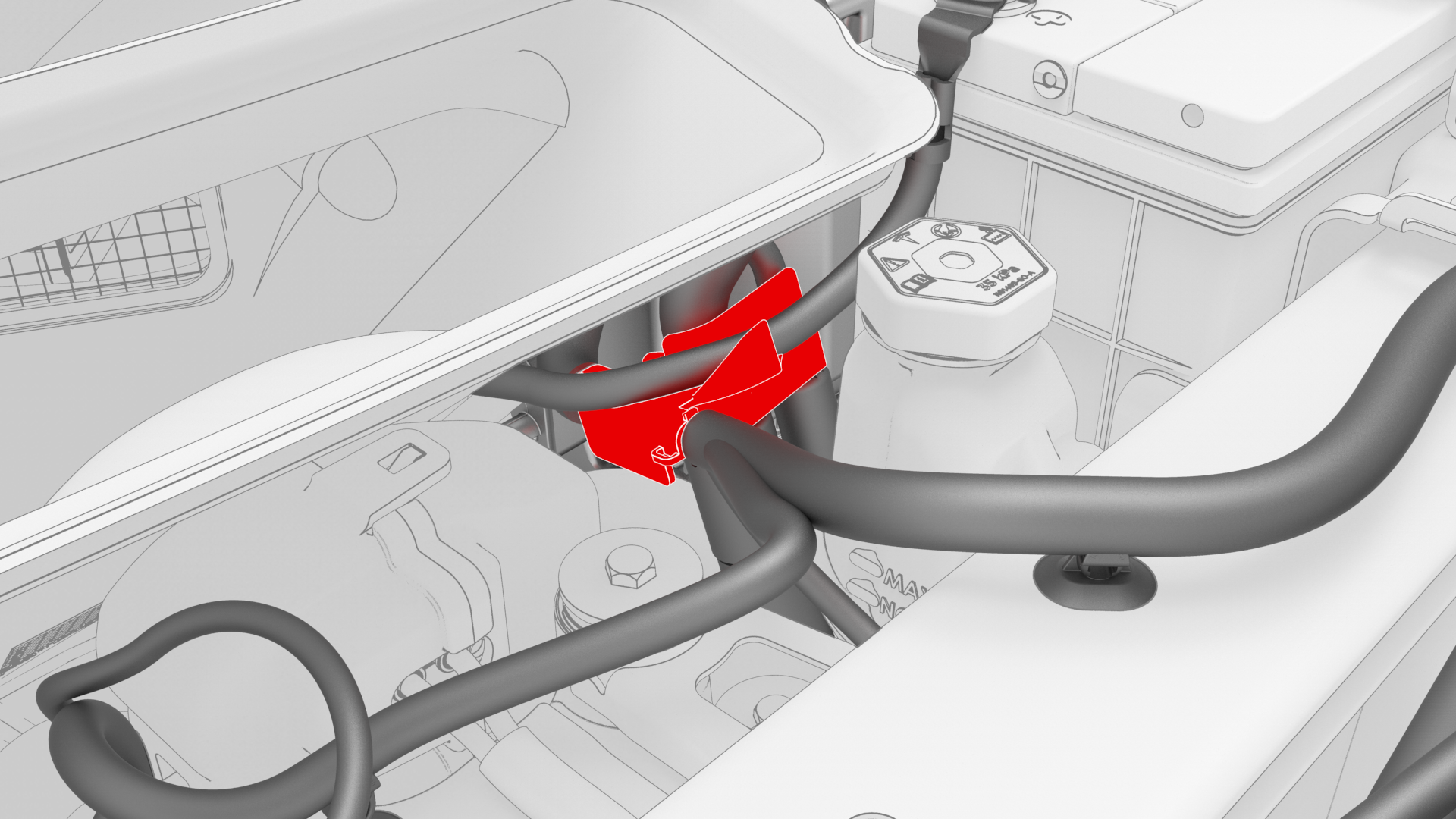
Release the clip that attaches the suction / liquid A/C combination lines to the body near the TXV, and then move the electrical harness aside to gain access to the front body controller module.
-
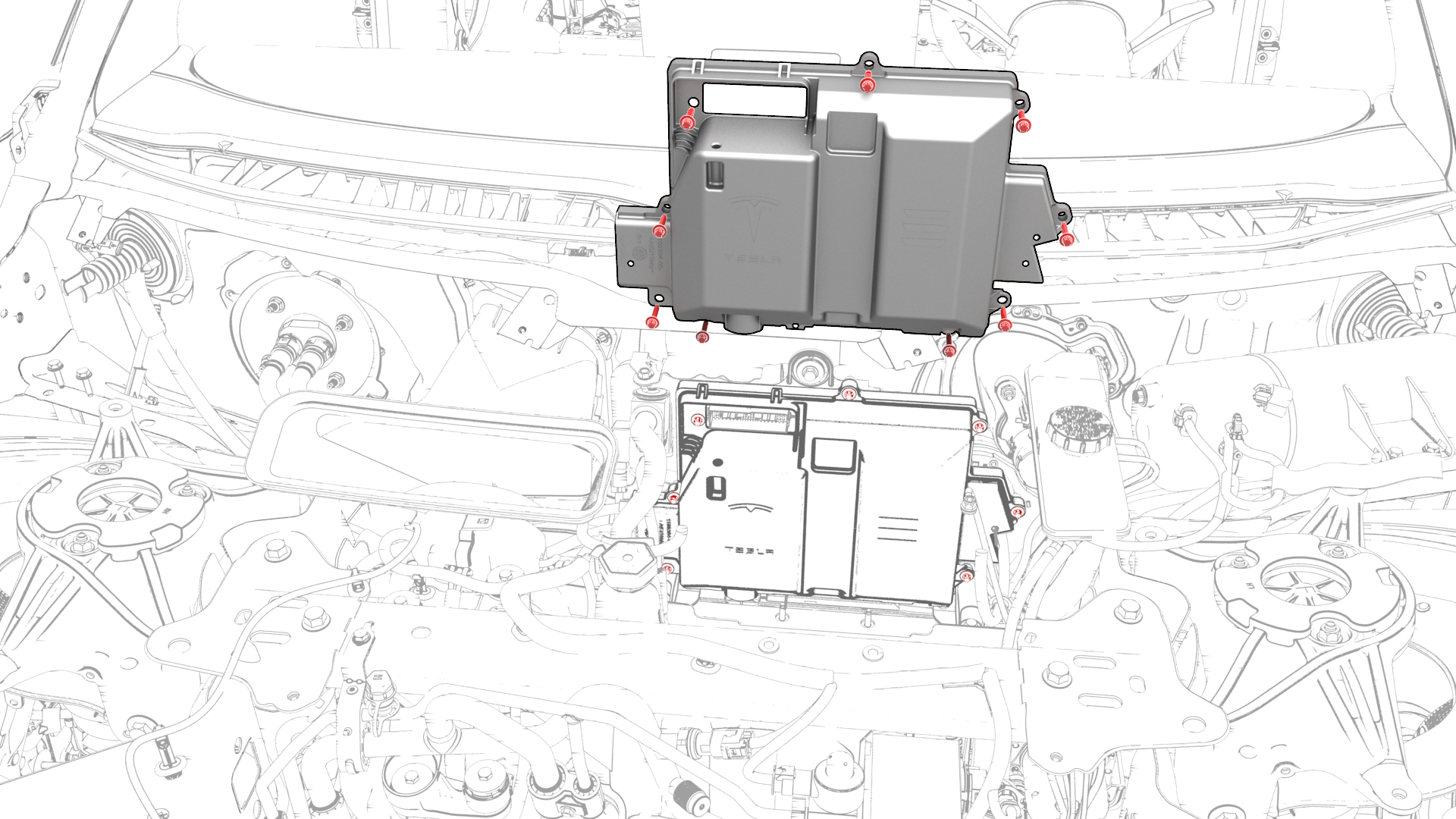
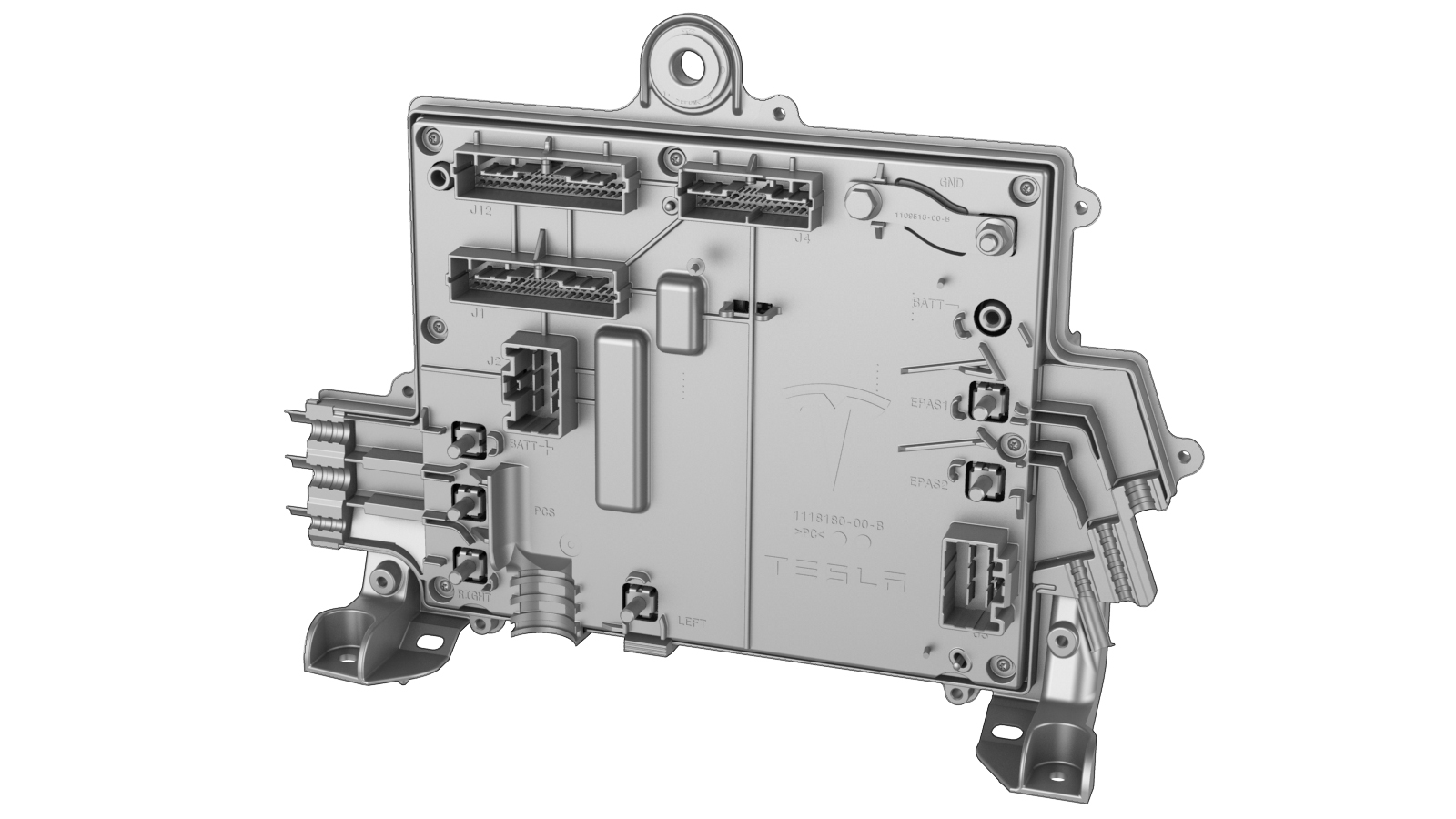
Remove the bolts (x9) that attach the front body controller module cover to the front body controller module, and then remove the cover.
-
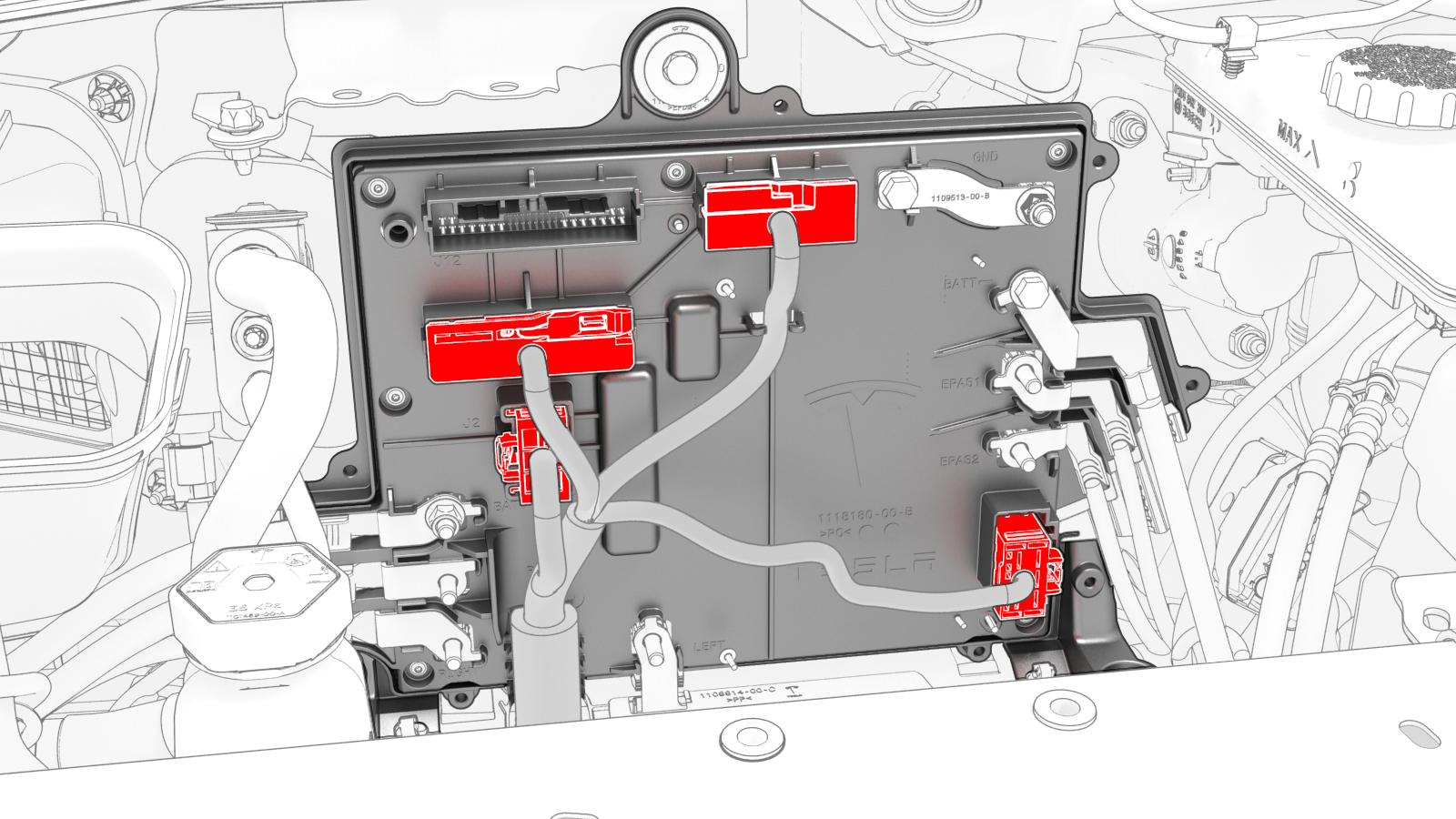
Disconnect the electrical harness from the front body controller module connectors (x4).
-
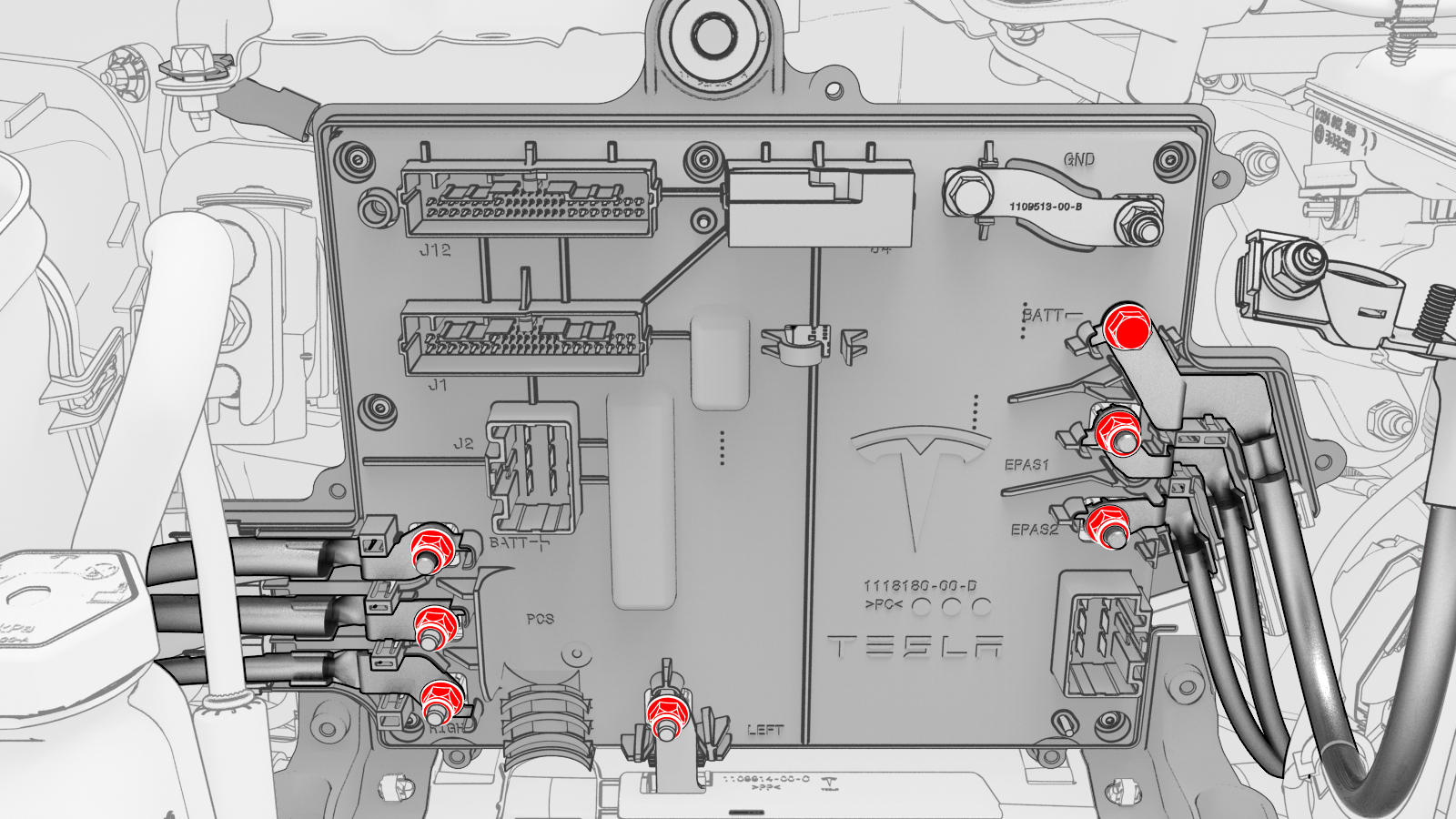
Remove and discard the nuts (x6) and bolt that attach the power and ground cables to the front body controller module.
-
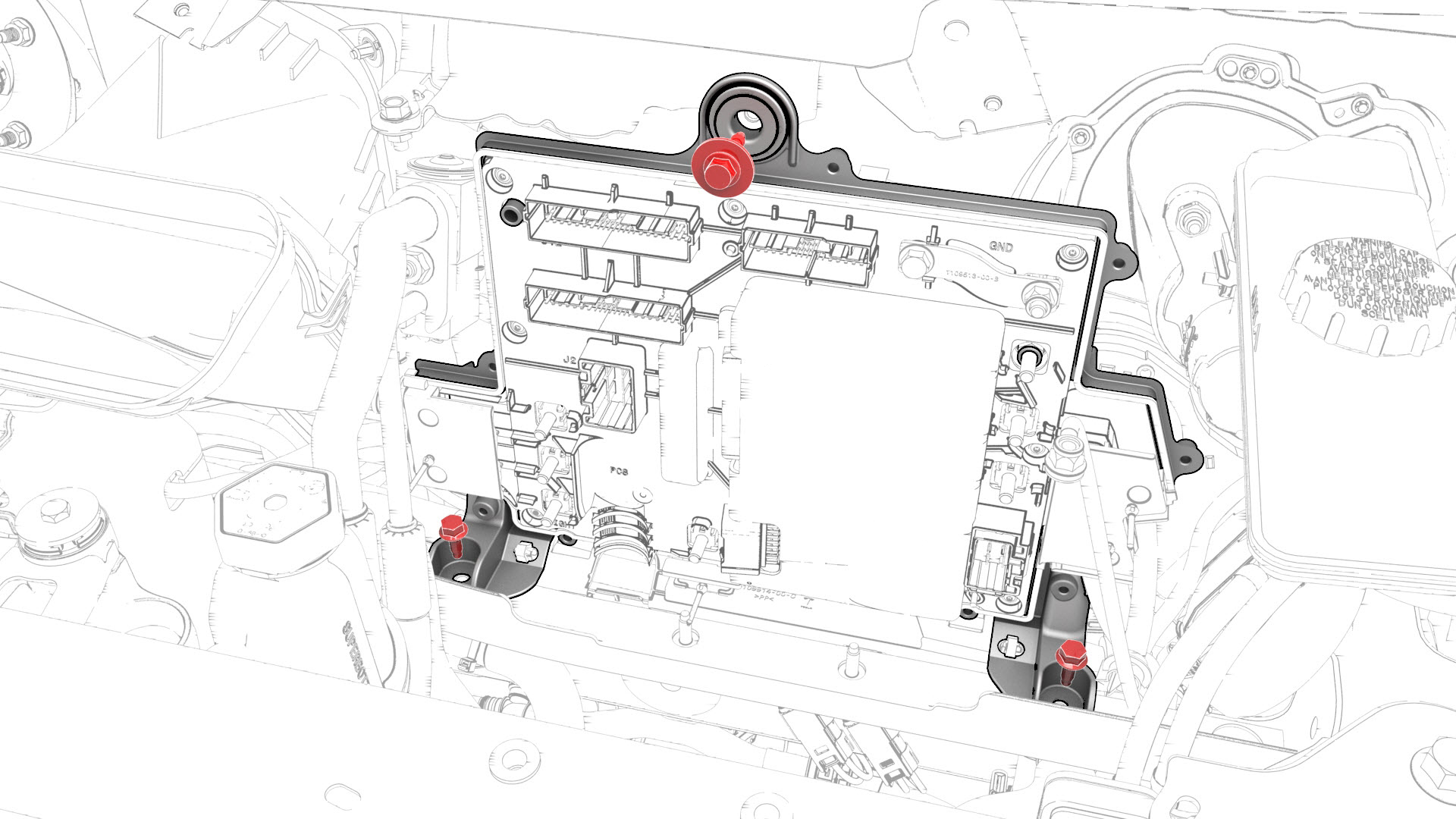
Remove the bolts (x3) that attach the front body controller module to the body.
-
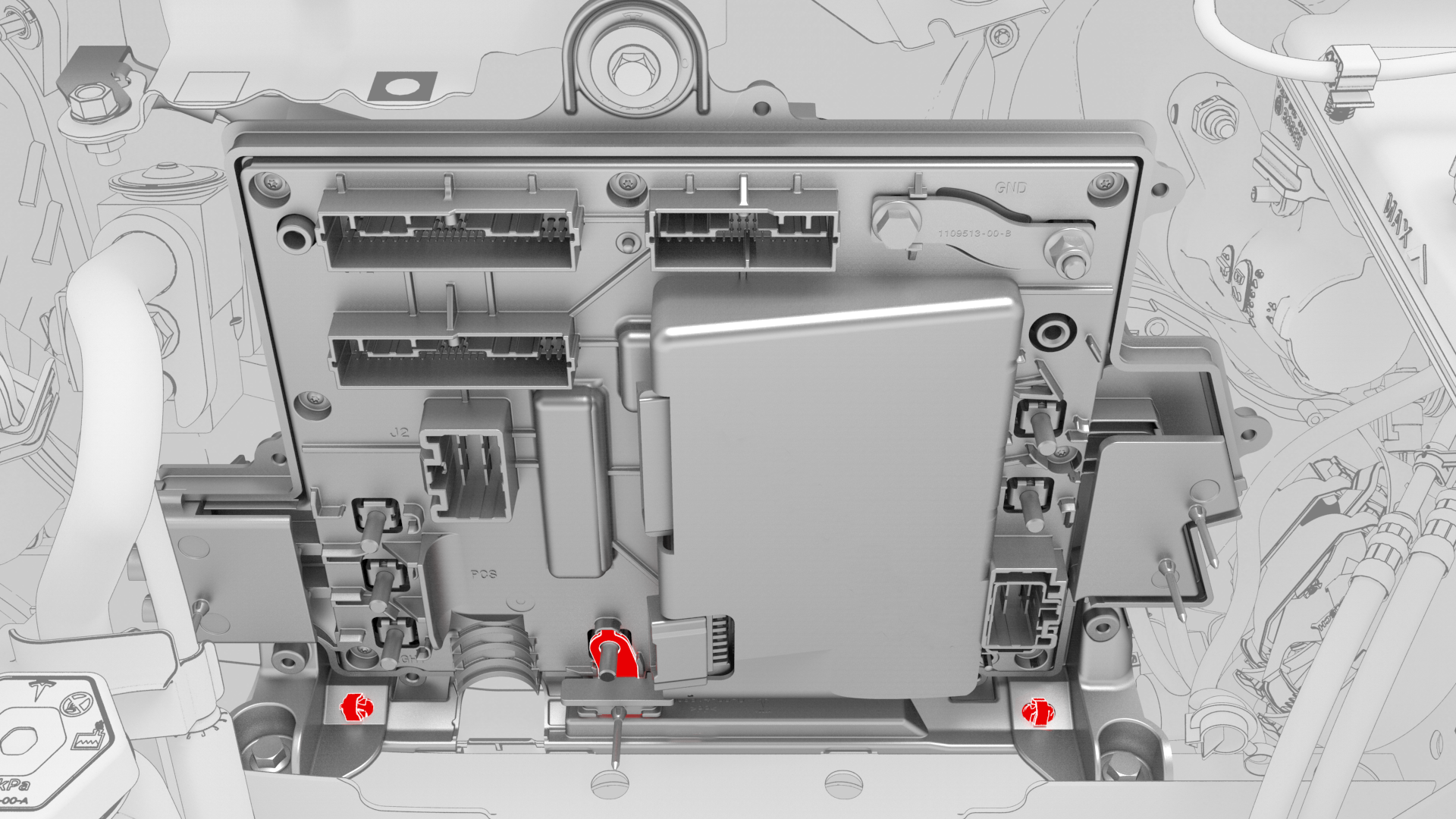
Release the clips (x2) that attach the bottom of the front body controller module to the body, and then remove the lower busbar from the stud.
-
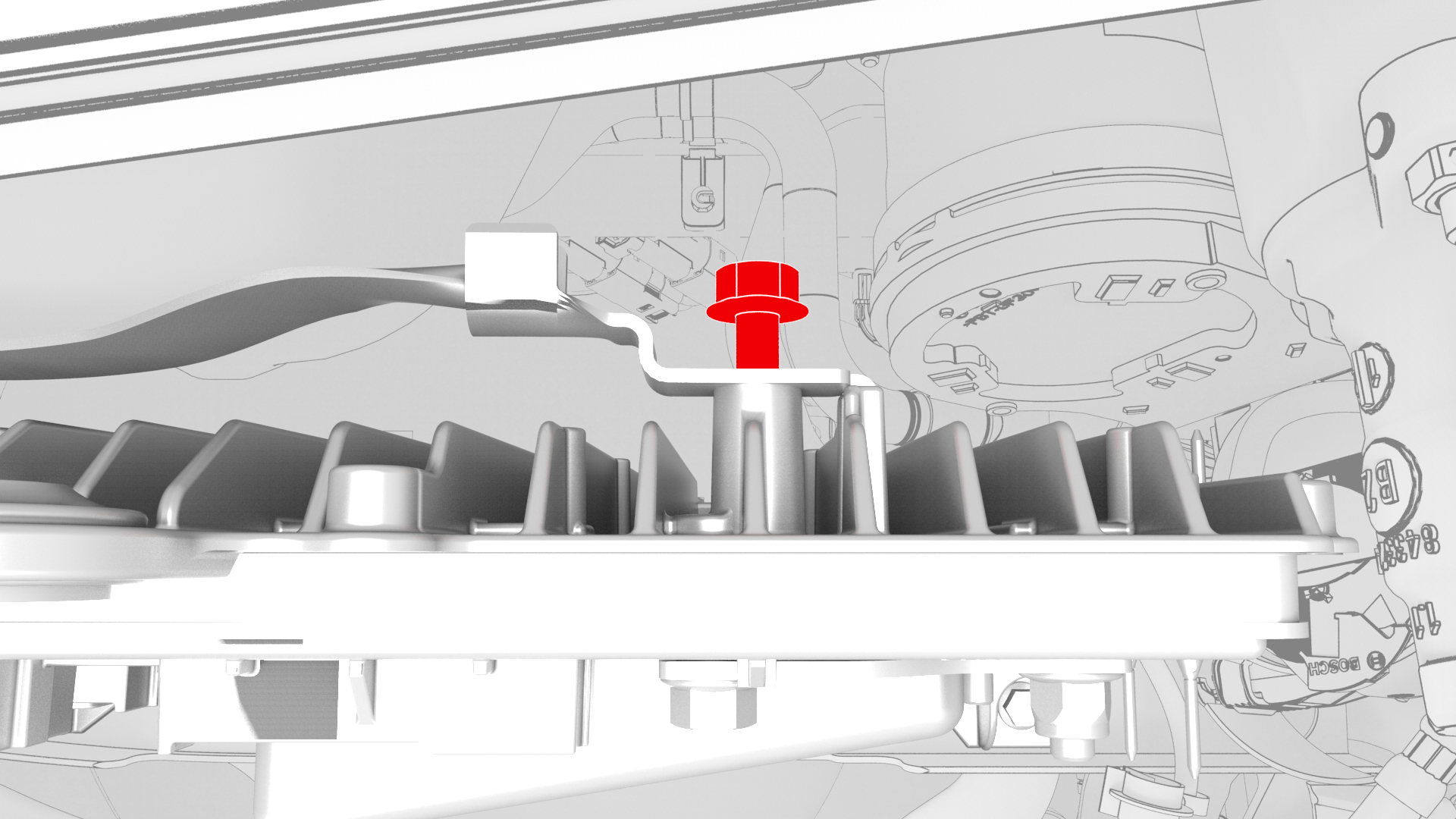
Remove the bolt that attaches the ground strap to the upper rear of the front body controller module, and then remove the ground strap from the module.
-
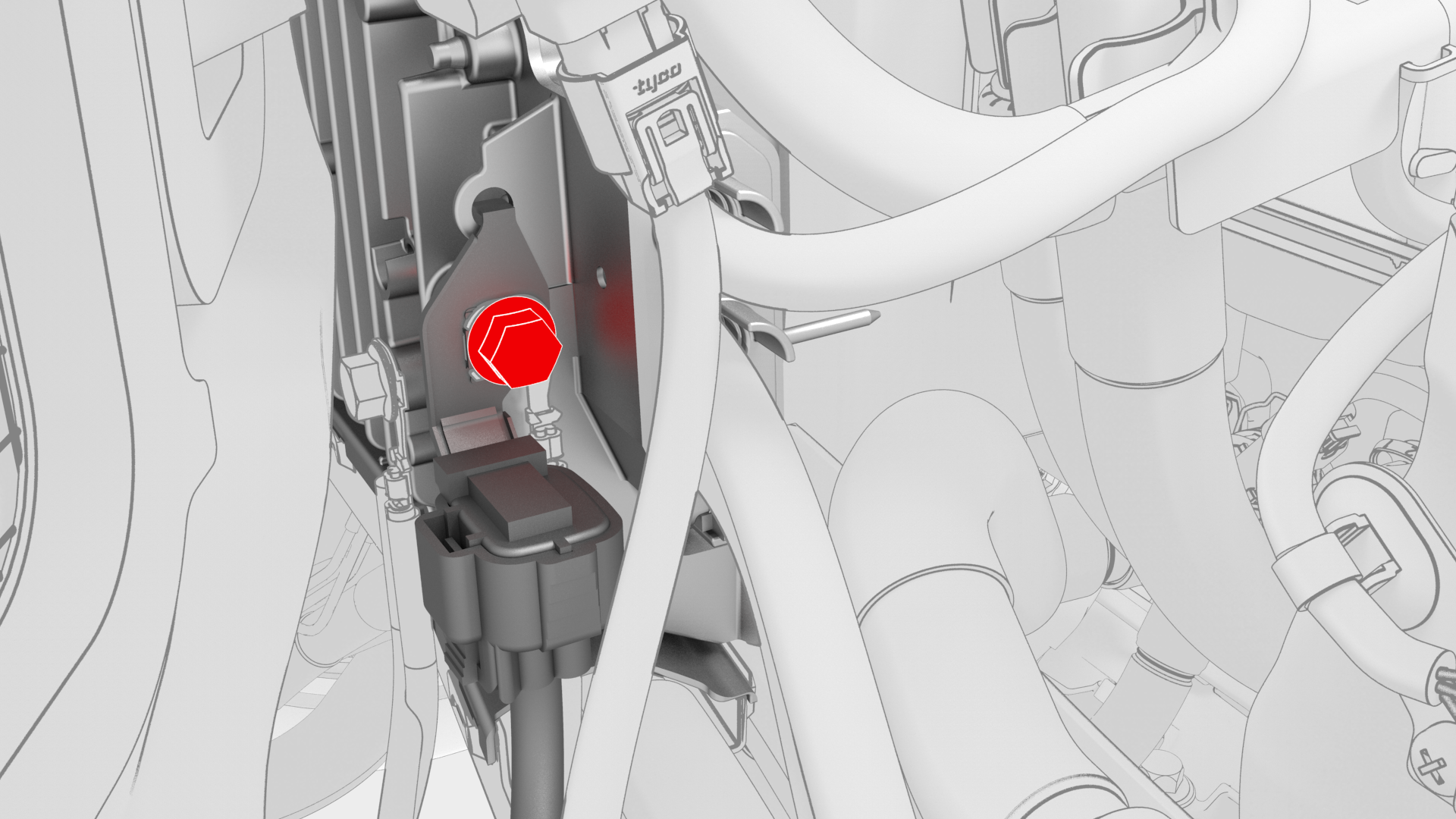
Remove the bolt that attaches the ground strap to the lower right side of the front body controller module, and then remove the ground strap from the module.
-
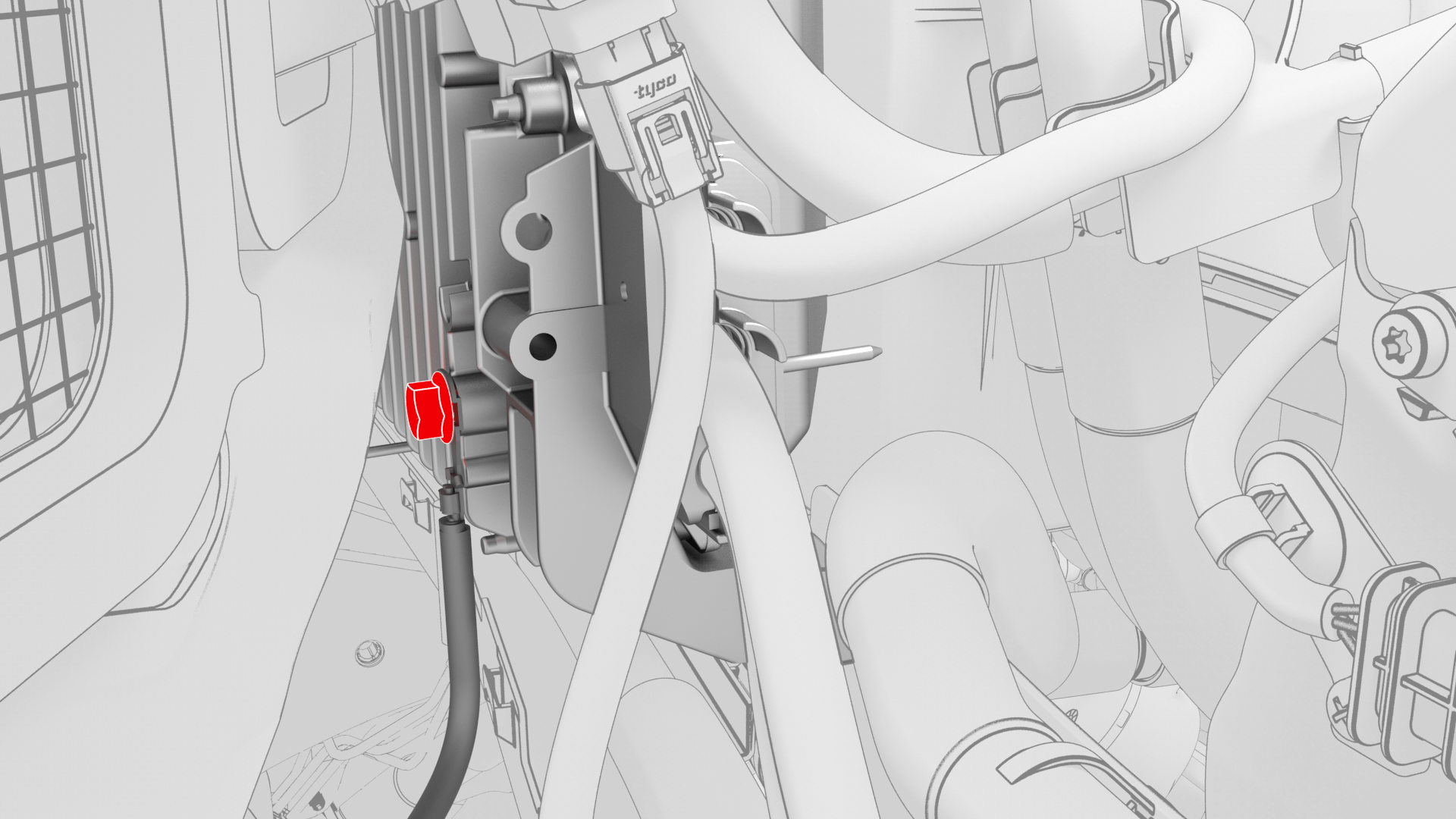
Remove the bolt that attaches the ground strap to the lower rear of the front body controller module, and then remove the ground strap from the module.
-
Remove the front body controller module from the vehicle.
| 1 | Remove the 2nd row lower seat cushion. See Seat Cushion - Lower - 2nd Row (Remove and Replace). | ||
| 2 | Remove the rear underhood apron. See Underhood Apron - Rear (Remove and Replace). | ||
| 3 | Remove the cabin intake duct. See Duct - Cabin Intake (Remove and Replace). | ||
| 4 | Remove the hood latch cover. See Cover - Hood Latch (Remove and Replace). | ||
| 5 | Remove the underhood storage unit. See Underhood Storage Unit (Remove and Replace). | ||
| 6 | Remove the LH and RH wiper arms. See Wiper Arms (Remove and Replace). | ||
| 7 | Remove the cowl screen panel. See Panel - Cowl Screen (Remove and Replace). | ||
| 8 | Disconnect 12V power. See 12V Power (Disconnect and Connect). | ||
| 9 | Remove the 12V battery strap. See Strap - 12V Battery (Remove and Replace). | ||
| 10 | Remove the 12V auxiliary battery. See Battery - 12V (Remove and Replace). | ||
| 11 | Remove the 12V battery bracket. See Bracket - 12V Battery (RWD) (Remove and Replace). | ||
| 12 | Remove the bolt that attaches the thermal harness cover to the front body controller module, and then remove the cover from the module. | |
| 13 | Disconnect the thermal harness from the front body controller module connector. | |
| 14 | Release the clip that attaches the suction / liquid A/C combination lines to the body near the TXV, and then move the electrical harness aside to gain access to the front body controller module. | |
| 15 | Remove the bolts (x9) that attach the front body controller module cover to the front body controller module, and then remove the cover. | |
| 16 | Disconnect the electrical harness from the front body controller module connectors (x4). | |
| 17 | Remove and discard the nuts (x6) and bolt that attach the power and ground cables to the front body controller module. | |
| 18 | Remove the bolts (x3) that attach the front body controller module to the body. | |
| 19 | Release the clips (x2) that attach the bottom of the front body controller module to the body, and then remove the lower busbar from the stud. | |
| 20 | Remove the bolt that attaches the ground strap to the upper rear of the front body controller module, and then remove the ground strap from the module. | |
| 21 | Remove the bolt that attaches the ground strap to the lower right side of the front body controller module, and then remove the ground strap from the module. | |
| 22 | Remove the bolt that attaches the ground strap to the lower rear of the front body controller module, and then remove the ground strap from the module. | |
| 23 | Remove the front body controller module from the vehicle. |
Install
-
Install the ground strap to the lower rear of the front body controller module, and then install the bolt that attaches the ground strap to the module.
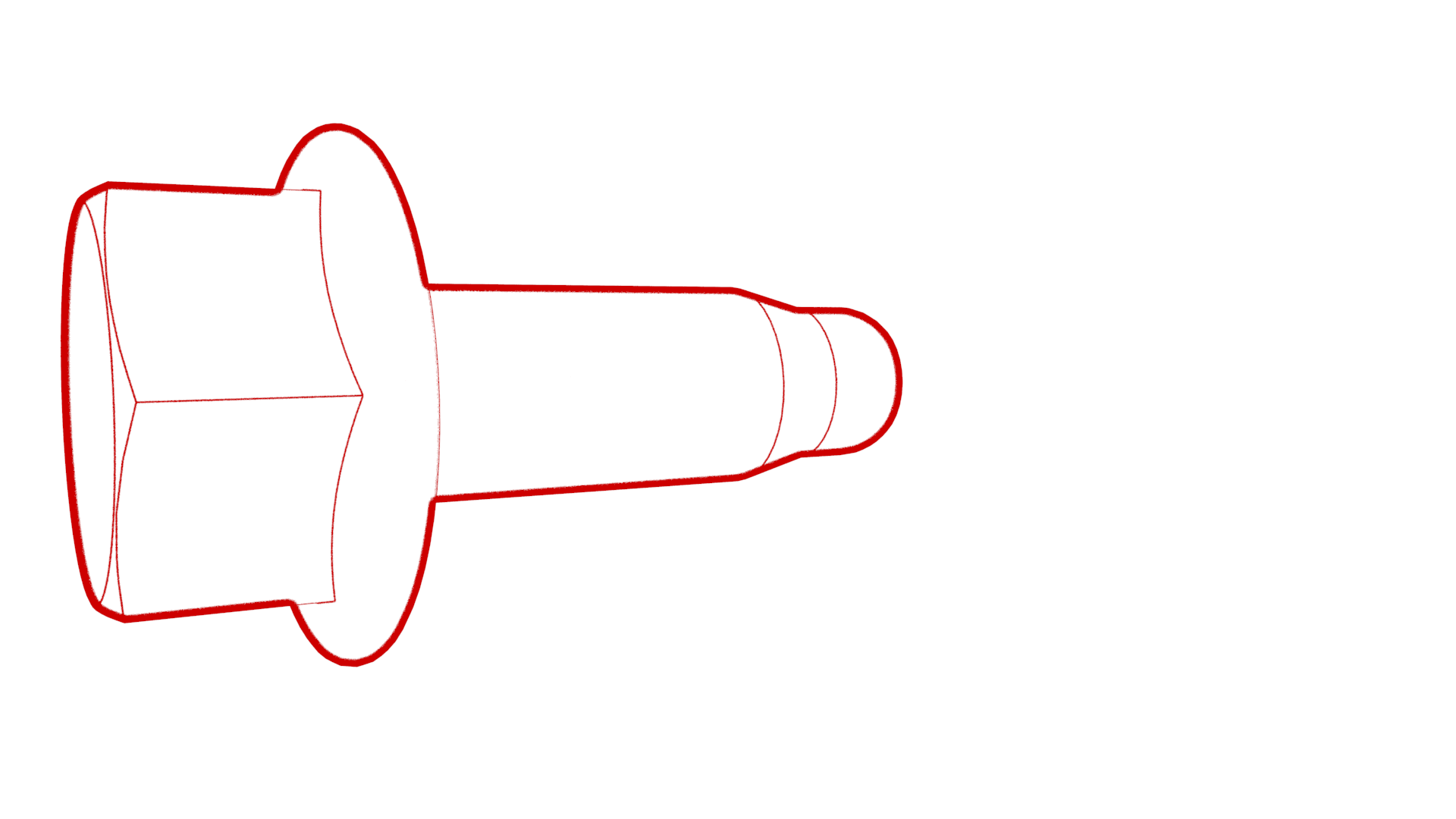 Torque 9 Nm
 -
Install the ground strap to the lower right side of the front body controller module, and then install the bolt that attaches the ground strap to the module.Torque 9 Nm
-
Install the ground strap to the upper rear of the front body controller module, and then install the bolt that attaches the ground strap to the module.Torque 9 Nm
-
Slide the busbar onto the lower stud, and then fasten the electrical harness clips (x2) to the bottom of the front body controller module.
-
Install the bolts (x3) that attach the front body controller module to the body.
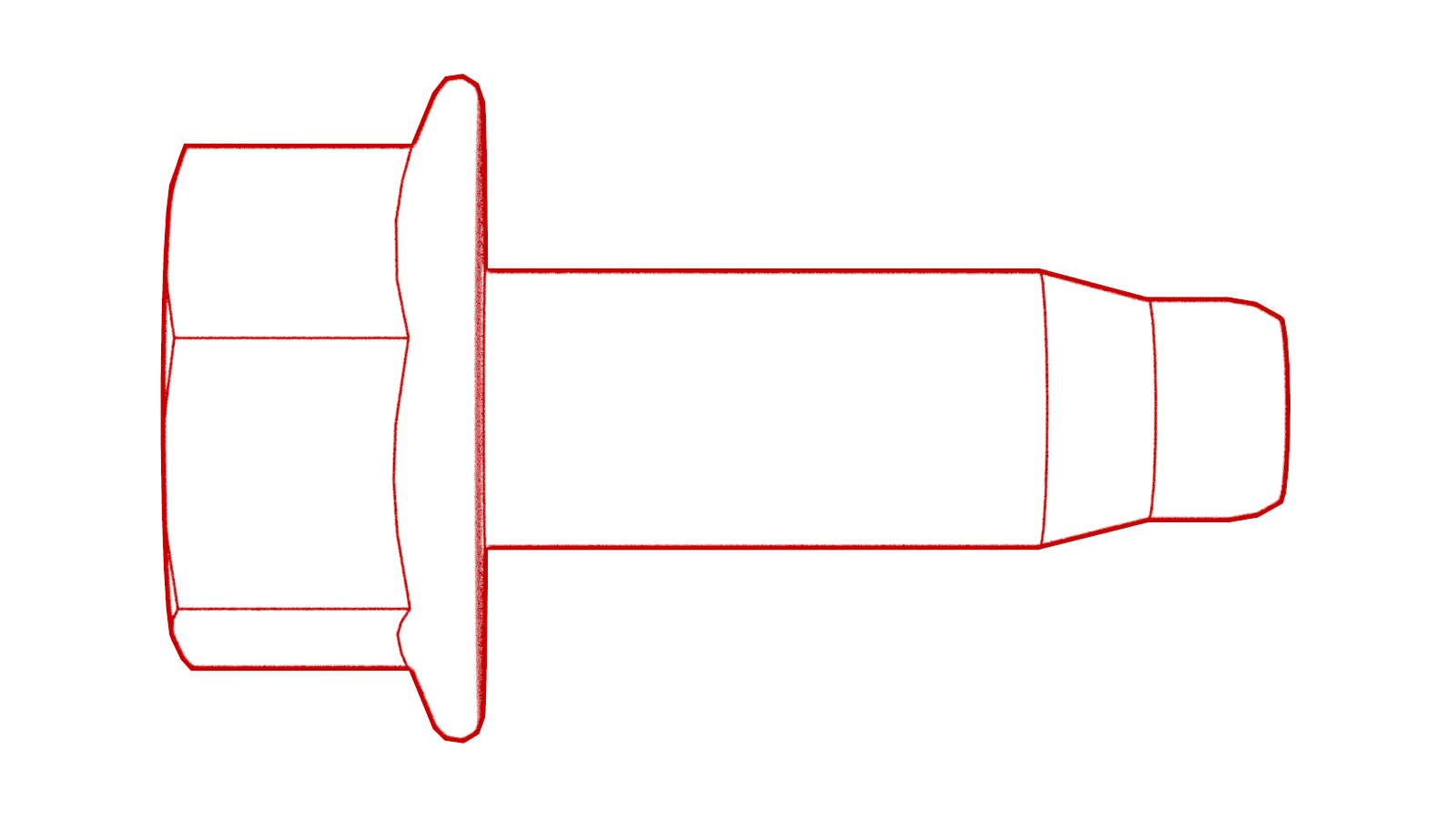 Torque 10 Nm
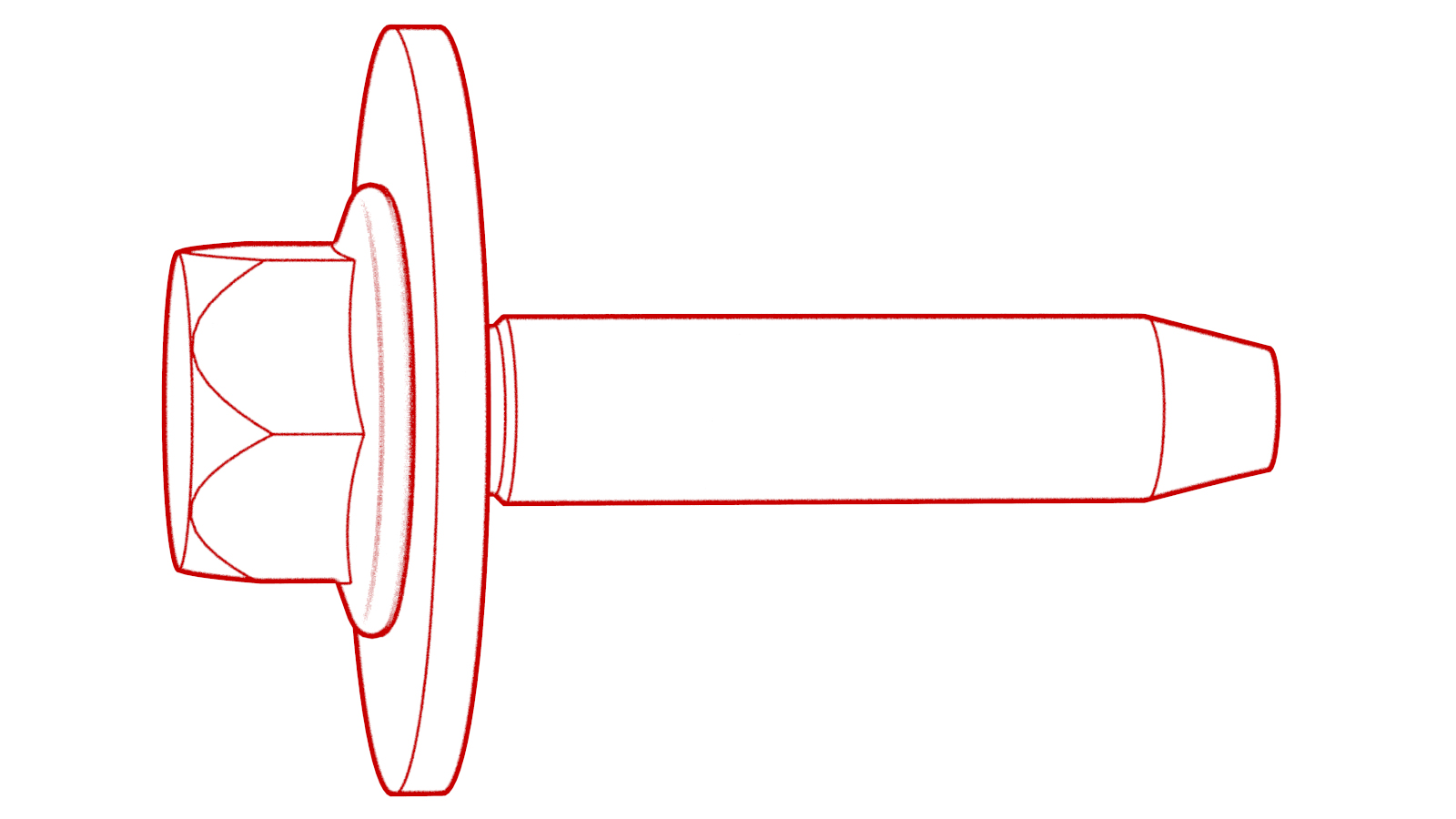 Torque 10 Nm
 -
Install new nuts (x6) and new bolt to attach the power and ground cables to the front body controller module.
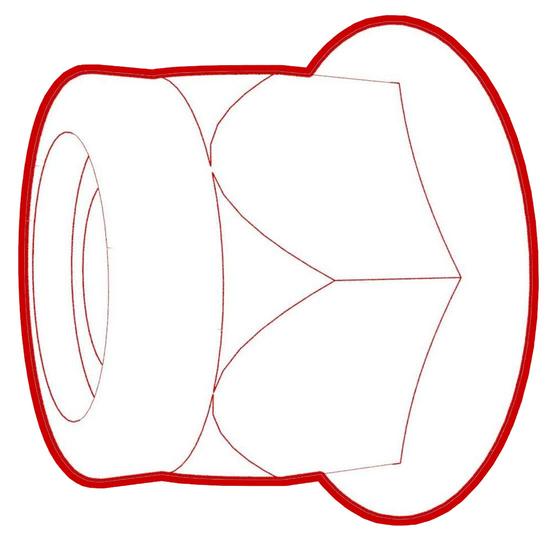 Torque 8.5 Nm
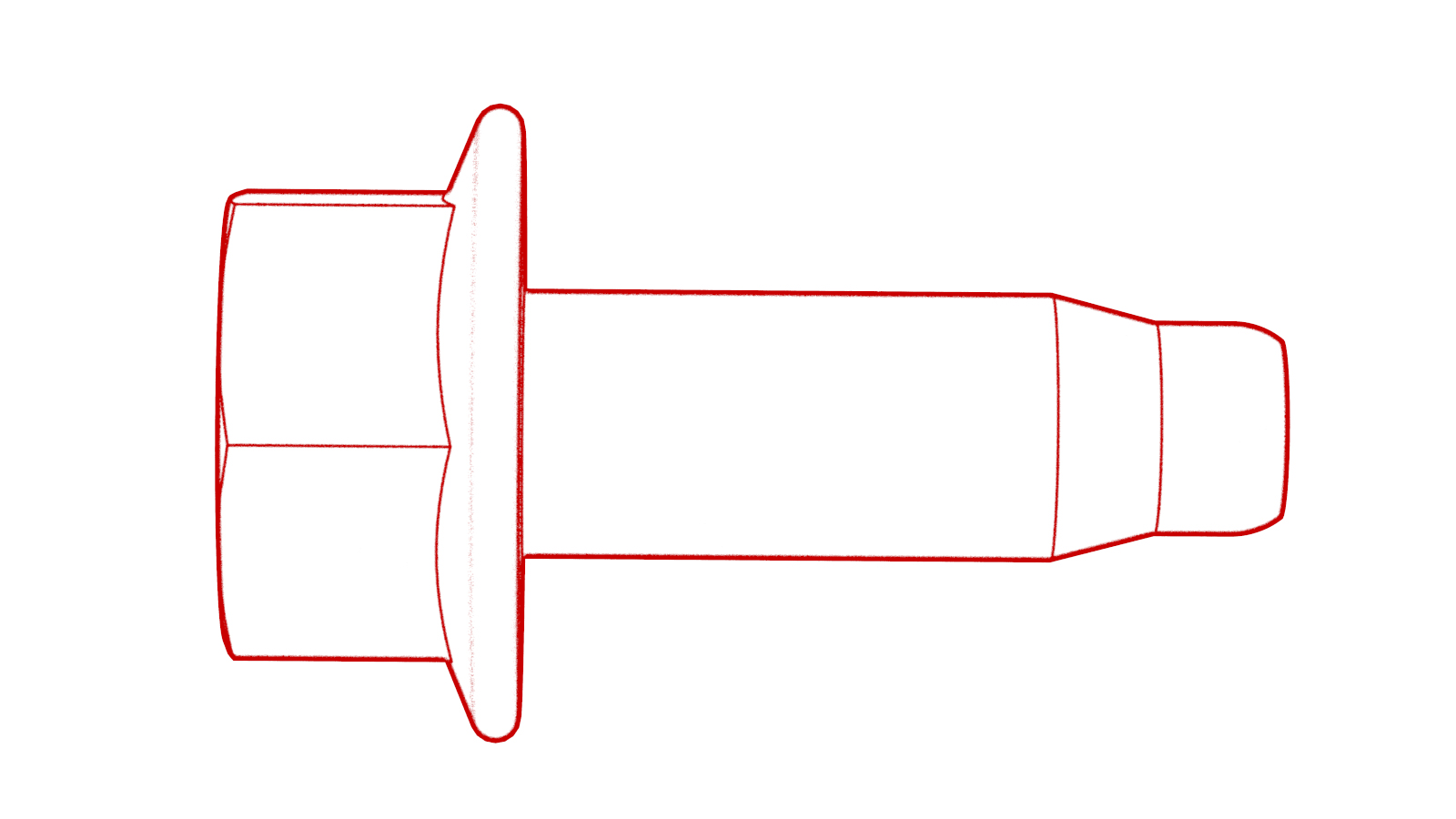 Torque 8.5 NmNote: Make sure that the terminal lugs fit in their channels neatly.
 -
Connect the electrical harness to the front body controller module connectors (x4).
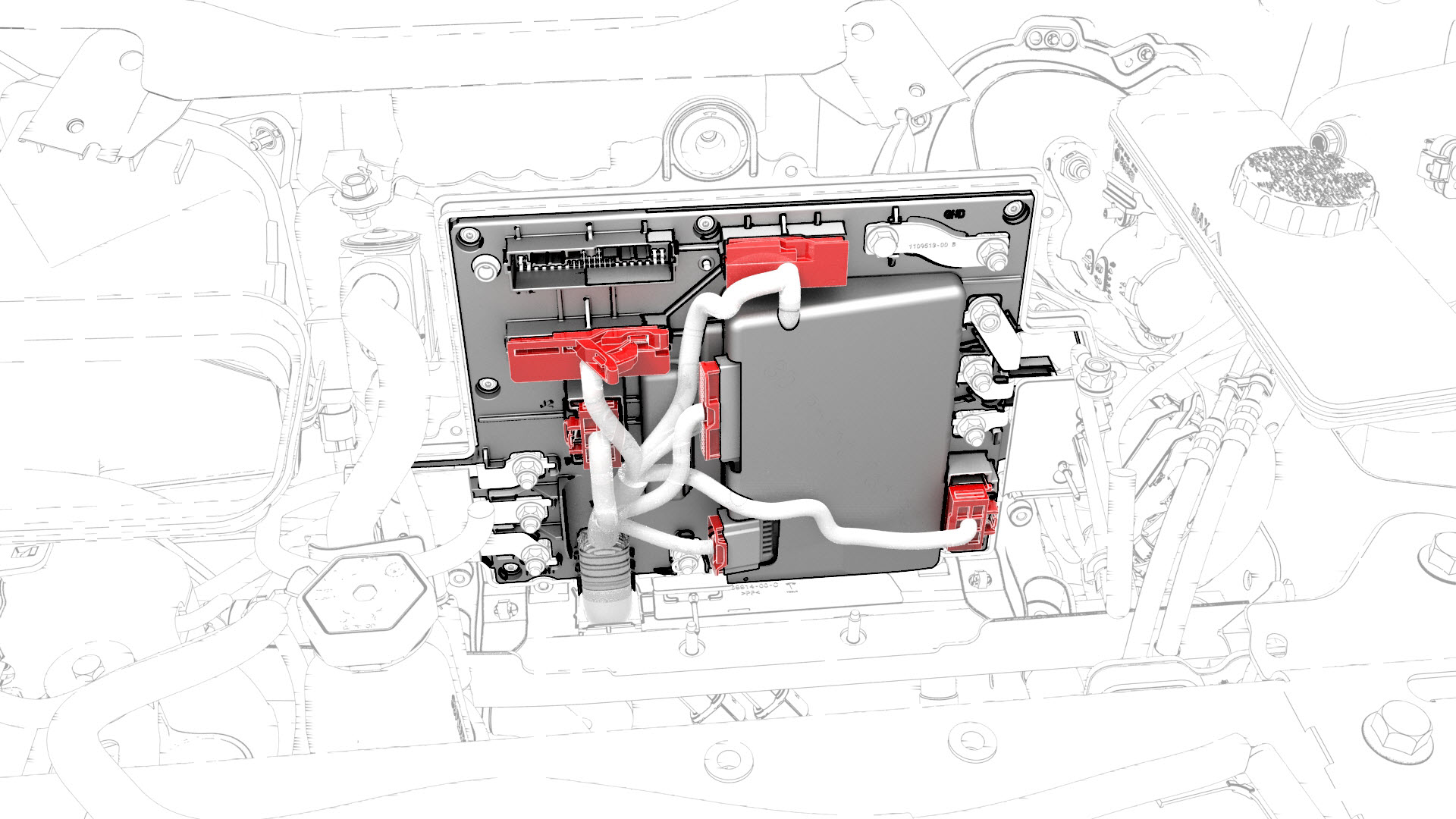
-
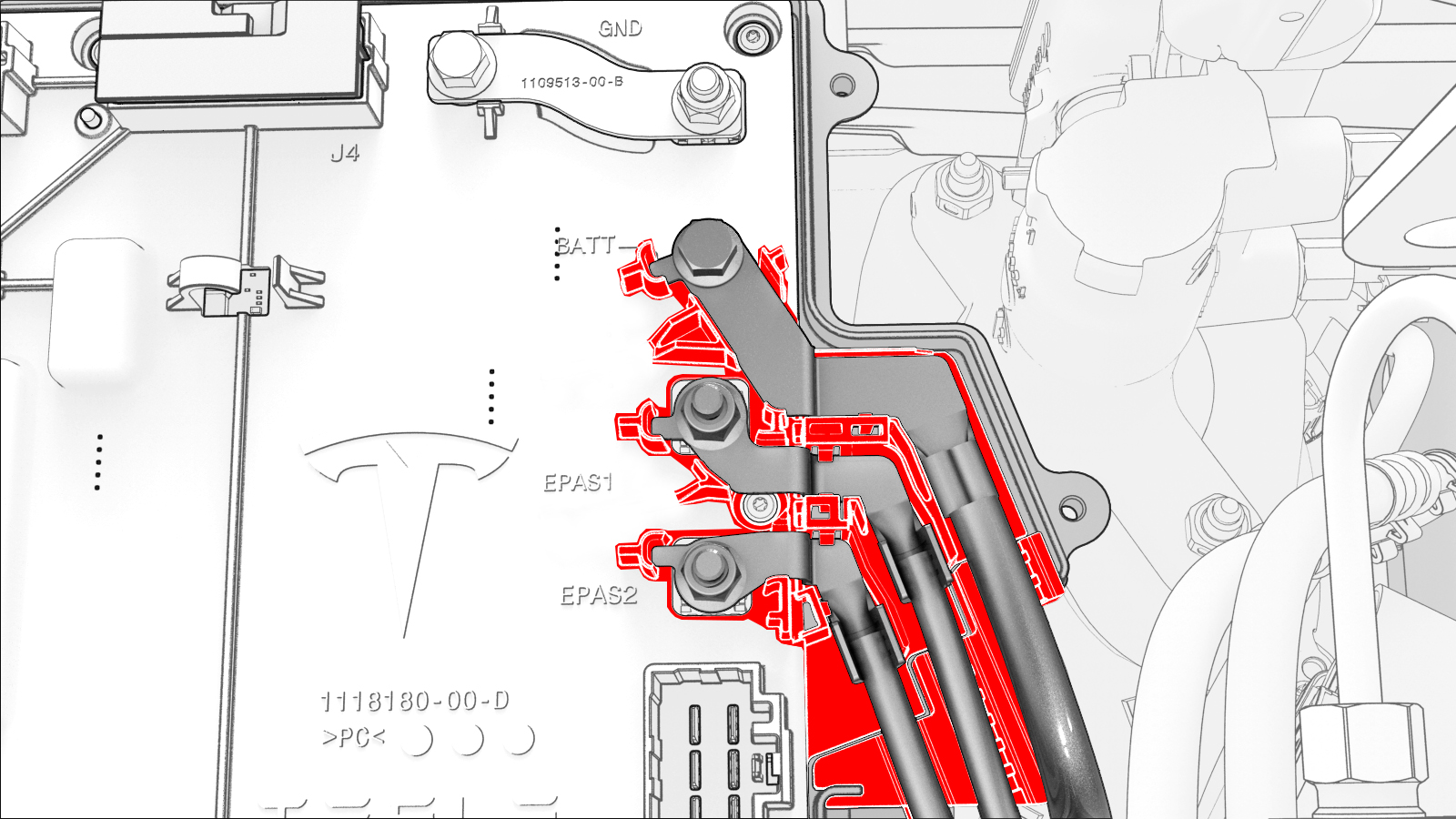
Visually inspect that the power and the ground cables exit the front body controller module neatly in their respective channels, and parallel to each other.
 Caution:Make sure that no cables or wires will be pinched when the front body controller module cover is installed.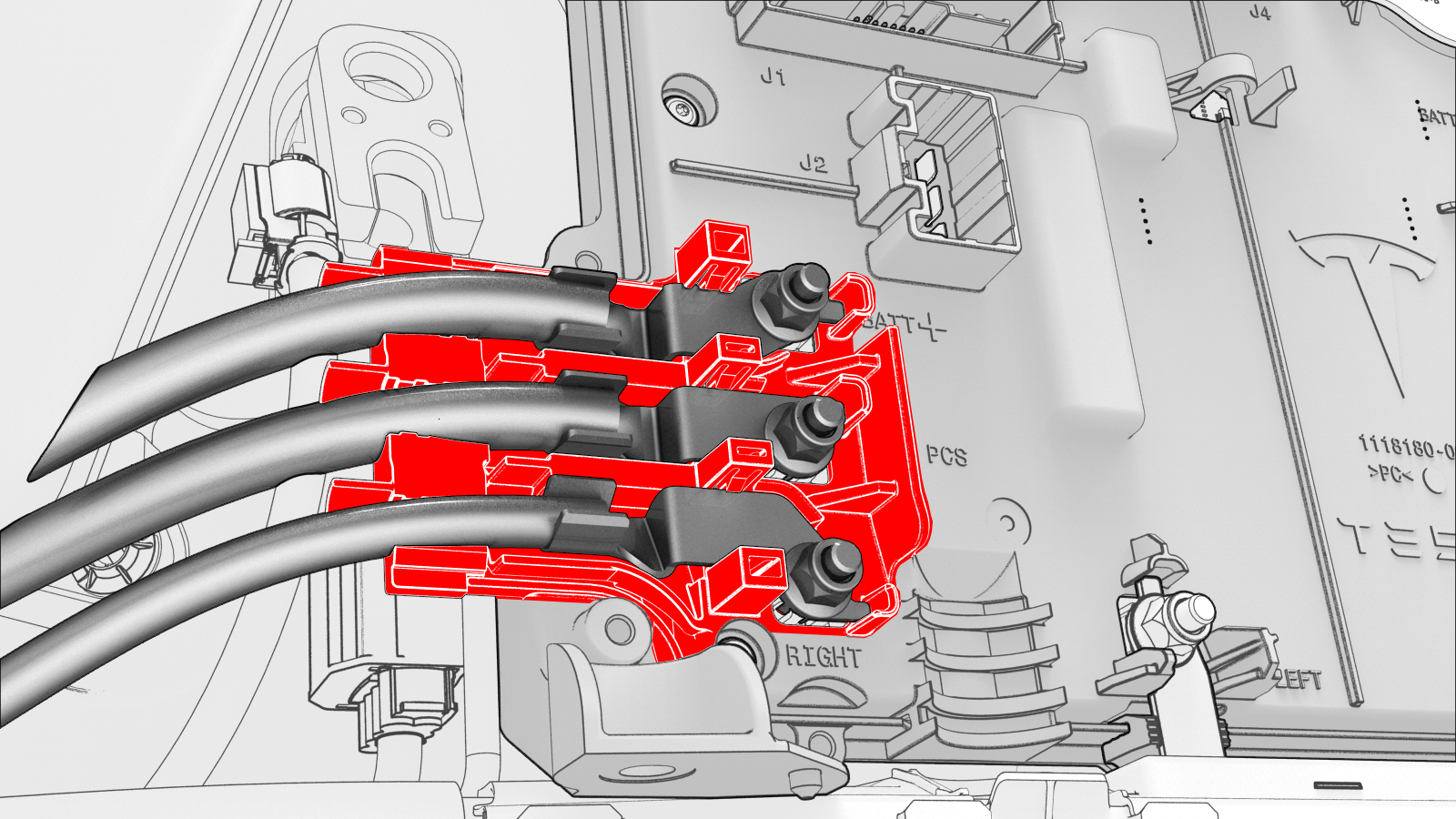
-
Install the front body controller module cover to the front body controller module, and then install the bolts (x9) that attach the cover to the module.
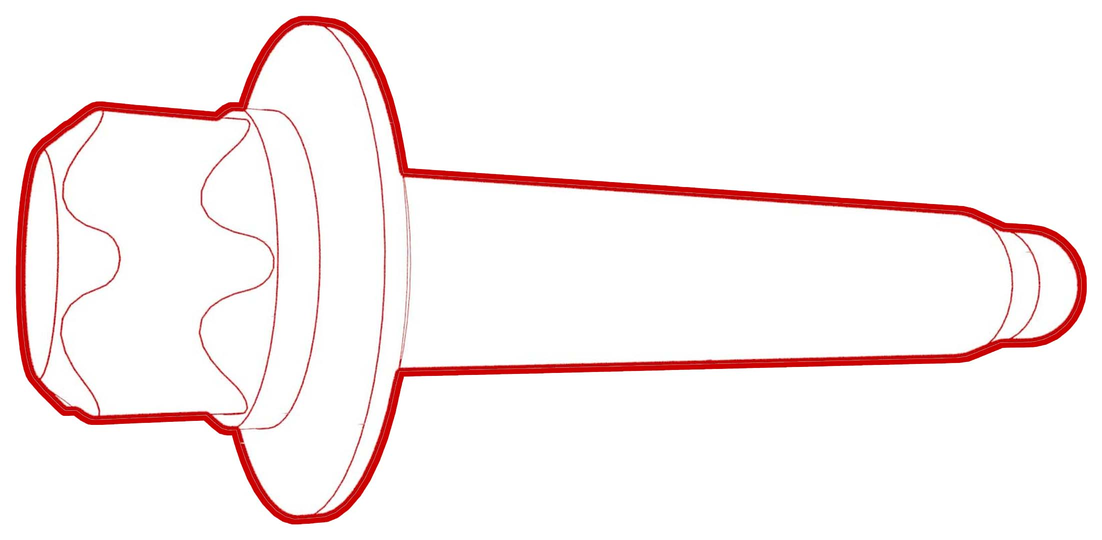 Torque 6 Nm
 -
Connect the thermal harness to the front body controller module connector.
-
Fasten the clip that attaches the suction/liquid lines to the body near the TXV.
-
Install the thermal harness cover to the front body controller module, and then install the bolt that attaches the cover to the module.
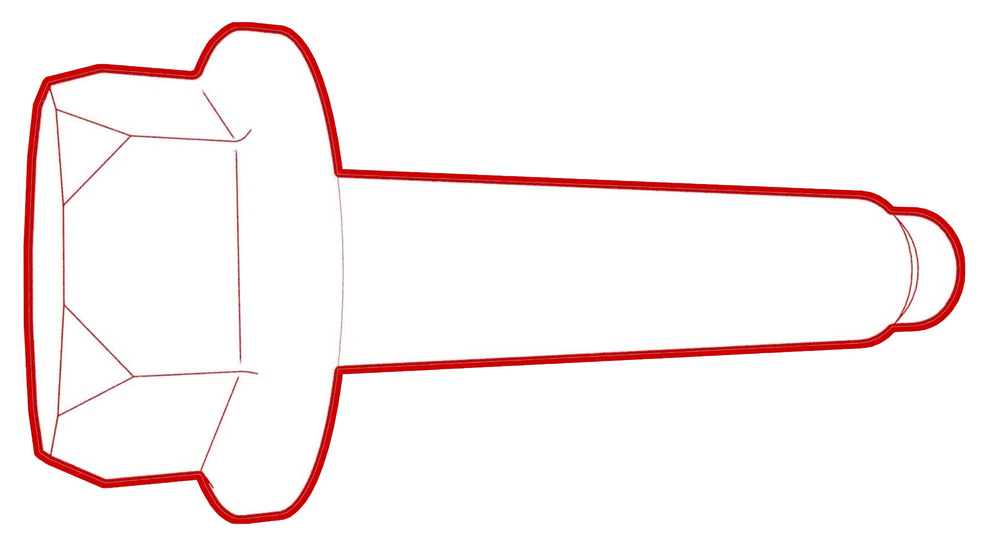 Torque 6 Nm
| 1 | Set the front body controller module where it installs into the vehicle, and then tilt the module forward | ||
| 2 | Install the ground strap to the lower rear of the front body controller module, and then install the bolt that attaches the ground strap to the module. Torque 9 Nm | |
| 3 | Install the ground strap to the lower right side of the front body controller module, and then install the bolt that attaches the ground strap to the module. Torque 9 Nm | |
| 4 | Install the ground strap to the upper rear of the front body controller module, and then install the bolt that attaches the ground strap to the module. Torque 9 Nm | |
| 5 | Slide the busbar onto the lower stud, and then fasten the electrical harness clips (x2) to the bottom of the front body controller module. | |
| 6 | Install the bolts (x3) that attach the front body controller module to the body. Torque 10 Nm Torque 10 Nm | |
| 7 | Install new nuts (x6) and new bolt to attach the power and ground cables to the front body controller module. Torque 8.5 Nm Torque 8.5 Nm Note: Make sure that the terminal lugs fit in their channels neatly.
| |
| 8 | Connect the electrical harness to the front body controller module connectors (x4). | |
| 9 | Visually inspect that the power and the ground cables exit the front body controller module neatly in their respective channels, and parallel to each other. Caution: Make sure that no cables or wires will be pinched when the front body controller module cover is installed.
| |
| 10 | Install the front body controller module cover to the front body controller module, and then install the bolts (x9) that attach the cover to the module. Torque 6 Nm | |
| 11 | Connect the thermal harness to the front body controller module connector. | |
| 12 | Fasten the clip that attaches the suction/liquid lines to the body near the TXV. | |
| 13 | Install the thermal harness cover to the front body controller module, and then install the bolt that attaches the cover to the module. Torque 6 Nm | |
| 14 | Install the 12V battery bracket. See Bracket - 12V Battery (RWD) (Remove and Replace). | ||
| 15 | Install the 12V auxiliary battery. See Battery - 12V (Remove and Replace). | ||
| 16 | Install the 12V battery strap. See Strap - 12V Battery (Remove and Replace). | ||
| 17 | Connect 12V power. See 12V Power (Disconnect and Connect). | ||
| 18 | Connect a laptop with Toolbox to the vehicle. | ||
| 19 | Use Toolbox to update the vehicle firmware. | ||
| 20 | In Toolbox, click the play button next to the "TESTRESET_ VCFRONT" and select Run, | ||
| 21 | Disconnect the laptop from the vehicle. | ||
| 22 | Install the cowl screen panel. See Panel - Cowl Screen (Remove and Replace). | ||
| 23 | Install the LH and RH wiper arms. See Wiper Arms (Remove and Replace). | ||
| 24 | Install the underhood storage unit. See Underhood Storage Unit (Remove and Replace). | ||
| 25 | Install the hood latch cover. See Cover - Hood Latch (Remove and Replace). | ||
| 26 | Install the cabin intake duct. See Duct - Cabin Intake (Remove and Replace). | ||
| 27 | Install the rear underhood apron. See Underhood Apron - Rear (Remove and Replace). | ||
| 28 | Install the 2nd row lower seat cushion. See Seat Cushion - Lower - 2nd Row (Remove and Replace). |