SIM Card - Car Computer (Remove and Replace)
Correction code 2115200221152002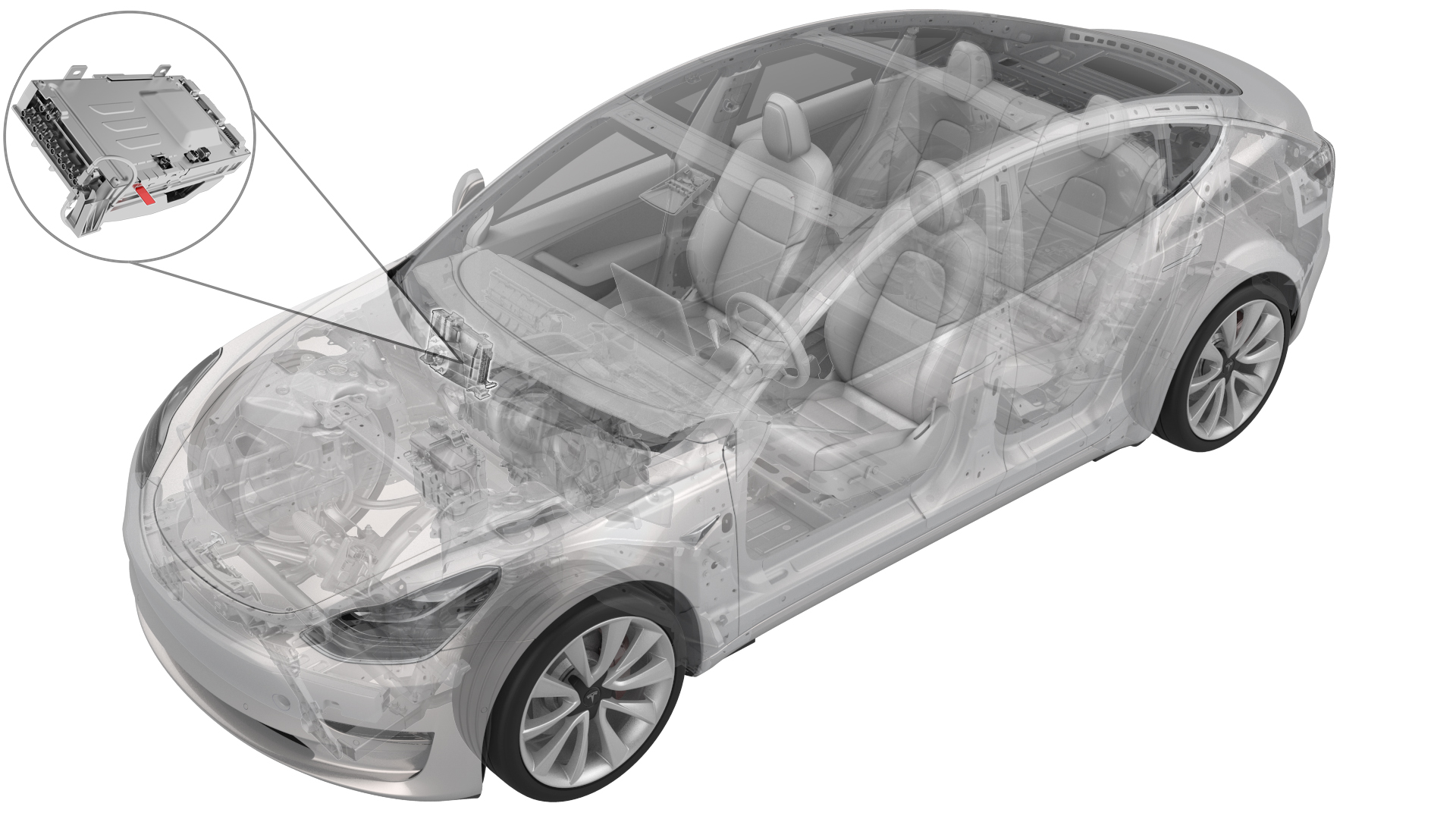
DRAFT
from-cad Warning:
This procedure was derived from pre-production computer models, and might not reflect the real-world situation. Warnings and cautions might be missing. Follow safety requirements and use extreme caution when working on or near high voltage systems and components.
Do not redistribute this content. Provide corrections and feedback to servicemanualfeedback@tesla.com.
Remove
-
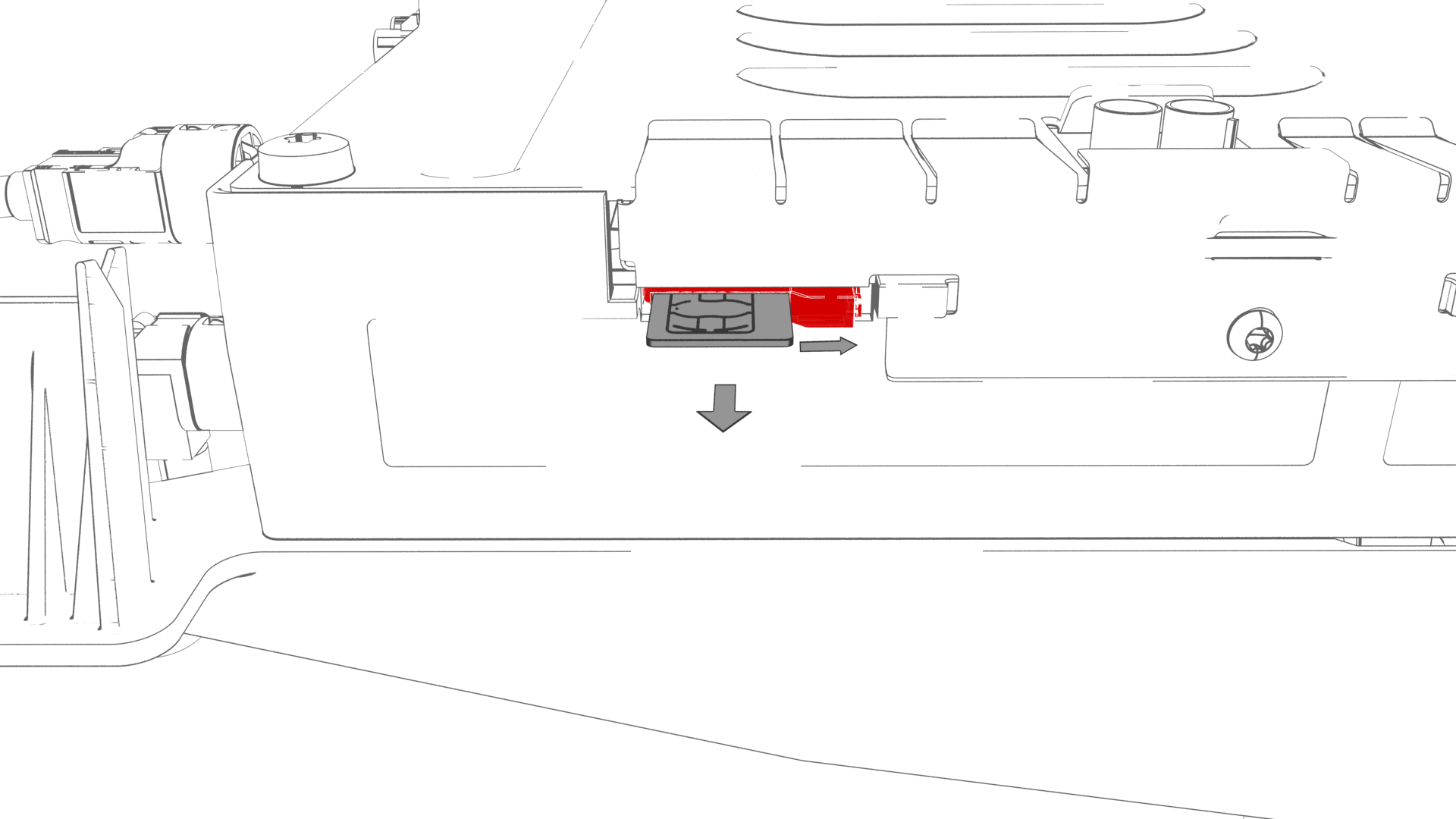
Use a trim tool to move the catch to the right, and release the SIM card from the slot in the car computer.
-
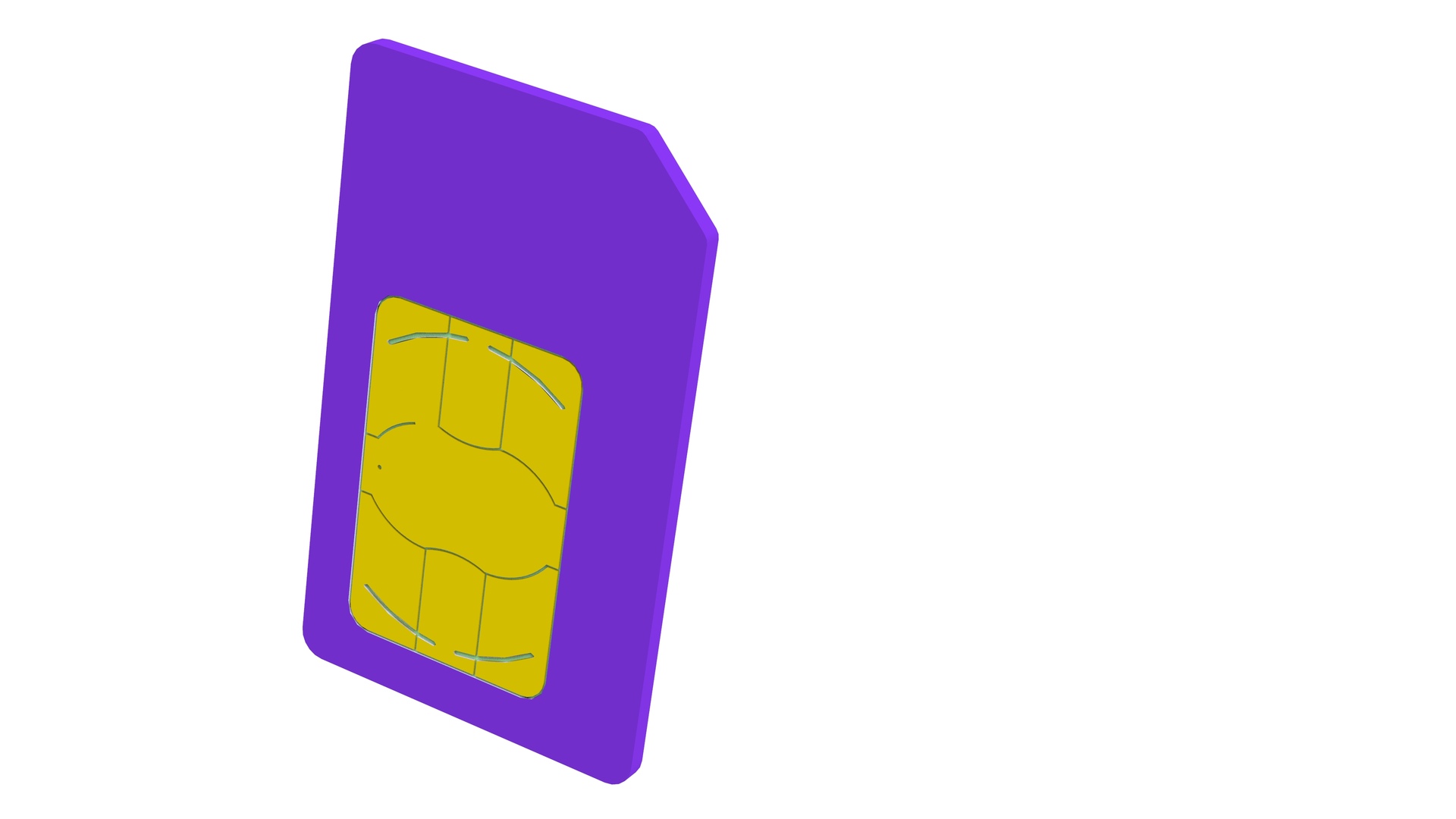
Remove the SIM card from the car computer.
| 1 | Remove the car computer connectivity board. See Connectivity Board - Car Computer (Remove and Replace). | ||
| 2 | Use a trim tool to move the catch to the right, and release the SIM card from the slot in the car computer. | |
| 3 | Remove the SIM card from the car computer. |
Install
-
Install the SIM card into the car computer slot with the notch up and the gold pads facing away from the bulkhead.
 Caution:Make sure that the SIM card goes into the slot, before releasing your grip of the SIM card.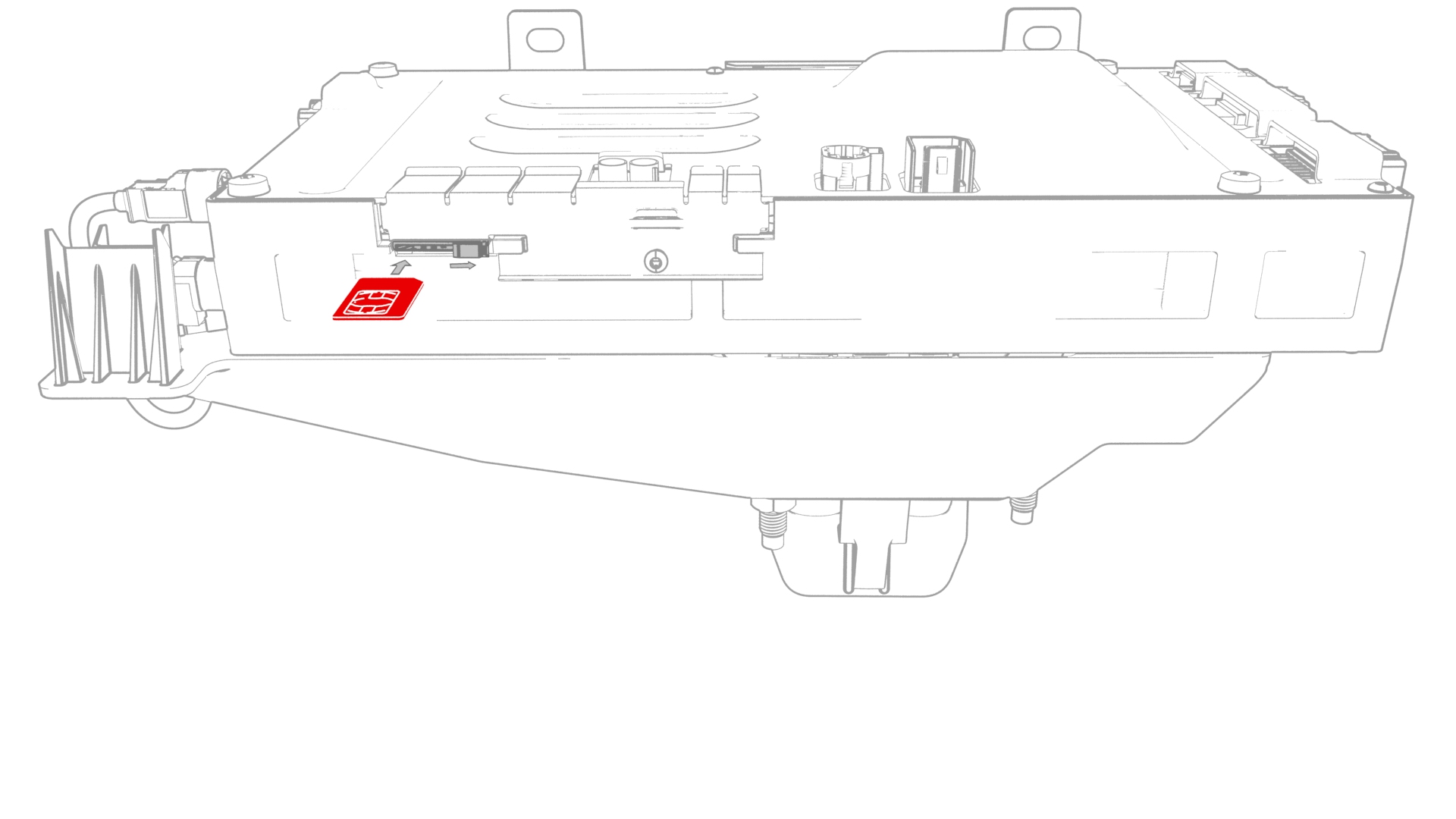
-
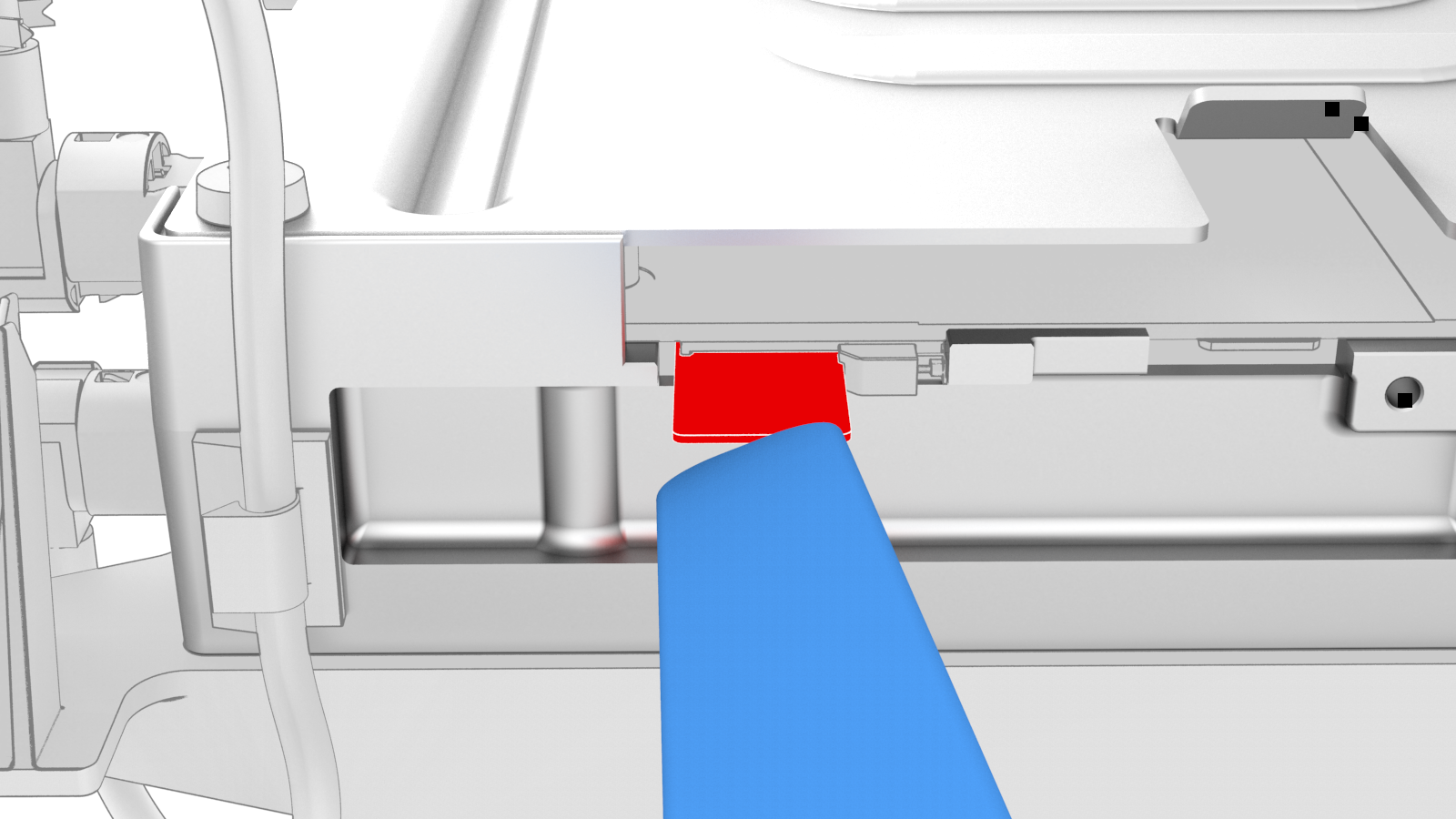
Carefully press the SIM card fully into the slot, so that the catch engages.
Caution:If using a thin tool to press the SIM card in, use the tool as shown.
| 1 | Install the SIM card into the car computer slot with the notch up and the gold pads facing away from the bulkhead. Caution: Make sure that the SIM card goes into the slot, before releasing your grip of the SIM card.
| |
| 2 | Carefully press the SIM card fully into the slot, so that the catch engages. Caution: If using a thin tool to press the SIM card in, use the tool as shown.
| |
| 3 | Install the car computer connectivity board. See Connectivity Board - Car Computer (Remove and Replace). |