A/C Refrigerant (Recovery and Recharge)
Correction code 1820010218200102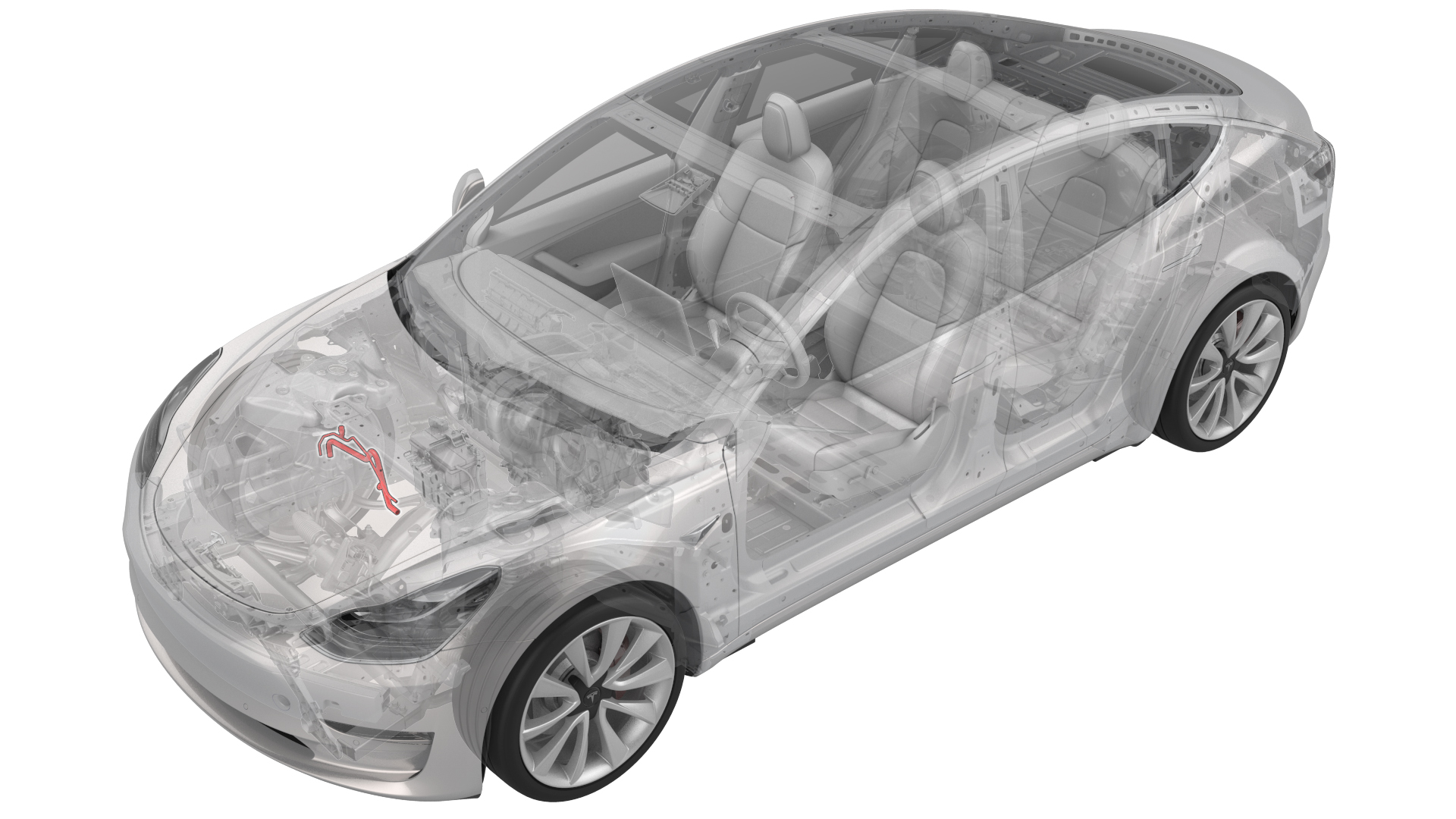
DRAFT
from-cad Warning:
This procedure was derived from pre-production computer models, and might not reflect the real-world situation. Warnings and cautions might be missing. Follow safety requirements and use extreme caution when working on or near high voltage systems and components.
Do not redistribute this content. Provide corrections and feedback to servicemanualfeedback@tesla.com.
- 1120026-0x-AAC Service Machine
SPECIAL TOOLS
AC Service Machine (1120026-0x-A) |
Warning: Only personnel familiar with both vehicle A/C systems and the A/C machine are permitted to service the systems. Always read and understand the A/C machine operator’s manual before operating the A/C machine.Warning: Refrigerants R134a and R1234yf are hazardous liquids and, if handled incorrectly, can cause serious injury. Suitable Personal Protective Equipment (PPE), consisting of face protection, heat-proof gloves, rubber boots, and apron or waterproof overalls, must be worn when performing recovery or recharge on the air conditioning system.Warning: Do not breathe refrigerant and lubricant vapor or mist. Exposure might cause personal injury, especially to the eyes, nose, throat, and lungs. Perform service and repairs in a well-ventilated area. If accidental discharge occurs, ventilate the work area before returning to work. Additional health and safety information is available from equipment, refrigerant, and lubricant manufacturers. Refer to manufacturer's instruction manuals and Material Safety Data Sheets.Warning: Avoid using an extension cord on the A/C machine whenever possible. If an extension cord is used, it might overheat and cause a fire. If you must use an extension cord, use the shortest extension cord possible with a minimum 14AWG wire rating.Warning: Do not use compressed air to pressure test or leak test the A/C machine or the vehicle A/C system. Some mixtures of air and refrigerant are combustible at elevated pressures. These mixtures are potentially dangerous and might result in fire or explosion, causing personal injury or property damage.Warning: Be aware of fire hazards. Do not use the A/C machine in the vicinity of spilled or open containers of flammable liquid.Warning: If you are operating the A/C machine in an environment where temperatures exceed 120 degrees Fahrenheit / 49 degrees Celsius, you must wait 10 minutes between tasks.Warning: Never transfer refrigerants to a cylinder or tank unless it is Department of Transportation approved for refilling. DOT approval is indicated by the designation “DOT 4BA” or “DOT 4BW” stamped on a tank’s collar (handle). If a refrigerant tank is overfilled, it might explode. Be aware that when transferring refrigerant into a tank, the safe filling level must be controlled by weight, and must not exceed 60% of the tank’s gross weight rating.
Caution:
Only use Tesla-specified refrigerant in the vehicle A/C system and the A/C machine. The A/C machine is designed to recover, recycle, and recharge only Tesla-specified refrigerant. Do not attempt to adapt the unit for another refrigerant. Do not mix refrigerant types within a vehicle A/C system or in the same container. Mixing refrigerants can severely damage the A/C machine and the vehicle A/C system.
Caution:
Do not mix different types of A/C system oil. Model S, Model X, and Model 3 use ND-11 spec POE oil, while Roadster 1.5 and 2.0 use different oils (PVE for 1.5 cars and POE for 2.0/2.5 vehicles). If the A/C machine is not solely dedicated to Model S, Model X, and Model 3 use, flush the A/C lines of the machine before every service to prevent cross-contamination. See Preparation for instruction to flush the A/C lines.
Caution:
Do not allow refrigerant oil to come in contact with any surfaces of the vehicle as it might cause damage to the paint, trim, or finish of the vehicle.
Caution:
Always keep refrigerant oil in its original container, tightly sealed, and clearly marked so as to prevent contamination of any kind.
Caution:
Do not over-fill the vehicle’s A/C system with oil. Replace only the exact amount that is removed. Always measure the amount of oil extracted and refill it with that exact amount.
Caution:
Always maintain different oil canisters for different types of oil. These canisters should be clearly marked to avoid any cross-contamination between the oils.
Caution:
The refrigerant cylinders currently in use as source tanks are disposable cylinders. Before they are discarded, connect the disposable refrigerant cylinder to the recovery equipment and bring to a vacuum to ensure that all of the refrigerant has been removed. Then mark the cylinder “Empty”.
Caution:
Always reference the information label to determine the refrigerant capacity of the vehicle. Do not over-fill or under-fill the A/C system with refrigerant.
Preparation
- Perform a calibration check of the A/C machine. Refer to the A/C machine operator’s manual for instructions on how to perform a calibration check of the A/C machine. If the machine fails the calibration check, do not use the machine until a service representative has calibrated the A/C machine.
- Inspect the entire length of the hoses and fittings for degradation, cracks, or damage. Make sure that the condition of the hoses and fittings is such that they will not leak when in service.
- Inspect the A/C machine’s power supply cord and plug that they are not damaged and the insulation has not been compromised in any way.
- Verify that the oil type is ND-11 spec POE.
- Power on the A/C machine.
- Press the MENU button on the keypad.
- Press the UP or DOWN arrow key to scroll to "HOSE FLUSH".
- Press START/YES or OK.
- Connect the red and blue hoses to the machine's respective storage port connections.
- Open the coupler valves.
- Press START/YES or OK to begin the hose flush process. If the procedure has started correctly, a three minute countdown begins. The machine automatically starts and finishes the recovery from the hoses after the flush procedure is completed. When the entire procedure has been completed, the screen displays "FLUSH COMPLETE CONNECT SERVICE HOSES TO VEHICLE, START TO CONTINUE".
- Close the coupler valves and press START/YES or OK.
- Press STOP/NO or OK to exit the hose flush menu.
- Connect the appropriate refrigerant oil bottle.
| 1 | Perform a calibration check of the A/C machine. Refer to the A/C machine operator’s manual for instructions on how to perform a calibration check of the A/C machine. If the machine fails the calibration check, do not use the machine until a service representative has calibrated the A/C machine. |
| 2 | Inspect the entire length of the hoses and fittings for degradation, cracks, or damage. Make sure that the condition of the hoses and fittings is such that they will not leak when in service. |
| 3 | Inspect the A/C machine’s power supply cord and plug that they are not damaged and the insulation has not been compromised in any way. |
| 4 | Verify that the oil type is ND-11 spec POE. |
| 5 | Power on the A/C machine. |
| 6 | Press the MENU button on the keypad. |
| 7 | Press the UP or DOWN arrow key to scroll to "HOSE FLUSH". |
| 8 | Press START/YES or OK. |
| 9 | Connect the red and blue hoses to the machine's respective storage port connections. |
| 10 | Open the coupler valves. |
| 11 | Press START/YES or OK to begin the hose flush process. If the procedure has started correctly, a three minute countdown begins. The machine automatically starts and finishes the recovery from the hoses after the flush procedure is completed. When the entire procedure has been completed, the screen displays "FLUSH COMPLETE CONNECT SERVICE HOSES TO VEHICLE, START TO CONTINUE". |
| 12 | Close the coupler valves and press START/YES or OK. |
| 13 | Press STOP/NO or OK to exit the hose flush menu. |
| 14 | Connect the appropriate refrigerant oil bottle. |
Recovery
-
Remove the caps from the A/C high pressure and low pressure ports.
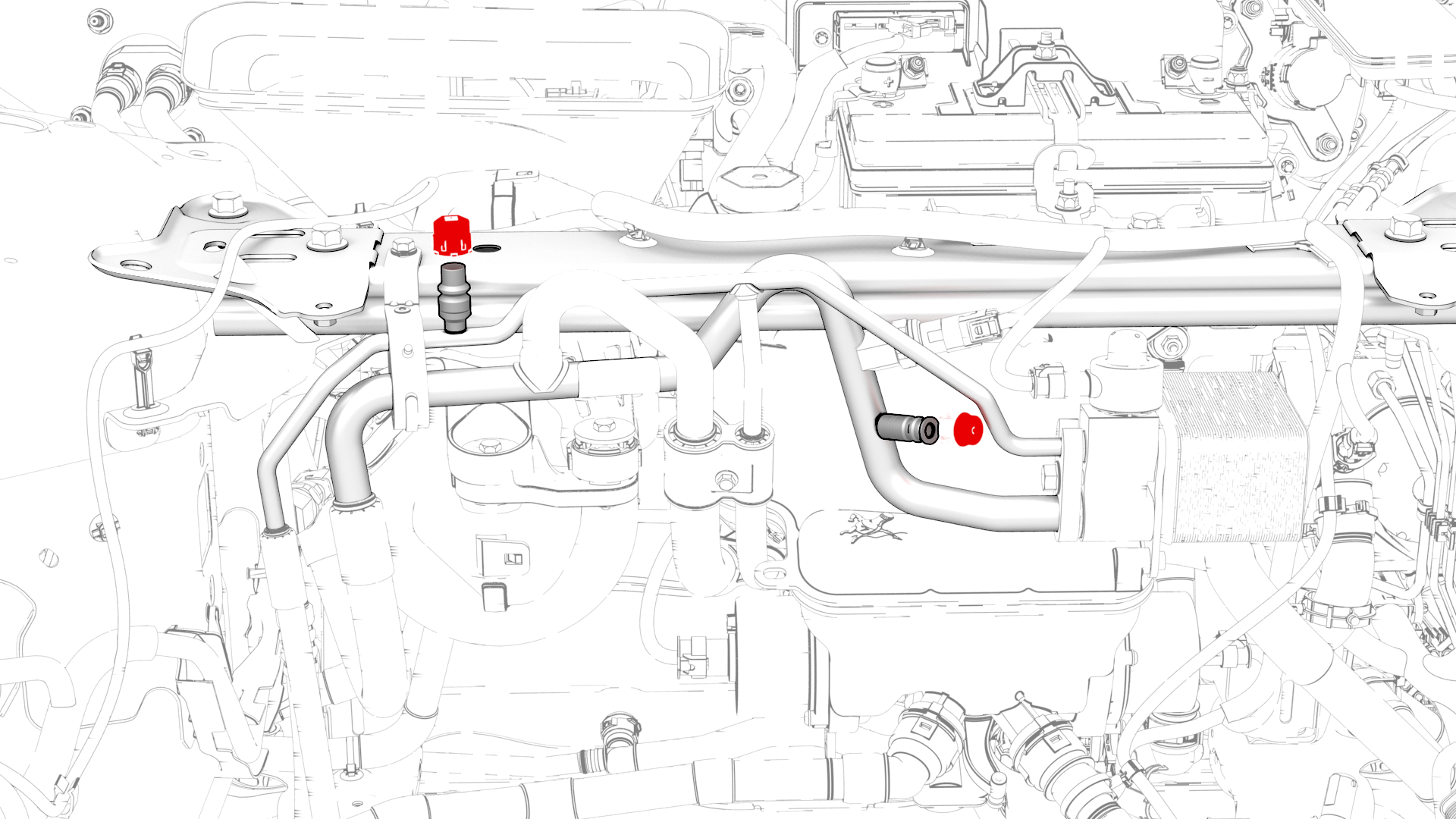
-
Perform service procedures that can be concurrent with refrigerant recovery.
Caution:Wait until recovery has finished before performing steps that open the A/C system to ambient air.
| 1 | Prepare the AC service machine. See Preparation. | ||
| 2 | Turn off the vehicle's climate control. | ||
| 3 | Connect a laptop with Toolbox to the vehicle. | ||
| 4 | Remove the underhood storage unit. See Underhood Storage Unit (Remove and Replace). | ||
| 5 | Remove the caps from the A/C high pressure and low pressure ports. | |
| 6 | Connect the red high pressure hose to the vehicle's high pressure port, and the blue low pressure hose to the vehicle's low pressure port. Note: The high pressure and low pressure ports are of different sizes, and match the hose couplers accordingly.
| ||
| 7 | Verify that the oil recovery tank is empty, or mark the existing level with tape as a starting point for later comparison. | ||
| 8 | In Toolbox, search for Thermal Fluid Fill/Drain, and select it. | ||
| 9 | Click RUN. The evaporator and chiller solenoids are opened. | ||
| 10 | Follow the A/C machine instructions for recovering refrigerant from the vehicle. Note: In order to fully purge refrigerant and remove air, moisture, and contaminants, it is important to apply the appropriate vacuum for 30-45 minutes.
| ||
| 11 | Perform service procedures that can be concurrent with refrigerant recovery. Caution: Wait until recovery has finished before performing steps that open the A/C system to ambient air.
| ||
| 12 | After recovery has finished, in Toolbox, click STOP. The evaporator and chiller solenoids are closed. | ||
| 13 | Measure the quantity of refrigerant recovered from the system. It is should be approximately 640 - 680 g. Record the quantity recovered in the notes section of the Repair Order. | ||
| 14 | Measure the quantity of oil recovered from the vehicle's A/C system by comparing the level change in the oil recovery tank. The difference is the quantity of oil to add to the A/C system during recharge, assuming that no components are being replaced. | ||
| 15 | If the recovery procedure is being performed in order to replace a defective A/C component, measure the quantity of oil recovered from the defective component.
| ||
| 16 | Add the quantity of oil recovered in step 14 to the quantity of oil recovered in step 15, and record this value in the notes section of the Repair Order. This value is the quantity of oil to add during A/C system recharge. | ||
| 17 | Consider your next step:
|
Recharge
-
Install the underhood storage unit. See Underhood Storage Unit (Remove and Replace).
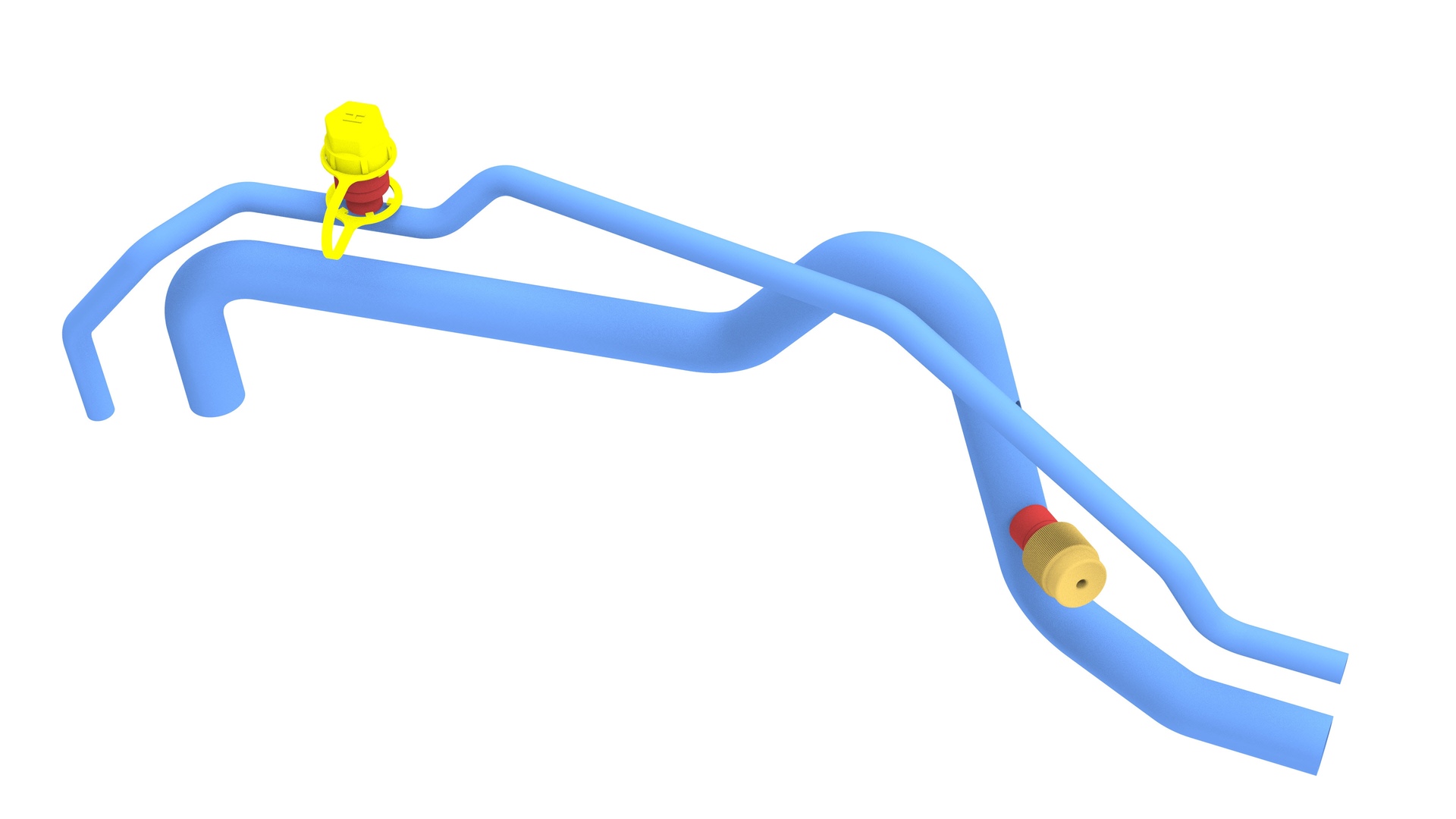
| 1 | Consider your first step:
|
| 2 | In Toolbox, search for Thermal Fluid Fill/Drain, and select it. |
| 3 | Click RUN. The evaporator and chiller solenoids are opened. |
| 4 | Follow the A/C machine instructions to pull a vacuum into the vehicle's A/C system. Note: In order to fully purge refrigerant and remove air, moisture, and contaminants, it is important to apply the appropriate vacuum for 30-45 minutes.
|
| 5 | Set the refrigerant charge to 660 g. |
| 6 | Fill the oil supply bottle with the quantity of ND-11 spec POE oil as determined in Recovery. |
| 7 | If necessary, select the "UV Dye" option to inject leak detection dye during recharge (Robinair AC1234-7 A/C machines). |
| 8 | Initiate the recharge procedure through the high pressure hose. |
| 9 | Perform service procedures that can be concurrent with refrigerant recharge. |
| 10 | After recharge has finished, in Toolbox, click STOP. The evaporator and chiller solenoids are closed. |
| 11 | Disconnect the red and blue hoses from the high and low pressure ports and return them to the A/C machine. |
| 12 | Install the caps on the A/C high pressure and low pressure ports. |
| 13 | Perform any pending service procedures. |
| 14 | Turn on the cabin A/C and verify operation. |
| 15 | Disconnect the laptop from the vehicle. |
| 16 | Install the underhood storage unit. See Underhood Storage Unit (Remove and Replace). |