Beam - Cross Car (Remove and Replace)
Correction code 1405220214052202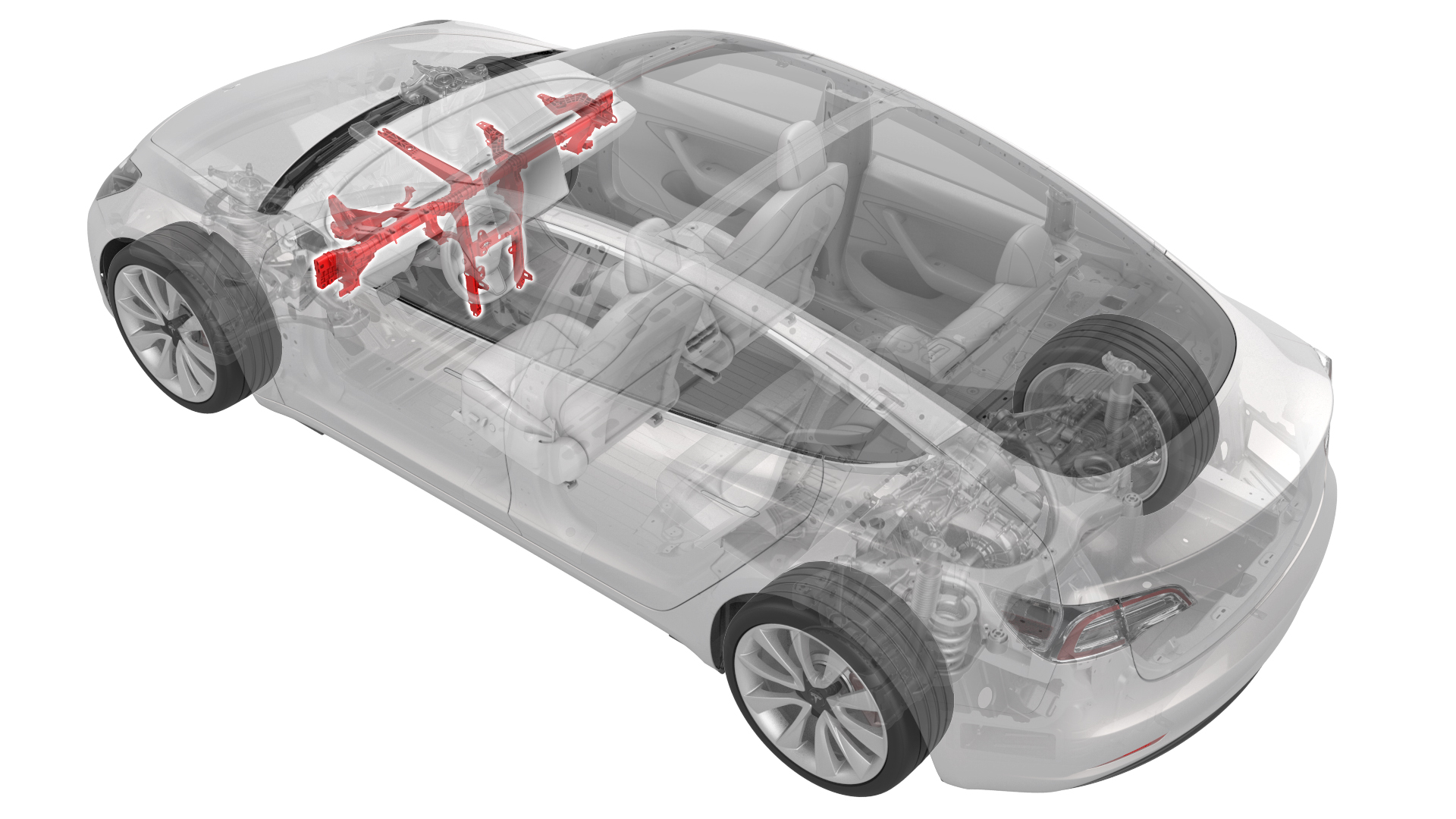
Remove
-
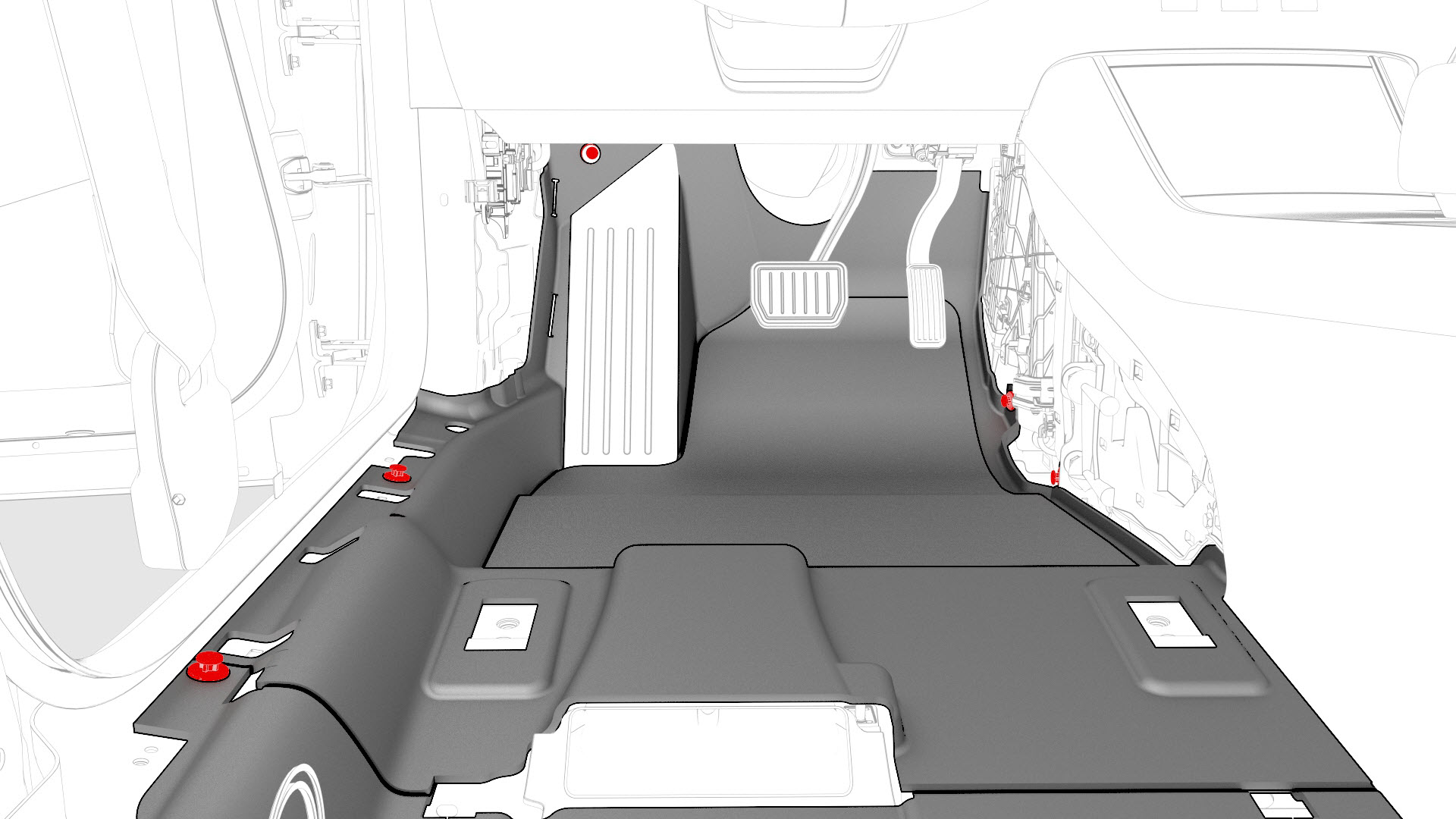
Remove the clips that attach the LH side of the main carpet to the footwell area.
-
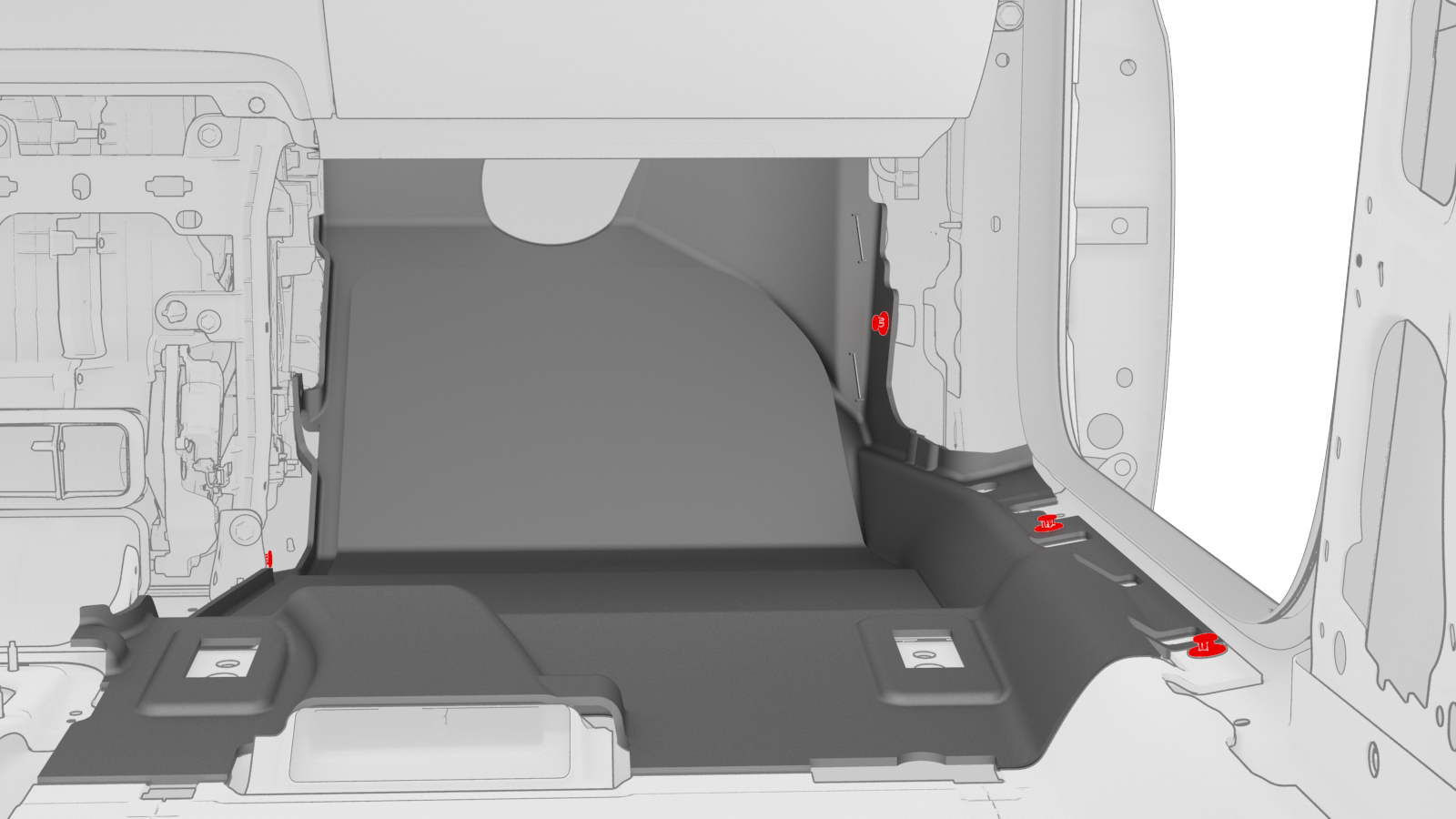
Remove the clips that attach the RH side of the main carpet to the footwell area.
-
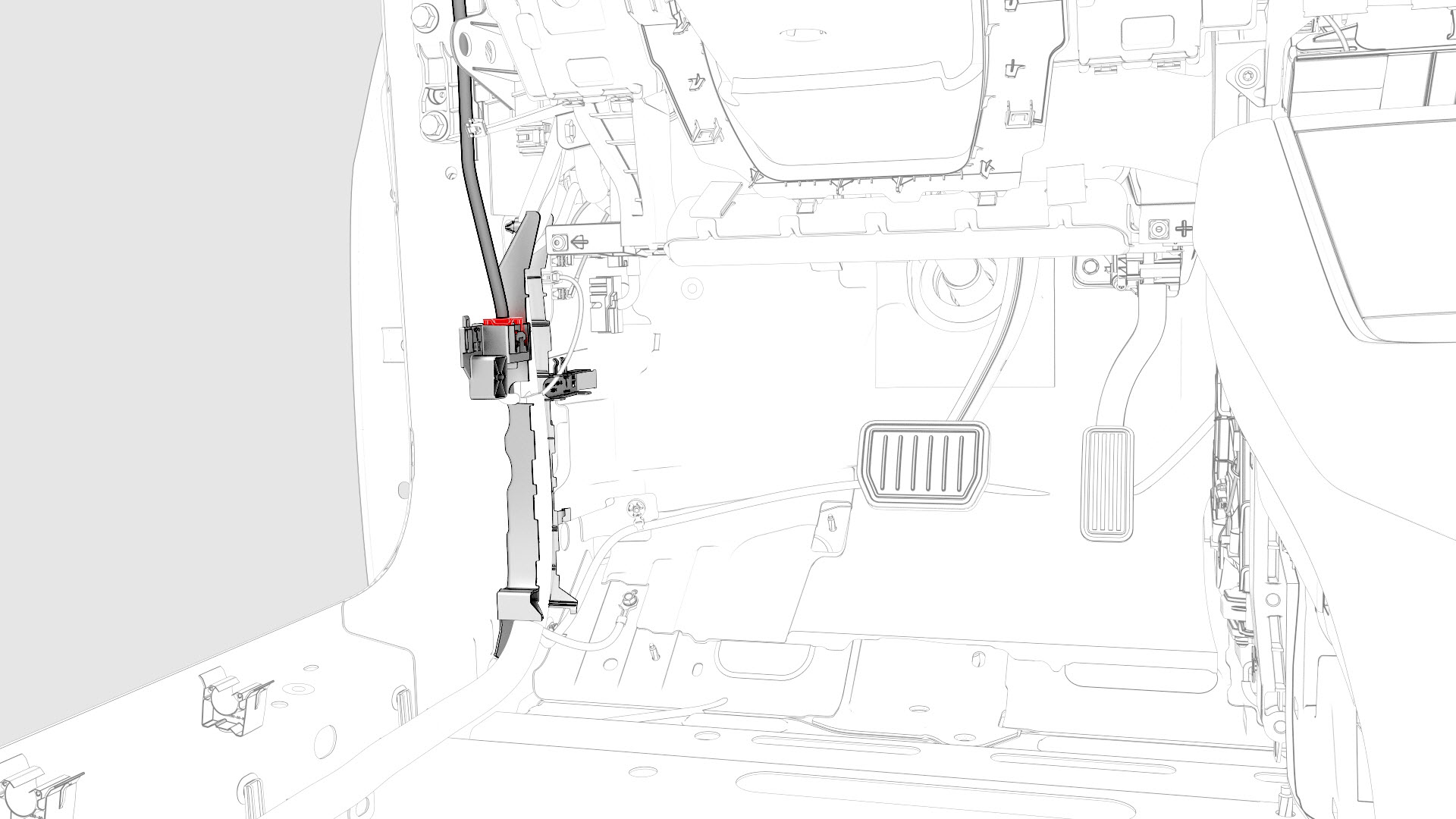
Disconnect the headliner electrical harness from the LH body controller module connector.
-
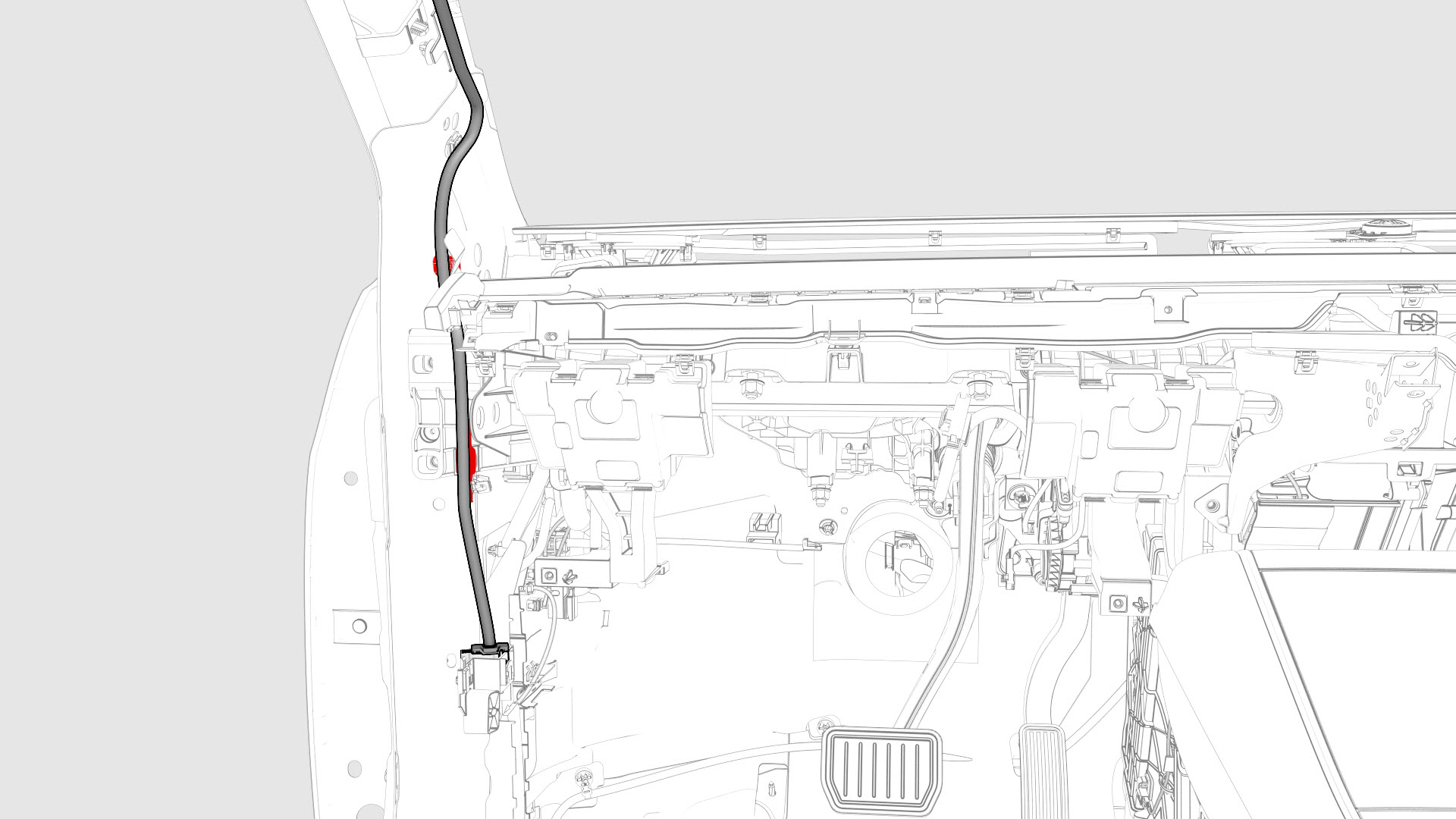
Release the clips that attach the headliner electrical harness and move it aside.
-
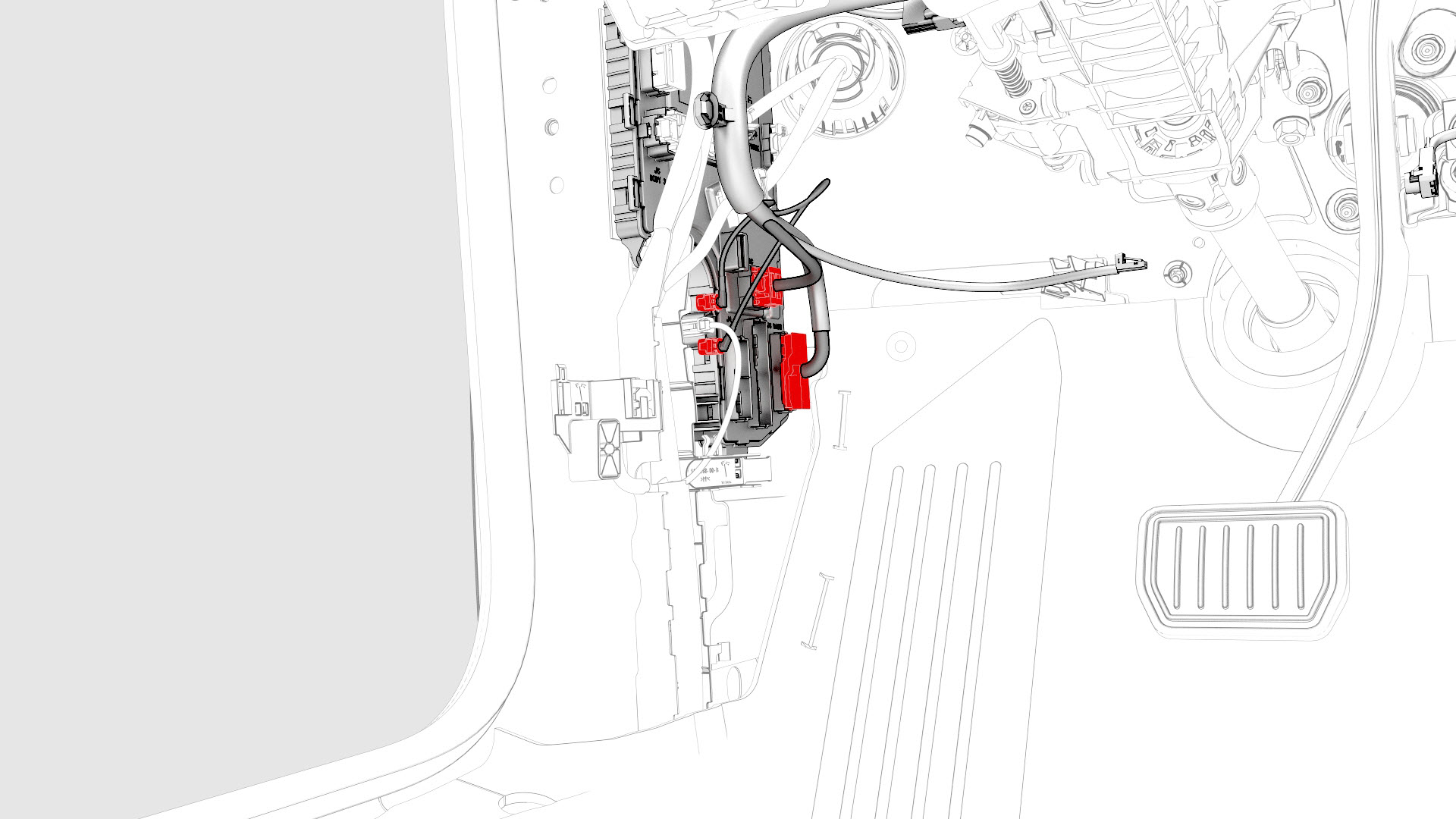
Disconnect the instrument panel electrical harness from the LH body controller module connectors.
-
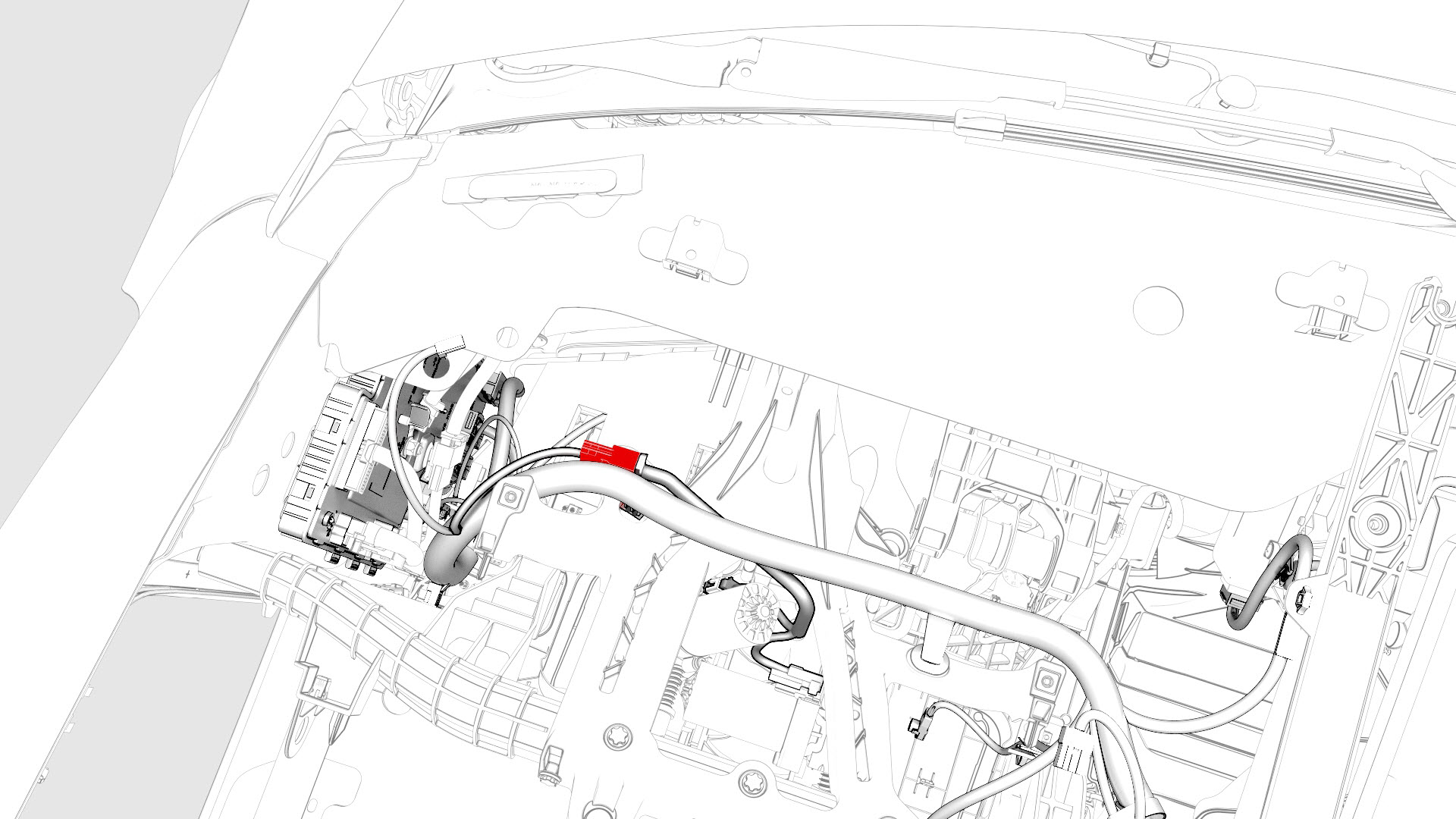
Disconnect the electrical harness from the steering column control module connector.
-
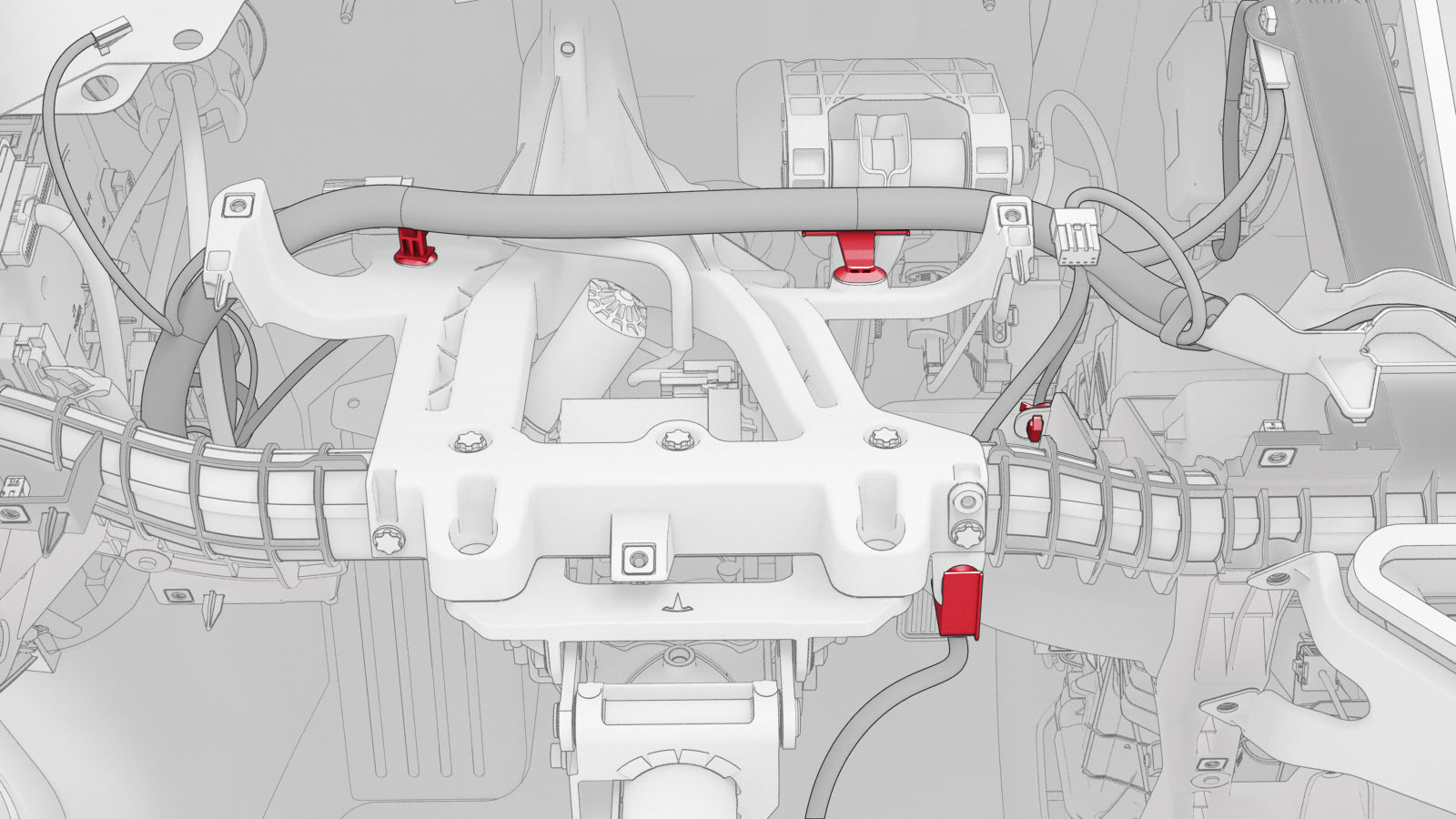
Release the clips that attach the electrical harness to the steering column.
-
Release the clips (x2) that attach the instrument panel electrical harness to the HVAC fan assembly.
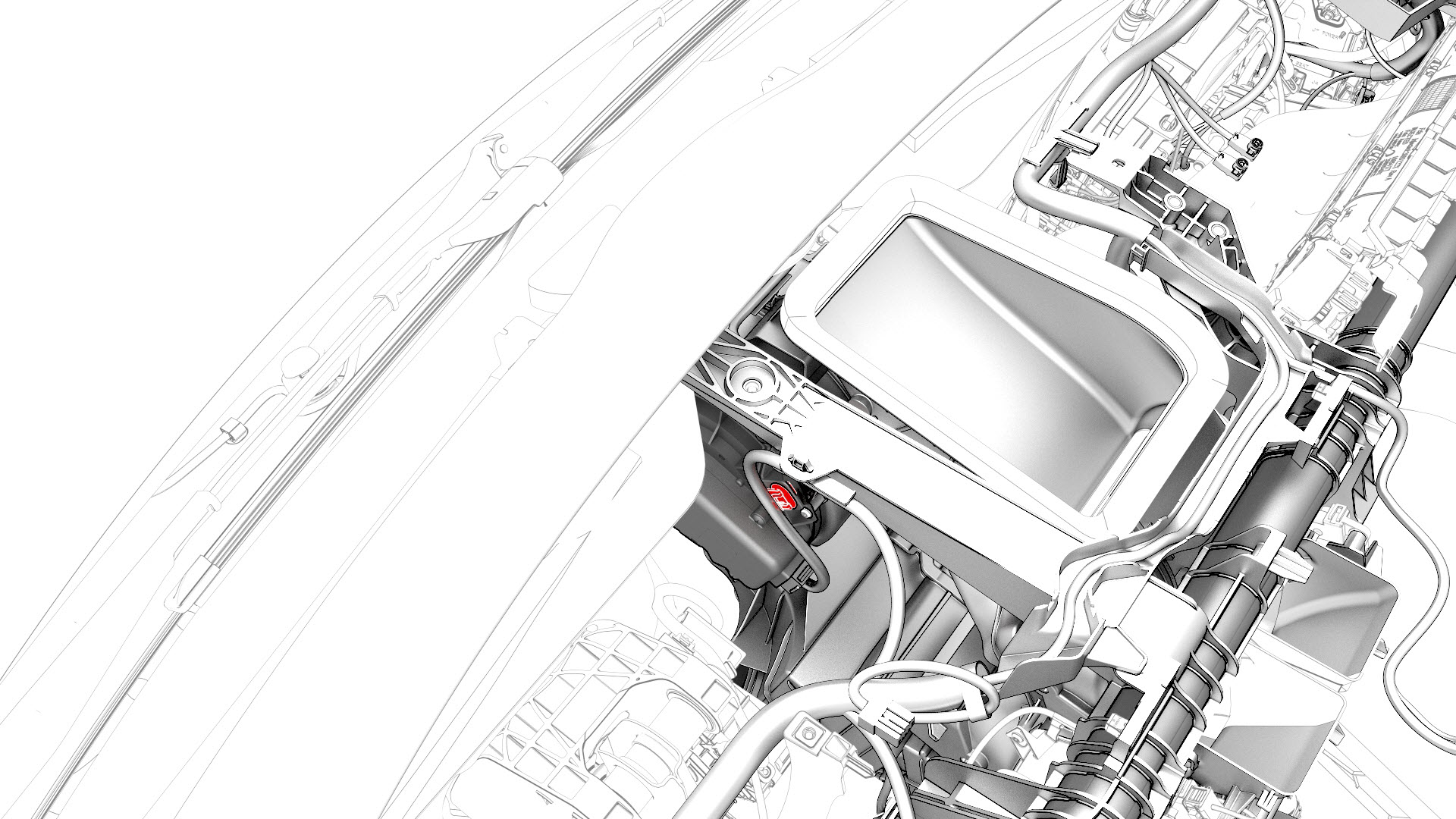
-
Disconnect the instrument panel electrical harness from the HVAC fan assembly motor connector.
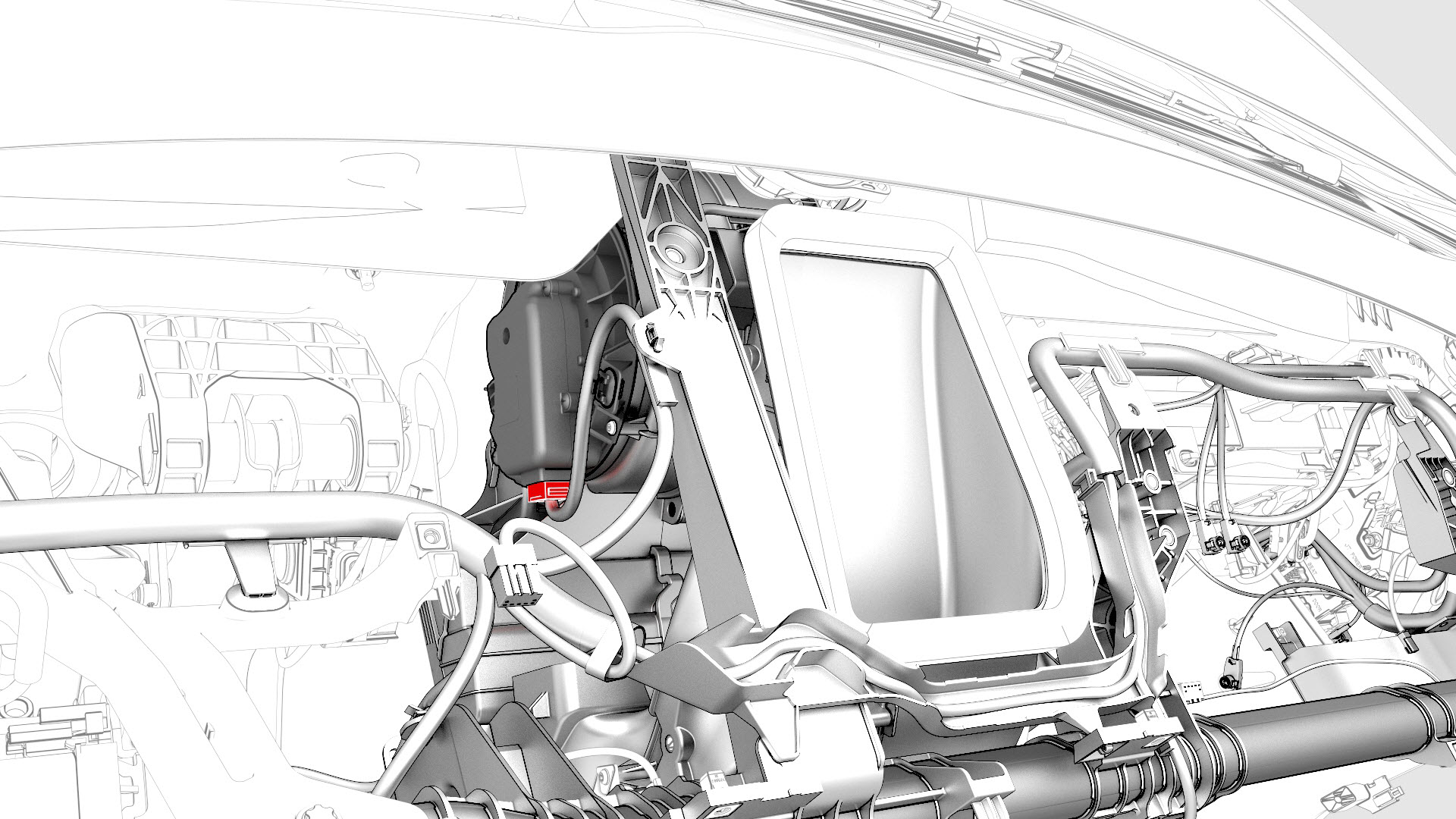
-
Disconnect the instrument panel electrical harness from the PTC heater connector.
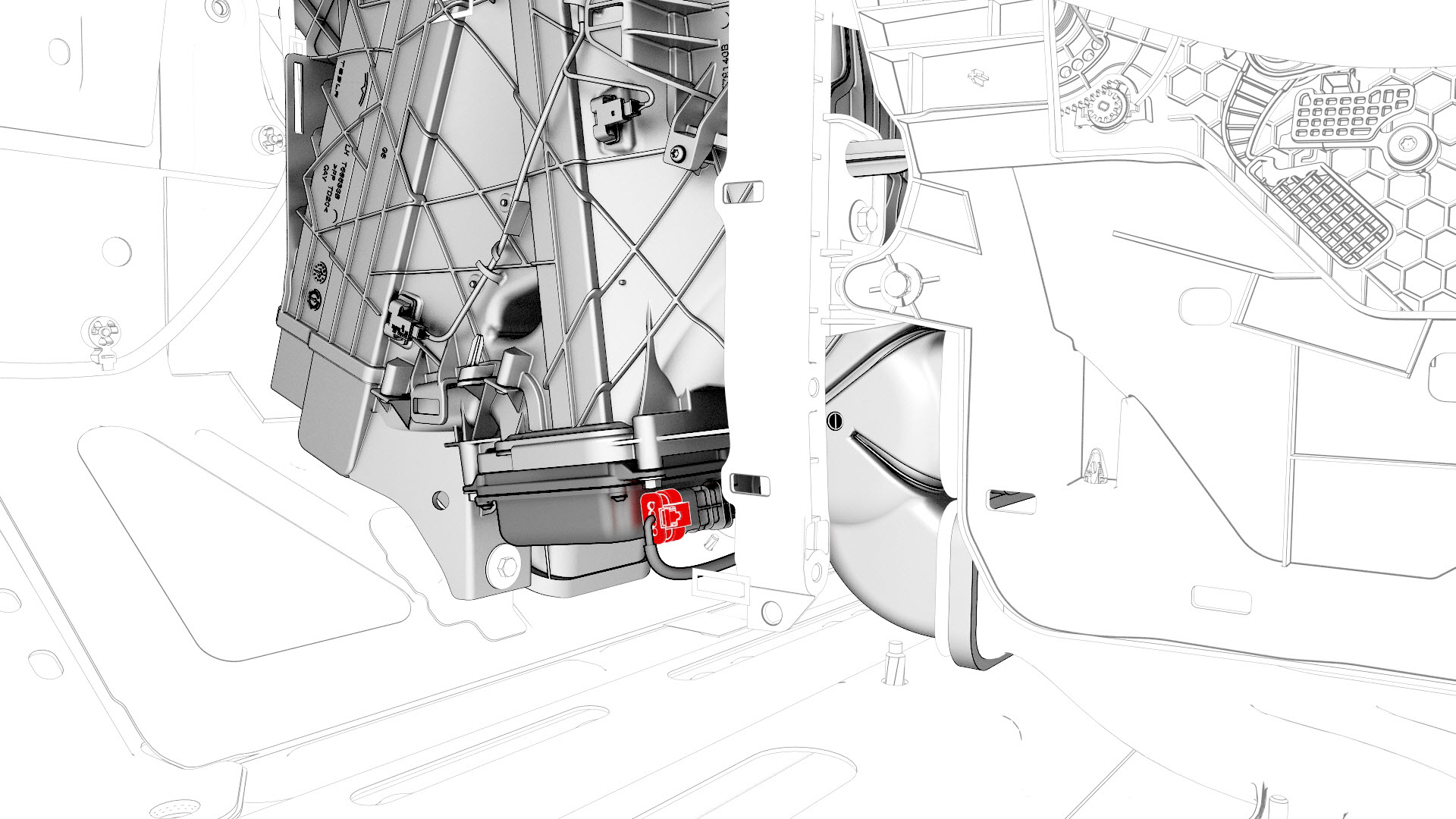
-
Release the clip that attaches the instrument panel electrical harness to the PTC heater.
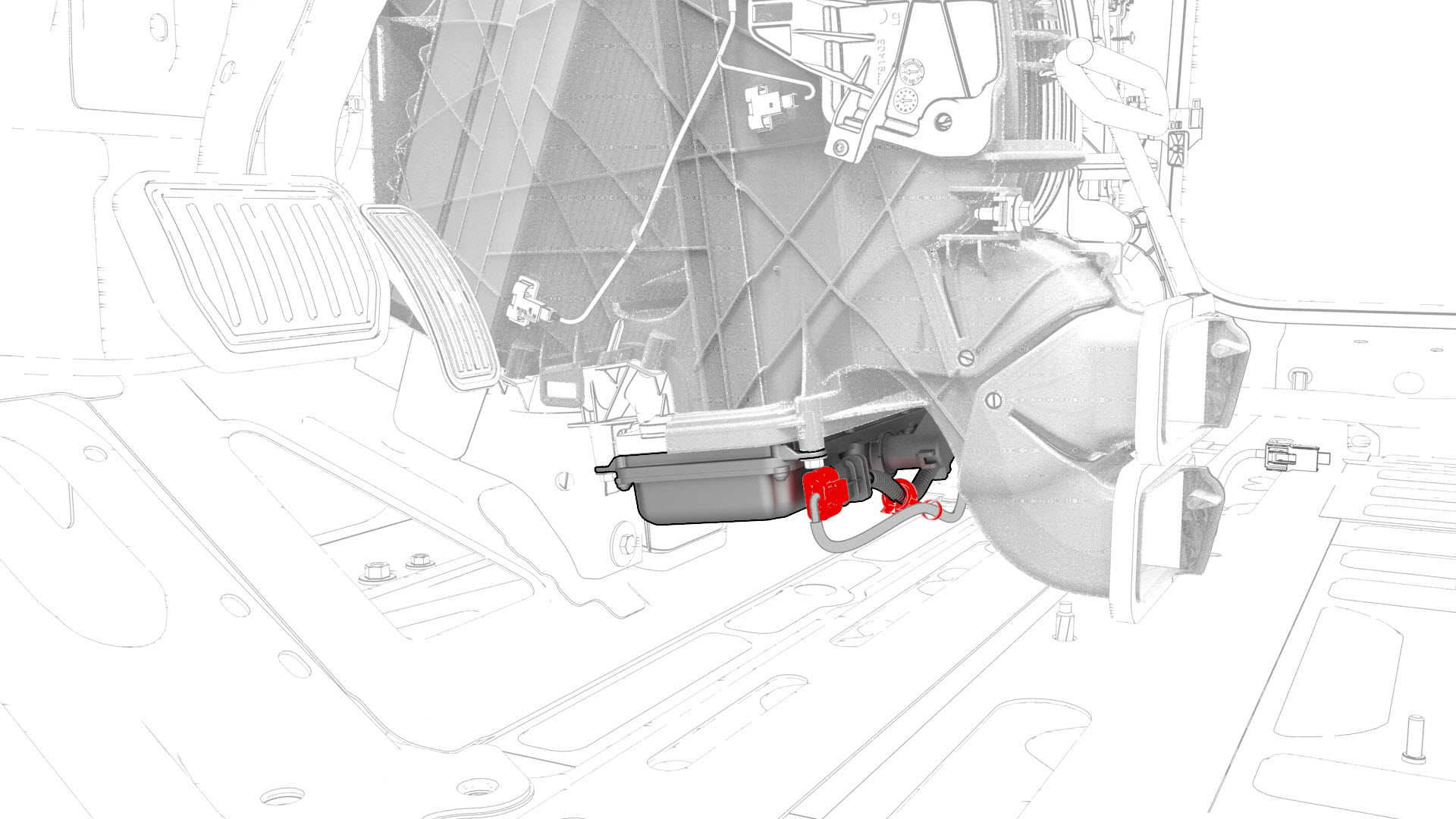
-
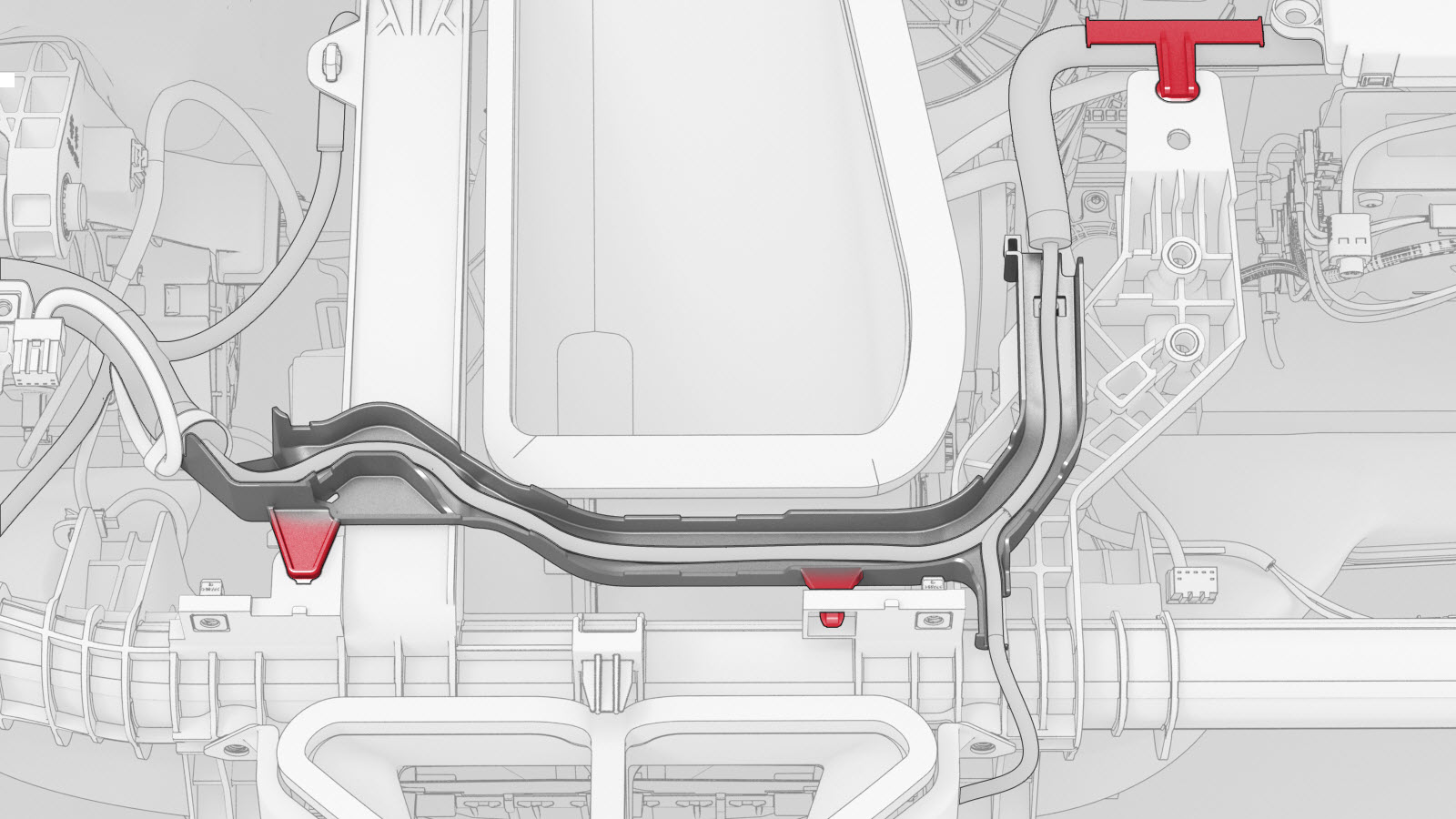
Release the clips and the harness holder that attach the instrument panel electrical harness to the top portion of the cross car beam, and then release the HVAC electrical harness from the instrument panel electrical harness.
-
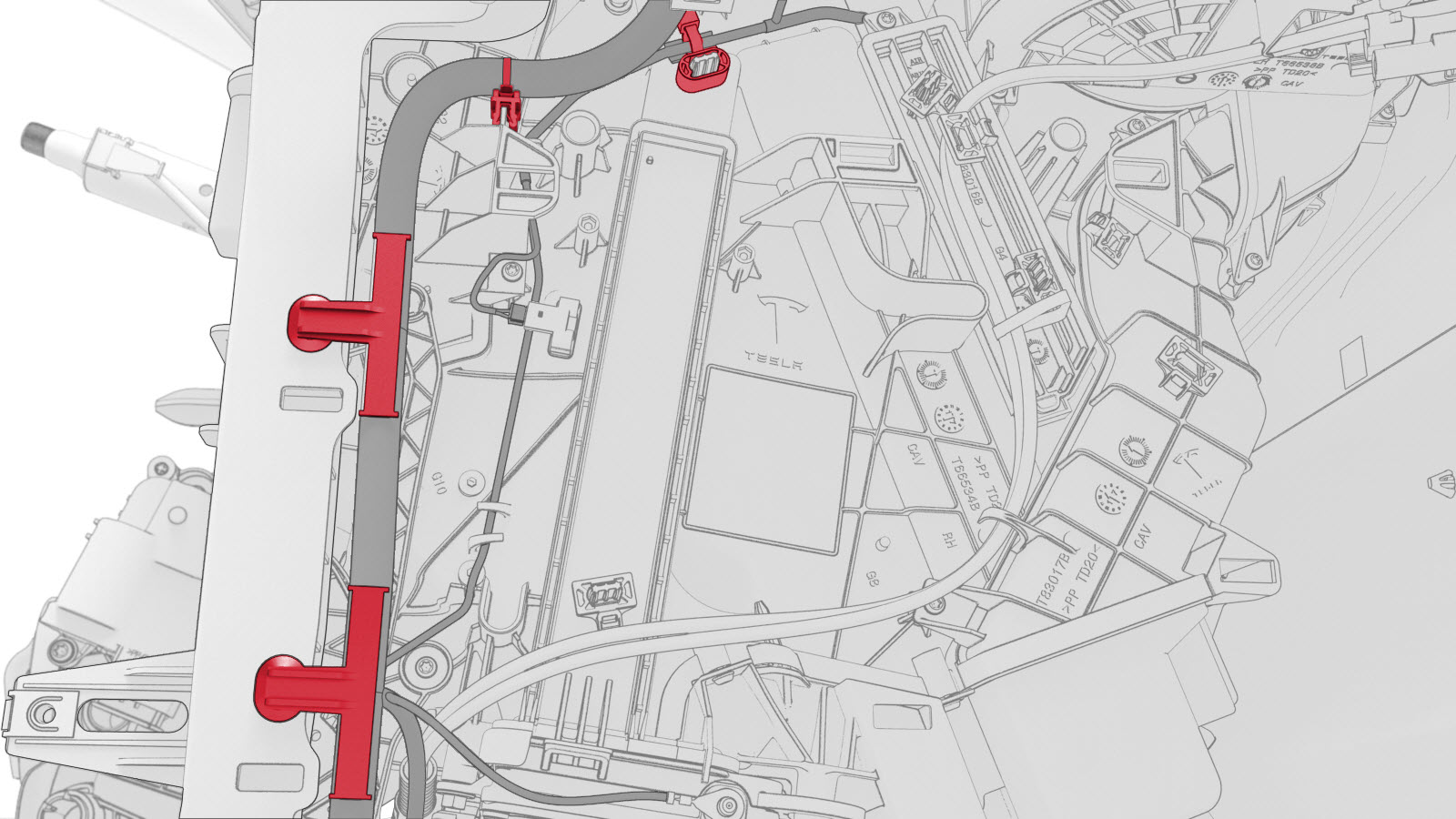
Release the clips that attaches the instrument panel electrical harness to the RH side of the HVAC assembly.
-
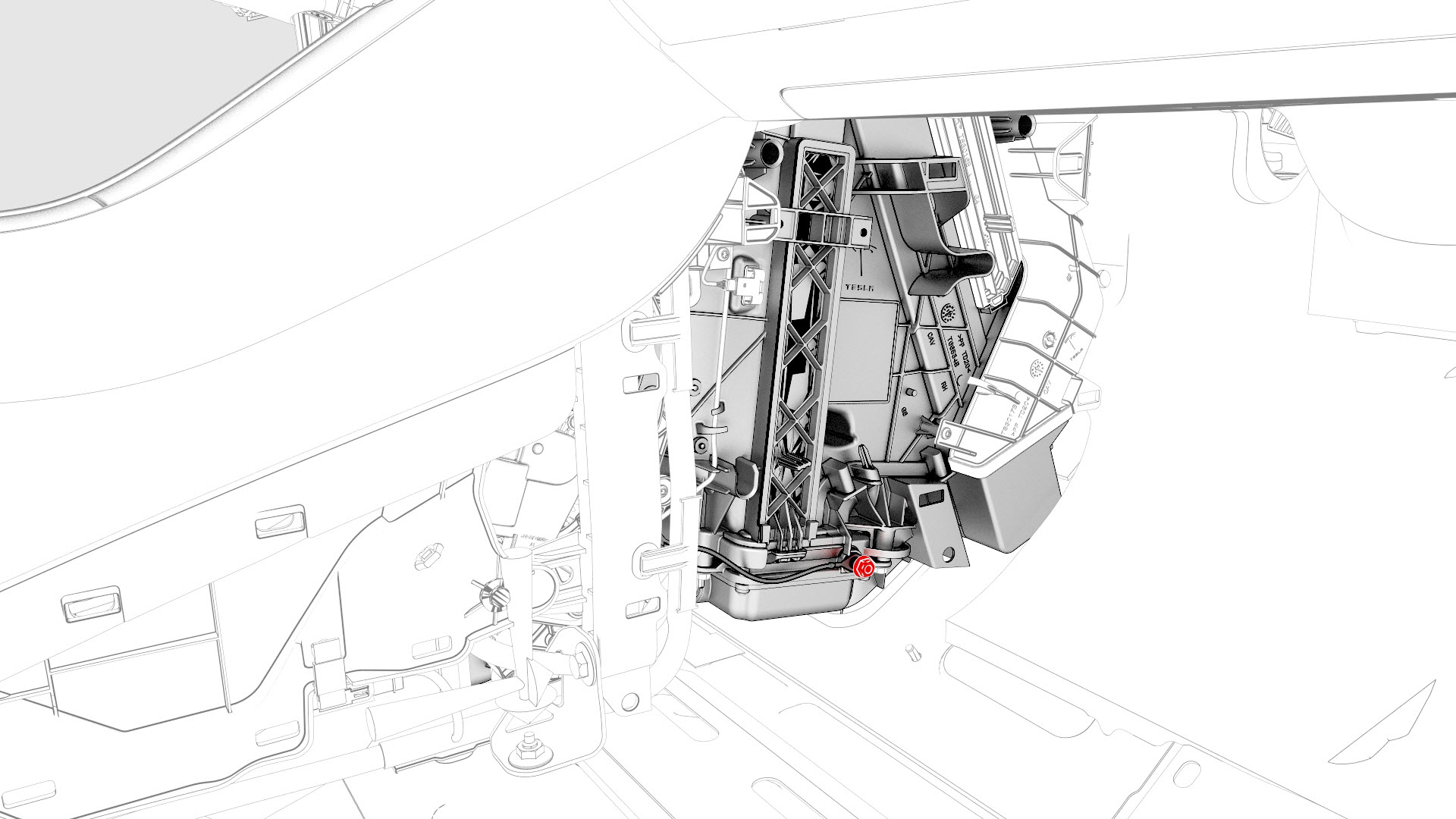
Remove the nut that attaches the instrument panel electrical harness ground strap near the PTC heater.
-
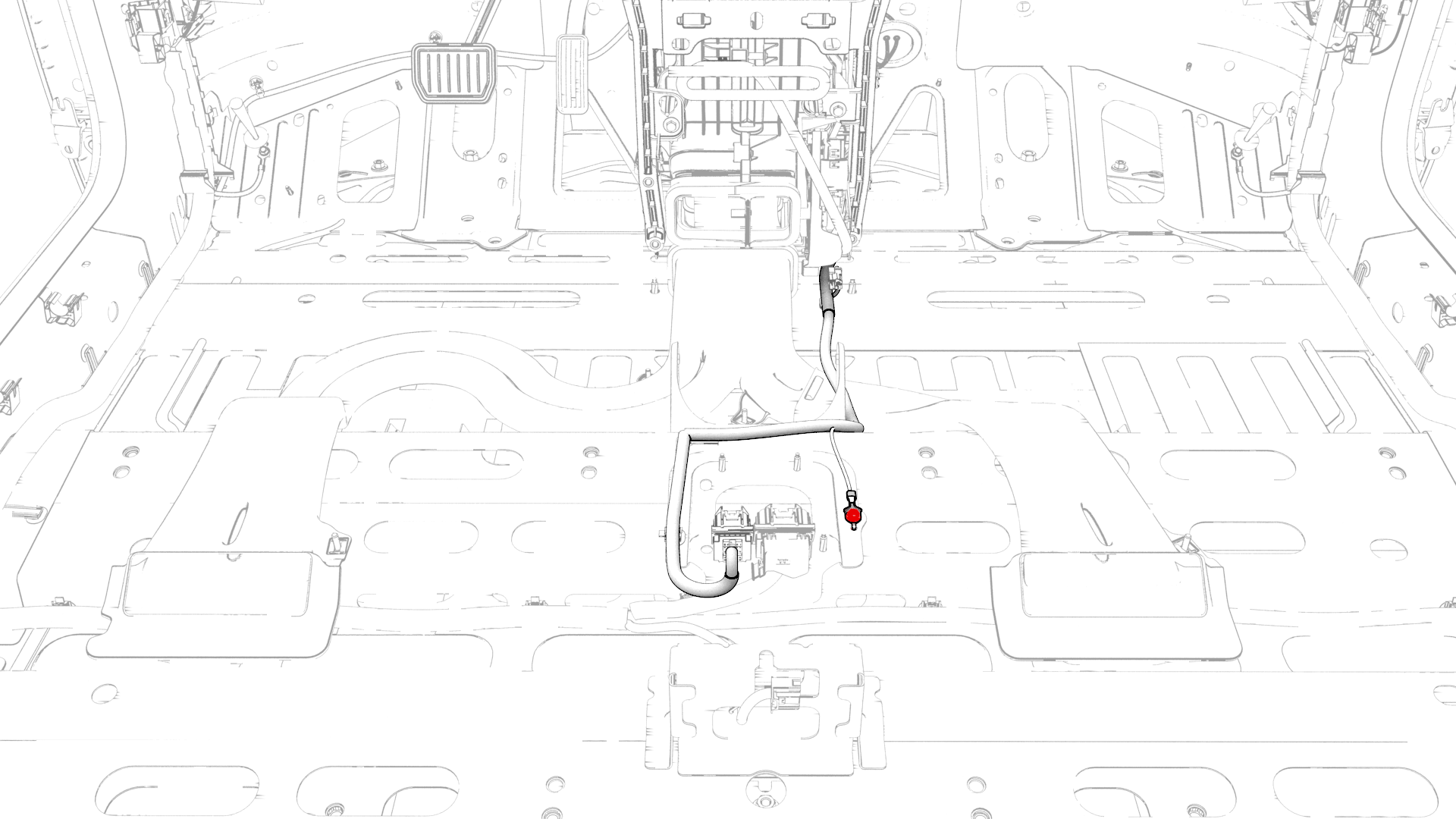
Remove and discard the bolt that attaches the instrument panel electrical harness ground strap to the body.
-
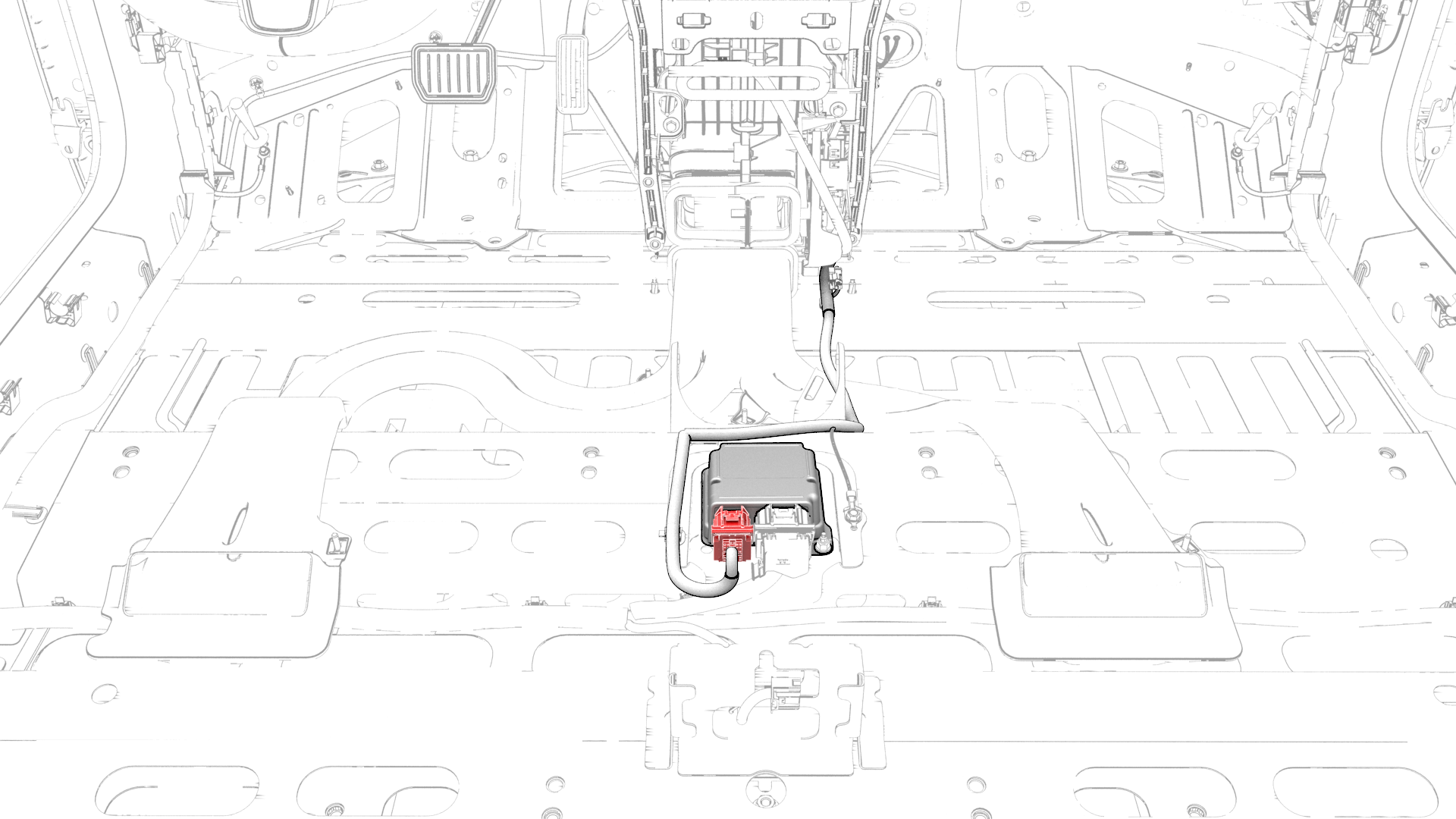
Disconnect the instrument panel electrical harness from the passive safety restraint module (RCM) connector.
-
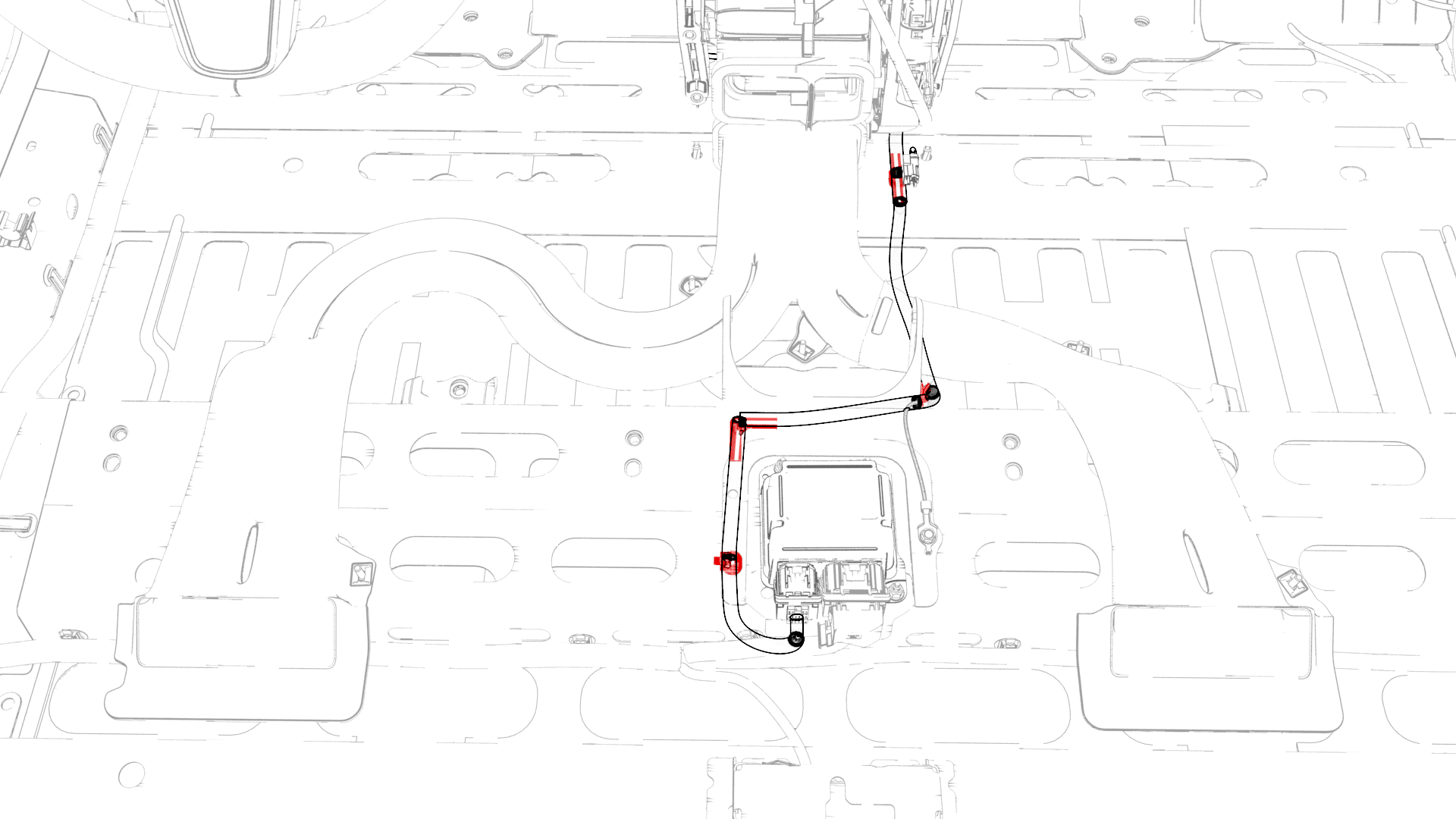
Release the clips that attach the instrument panel electrical harness to the body.
-
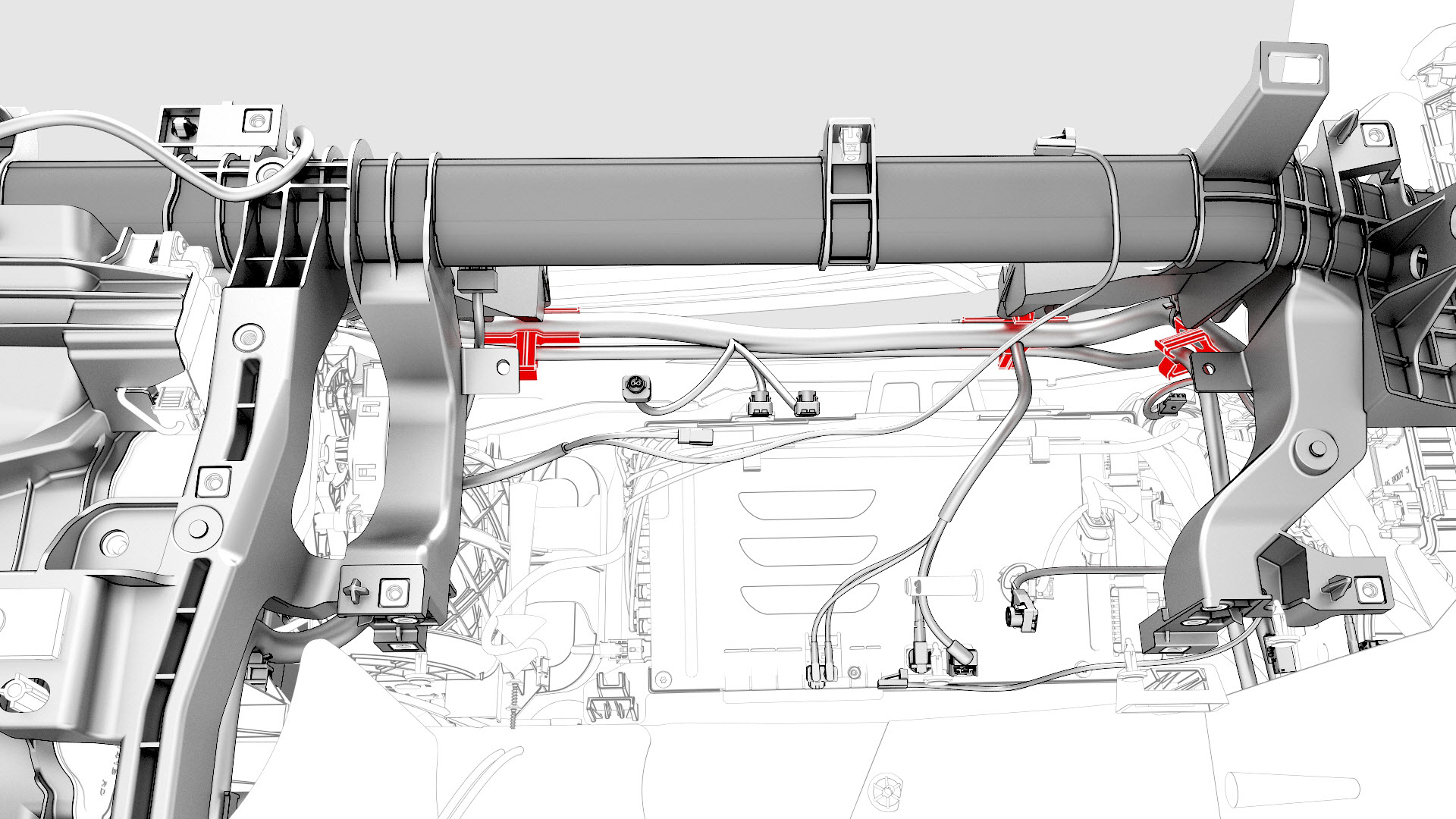
Release the clips that attach the HVAC electrical harness to the instrument panel electrical harness.
-
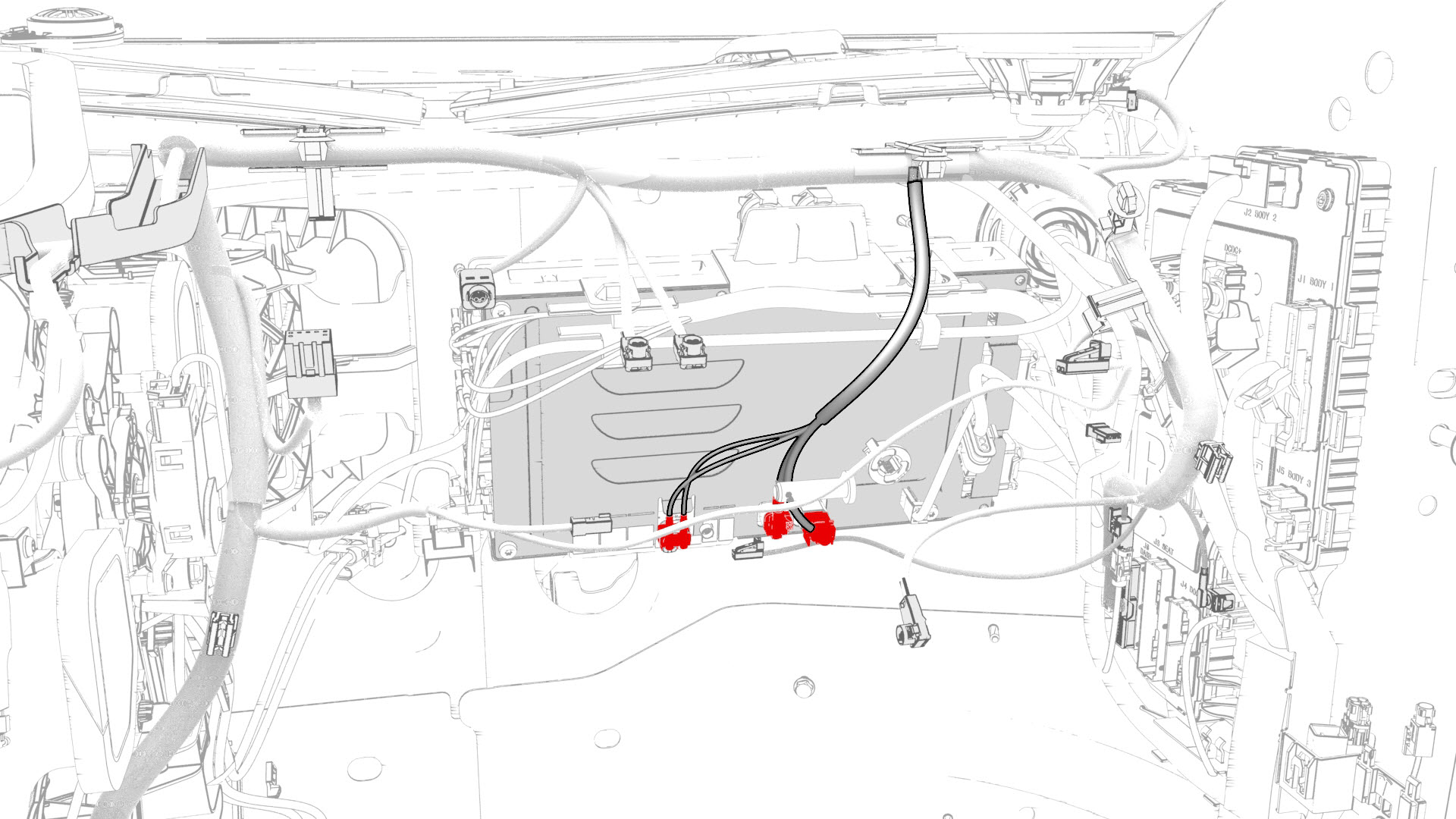
Disconnect the instrument panel electrical harness from the car computer connectors.
-
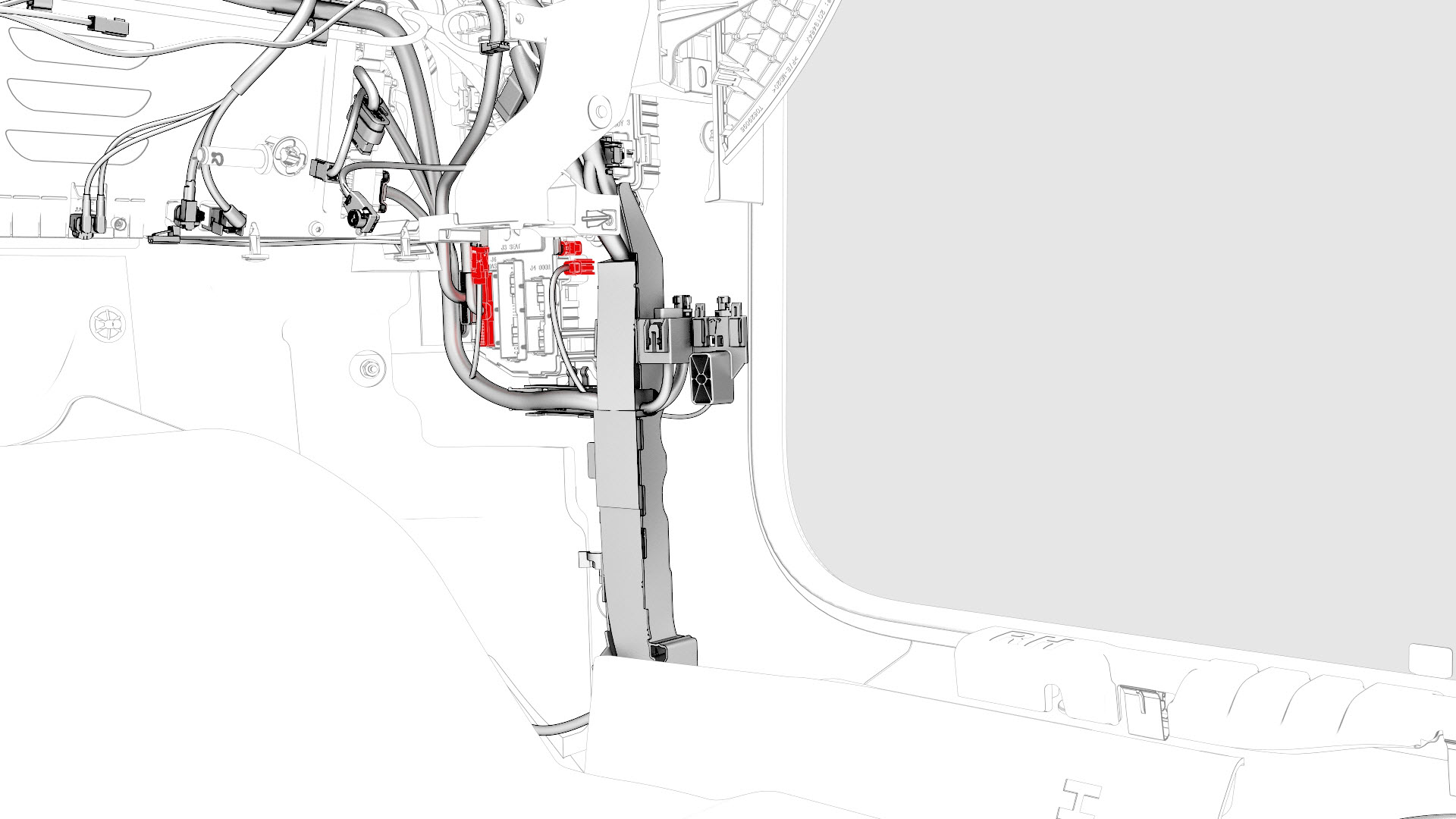
Disconnect the instrument panel electrical harness from the RH body controller module connectors.
-
Remove the fasteners that attach the RH cross car beam bracket, and remove the bracket from the vehicle.
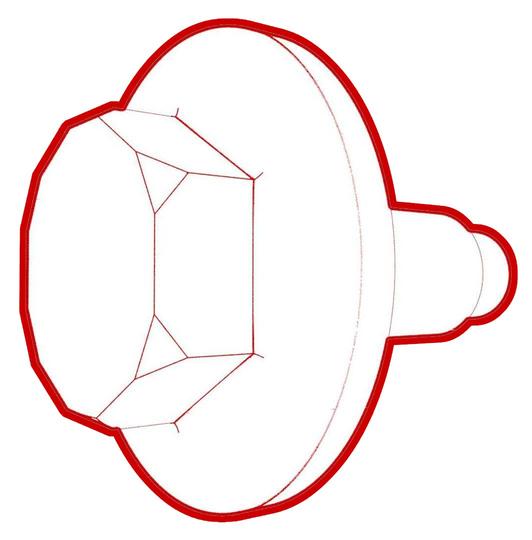 Torque 25 Nm
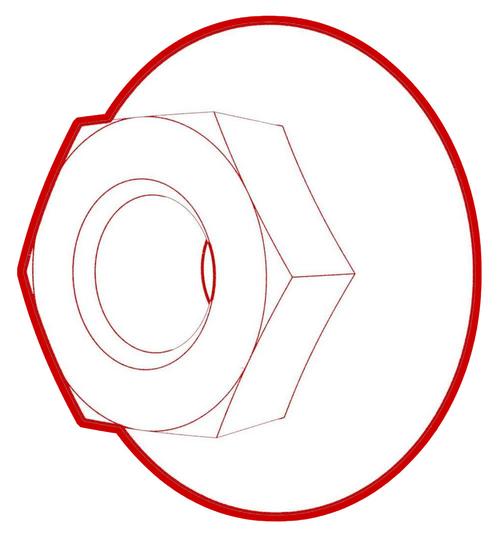 Torque 25 Nm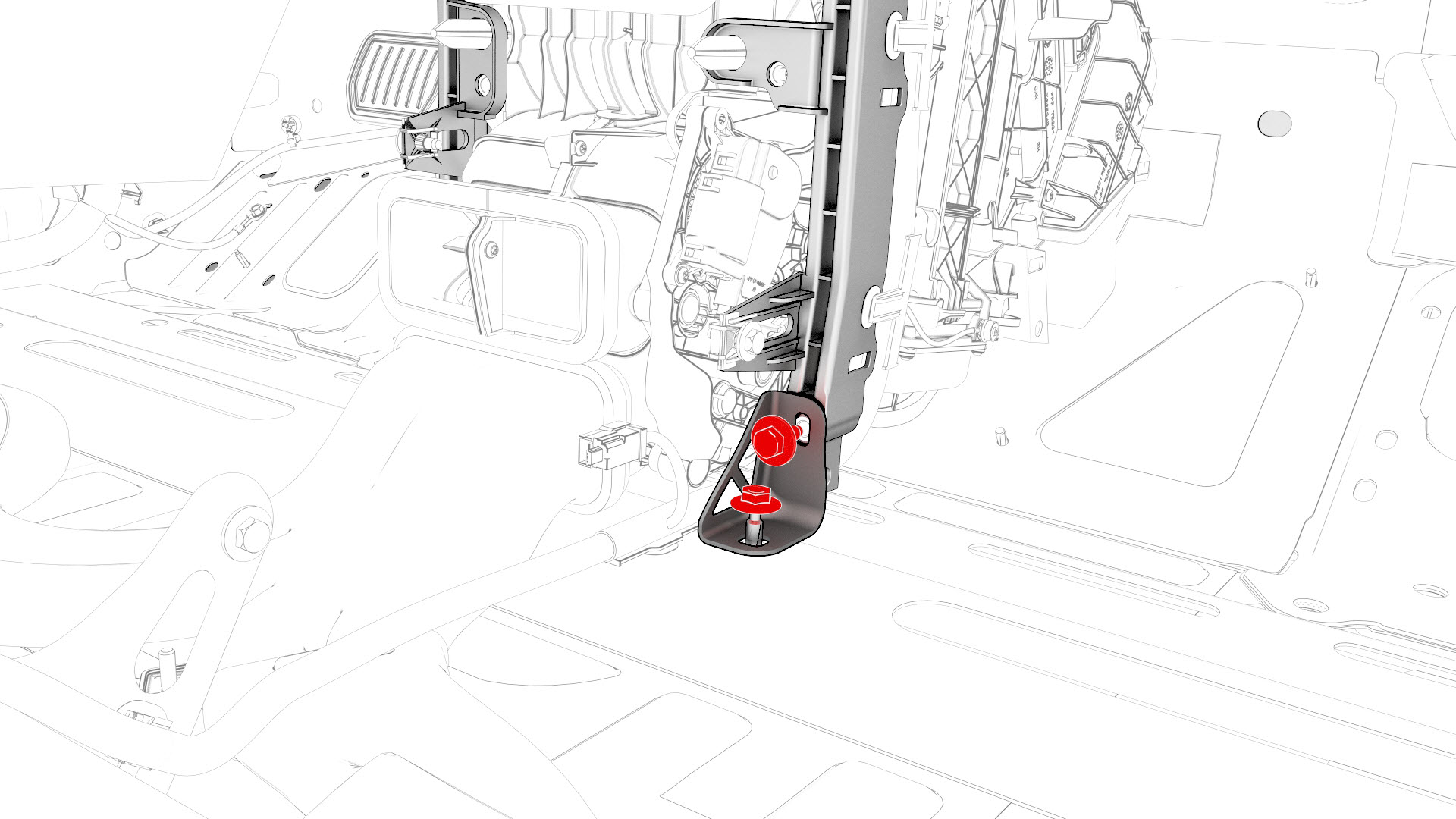
-
Release the clips that attach the instrument panel electrical harness to the cross car beam, and then remove the electrical harness from the cross car beam.
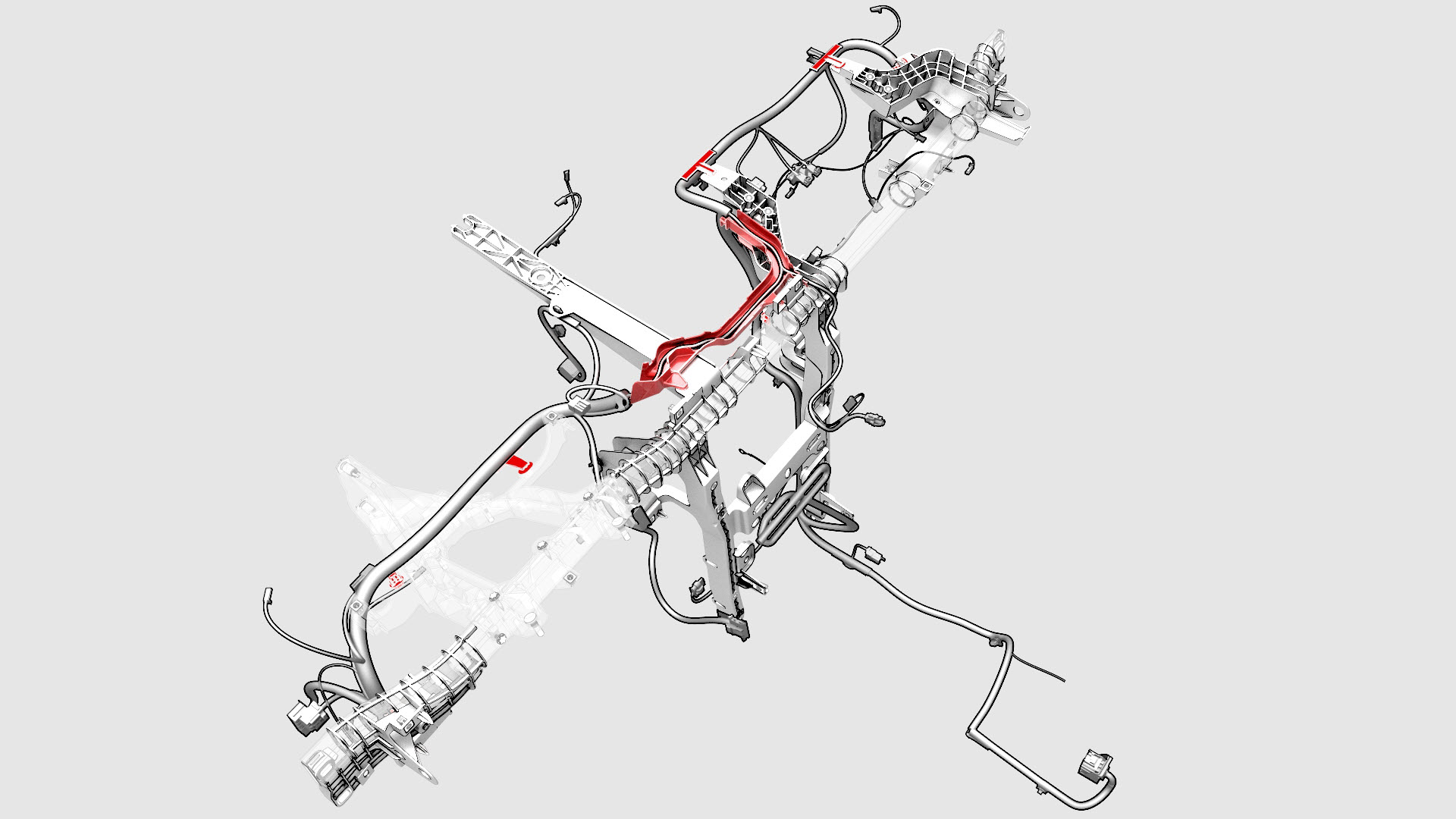
-
Remove the bolts that attach the steering column to the body.
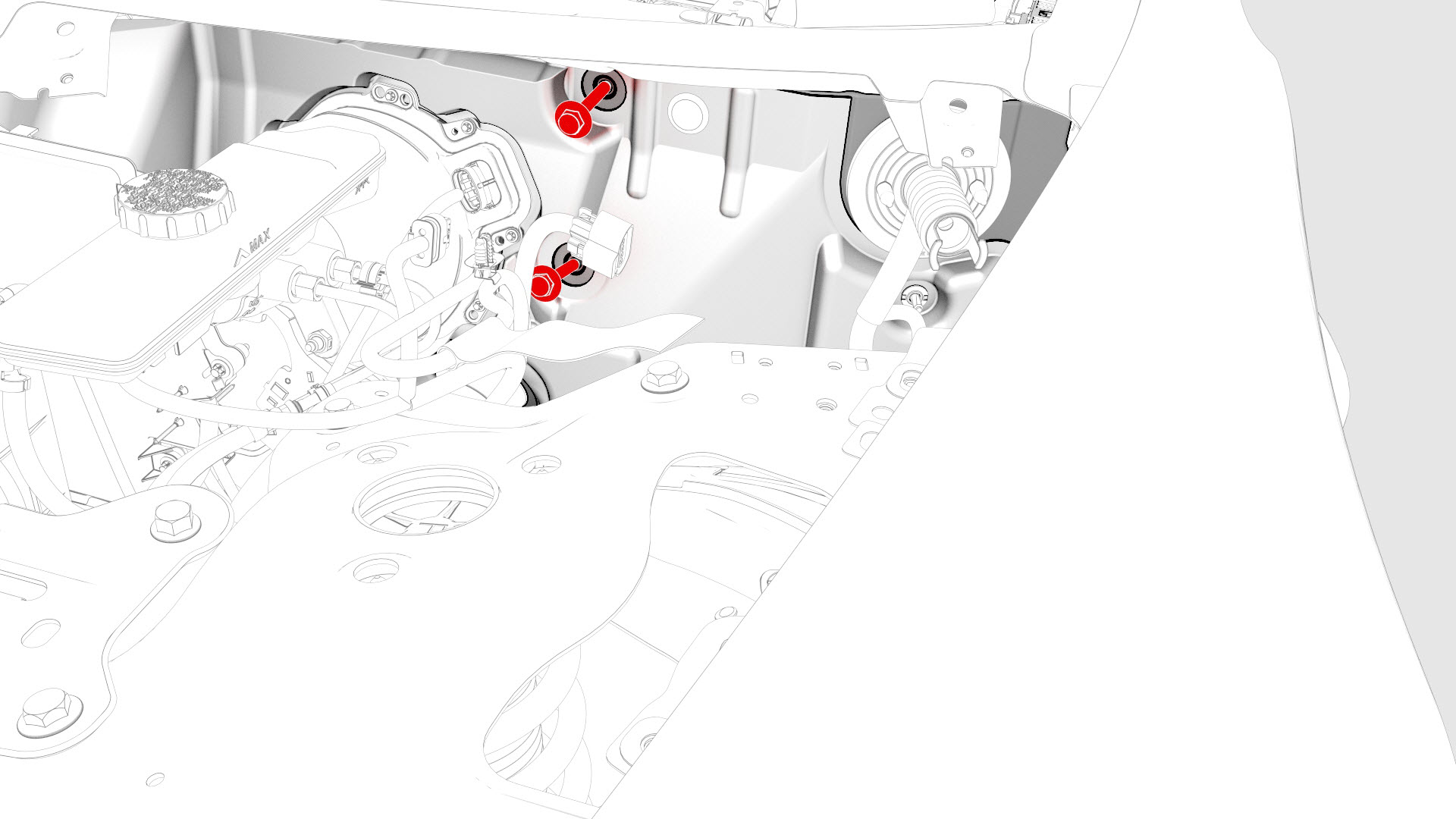
-
Remove the nuts that attach the steering column to the cross car beam.
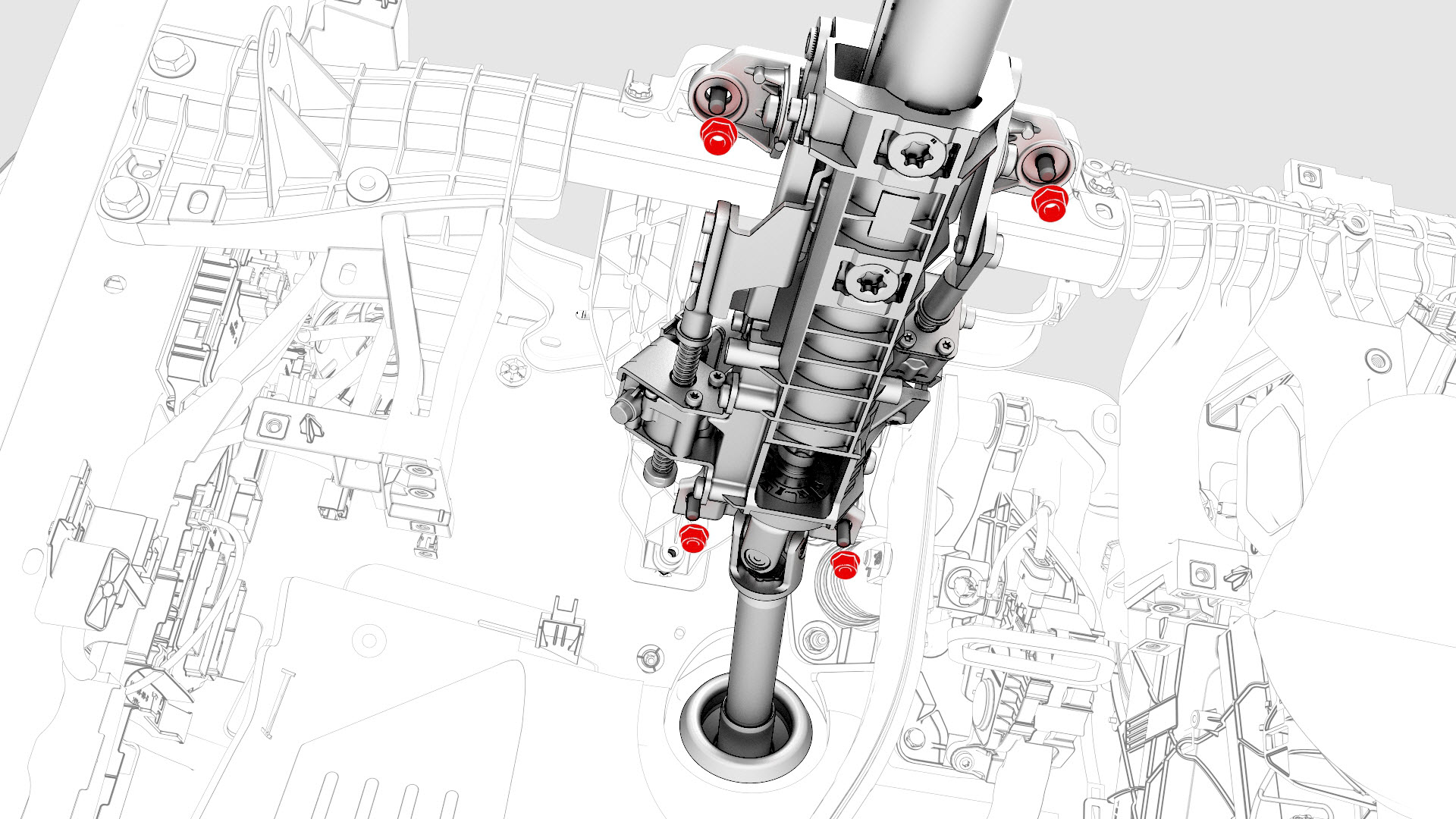
-
Remove the bolts that attach the touchscreen brackets, and remove the brackets from the vehicle.
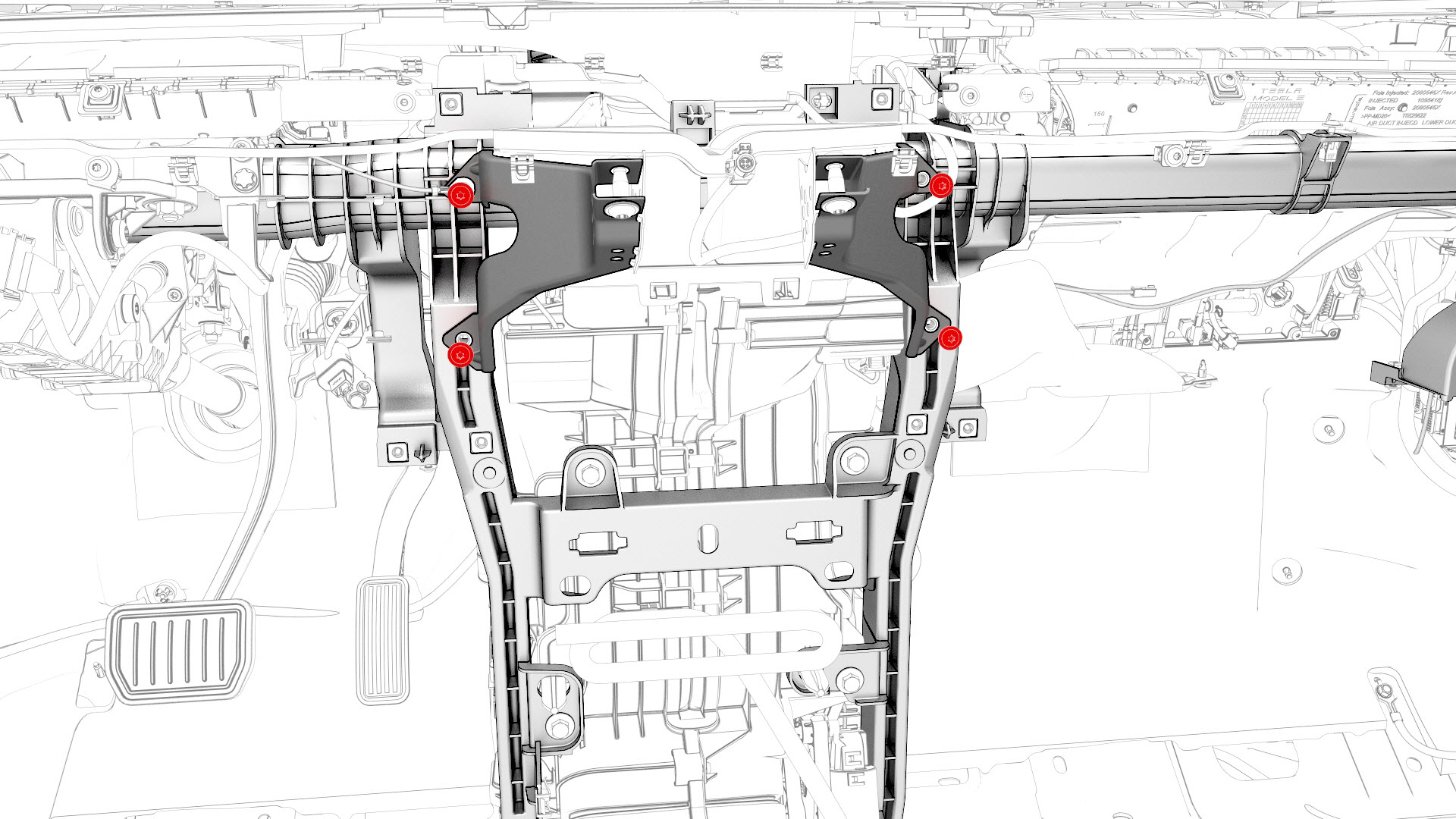
-
Release the clips that attach the bleeder duct adapter to the HVAC assembly, and remove the bleeder duct form the vehicle.
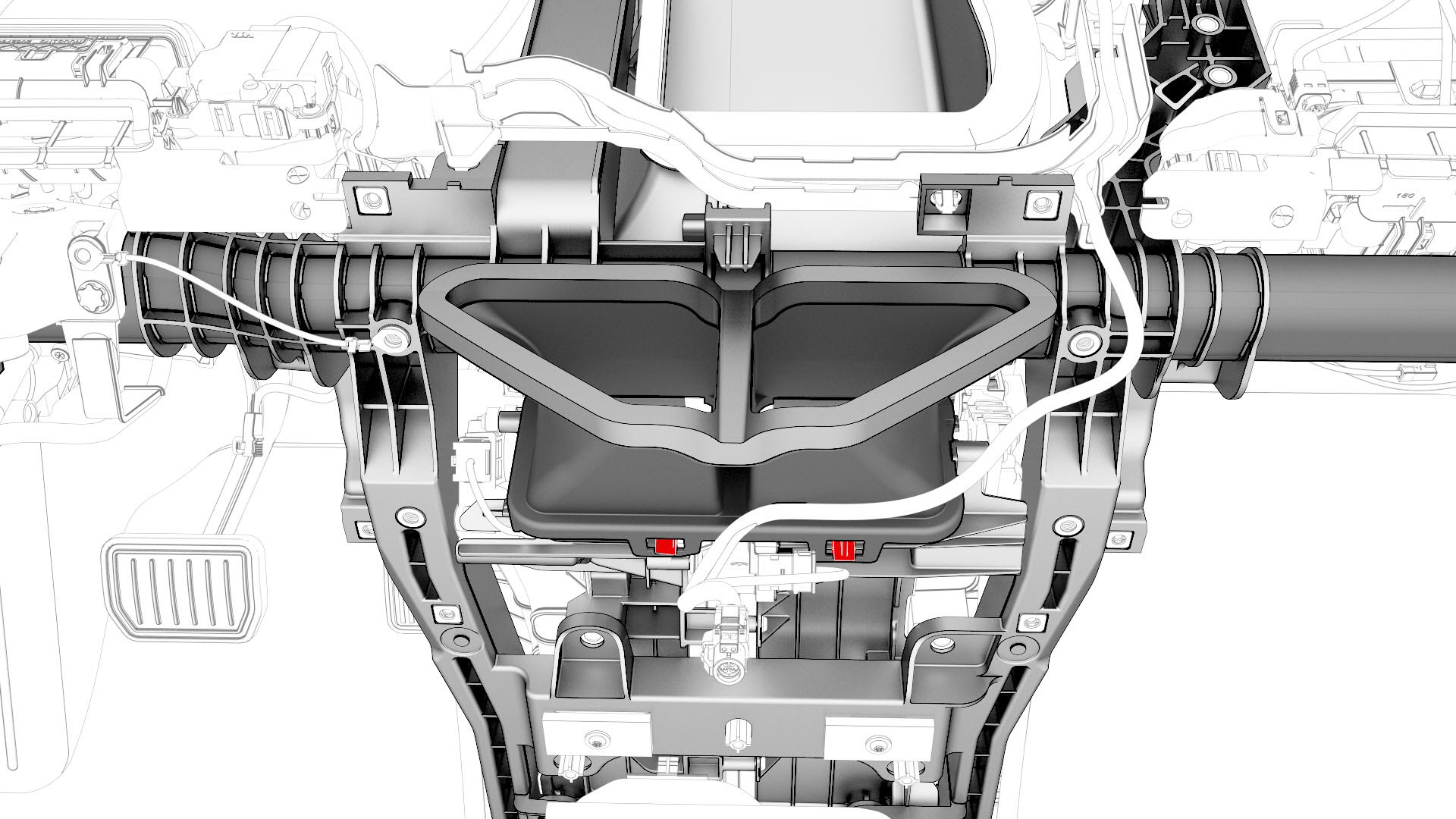
-
Remove the bolts that attach the cross car beam to the upper side of the cowl.
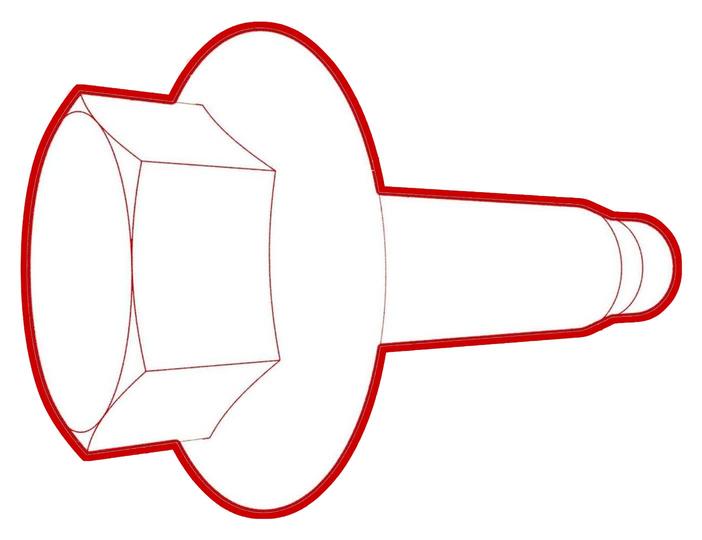 Torque 25 Nm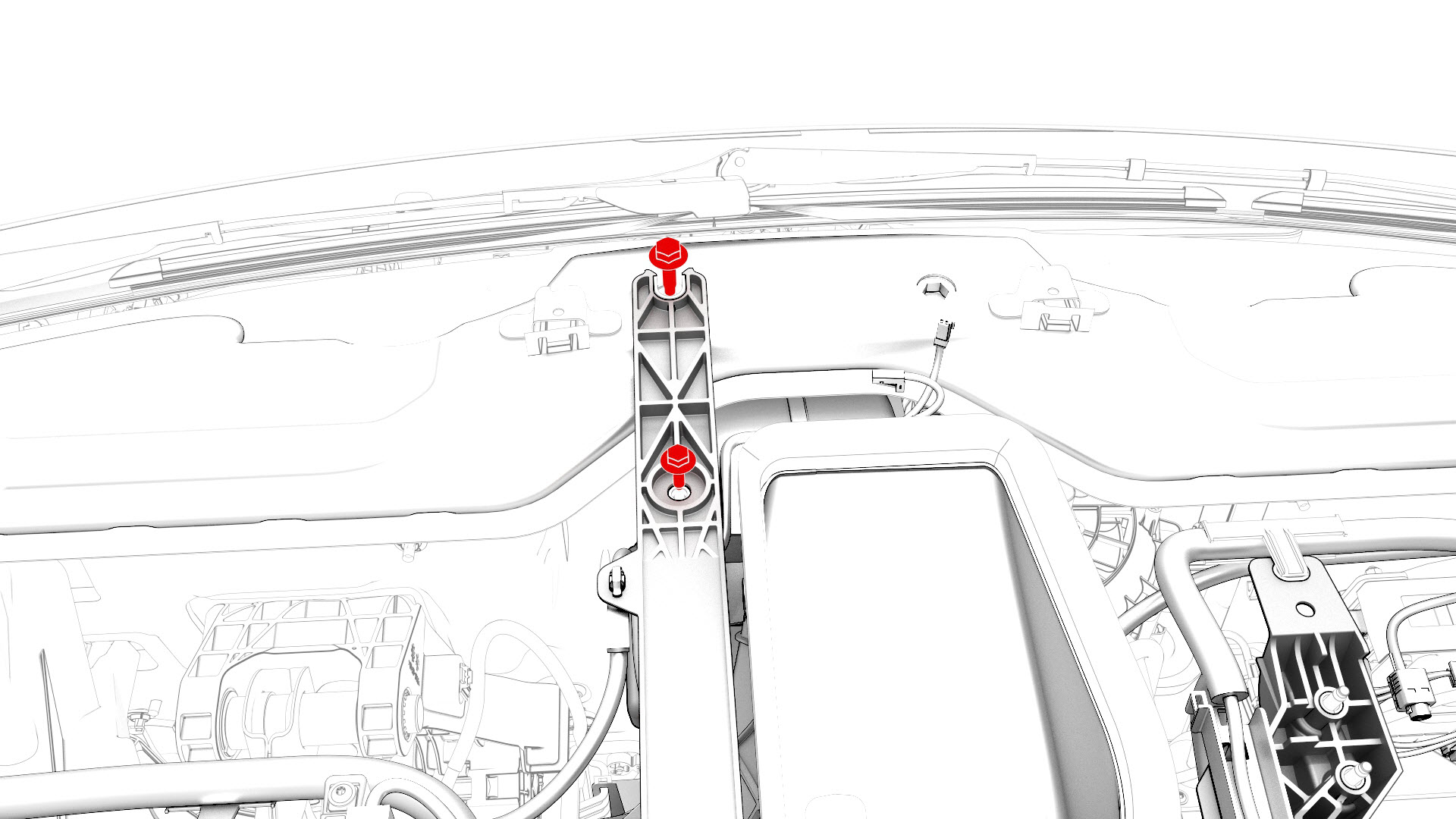
-
Remove the bolts that attach the cross car beam to the HVAC assembly.
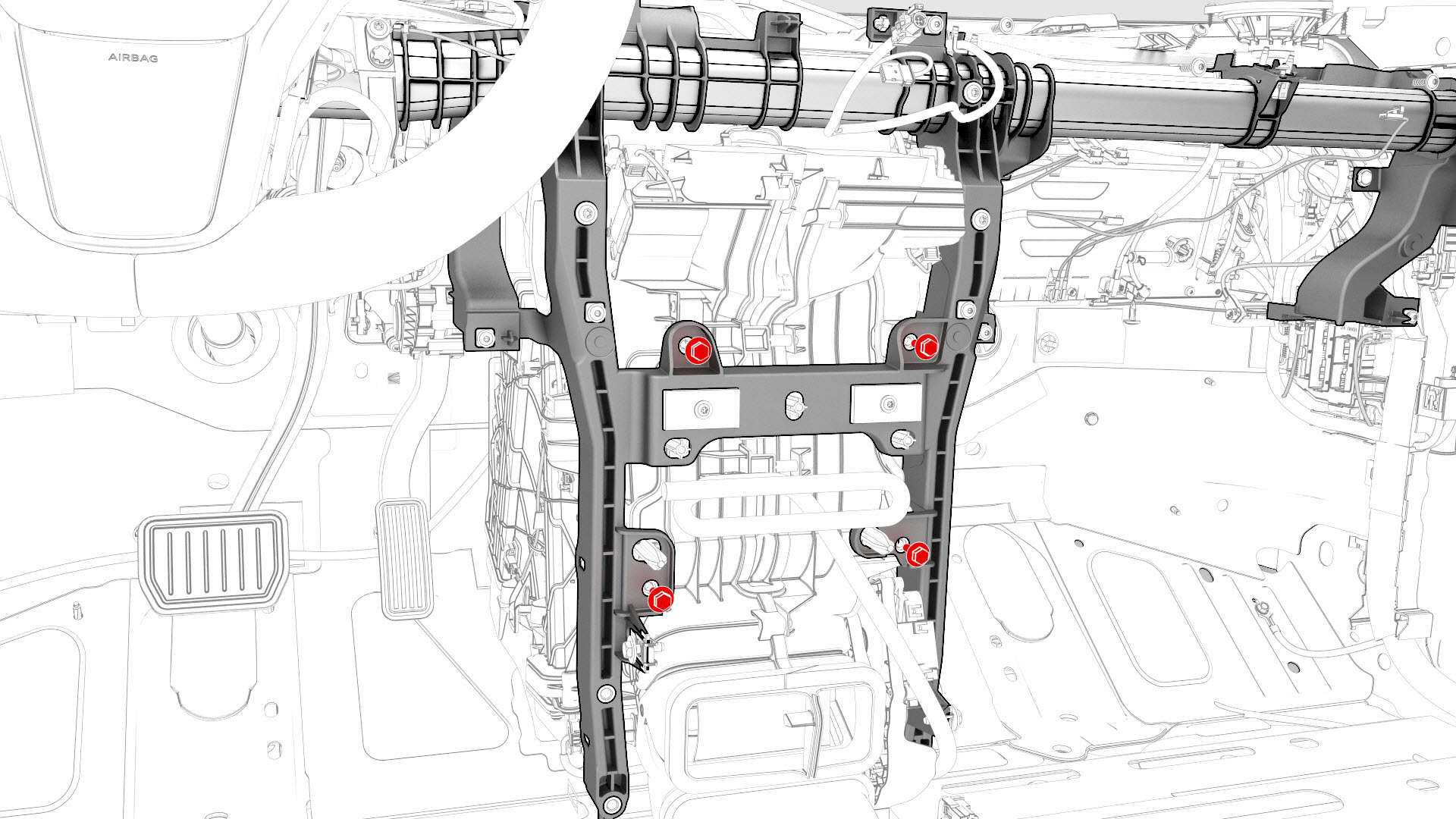
-
Remove the fasteners that attach the LH cross car beam bracket to the cross car beam, and then remove the cross car beam bracket from the vehicle.
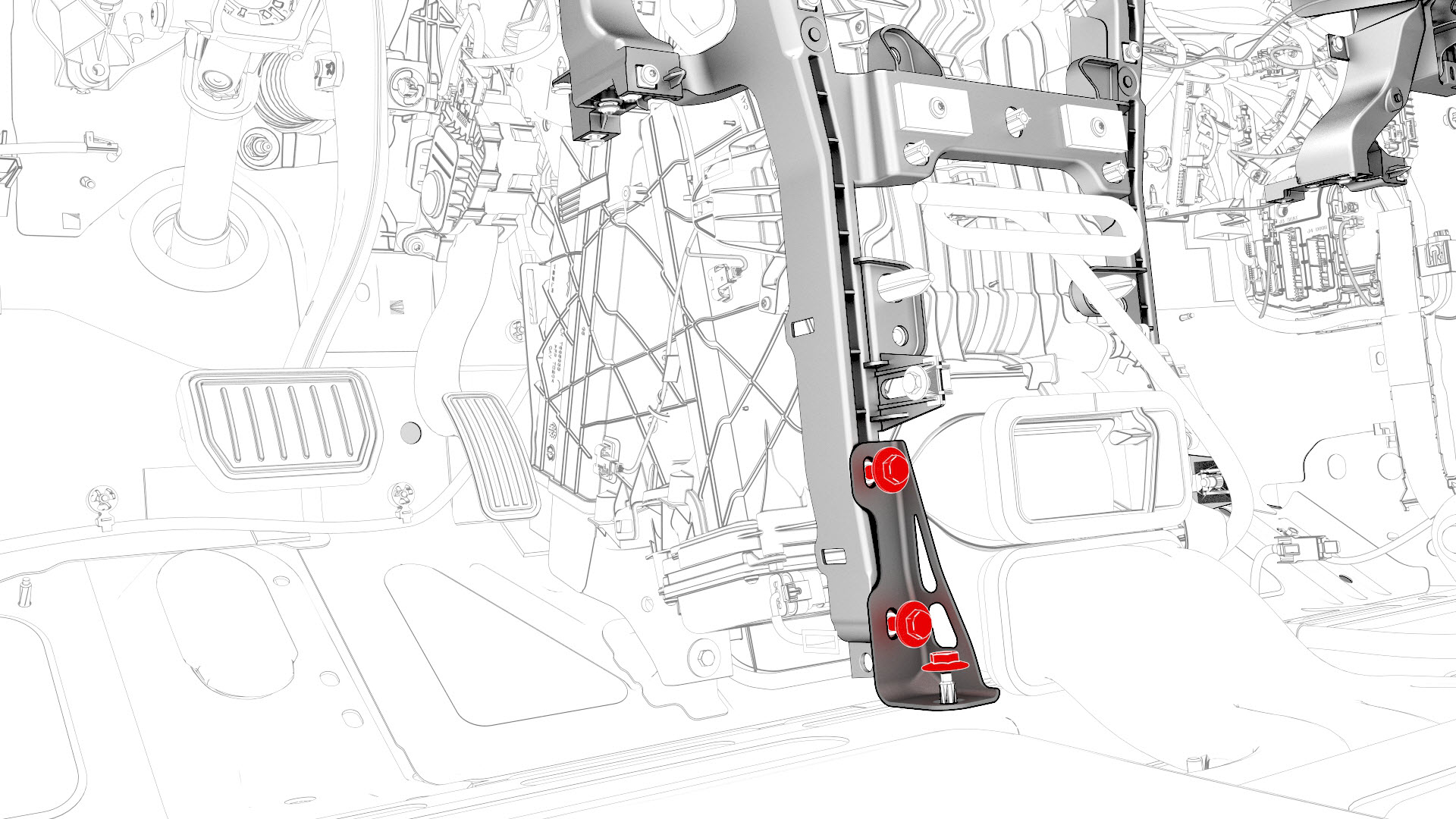
-
Remove the bolts that attach the cross car beam to the body.
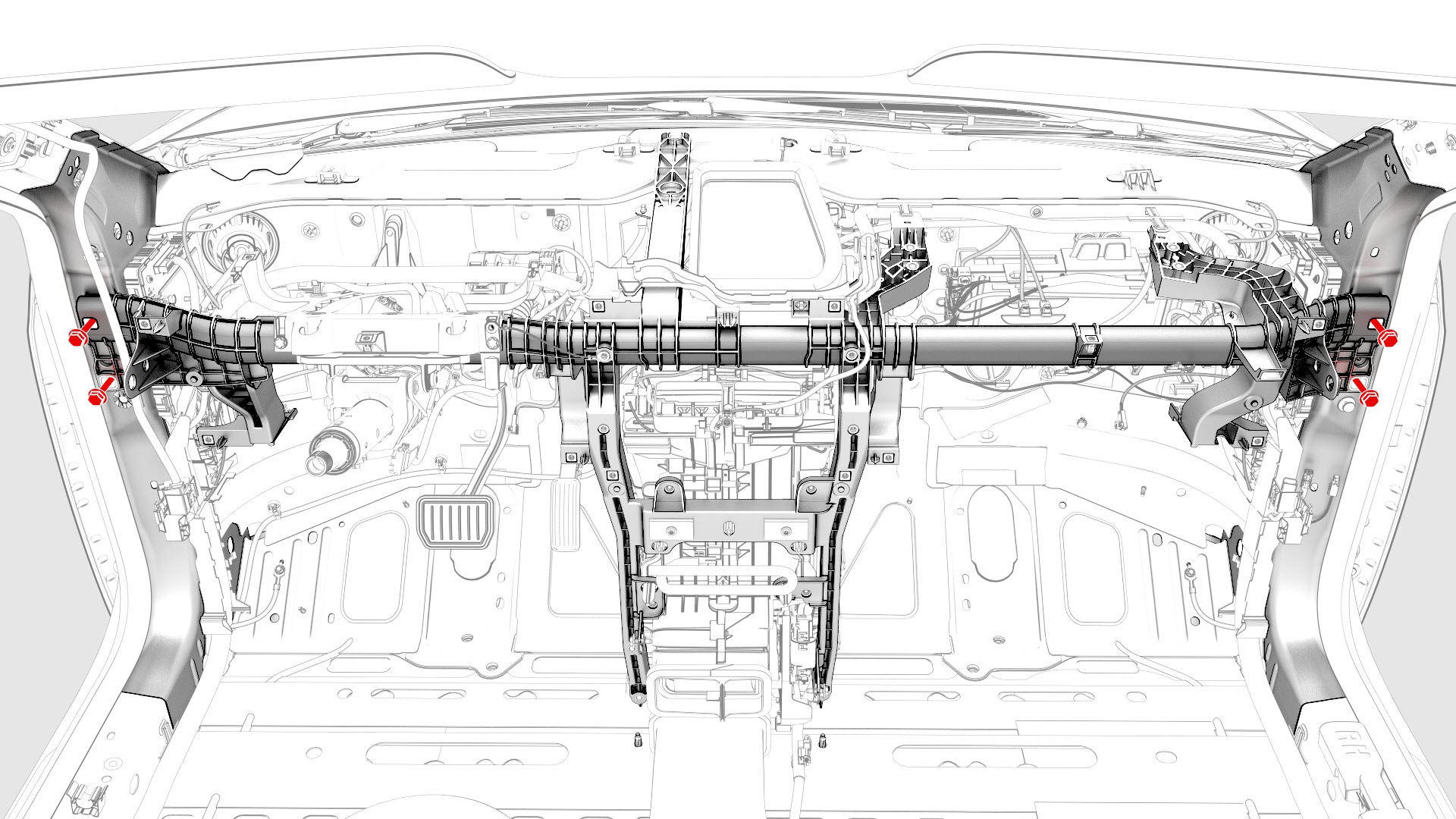
-
With an assistant, remove the cross car beam from the vehicle and place it on a support stand or table.
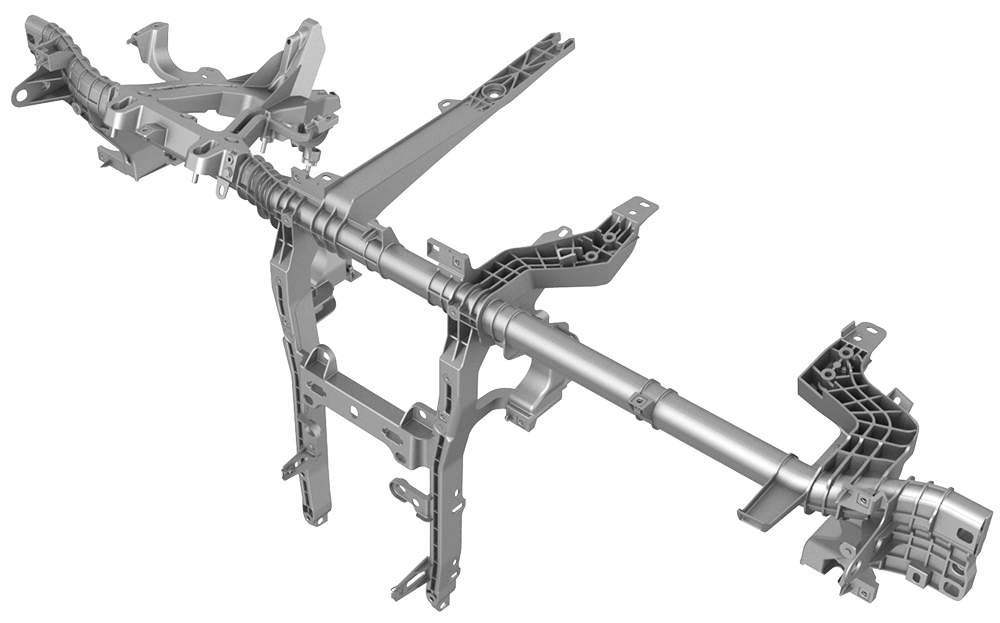
| 1 | Remove the IP carrier. See IP Carrier (Remove and Install). | ||
| 2 | Remove the LH air wave duct. See Duct - Air Wave - LH (Remove and Replace). | ||
| 3 | Remove the LH footwell duct. See Duct - Footwell - LH (Remove and Replace). | ||
| 4 | Remove the clips that attach the LH side of the main carpet to the footwell area. | |
| 5 | Remove the clips that attach the RH side of the main carpet to the footwell area. | |
| 6 | Fold the cabin main carpet backwards to access the instrument panel electrical harness. | ||
| 7 | Disconnect the headliner electrical harness from the LH body controller module connector. | |
| 8 | Release the clips that attach the headliner electrical harness and move it aside. | |
| 9 | Disconnect the instrument panel electrical harness from the LH body controller module connectors. | |
| 10 | Disconnect the electrical harness from the steering column control module connector. | |
| 11 | Release the clips that attach the electrical harness to the steering column. | |
| 12 | Release the clips (x2) that attach the instrument panel electrical harness to the HVAC fan assembly. | |
| 13 | Disconnect the instrument panel electrical harness from the HVAC fan assembly motor connector. | |
| 14 | Disconnect the instrument panel electrical harness from the PTC heater connector. | |
| 15 | Release the clip that attaches the instrument panel electrical harness to the PTC heater. | |
| 16 | Release the clips and the harness holder that attach the instrument panel electrical harness to the top portion of the cross car beam, and then release the HVAC electrical harness from the instrument panel electrical harness. | |
| 17 | Release the clips that attaches the instrument panel electrical harness to the RH side of the HVAC assembly. | |
| 18 | Remove the nut that attaches the instrument panel electrical harness ground strap near the PTC heater. | |
| 19 | Remove and discard the bolt that attaches the instrument panel electrical harness ground strap to the body. | |
| 20 | Disconnect the instrument panel electrical harness from the passive safety restraint module (RCM) connector. | |
| 21 | Release the clips that attach the instrument panel electrical harness to the body. | |
| 22 | Release the clips that attach the HVAC electrical harness to the instrument panel electrical harness. | |
| 23 | Disconnect the instrument panel electrical harness from the car computer connectors. | |
| 24 | Disconnect the instrument panel electrical harness from the RH body controller module connectors. | |
| 25 | Remove the fasteners that attach the RH cross car beam bracket, and remove the bracket from the vehicle. Torque 25 Nm Torque 25 Nm | |
| 26 | Release the clips that attach the instrument panel electrical harness to the cross car beam, and then remove the electrical harness from the cross car beam. | |
| 27 | Remove the bolts that attach the steering column to the body. | |
| 28 | Remove the nuts that attach the steering column to the cross car beam. | |
| 29 | Lower the steering column and set it aside. | ||
| 30 | Remove the bolts that attach the touchscreen brackets, and remove the brackets from the vehicle. | |
| 31 | Release the clips that attach the bleeder duct adapter to the HVAC assembly, and remove the bleeder duct form the vehicle. | |
| 32 | Remove the bolts that attach the cross car beam to the upper side of the cowl. Torque 25 Nm | |
| 33 | Remove the bolts that attach the cross car beam to the HVAC assembly. | |
| 34 | Remove the fasteners that attach the LH cross car beam bracket to the cross car beam, and then remove the cross car beam bracket from the vehicle. | |
| 35 | Remove the bolts that attach the cross car beam to the body. | |
| 36 | With an assistant, remove the cross car beam from the vehicle and place it on a support stand or table. |
Install
-
With an assistant, position the cross car beam in the vehicle for installation.
 Caution:Do not damage the interior when installing the cross car beam in the vehicle.
 -
Hand-tighten the bolts that attach the LH and RH corners of the cross car beam to the body.
-
Hand-tighten the bolts that attach the cross car beam to the upper side of the cowl.
-
Hand-tighten the bolts that attach the cross car beam to the HVAC assembly.
-
Hand-tighten the fasteners that attach the RH cross car beam bracket.
-
Hand-tighten the fasteners that attach the LH cross car beam bracket to the cross car beam, and then tighten the fasteners to specifications.Torque 25 NmTorque 25 Nm
-
Tighten the fasteners that attach the RH cross car beam bracket.Torque 25 NmTorque 25 Nm
-
Tighten the bolts that attach the cross car beam to the HVAC assembly.
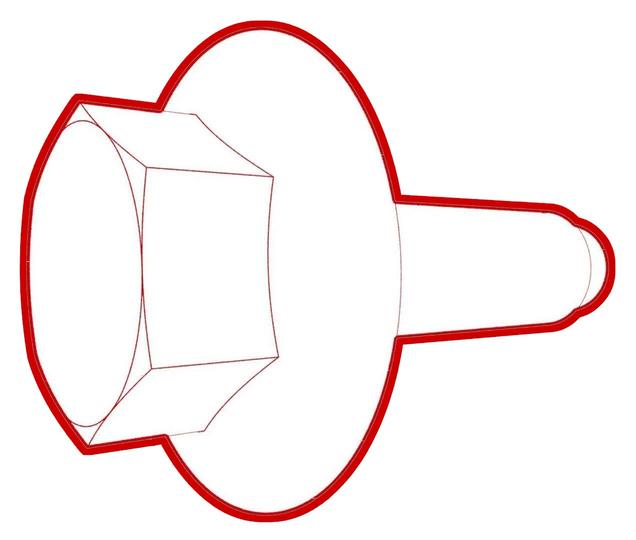 Torque 5.5 Nm
 -
Tighten the bolts that attach the cross car beam to the upper side of the cowl.Torque 25 Nm
-
Tighten the bolts that attach the LH and RH corners of the cross car beam to the body.
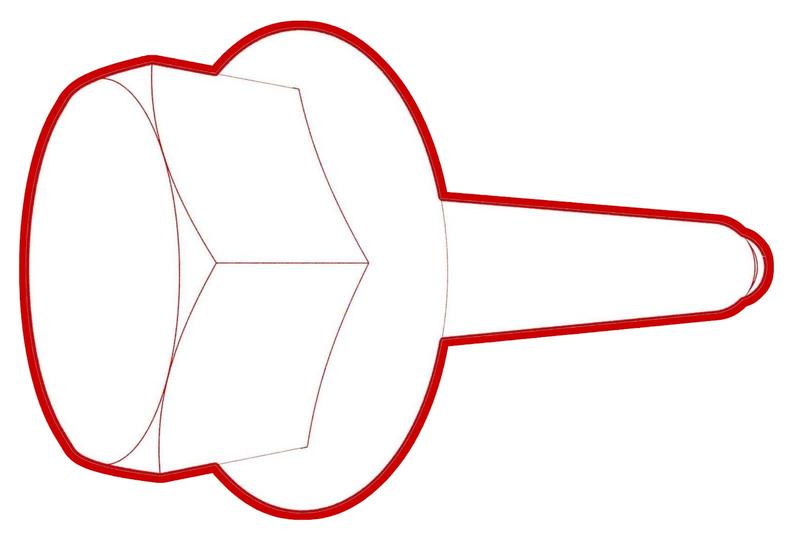 Torque 29 Nm
 -
Install the clips that attach the bleeder duct adapter to the HVAC assembly.
-
Install the bolts that attach the touchscreen brackets.
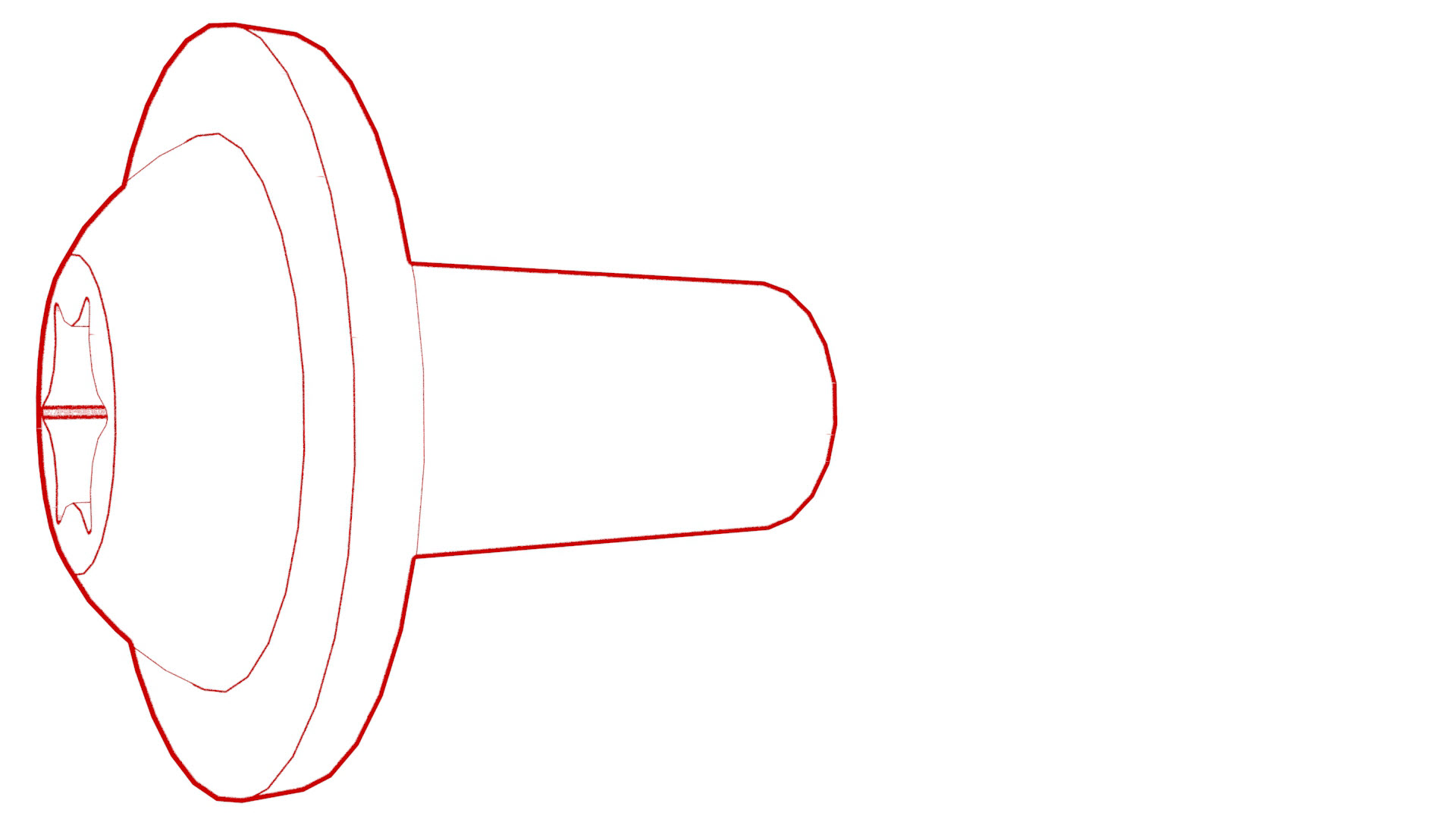 Torque 12 Nm
 -
Install the nuts that attach the steering column to the cross car beam.
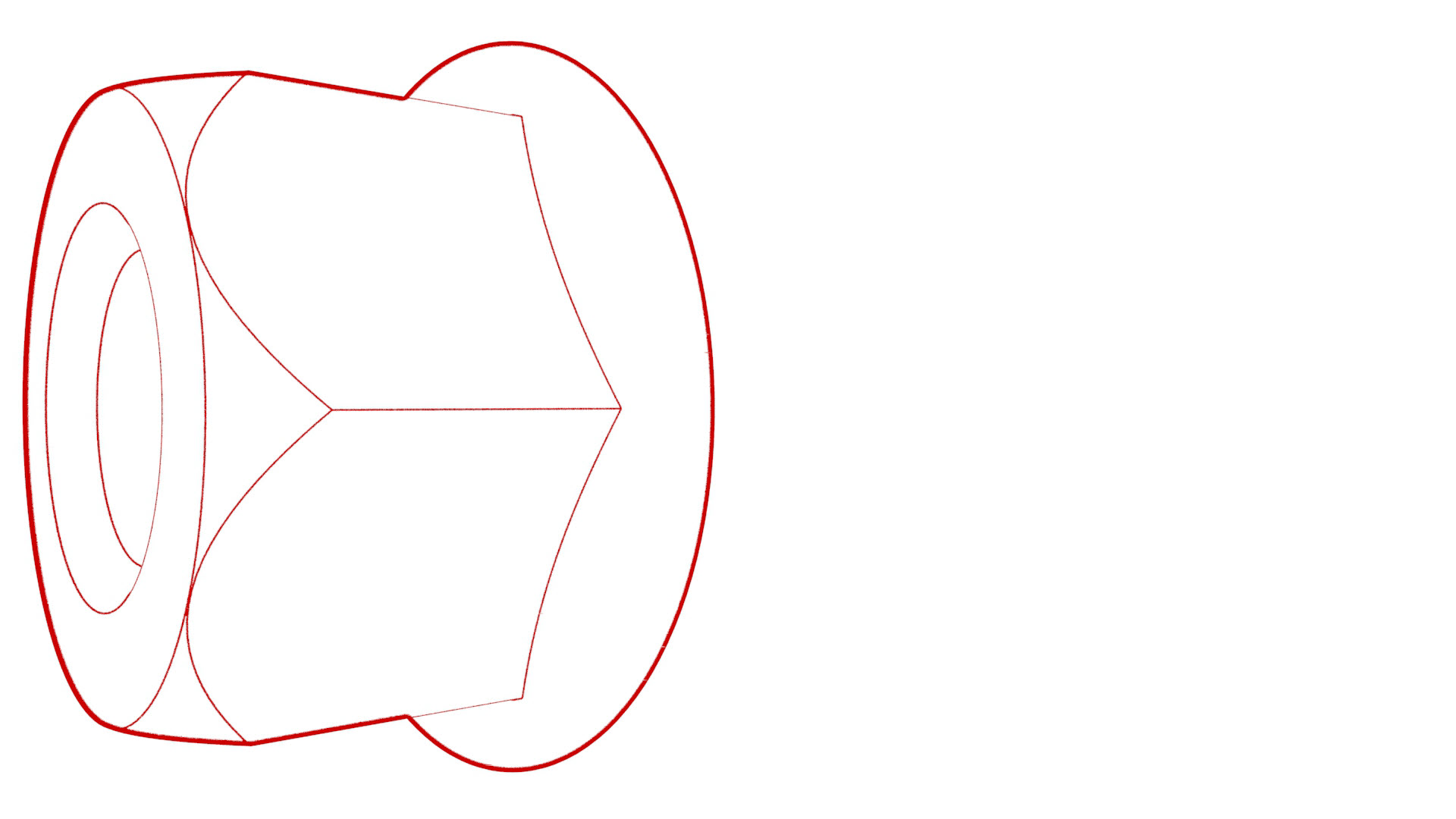 Torque 15 Nm
 -
Install the bolts that attach the steering column to the body.
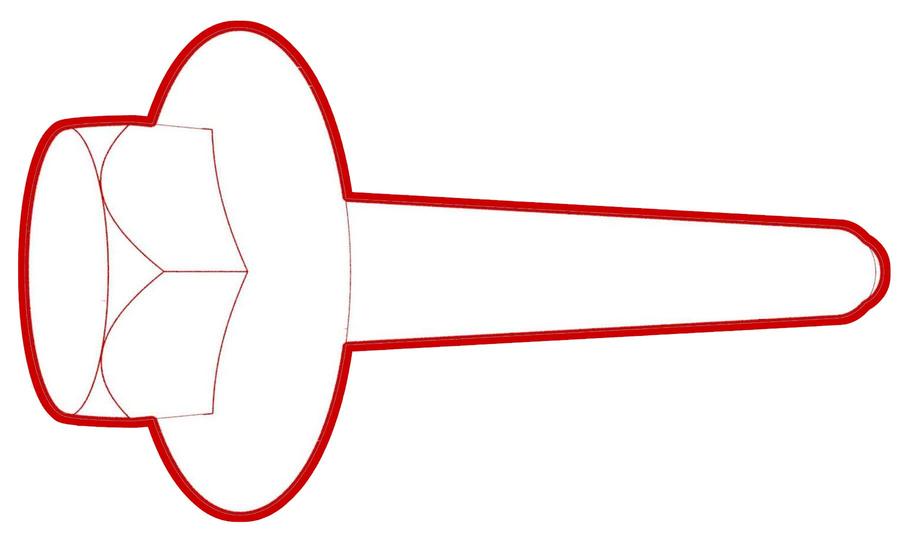 Torque 25 Nm
 -
Connect the instrument panel electrical harness onto the RH body controller module connectors.
-
Connect the instrument panel electrical harness onto the car computer connectors.
-
Install the clips that attach the HVAC electrical harness to the instrument panel electrical harness.
-
Install the clips that attach the instrument panel electrical harness to the body.
-
Connect the instrument panel electrical harness to the passive safety restraint module (RCM) connector.
-
Install a new bolt to attach the instrument panel electrical harness ground strap to the body.
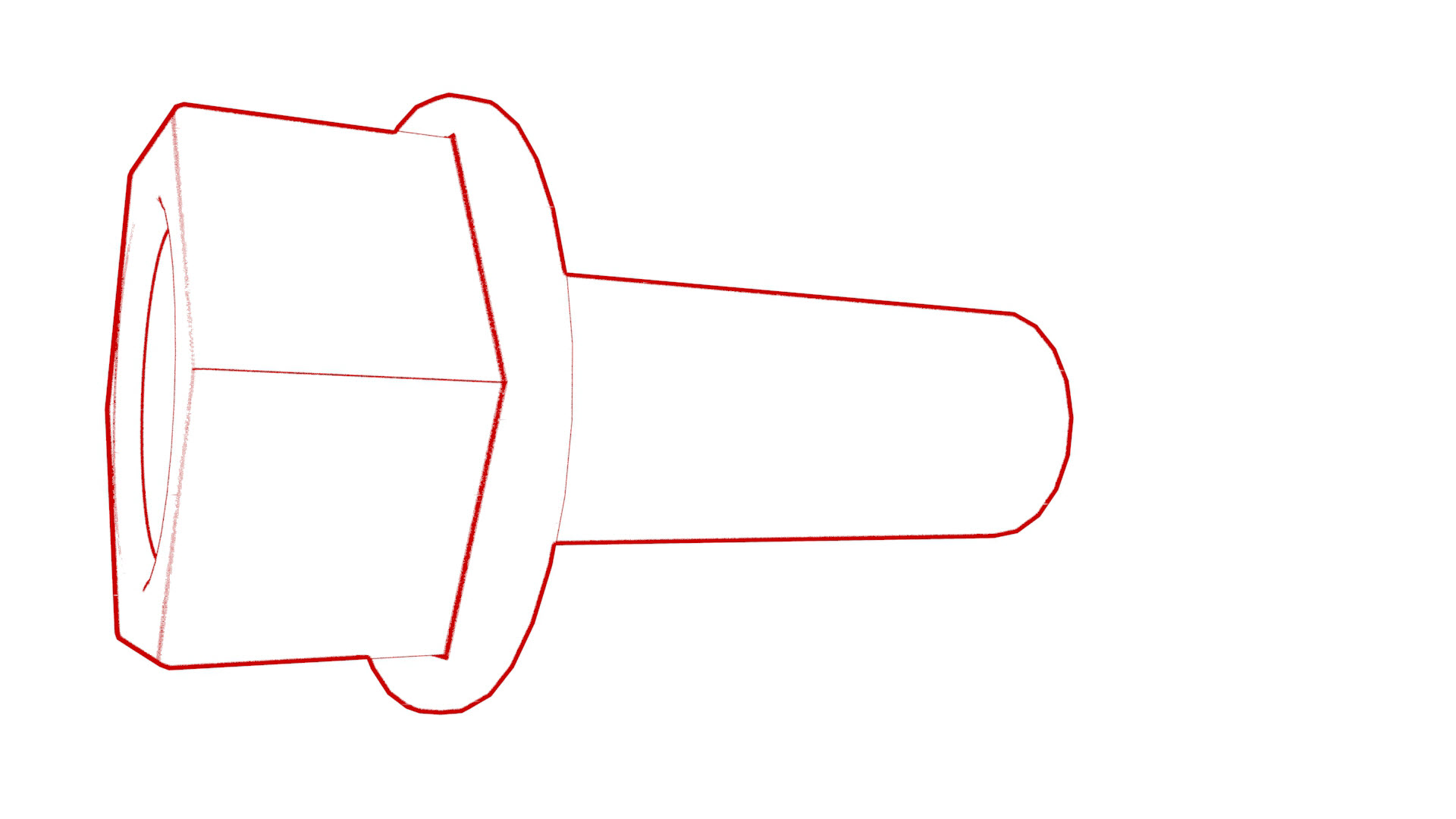 Torque 8 Nm
 -
Install the nut that attaches the instrument panel electrical harness ground strap near the PTC heater.
 Torque 5 Nm
 -
Install the clips that attaches the instrument panel electrical harness to the RH side of the HVAC assembly.
-
Install the clips and the harness holder that attach the instrument panel electrical harness to the top portion of the cross car beam.
-
Install the clip that attaches the instrument panel electrical harness to the PTC heater.
-
Connect the instrument panel electrical harness to the PTC heater connector.
-
Connect the instrument panel electrical harness to the HVAC fan assembly motor connector.
-
Install the clips (x2) that attach the instrument panel electrical harness to the HVAC fan assembly.
-
Install the clips that attach the electrical harness to the steering column.
-
Connect the electrical harness to the steering column control module connector.
-
Connect the instrument panel electrical harness to the LH body controller module connectors.
-
Install the clips that attach the headliner electrical harness to the body.
-
Connect the headliner electrical harness to the LH body controller module connector.
-
Install the clips that attach the LH side of the main carpet to the footwell area.
-
Install the clips that attach the RH side of the main carpet to the footwell area.
| 1 | With an assistant, position the cross car beam in the vehicle for installation. Caution: Do not damage the interior when installing the cross car beam in the vehicle.
| ||
| 2 | Hand-tighten the bolts that attach the LH and RH corners of the cross car beam to the body. | |
| 3 | Hand-tighten the bolts that attach the LH cross car beam to the body. | ||
| 4 | Hand-tighten the bolts that attach the cross car beam to the upper side of the cowl. | |
| 5 | Hand-tighten the bolts that attach the cross car beam to the HVAC assembly. | |
| 6 | Hand-tighten the fasteners that attach the RH cross car beam bracket. | |
| 7 | Hand-tighten the fasteners that attach the LH cross car beam bracket to the cross car beam, and then tighten the fasteners to specifications. Torque 25 Nm Torque 25 Nm | |
| 8 | Tighten the fasteners that attach the RH cross car beam bracket. Torque 25 Nm Torque 25 Nm | |
| 9 | Tighten the bolts that attach the cross car beam to the HVAC assembly. Torque 5.5 Nm | |
| 10 | Tighten the bolts that attach the cross car beam to the upper side of the cowl. Torque 25 Nm | |
| 11 | Tighten the bolts that attach the LH and RH corners of the cross car beam to the body. Torque 29 Nm | |
| 12 | Install the clips that attach the bleeder duct adapter to the HVAC assembly. | |
| 13 | Install the bolts that attach the touchscreen brackets. Torque 12 Nm | |
| 14 | Position the steering column in the vehicle for installation. | ||
| 15 | Install the nuts that attach the steering column to the cross car beam. Torque 15 Nm | |
| 16 | Install the bolts that attach the steering column to the body. Torque 25 Nm | |
| 17 | Position the instrument panel electrical harness onto the cross car beam and center console for installation. | ||
| 18 | Connect the instrument panel electrical harness onto the RH body controller module connectors. | |
| 19 | Connect the instrument panel electrical harness onto the car computer connectors. | |
| 20 | Install the clips that attach the HVAC electrical harness to the instrument panel electrical harness. | |
| 21 | Install the clips that attach the instrument panel electrical harness to the body. | |
| 22 | Connect the instrument panel electrical harness to the passive safety restraint module (RCM) connector. | |
| 23 | Install a new bolt to attach the instrument panel electrical harness ground strap to the body. Torque 8 Nm | |
| 24 | Install the nut that attaches the instrument panel electrical harness ground strap near the PTC heater. Torque 5 Nm | |
| 25 | Install the clips that attaches the instrument panel electrical harness to the RH side of the HVAC assembly. | |
| 26 | Install the clips and the harness holder that attach the instrument panel electrical harness to the top portion of the cross car beam. | |
| 27 | Install the clip that attaches the instrument panel electrical harness to the PTC heater. | |
| 28 | Connect the instrument panel electrical harness to the PTC heater connector. | |
| 29 | Connect the instrument panel electrical harness to the HVAC fan assembly motor connector. | |
| 30 | Install the clips (x2) that attach the instrument panel electrical harness to the HVAC fan assembly. | |
| 31 | Install the clips that attach the electrical harness to the steering column. | |
| 32 | Connect the electrical harness to the steering column control module connector. | |
| 33 | Connect the instrument panel electrical harness to the LH body controller module connectors. | |
| 34 | Install the clips that attach the headliner electrical harness to the body. | |
| 35 | Connect the headliner electrical harness to the LH body controller module connector. | |
| 36 | Install the clips that attach the LH side of the main carpet to the footwell area. | |
| 37 | Install the LH air wave duct. See Duct - Air Wave - LH (Remove and Replace). | ||
| 38 | Install the LH footwell duct. See Duct - Footwell - LH (Remove and Replace). | ||
| 39 | Install the clips that attach the RH side of the main carpet to the footwell area. | |
| 40 | Install the IP carrier. See IP Carrier (Remove and Install). |