Sensor - Relative Humidity and Temperature (Remove and Replace)
Correction code 1020600210206002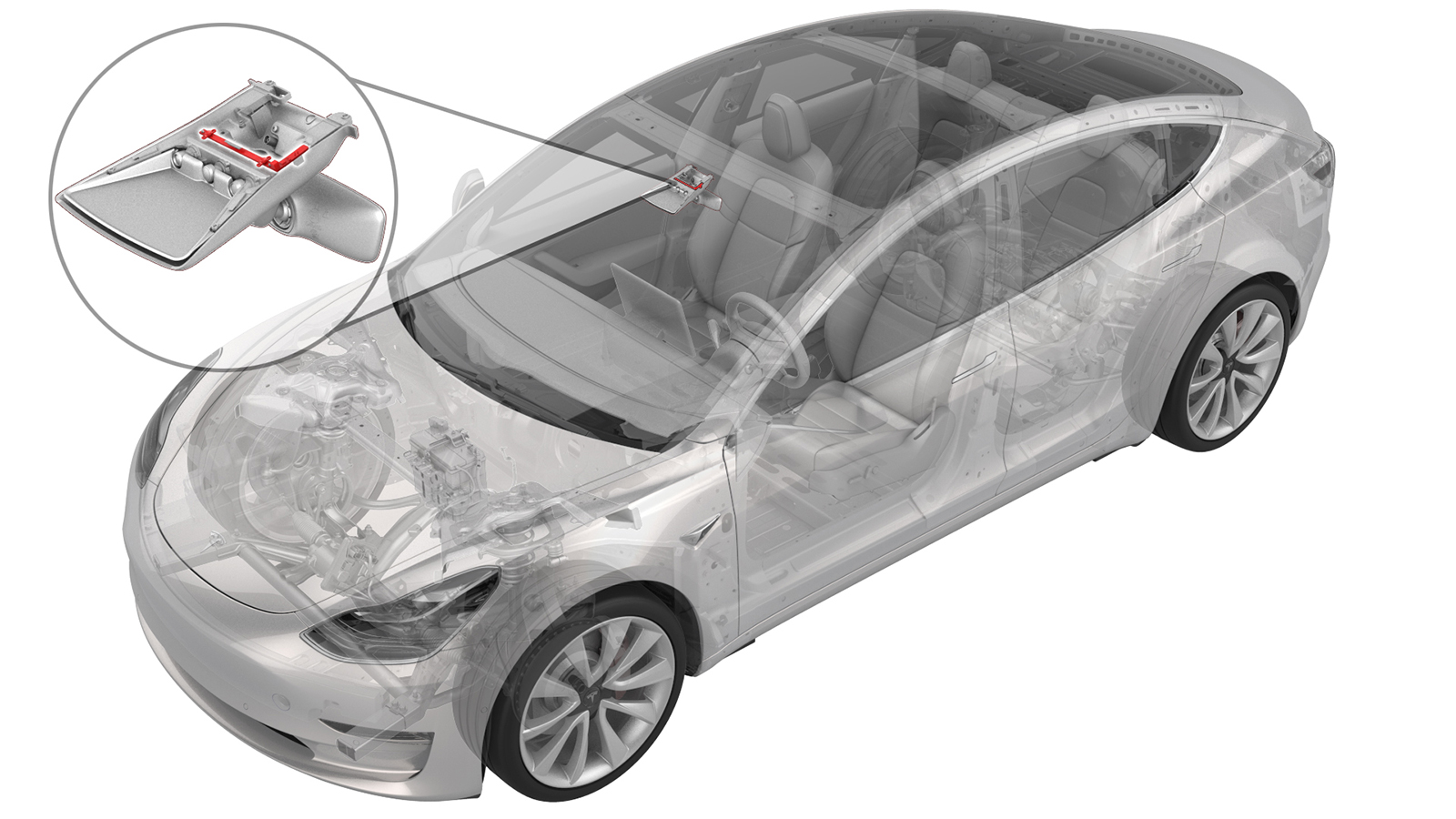
Remove
-
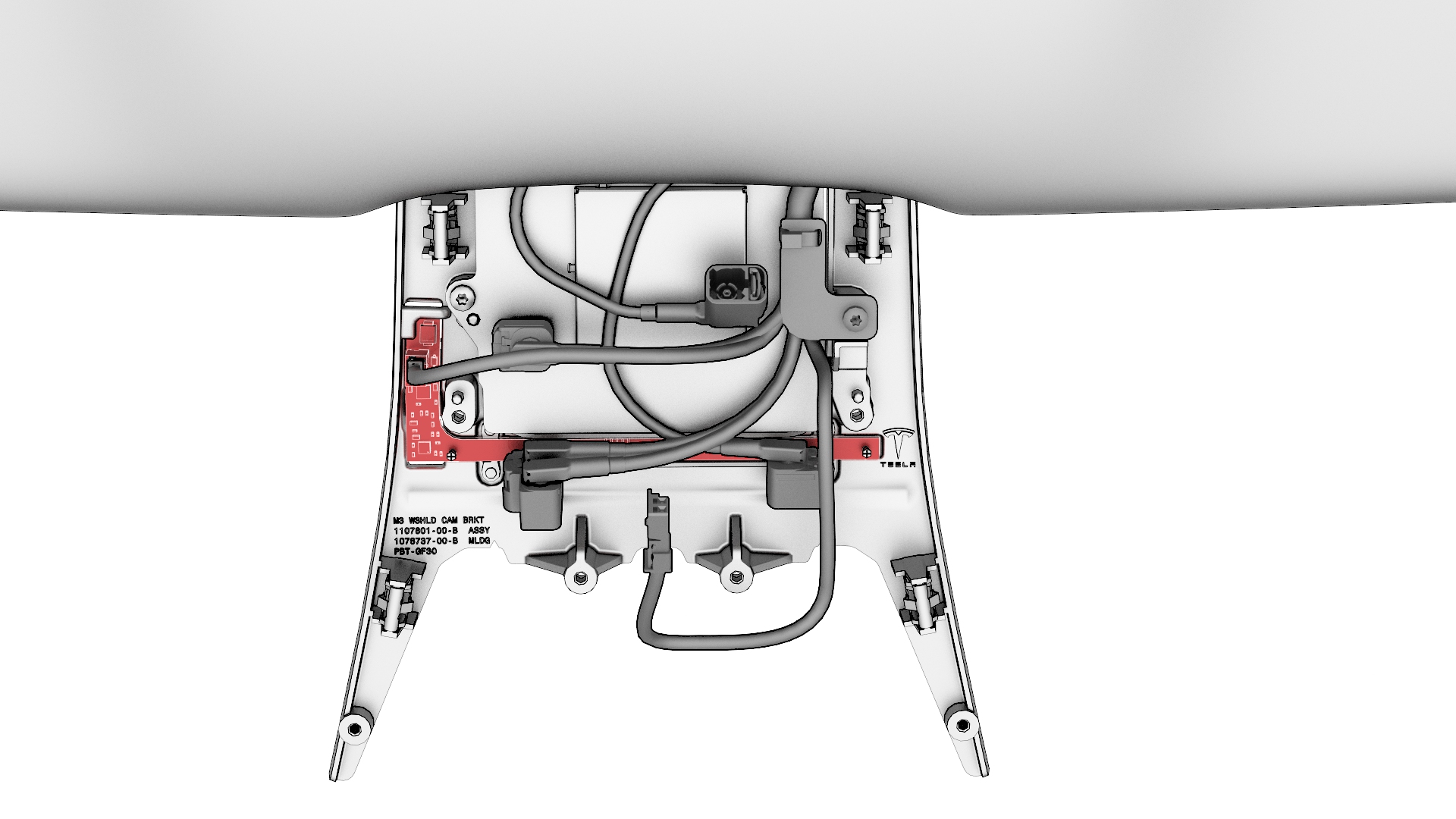
Disconnect the electrical connector from the humidity and temperature sensor.
-
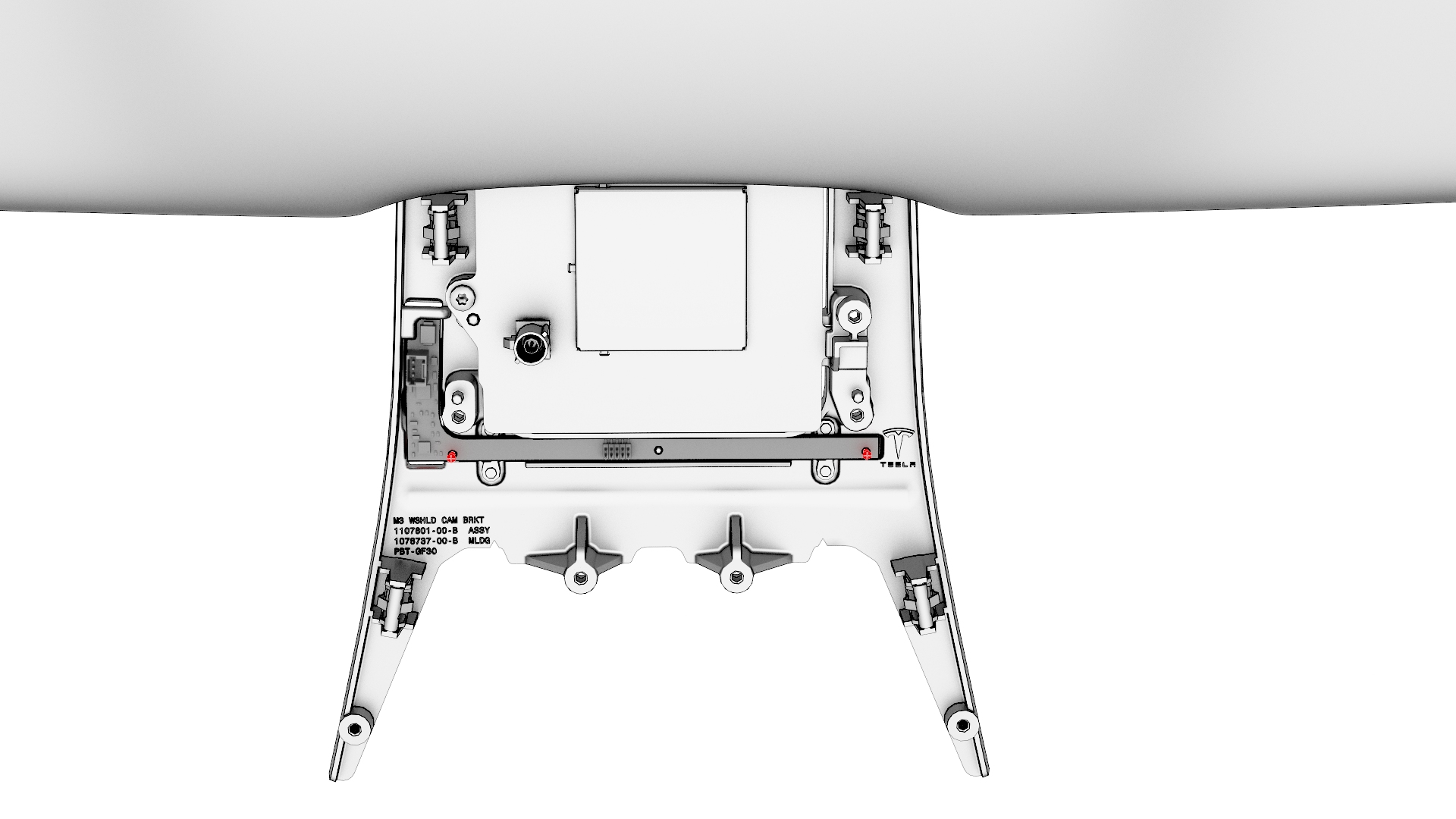
Use a PH00 (Phillips #00) screwdriver to remove the screws (x2) that attach the humidity and temperature sensor to the windshield bracket.
Note: Use the correct screwdriver to remove the screws, otherwise it might strip the screw heads.Note: The screws are tiny, make sure not to misplace them.
-
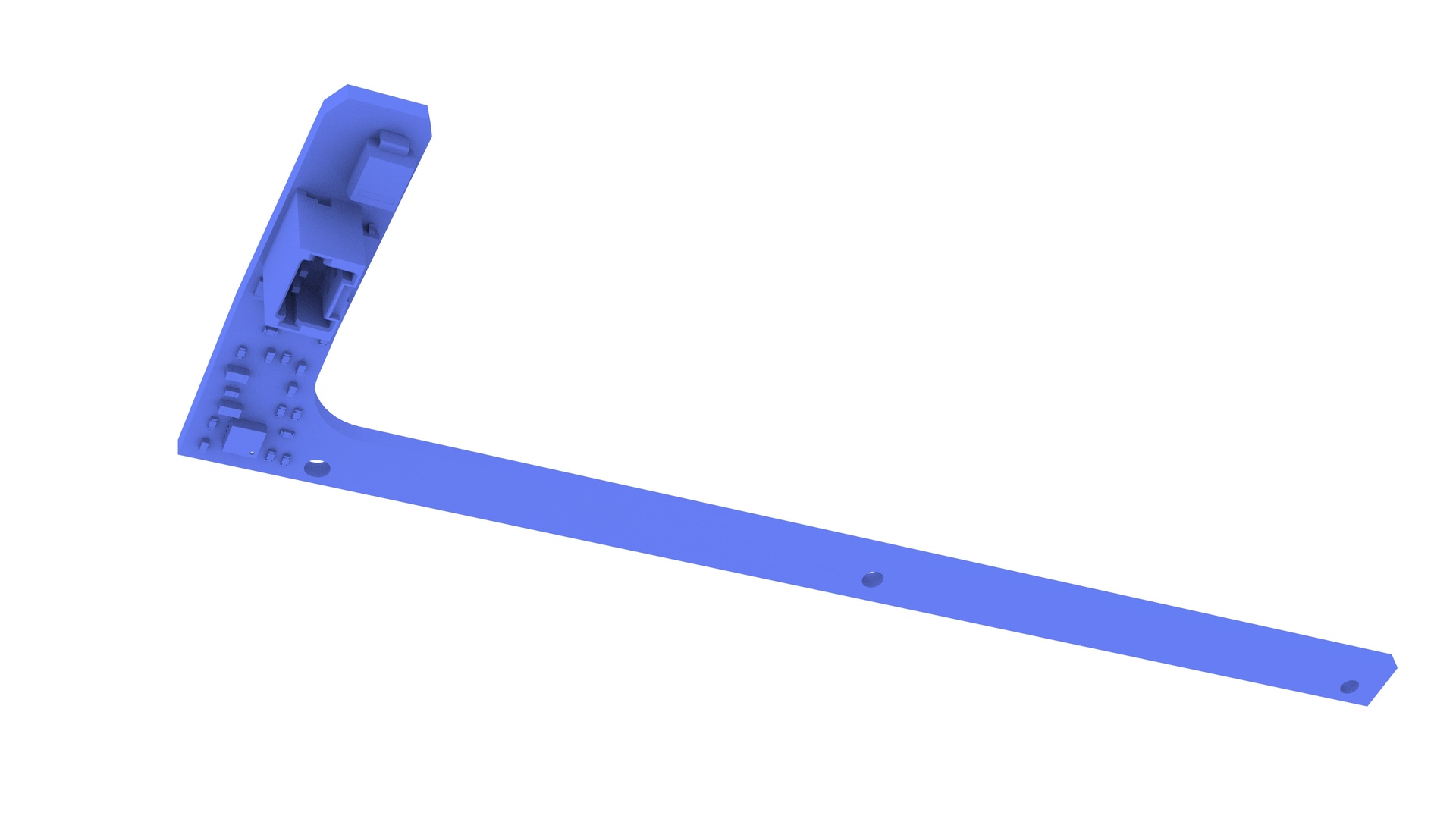
Remove the relative humidity and temperature sensor from the windshield bracket.
Note: Angle the sensor circuit board up and over the plastic alignment pin, and then move the sensor circuit board upwards to clear the pin.
| 1 | Remove the lower quad camera cover. See Quad Camera Cover - Lower (Remove and Replace). | ||
| 2 | Remove the rear view mirror. See Mirror - Rear View (Remove and Replace). | ||
| 3 | Remove the forward facing camera. See Camera - Forward Facing (Remove and Replace). | ||
| 4 | Disconnect the electrical connector from the humidity and temperature sensor. | |
| 5 | Use a PH00 (Phillips #00) screwdriver to remove the screws (x2) that attach the humidity and temperature sensor to the windshield bracket. Note: Use the correct screwdriver to remove the screws, otherwise it might strip the screw heads.
Note: The screws are tiny, make sure not to misplace them.
| |
| 6 | Remove the relative humidity and temperature sensor from the windshield bracket. Note: Angle the sensor circuit board up and over the plastic alignment pin, and then move the sensor circuit board upwards to clear the pin.
|
Install
-
Clean the area where the foam pad of the humidity and temperature sensor circuit board contacts the windshield with an isopropyl alcohol (IPA) wipe, and then allow the area to dry before continuing.
 Caution:Make sure the windshield is completely dry before continuing, the foam pad will not stick if the windshield is wet.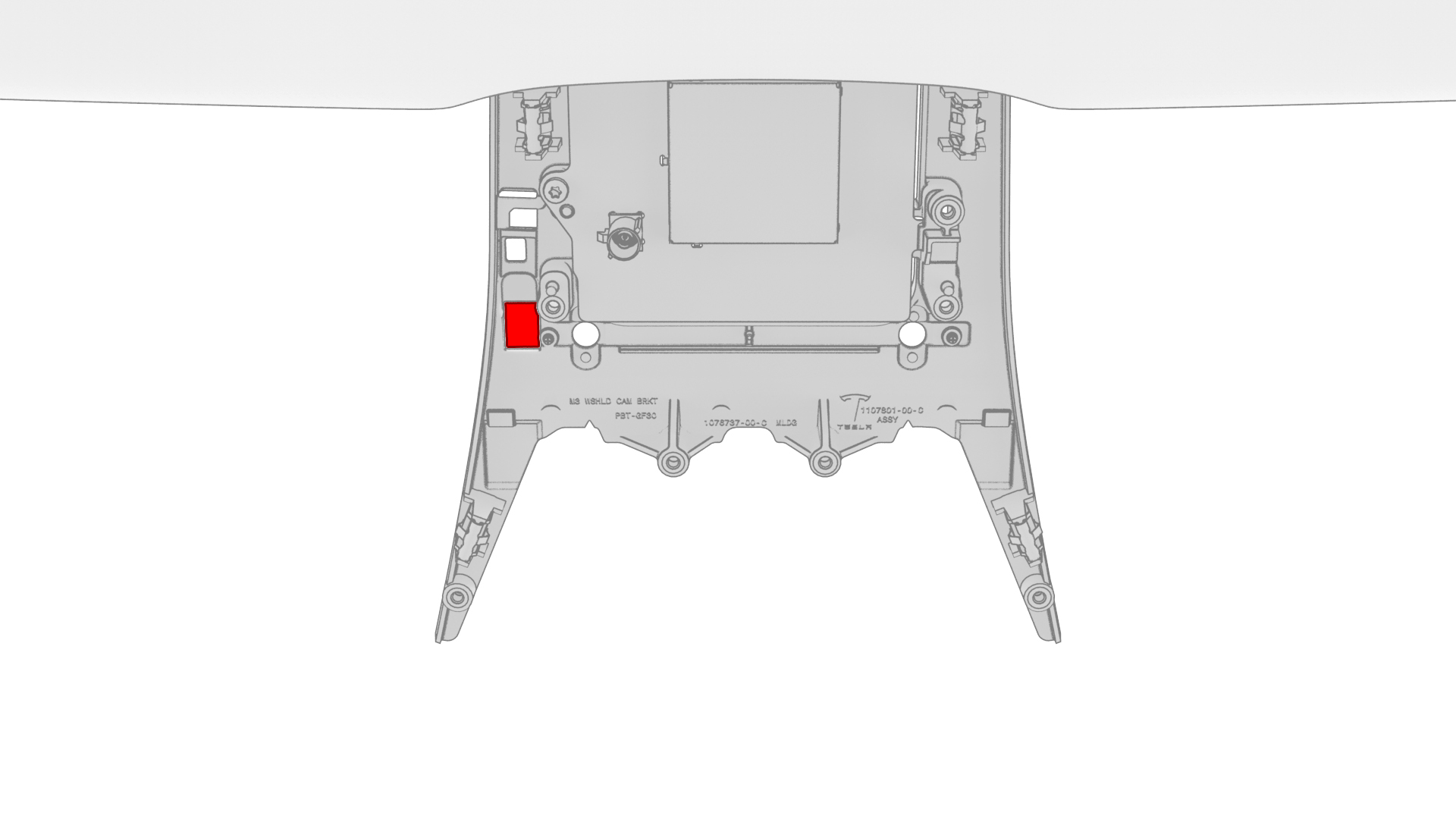
-
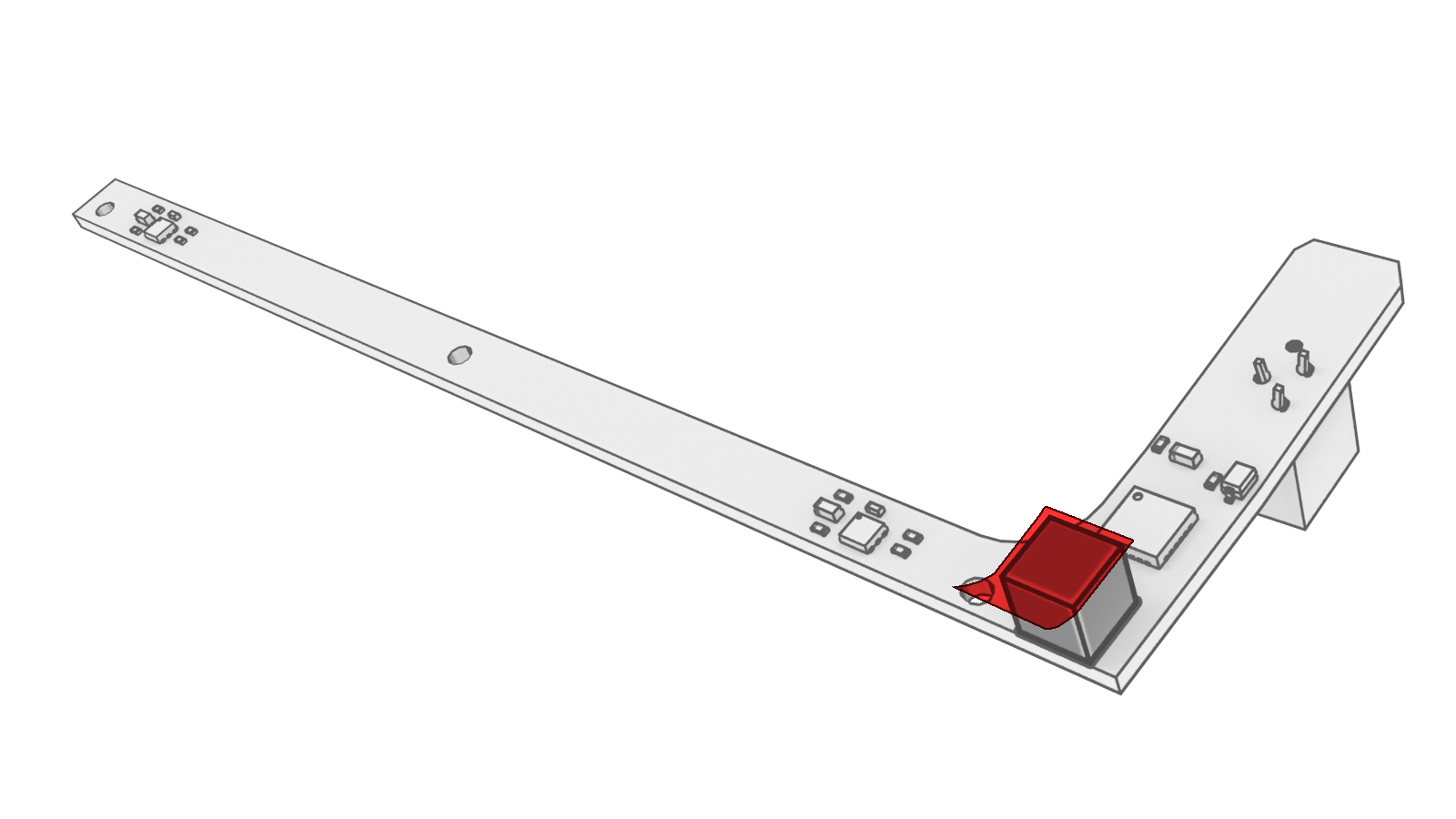
Peel the tape from the new humidity and temperature sensor circuit board, and then install the circuit board on the windshield bracket.
Note: Slide the connector end of the circuit board under the tab on the windshield bracket, and then press the hole on the circuit board onto the alignment pin of the windshield bracket.
-
Use a PH00 (Phillips #00) screwdriver to install the screws (x2) that attach the humidity and temperature sensor to the windshield bracket.
 Torque 0.12 NmCaution:Use a Wiha precision torque wrench or similar to fasten the screws to the windshield bracket. The screw threads in the bracket are very delicate and can strip out very easily.
 -
Connect the electrical connector to the humidity and temperature sensor.
| 1 | Clean the area where the foam pad of the humidity and temperature sensor circuit board contacts the windshield with an isopropyl alcohol (IPA) wipe, and then allow the area to dry before continuing. Caution: Make sure the windshield is completely dry before continuing, the foam pad will not stick if the windshield is wet.
| |
| 2 | Peel the tape from the new humidity and temperature sensor circuit board, and then install the circuit board on the windshield bracket. Note: Slide the connector end of the circuit board under the tab on the windshield bracket, and then press the hole on the circuit board onto the alignment pin of the windshield bracket.
| |
| 3 | Use a PH00 (Phillips #00) screwdriver to install the screws (x2) that attach the humidity and temperature sensor to the windshield bracket. Torque 0.12 Nm Caution: Use a Wiha precision torque wrench or similar to fasten the screws to the windshield bracket. The screw threads in the bracket are very delicate and can strip out very easily.
| |
| 4 | Connect the electrical connector to the humidity and temperature sensor. | |
| 5 | Connect a laptop with Toolbox to the vehicle. | ||
| 6 | In Toolbox, type "VCFRONT" in the search field, click on “TEST-RESET_VCFRONT,” and then select Run. | ||
| 7 | Use Toolbox to update the vehicle firmware. | ||
| 8 | Install the forward facing camera. See Camera - Forward Facing (Remove and Replace). | ||
| 9 | In Toolbox, type "THS" in the search field, click on “RUN - TEST-SELF_VCRIGHT_X_THS,” and then select Run. | ||
| 10 | Install the rear view mirror. See Mirror - Rear View (Remove and Replace). Note: Do not install the lower quad camera cover at this time.
| ||
| 11 | Calibrate the forward facing camera. See Camera - Forward Facing (Target Calibration). | ||
| 12 | Install the lower quad camera cover. See Quad Camera Cover - Lower (Remove and Replace). |