Harness - Trunk (Remove and Replace)
Correction code 1710450217104502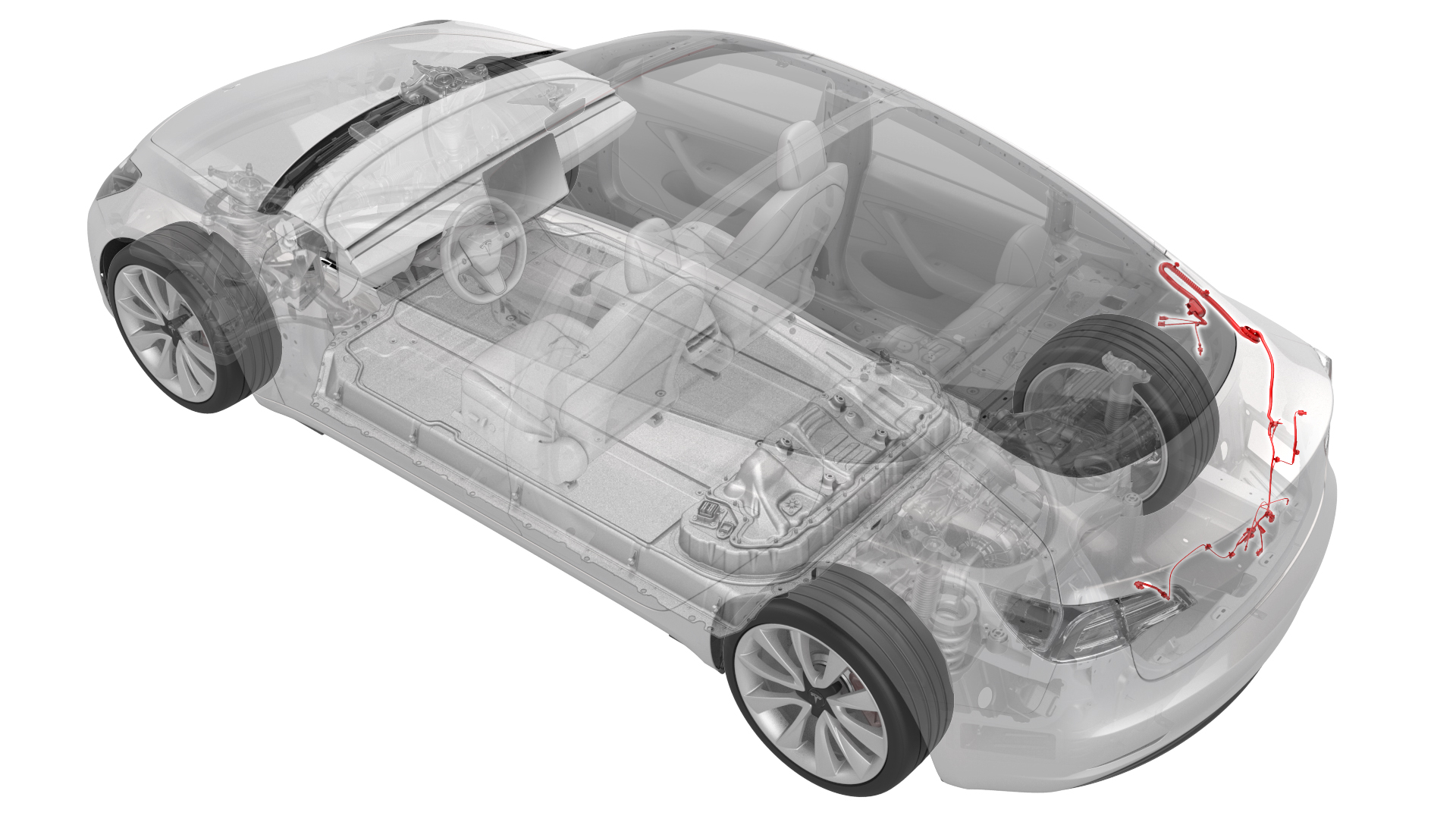
Remove
-
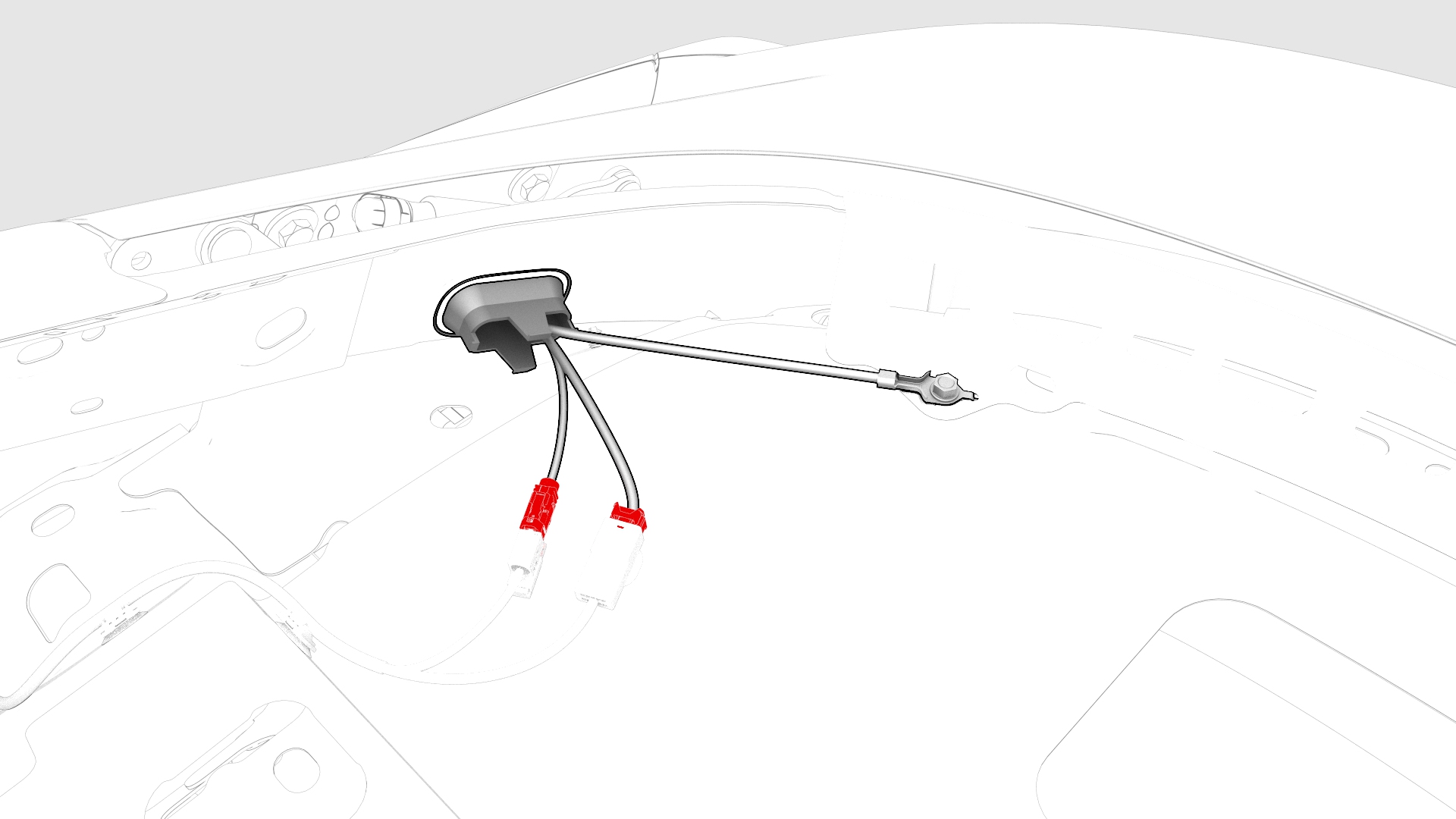
Disconnect the trunk electrical harness connectors.
-
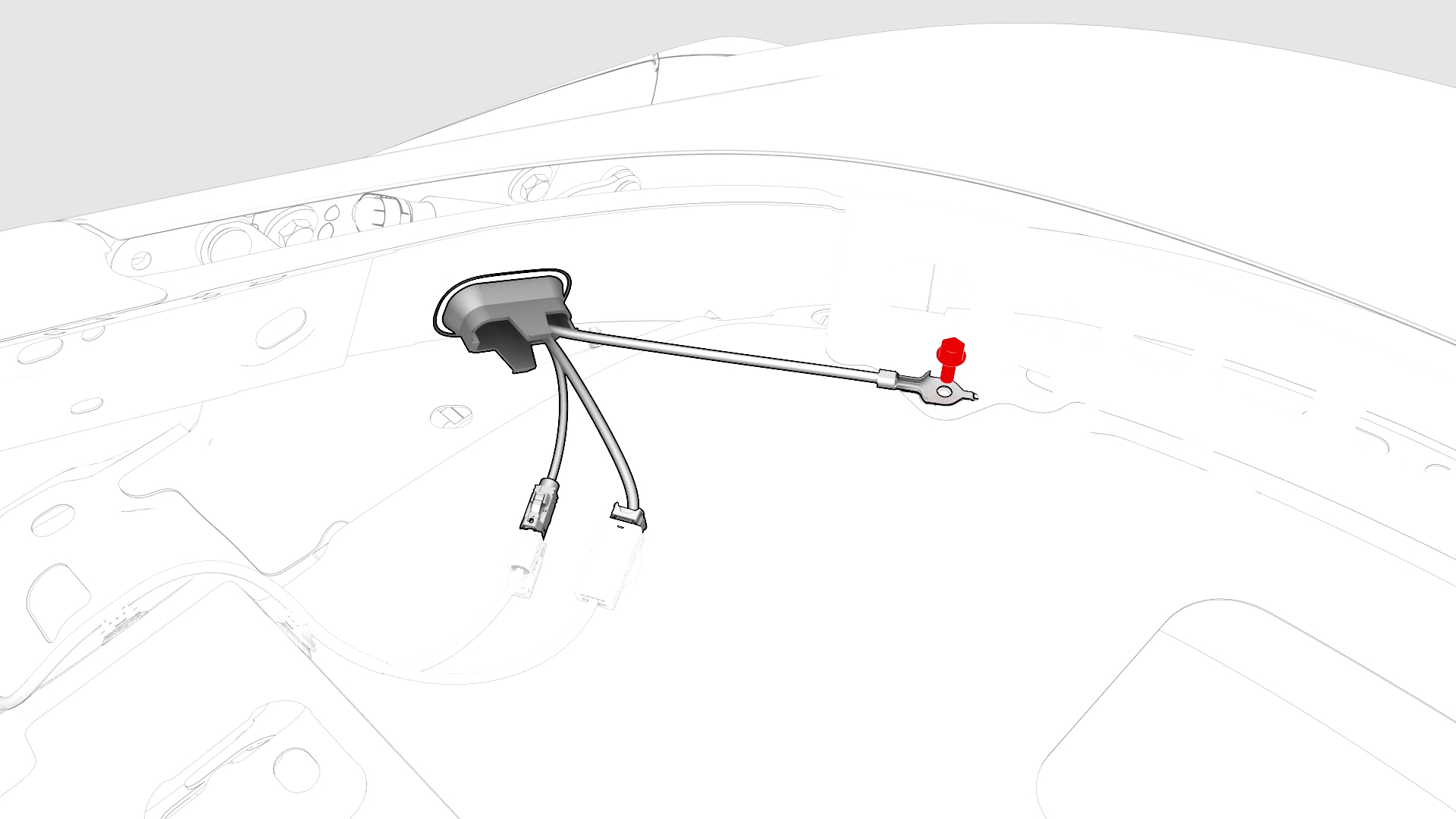
Remove and discard the bolt that attaches the ground strap to the body.
-
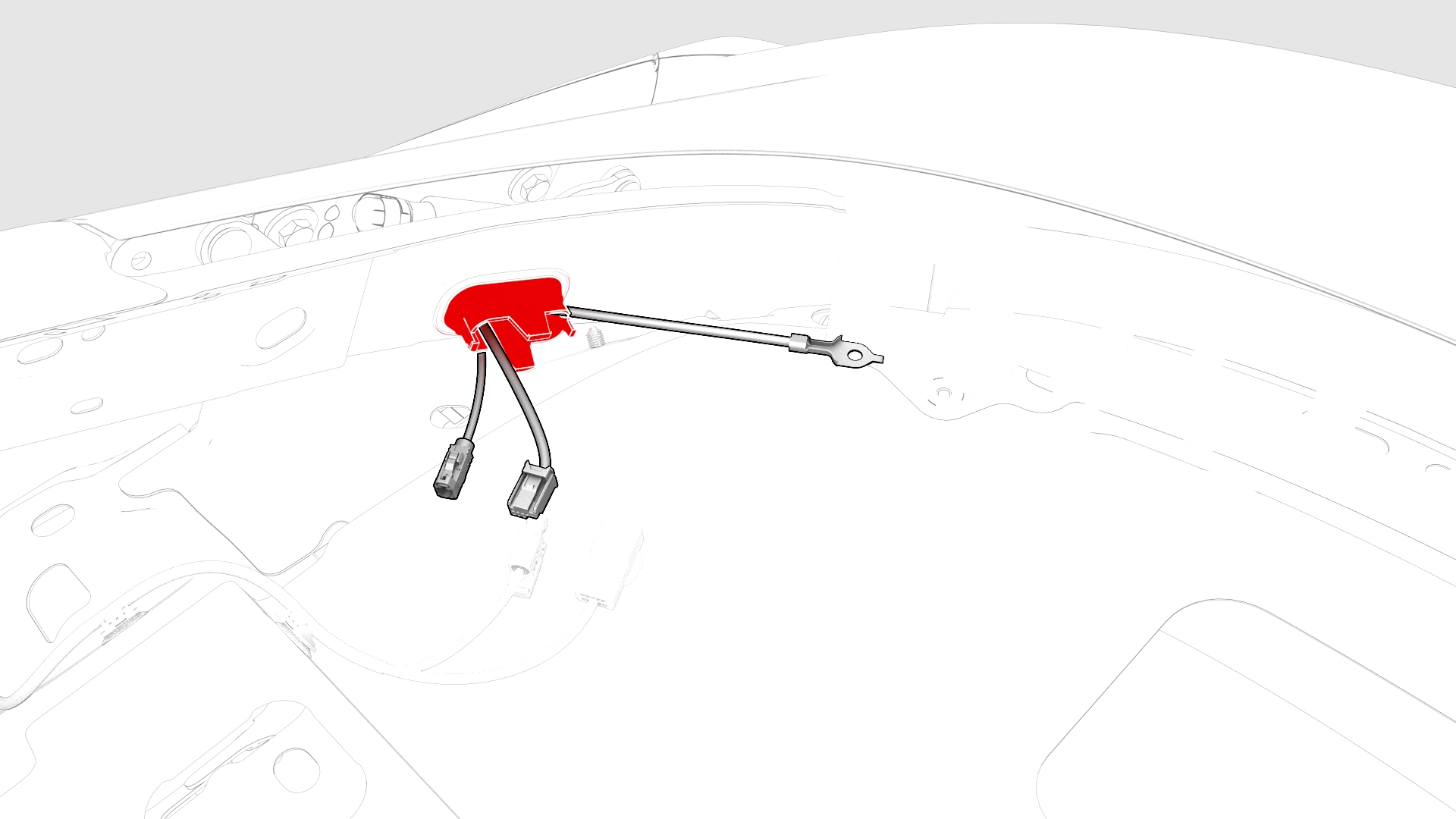
Push the trunk electrical wiring harness through the bulkhead.
-
Disconnect the LH and RH trunk light connectors.
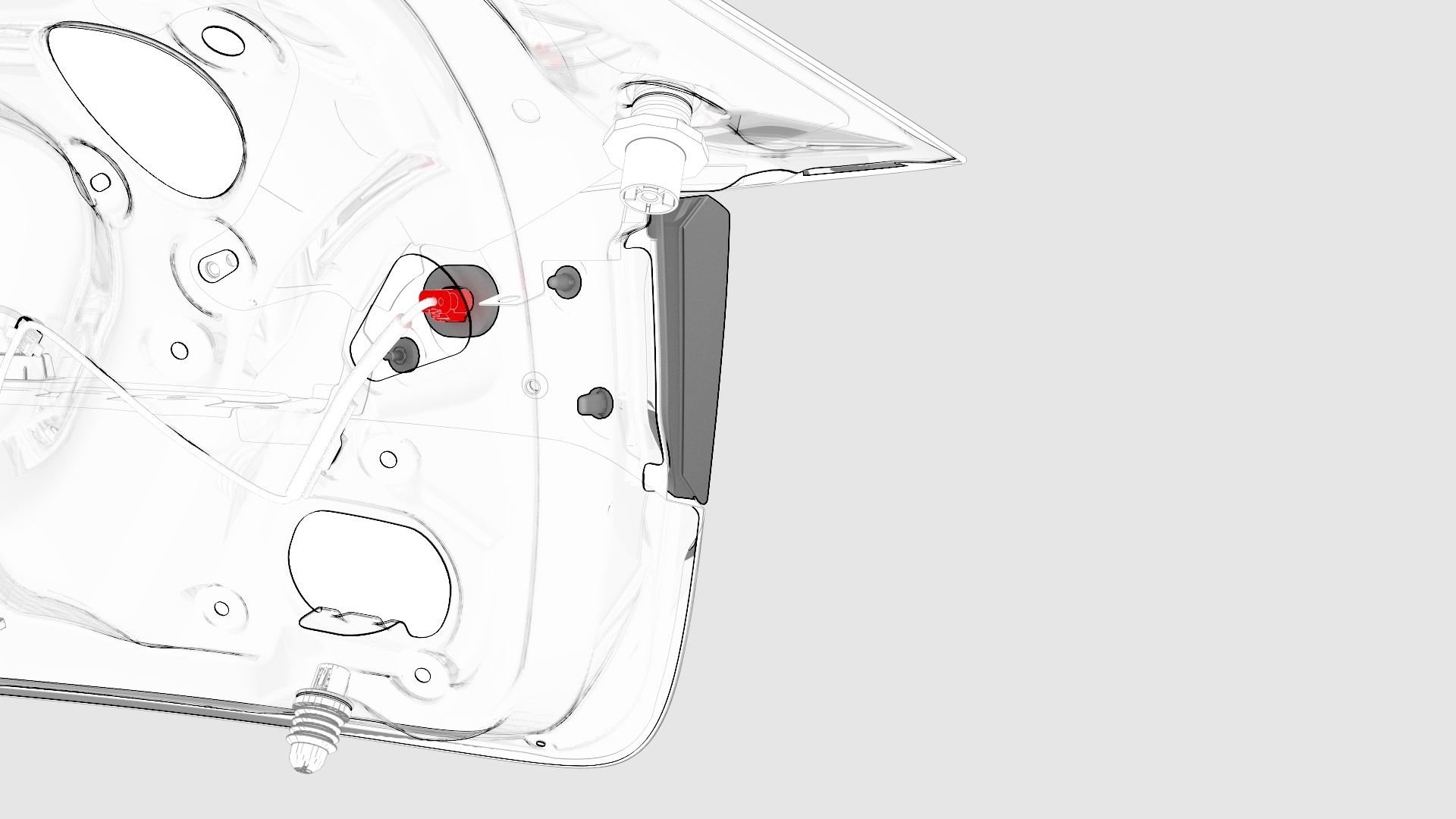 LH
LH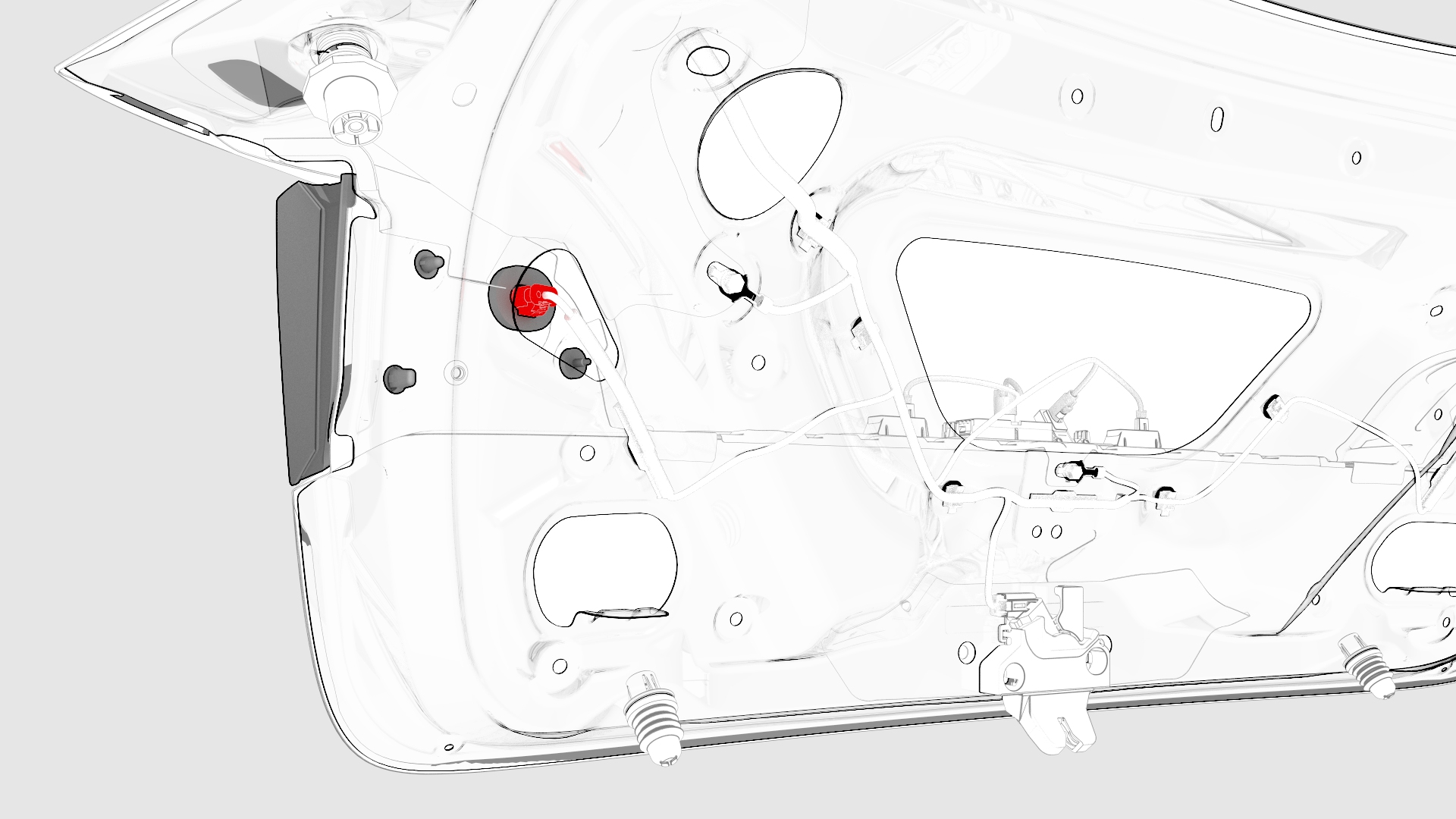 RH
RH -
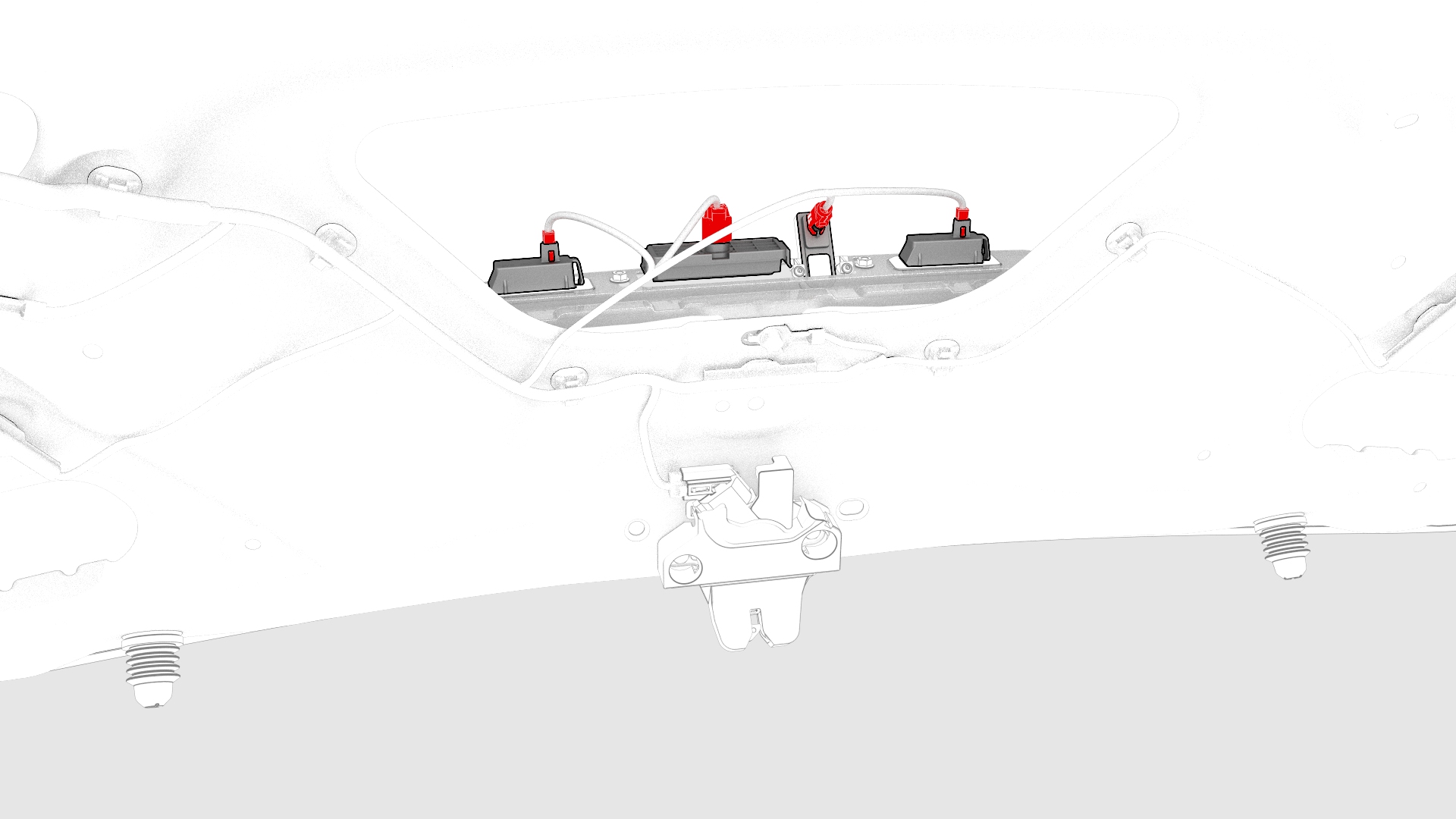
Disconnect the backup camera connector, the trunk handle connector, and the LH and RH license plate light connectors.
-
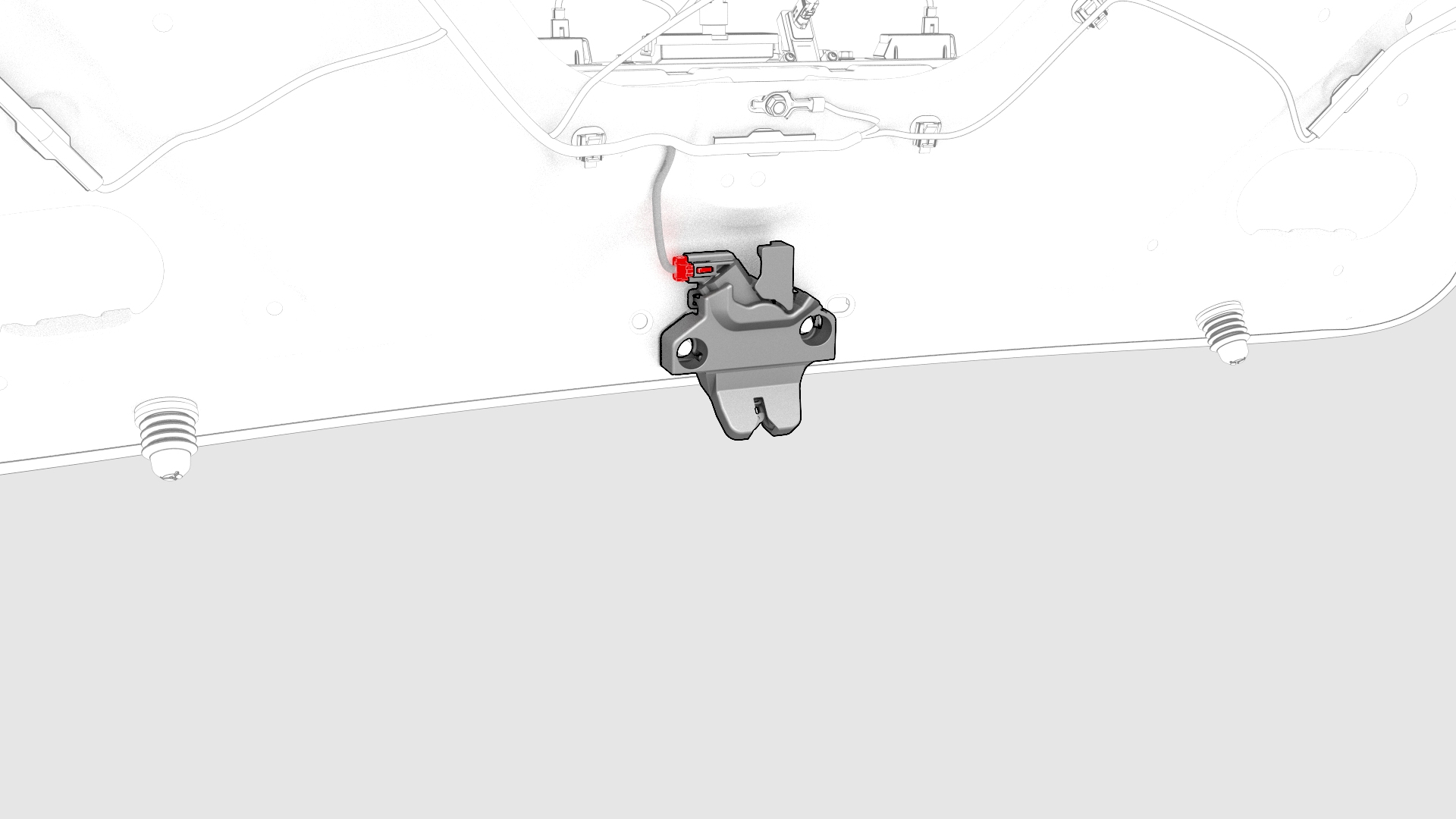
Disconnect the trunk latch connector.
-
Remove and discard the bolts (x2) that attach the trunk electrical harness ground straps to the trunk lid.
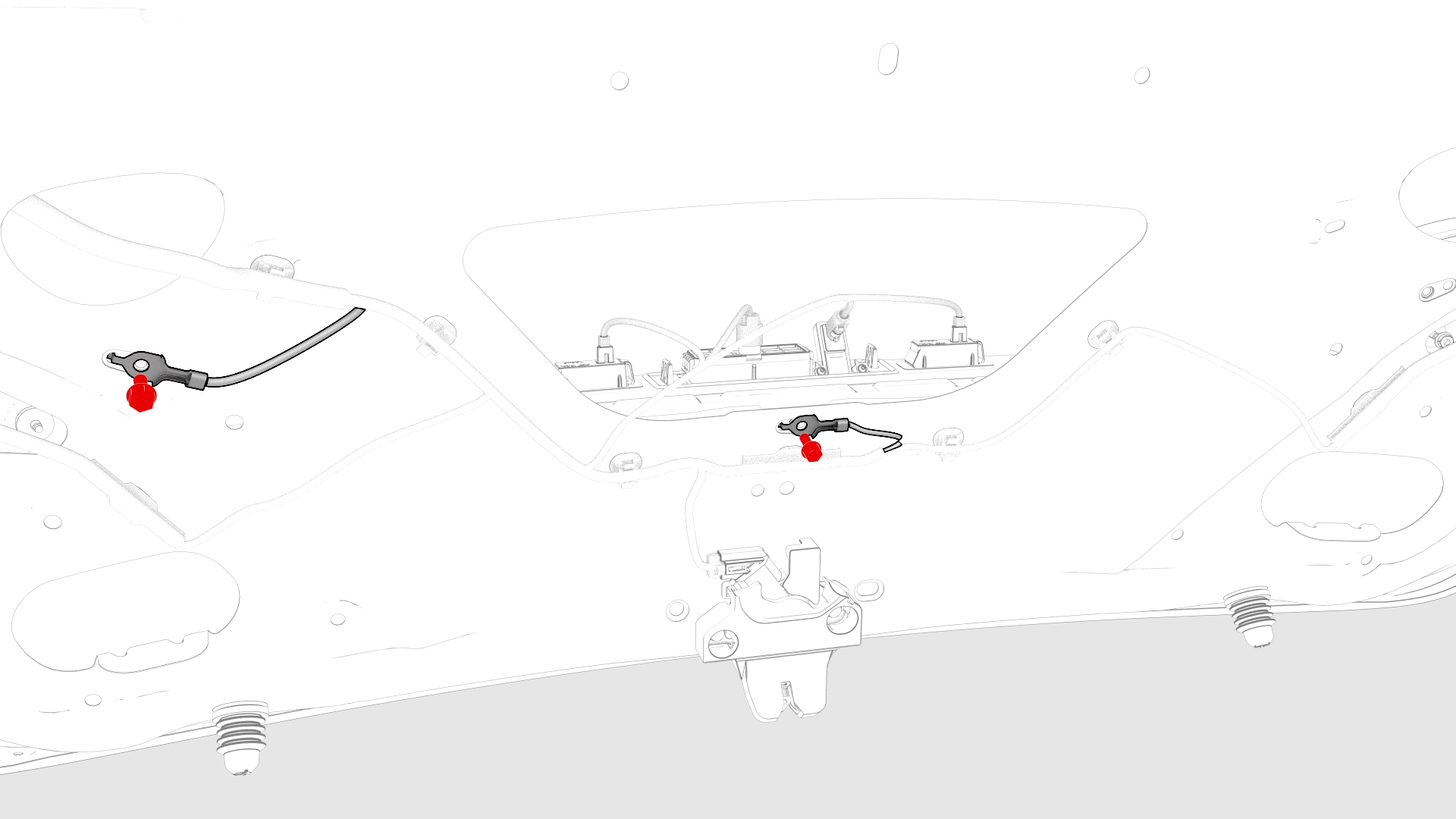
-
Release the clips that attach the trunk harness to the trunk lid.
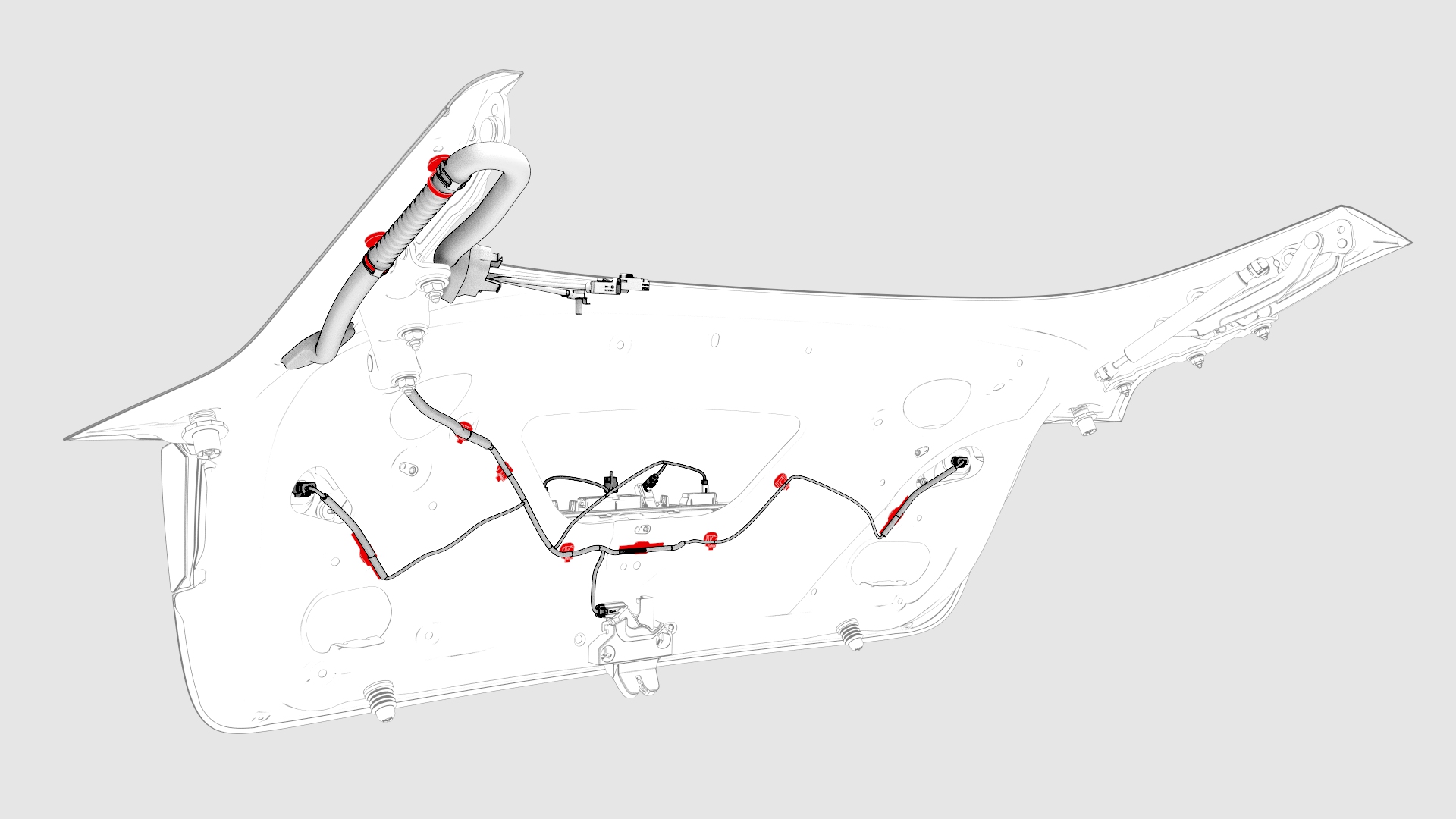
-
Push the harness through the trunk bulkhead and out of the trunk lid.
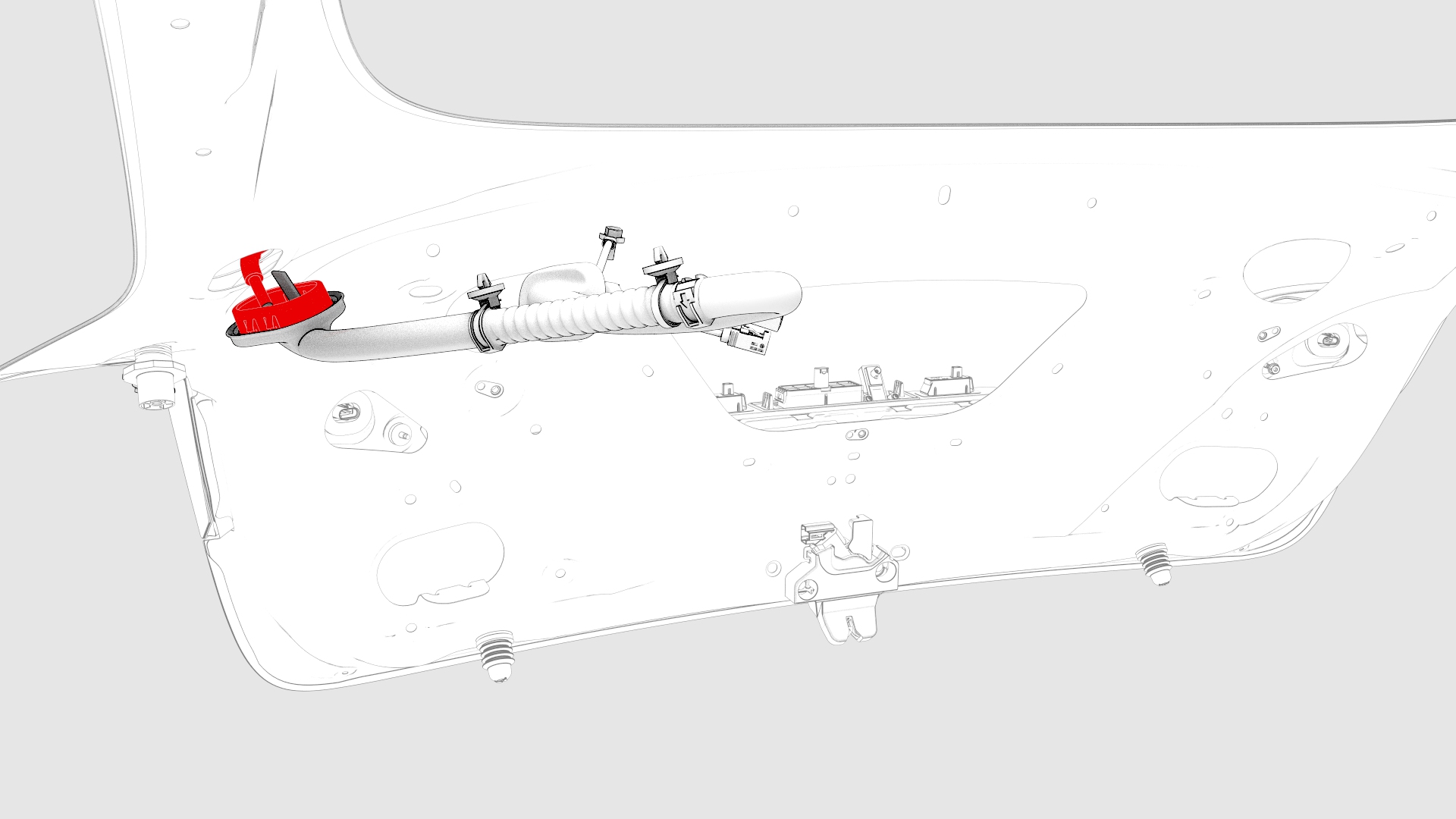
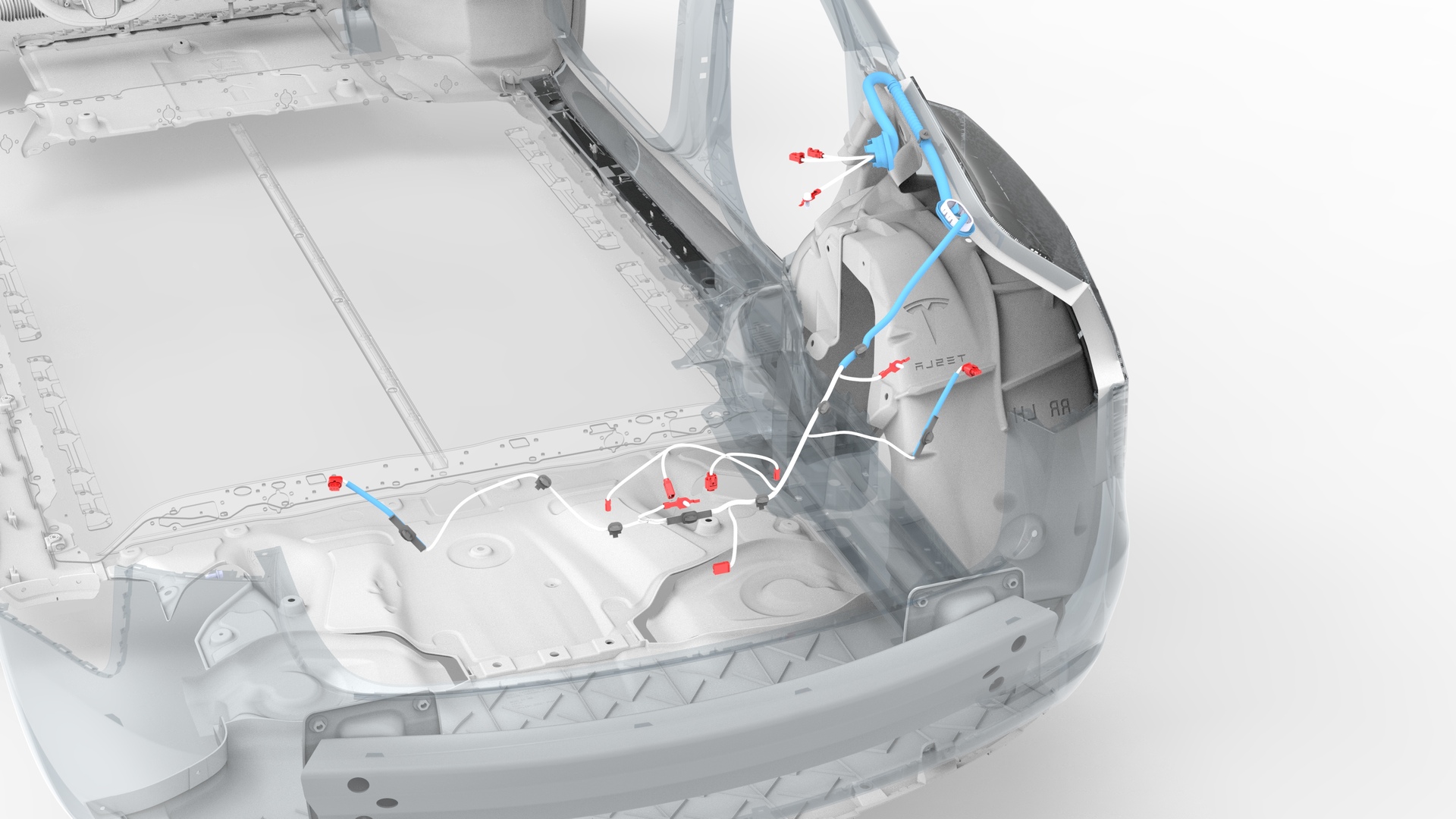
| 1 | Remove the package tray trim. See Trim - Package Tray (Remove and Install). | ||
| 2 | Disconnect the trunk electrical harness connectors. | |
| 3 | Remove and discard the bolt that attaches the ground strap to the body. | |
| 4 | Push the trunk electrical wiring harness through the bulkhead. | |
| 5 | Remove the trunk trim panel. See Trim - Lid - Trunk (Remove and Replace). | ||
LH
RH
| 6 | Disconnect the LH and RH trunk light connectors. | |
| 7 | Disconnect the backup camera connector, the trunk handle connector, and the LH and RH license plate light connectors. | |
| 8 | Disconnect the trunk latch connector. | |
| 9 | Remove and discard the bolts (x2) that attach the trunk electrical harness ground straps to the trunk lid. | |
| 10 | Release the clips that attach the trunk harness to the trunk lid. | |
| 11 | Push the harness through the trunk bulkhead and out of the trunk lid. |
Install
-
Move the trunk electrical harness in through the trunk bulkhead.
-
Fasten the clips that attach the trunk electrical harness to the trunk lid.
-
Install new bolts (x2) to attach the trunk electrical harness ground straps to the trunk lid.
 Torque 8 Nm
 -
Connect the trunk electrical harness to the trunk latch connector.
-
Connect the trunk electrical harness to the RH and LH license plate light connectors, the trunk handle connector, and the backup camera connector.
-
Connect the trunk electrical harness to the RH and LH trunk light connectors.
RH
LH
-
Move the trunk electrical wiring harness in through the bulkhead.
-
Install a new bolt to attach the ground strap to the body.Torque 8 Nm
-
Connect the trunk electrical harness connectors.
| 1 | Move the trunk electrical harness in through the trunk bulkhead. | |
| 2 | Fasten the clips that attach the trunk electrical harness to the trunk lid. | |
| 3 | Install new bolts (x2) to attach the trunk electrical harness ground straps to the trunk lid. Torque 8 Nm | |
| 4 | Connect the trunk electrical harness to the trunk latch connector. | |
| 5 | Connect the trunk electrical harness to the RH and LH license plate light connectors, the trunk handle connector, and the backup camera connector. | |
RH
LH
| 6 | Connect the trunk electrical harness to the RH and LH trunk light connectors. | |
| 7 | Install the trunk trim panel. See Trim - Lid - Trunk (Remove and Replace). | ||
| 8 | Move the trunk electrical wiring harness in through the bulkhead. | |
| 9 | Install a new bolt to attach the ground strap to the body. Torque 8 Nm | |
| 10 | Connect the trunk electrical harness connectors. | |
| 11 | Install the package tray trim. See Trim - Package Tray (Remove and Install). |