Module - Restraint Control (Remove and Replace)
Correction code 2001500220015002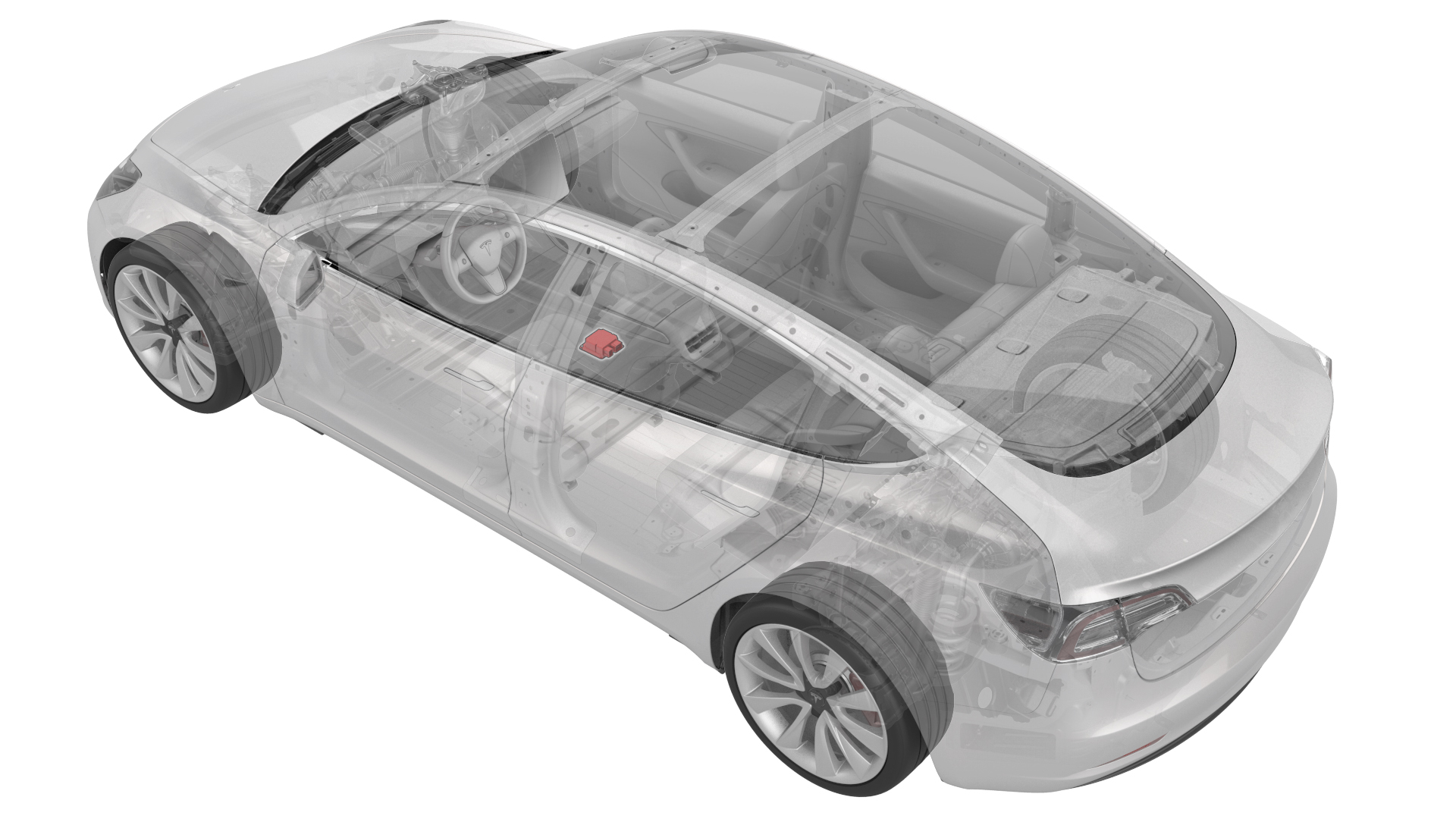
from-rc
Note:
This procedure was formulated using a release candidate or production model. Follow safety requirements and use extreme caution when working on or near high-voltage systems and components.
Provide corrections and feedback to servicemanualfeedback@tesla.com.
Remove
-
Disconnect the electrical connectors from the restraint control module.
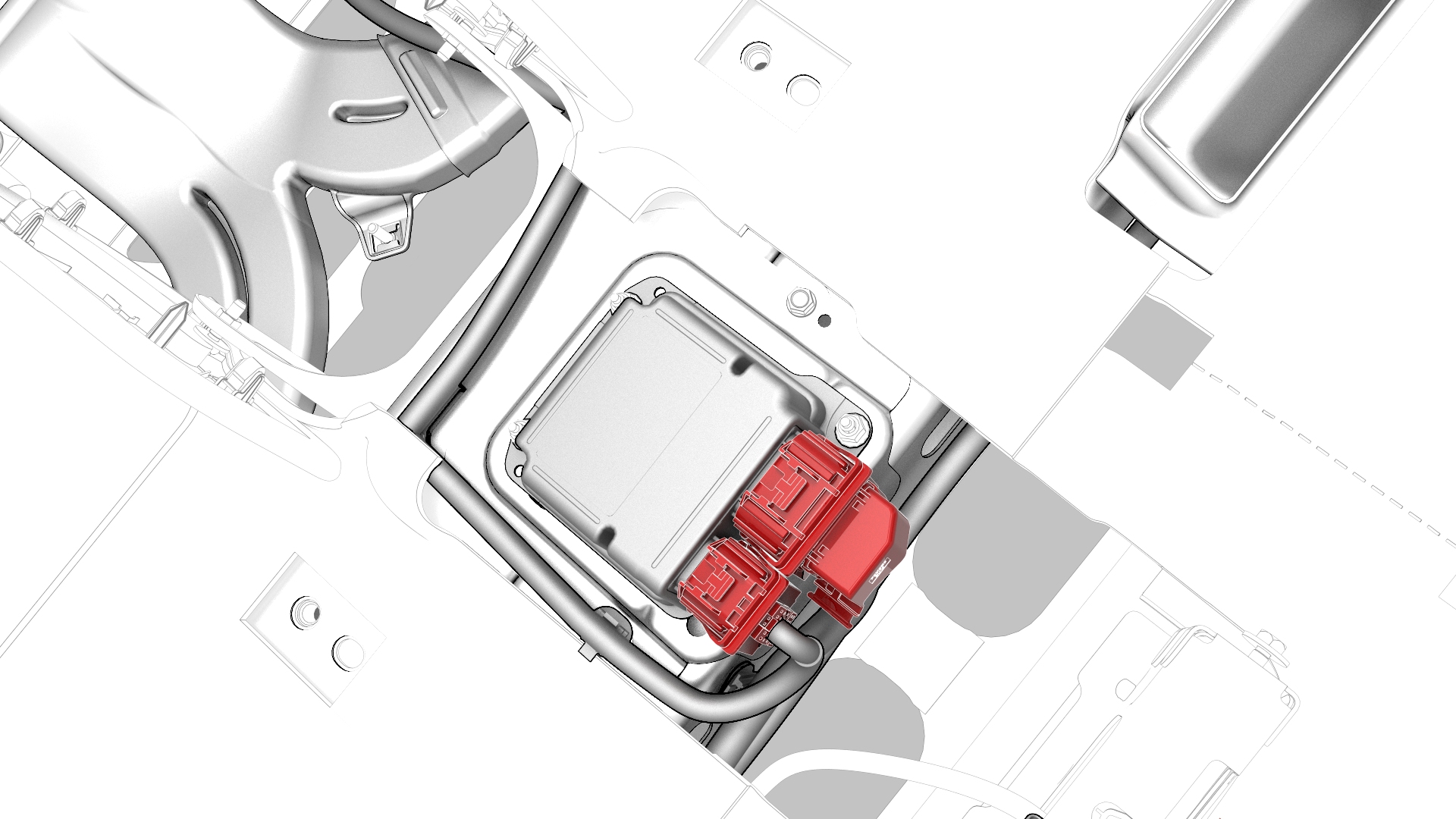
-
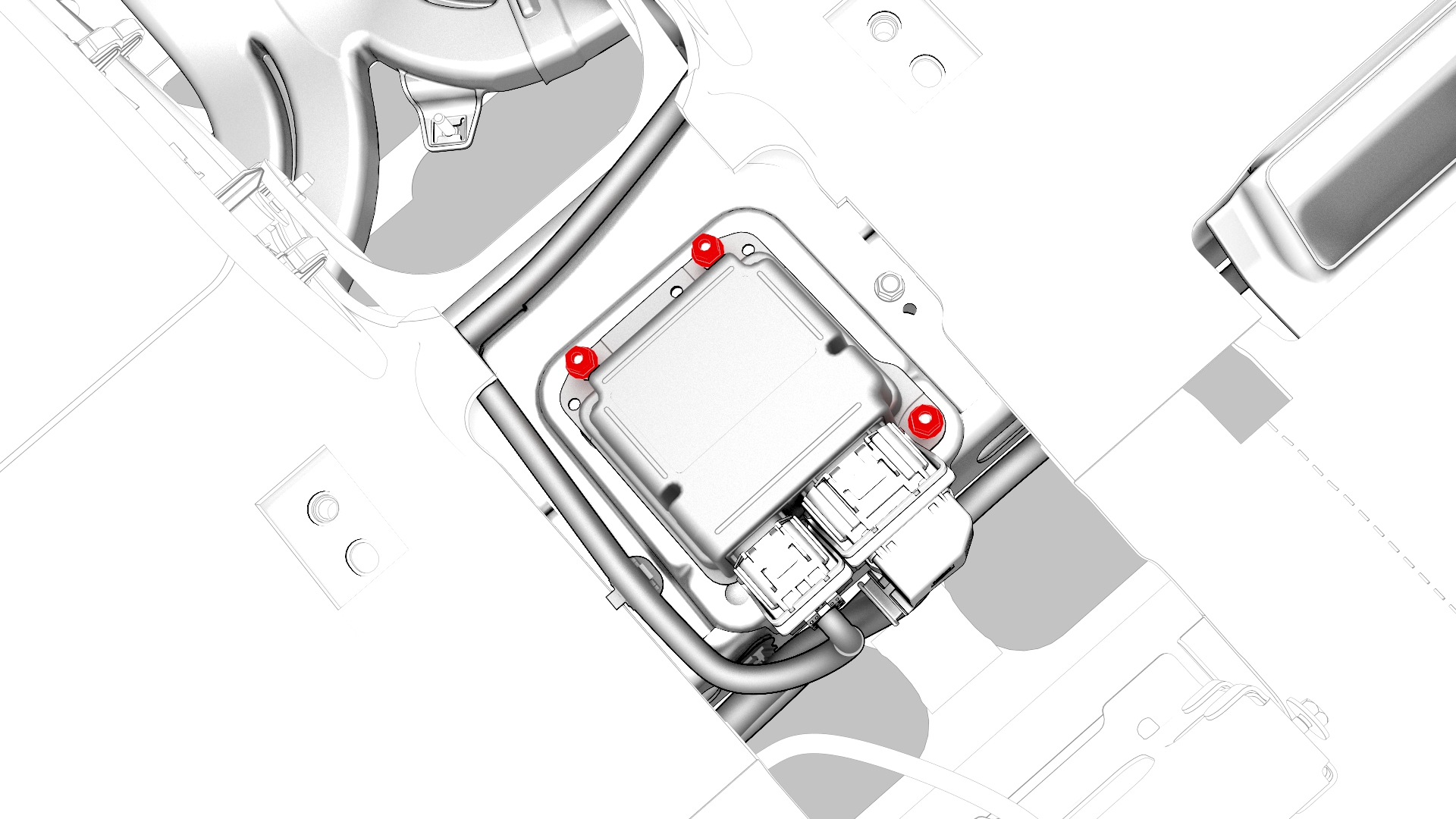
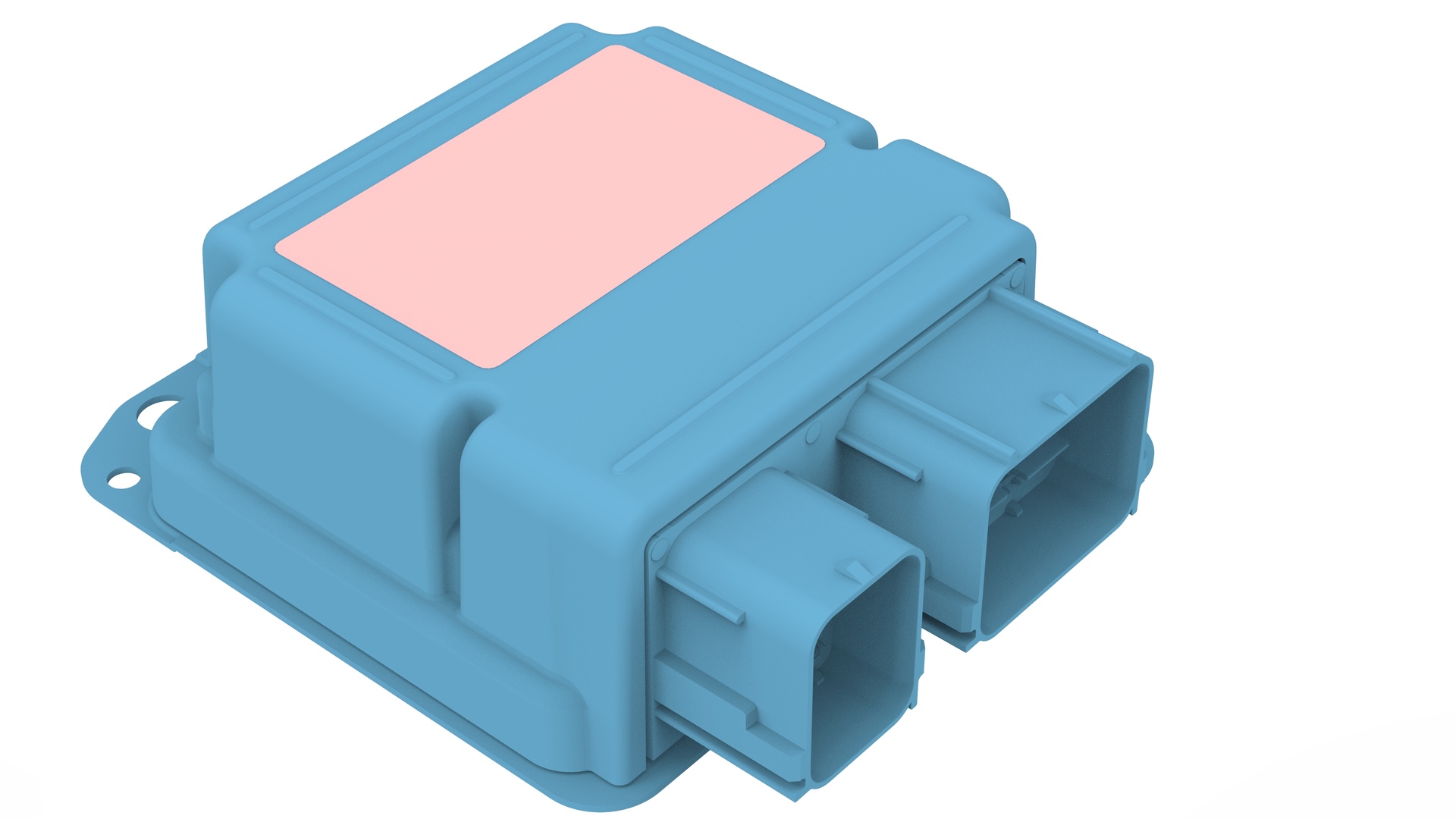
Remove and discard the nuts that attach the restrain control module to the body, and then remove the restraint control module from the vehicle.
| 1 | Remove the LH and RH center console side panel carpets. See Carpet - Side Panel - Center Console - LH (Remove and Replace). | ||
| 2 | Remove the center console. See Center Console (Remove and Install). | ||
| 3 | Remove the rear underhood apron. See Underhood Apron - Rear (Remove and Replace). | ||
| 4 | Disconnect 12V power. See 12V Power (Disconnect and Connect). | ||
| 5 | Disconnect the electrical connectors from the restraint control module. | |
| 6 | Remove and discard the nuts that attach the restrain control module to the body, and then remove the restraint control module from the vehicle. |
Install
-
Install new nuts that attach the restraint control module to the body.
 Torque 8 Nm
 -
Connect the electrical connectors to the restraint control module.
| 1 | Install new nuts that attach the restraint control module to the body. Torque 8 Nm | |
| 2 | Connect the electrical connectors to the restraint control module. | |
| 3 | Connect 12V power. See 12V Power (Disconnect and Connect). | ||
| 4 | Install the rear underhood apron. See Underhood Apron - Rear (Remove and Replace). | ||
| 5 | Install the center console. See Center Console (Remove and Install). | ||
| 6 | Install the LH and RH center console side panel carpets. See Carpet - Side Panel - Center Console - LH (Remove and Replace). | ||
| 7 | Use Garage to update the vehicle firmware. | ||
| 8 | Connect a laptop with Toolbox to the vehicle. | ||
| 9 | In Toolbox, type "PING" in the search field. Note: Make sure "Actions" is selected, if not already.
| ||
| 10 | Click on "PING-TP_ RCM", and then select Run. | ||
| 11 | In Toolbox, type "RCM" in the search field. | ||
| 12 | Click on "TEST-SELF_ RCM_X_CHASSIS-CAN", and then select Run. | ||
| 13 | Click on "TEST-SELF_ RCM_X_PRIVATE-CAN", and then select Run. | ||
| 14 | In Toolbox, type "PROC_RCM" in the search field. | ||
| 15 | Click on "PROC_RCM_DRV_LEARN-ORIENTATION", and then select Run. | ||
| 16 | In Toolbox, type "TEST_RCM" in the search field. | ||
| 17 | Click on "TEST_RCM_DRV_CONFIRM-ORIENTATION", and then select Run. | ||
| 18 | In Toolbox, type "TEST-SELF_RCM" in the search field. | ||
| 19 | Click on "TEST-SELF_RCM_X_MAIN-POWER", and then select Run. | ||
| 20 | Click on "TEST-SELF_RCM_X_REDUNDANT-POWER", and then select Run. | ||
| 21 | In Toolbox, type "TEST_RCM" in the search field. | ||
| 22 | Click on "TEST_RCM_X_REDUNDANT-POWER-VERIFY", and then select Run. | ||
| 23 | In Toolbox, type "TEST-SAT" in the search field. | ||
| 24 | Click on "TEST-SAT_ RCM_L_B-PILLAR-IMPACT-SENSOR", and then select Run. | ||
| 25 | Click on "TEST-SAT_ RCM_R_C-PILLAR-IMPACT-SENSOR", and then select Run. | ||
| 26 | In Toolbox, type "TEST-PYRO" in the search field. | ||
| 27 | Click on "TEST-PYRO_RCM_R1-L_CURTAIN-AIRBAG", and then select Run. | ||
| 28 | Click on "TEST-PYRO_RCM_R1-R_CURTAIN-AIRBAG", and then select Run. | ||
| 29 | Click on "TEST-PYRO_RCM_DRV_KNEE-AIRBAG", and then select Run. | ||
| 30 | Click on "TEST-PYRO_RCM_PAS_AIRBAG-STAGE-1", and then select Run. | ||
| 31 | Click on "TEST-PYRO_RCM_PAS_AIRBAG-STAGE-2", and then select Run. | ||
| 32 | Click on "TEST-PYRO_RCM_PAS_AIRBAG-ACTIVE-VENT", and then select Run. | ||
| 33 | Click on "TEST-PYRO_RCM_PAS_KNEE-AIRBAG", and then select Run. | ||
| 34 | Click on "TEST-PYRO_RCM_R2-L_PRETENSIONER", and then select Run. | ||
| 35 | Click on "TEST-PYRO_RCM_R2-R_PRETENSIONER", and then select Run. | ||
| 36 | Click on "TEST-PYRO_RCM_DRV_RETRACTOR-PRETENSIONER", and then select Run. | ||
| 37 | Click on "TEST-PYRO_RCM_DRV_SEATBELT-LOAD-LIMITER", and then select Run. | ||
| 38 | Click on "TEST-PYRO_RCM_PAS_RETRACTOR-PRETENSIONER", and then select Run. | ||
| 39 | Click on "TEST-PYRO_RCM_PAS_SEATBELT-LOAD-LIMITER", and then select Run. | ||
| 40 | In Toolbox, type "TEST_RCM" in the search field. | ||
| 41 | Click on "TEST_RCM_X_ALR-RETRACTOR-SWITCH", and then select Run. | ||
| 42 | In Toolbox, type "TEST-SAT" in the search field. | ||
| 43 | Click on "TEST-SAT_ RCM_FRONT-L_IMPACT-SENSOR", and then select Run. | ||
| 44 | Click on "TEST-SAT_ RCM_FRONT-C_IMPACT-SENSOR", and then select Run. | ||
| 45 | Click on "TEST-SAT_ RCM_FRONT-R_IMPACT-SENSOR", and then select Run. | ||
| 46 | Click on "TEST-SAT_ RCM_R_B-PILLAR-IMPACT-SENSOR", and then select Run. | ||
| 47 | In Toolbox, type "HVC" in the search field. | ||
| 48 | Click on "TEST_RCM_X_ENS-TO-HVC", and then select Run. | ||
| 49 | In Toolbox, type "PROC_RCM" in the search field. | ||
| 50 | Click on "PROC_RCM_IMU-CALIBRATION", and then select Run. | ||
| 51 | In Toolbox, type "TEST_RCM" in the search field. | ||
| 52 | Click on "TEST_RCM_L_SEAT-TRACK-SENSOR", and then select Run. | ||
| 53 | Click on "TEST_RCM_R_SEAT-TRACK-SENSOR", and then select Run. | ||
| 54 | In Toolbox, type "TEST_PYRO" in the search field. | ||
| 55 | Click on "TEST-PYRO_RCM_R1-L_SIDE-AIRBAG", and then select Run. | ||
| 56 | Click on "TEST-PYRO_RCM_R1-R_SIDE-AIRBAG", and then select Run. | ||
| 57 | Click on "TEST-PYRO_RCM_DRV_LAP-PRETENSIONER", and then select Run. | ||
| 58 | Click on "TEST-PYRO_RCM_PAS_LAP-PRETENSIONER", and then select Run. | ||
| 59 | Click on "TEST-PYRO_RCM_X_DAB-STAGE-1", and then select Run. | ||
| 60 | Click on "TEST-PYRO_RCM_X_DAB-STAGE-2", and then select Run. | ||
| 61 | Click on "TEST-PYRO_RCM_DRV_ACTIVE-VENT", and then select Run. | ||
| 62 | In Toolbox, type "TEST_SAT" in the search field. | ||
| 63 | Click on "TEST-SAT_ RCM_FRONT-L_DOOR-PRESSURE", and then select Run. | ||
| 64 | Click on "TEST-SAT_ RCM_FRONT-R_DOOR-PRESSURE", and then select Run. | ||
| 65 | In Toolbox, type "TEST_SN" in the search field. | ||
| 66 | Click on "TEST-SN_ RCM_L_B-PILLAR-IMPACT-SENSOR", and then select Run. | ||
| 67 | Click on "TEST-SN_ RCM_R_B-PILLAR-IMPACT-SENSOR", and then select Run. | ||
| 68 | Click on "TEST-SN_ RCM_L_C-PILLAR-IMPACT-SENSOR", and then select Run. | ||
| 69 | Click on "TEST-SN_ RCM_R_C-PILLAR-IMPACT-SENSOR", and then select Run. | ||
| 70 | Click on "TEST-SN_ RCM", and then select Run. | ||
| 71 | Click on "TEST-SN_ RCM_FRONT-L_IMPACT-SENSOR", and then select Run. | ||
| 72 | Click on "TEST-SN_ RCM_FRONT-C_IMPACT-SENSOR", and then select Run. | ||
| 73 | Click on "TEST-SN_ RCM_FRONT-R_IMPACT-SENSOR", and then select Run. | ||
| 74 | Click on "TEST-SN_ RCM_FRONT-L_DOOR-PRESSURE", and then select Run. | ||
| 75 | Click on "TEST-SN_ RCM_FRONT-R_DOOR-PRESSURE", and then select Run. | ||
| 76 | In Toolbox, type "PROC_RCM" in the search field. | ||
| 77 | Click on "PROC_RCM_X_LEARN-VIN", and then select Run. | ||
| 78 | In Toolbox, type "TEST_RCM" in the search field. | ||
| 79 | Click on "TEST_RCM_X_CONFIRM-VIN", and then select Run. | ||
| 80 | In Toolbox, type "TEST-DTC" in the search field. | ||
| 81 | Click on "TEST-DTC_ RCM", and then select Run. | ||
| 82 | In Toolbox, type "PROC_RCM" in the search field. | ||
| 83 | Click on "PROC_RCM_ARM", and then select Run. | ||
| 84 | Click on "PROC_RCM_X_DISABLE-DIAGNOSTICS", and then select Run. |